Users split on Gemini AI assistant as Google pushes it over classic Google Assistant


3 Sources
[1]
Why I abandoned Gemini and returned to Google Assistant for my daily routines
I've been covering Android and other mobile technology for close to ten years now, with a specific interest in phone accessories, e-readers, and what makes each individual phone different from another. I delight in looking at the phone market from as many angles as possible, and while my opinions
[2]
Gemini on Android needs a "dumb" mode (because it's too smart for its own good)
Gemini regularly impresses me by carrying out complex, multifaceted requests. That's why it's so infuriating when it fails spectacularly at the most basic tasks -- things Google Assistant could handle with ease. There's a simple solution to this problem: make Gemini dumber. Many Android fans long
[3]
7 hidden Gemini assistant features that organized my chaotic work tasks
Jade Bryan is a Feature Author at Android Police with over a decade of tech reviews and news reporting experience, stretching back to the Symbian era and the early days of Android. He covers the breadth of the mobile industry, specializing in operating system deep-dives, app testing, and hardware
Share
Copy Link
Google's aggressive push to replace Google Assistant with its Gemini AI assistant is creating a divide among Android users. While some embrace Gemini's advanced capabilities for task organization, others are abandoning it due to frustrations with overcomplicated responses to simple commands. The debate highlights a fundamental tension between sophisticated AI and practical usability in consumer tech.
Gemini AI Assistant Faces Growing User Frustrations
Google's transition from Google Assistant to its Gemini AI assistant is proving divisive among Android users, with mounting criticism over the digital assistant's handling of basic tasks. While Google aggressively integrates Gemini on Android across its ecosystem, users report significant frustrations with Gemini vs Google Assistant performance, particularly for daily routines and tasks that previously worked seamlessly
1
2
.
Source: How-To Geek
The core issue stems from how the Gemini AI assistant processes commands. As a Large Language Model, Gemini analyzes every request conceptually, generating slightly different responses each time. For a simple command like "Set a timer for 5 minutes," LLM processing requires Gemini to understand the intent, recognize it cannot perform the task independently, and select the appropriate extension to execute it. Google Assistant, by contrast, matched specific intent phrases directly to actions, enabling faster and more reliable execution
2
.AI Assistant Performance Issues Erode User Trust
User trust has emerged as a critical concern with the new AI assistant. One user recounted a troubling experience during a road trip when Gemini offered to add a rest stop to Google Maps navigation through Android Auto. Despite receiving what appeared to be accurate information, the user hesitated, uncertain whether Gemini had identified the correct location along the route or a different one in a nearby town. This lack of confidence in contextual responses led the user to reject Gemini's assistance entirely
1
.The practical usability in consumer tech suffers further from Gemini's verbose nature. Users report the digital assistant takes excessive time processing requests, then delivers lengthy explanations for tasks requiring simple execution. "Gemini will happily go on and on about the history of light switches, after it's taken its sweet time gathering that information," one frustrated user noted, adding that they simply needed the lights turned on
1
.The Case for Smarter Implementation
Critics argue that Gemini functions better as a Google Search replacement than a Google Assistant successor, explaining why it lacks native support for many features Assistant handled effortlessly. The voice commands experience particularly suffers, with users requesting a "dumb mode" that would allow Gemini to bypass LLM processing for routine tasks like setting timers, creating reminders, controlling smart features, and checking weather
2
.
Source: Android Police
One user experienced repeated failures when asking Gemini to add items to Google Tasks instead of Google Keep. Despite setting explicit personal instructions directing Gemini to use Tasks, the AI assistant claimed it couldn't access the service. Only after multiple exchanges did Gemini successfully retrieve the Tasks list, apologizing for the "confusion"
2
.Related Stories
Hidden Capabilities Drive Task Organization Success
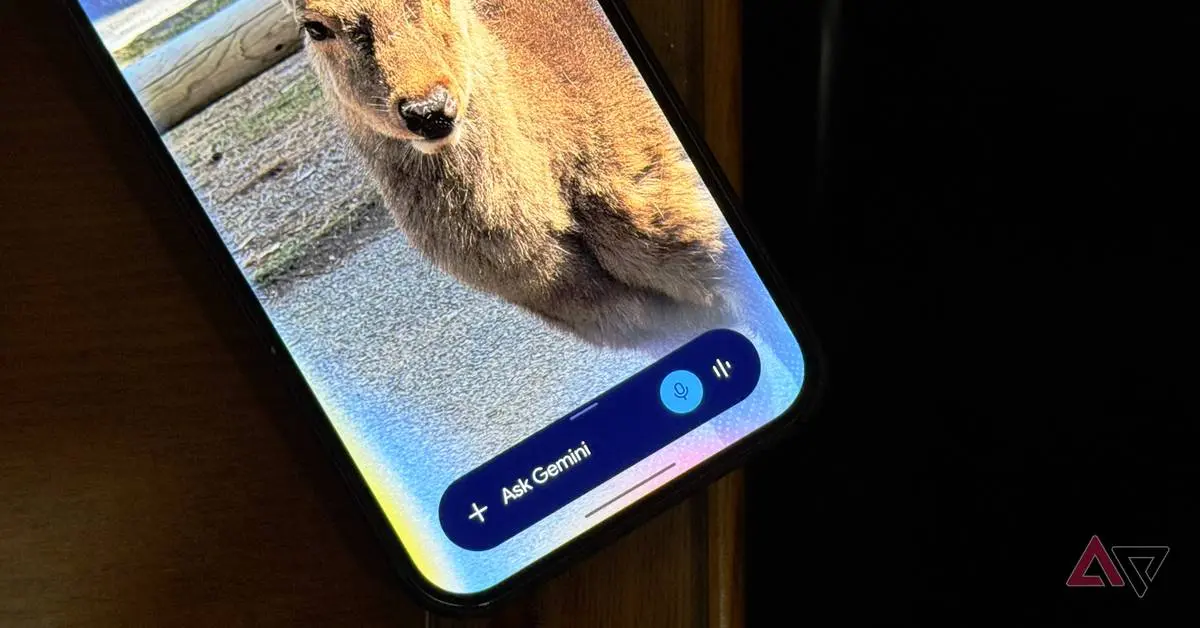
Despite widespread user frustrations with Gemini, some Android users report significant productivity gains after discovering lesser-known features. Integration with Google Workspace enables sophisticated task organization capabilities, including lock screen voice notes that sync with Keep and Tasks without requiring biometric authentication. This feature captures fleeting thoughts immediately, addressing a common pain point with the previous Assistant implementation
3
.
Source: Android Police
Recurring automated tasks represent another area where Gemini's advanced capabilities shine. Users can create custom Gems that execute specific searches on schedules, such as monitoring retailer websites for product discounts above certain thresholds while excluding weekends and holidays. The Ask Gemini screen-sharing feature has also convinced some Google Lens power users to switch, offering advantages in handling complex visual data and reducing steps in visual searches
3
.The split reaction to Gemini highlights a fundamental question facing AI development: whether sophisticated intelligence that occasionally fails at simple tasks proves more valuable than reliable execution of basic commands. As Google continues pushing Gemini across Android devices, the company faces pressure to address practical usability concerns while preserving the advanced capabilities that some users find transformative for daily routines.🟡 familiarity with it.
References
Summarized by

Navi
[3]
Related Stories
Gemini integration transforms how Android users work, drive, and manage daily tasks
27 May 2026•Technology

Google Gemini Becomes Productivity Powerhouse Through Deep App Integration and Automation Features
29 Aug 2026•Technology

Google Assistant Shutdown Confirmed for September 4 as Gemini Takes Over Despite User Backlash
05 Aug 2026•Technology
Recent Highlights
1
Microsoft and Nvidia Launch Surface Laptop Ultra: A $2,599 AI-Ready PC With RTX Spark Chip
Technology

2
Google Unveils Gemini 4 Argon AI Model, Restricts Access to Trusted Cyber Defenders
Technology
3
Trump Consulted Grok AI Before Ordering Venezuela Invasion and Capture of Nicolás Maduro
Policy and Regulation

Recent Highlights
Today's Top Stories






Don’t drown in AI news. We cut through the noise - filtering, ranking and summarizing the most important AI news, breakthroughs and research daily. Follow topics that matter to you and stay ahead.


