3 Sources
[1]
I tested Gemini in Android Auto for a week, and it changed how I use my car
Parth, a seasoned tech writer, wields the keyboard (or pen) with finesse to unravel the intricacies of both Windows and Mac operating systems. He has covered evergreen content on mobile devices and computers for multiple publications over the last six years. You can find his work on AndroidPolice, GuidingTech and TechWiser. Whether it's demystifying system updates, deciphering error codes, or exploring hidden features, Parth's prose guides readers through the binary maze. When not immersed in tech jargon, you'll find him sipping chai, pondering the next software review, and occasionally indulging in a friendly debate about mechanical keyboards. When Google first announced Gemini's integration in Android Auto, it was easy to dismiss it as just another coat of paint on a familiar voice assistant. But after putting it through its paces during my daily commutes, it became clear that I had underestimated the upgrade. Gemini behind the wheel isn't just slightly faster or mildly better at understanding accents; it changes the on-the-go computing while you drive. 4 ways I stopped fighting Android Auto and started customizing it instead Small changes that add up to make a noticeable impact Posts 4 By Chandraveer Mathur Gemini in Android Auto The transition from Google Assistant to Gemini Initially, I was cynical about the 'AI everywhere' push and expected it to be a distraction while driving. However, Gemini proved me wrong. If your dashboard is still defaulting to the classic Google Assistant, you have to trigger the handoff directly from your phone first. The car's infotainment system is simply mirroring your phone's primary assistant ecosystem. You can also try installing Android 17 developer beta to unlock Gemini on your Android Auto system. Now, Gemini is only as smart as the data it can access. To unlock its true power, you need to head into your phone's Gemini Settings and enable the Google Workspace and YouTube Music toggles under the Personal Intelligence menu. Once those settings are dialed in, and you connect to Android Auto, the difference between the old Assistant and Gemini becomes obvious. Let's check it in action. Gemini understands complex requests It works effectively too To see why Gemini feels like a generational leap over Google Assistant, you have to throw a messy, multi-intent prompt at it while moving down the road. Last week, I fired up Gemini and asked for something like "Take me to Shivani Clean Care and see if there are any Jio petrol pumps on the route," and it handled the query without breaking a sweat. Instead of getting confused by two separate requests crammed into one sentence, Gemini's underlying architecture maps out a logical execution sequence behind the scenes and mimics how a human co-pilot thinks. Instead of a frustrating "I don't understand," Gemini updates the dashboard smoothly. It calculates the route to the destination, highlights a Jio-bp station directly along the path, and responds with natural audio: 'Navigating to Shivani Clean Care. I found a Jio-bp station right along your route on Varachha road - it adds about two minutes to your drive. Would you like me to add it as a stop?' You can actually think out loud and be confident that your car is actually listening. Gemini works with Google Workspace apps I use it with Docs and Keep Notes This is where the magic of the Google Workspace extension shines. When you are behind the wheel, your car effectively becomes an extension of your desktop workspace. Just the other day, I was comparing the best FTP clients for a project. I had compiled all my notes, technical specs, and software into a structured Google Doc. Later, while driving, I realized I needed a clean checklist for those specific tools ready to go the moment I stepped back into my office, so I could start testing them one by one. Instead of waiting until I parked, pulling out my phone, and awkwardly copying and pasting text, I handled the entire cross-app workflow using nothing but my voice through Android Auto. I asked, "Open my recent document about the best FTP clients, extract all the software tools listed in it, and create a checklist in Google Keep." By the time I pulled into my driveway and walked up to my desk, the heavy lifting was already done. Finding songs with Gemini in Android Auto YouTube Music integration is spot on Perhaps the most satisfying element of using Gemini behind the wheel is YouTube Music integration. Just the other day, a specific melody was stuck in my head while I was driving, but I couldn't remember the name of the track. All I knew was its context. I hit the steering wheel button and said, "Play that intro song from the Dhurandhar movie." Deals Save on Phones & Mobile deals for smarter in-car tech Discover discounts and offers on phones, mobile accessories, and connectivity gear to boost your Android Auto experience. Shop deals on smartphones, car mounts, chargers, Bluetooth adapters, and data plans to save on a smarter, safer drive. Deals Explore Phones & Mobile Deals Gemini took that vague descriptor, treated it as a query, and within two seconds, it figured out exactly what my brain was struggling to recall: it identified 'Ishq Jalakar' as the opening track, loaded it via the YouTube Music extension, and the track started playing over my car's speakers. It gets even better. If you don't even have the context of a movie or an album name, Gemini can parse audio characteristics. If a tune is floating around in your head, you can just invoke the assistant and hum the melody directly to your dashboard. Don't underestimate Gemini in your car Ultimately, Gemini's integration into Android Auto proves that the most valuable AI isn't one that writes poetry or codes a website from scratch; it's the one that handles the logistical chaos of real life. With a switch from Google Assistant to Gemini, Google has quietly fixed the most frustrating aspect of the in-car experience. Gemini delivers exactly what a driver actually needs: a reliable, frictionless, and intelligent co-pilot that lets you keep your hands on the wheel and eyes firmly on the road. Of course, these are just the early days of Gemini in Android Auto. With the support of more apps coming, I can't wait to see how Google improves it in the future. 4 Android Auto tweaks that transformed my car's infotainment system You'll notice these changes if they're reversed after the fact Posts 2 By Chandraveer Mathur
[2]
I unlocked a secret Gemini trick that completely changed how I use my phone
When he is not busy with technical analysis and software evaluation, Parth dedicates his time to watching K-dramas, studying mobile technology trends and the role of artificial intelligence. For over a year, switching from Google Assistant to Gemini on Android felt like a massive compromise. Unlock Personalized Content & Exclusive Features For Free * Engage in discussions in Threads * Follow and Like top authors, topics, and trends * Browse with fewer ads across the site * Personalize your profile to showcase your activity * Get a content feed tailored to your interests By creating an account, you agree to our Terms of Use and Privacy Policy. You also agree to receive our newsletters; you can unsubscribe any time. Keep Reading Log In Forgot your password? Create an account Please provide your email address to finish creating your account. Create An Account *Required: 8 chars, 1 capital letter, 1 number Create An Account Continue withGoogle Continue withOpenPass or Continue withEmail Continue By creating an account, you agree to our Terms of Use and Privacy Policy. You also agree to receive our newsletters; you can unsubscribe any time. Asking Gemini to turn on your flashlight or snap a quick photo usually resulted in a clunky web search. Google quietly fixed it with the Utilities toggle, and after I flipped it on, I turned Gemini into a powerful, hands-free hardware operator. 5 simple ways to supercharge your Android with Google Gemini The Google Assistant killer? Posts 10 By Adnan Ahmed The frustration with the Google Assistant to Gemini switch When I first switched from Google Assistant to Gemini, it felt like a downgrade in one meaningful area. It was the classic case of taking two steps forward and one massive step back. On one hand, I had this mind-blowing cloud-based LLM right in my pocket. If I needed to brainstorm an article outline, summarize a dense 3,000-word report, or draft a polite email to a client, Gemini handled it flawlessly. It was brilliant. But the second I stepped away from my desk and tried to use it like an actual phone assistant, it felt limited. I would be cooking with messy hands and say, 'Hey Gemini, turn on the flashlight,' or 'Take a screenshot of this recipe,' and Gemini would hit a wall. It would either spin its wheels and serve up a sluggish web search on how to toggle a flashlight or give me a polite apology saying it couldn't do that yet. Unlocking the Utilities extension This is exactly where the Utilities extension comes into play, and it feels like the missing piece of the puzzle that finally reunites Gemini's massive brain with the actual phone hardware. The fix didn't require some massive, over-engineered system update. Instead, Google offers a Utilities extension right inside the app's settings. Getting this up and running on your Android phone only takes a minute. First, open Gemini on your Android phone and head to Settings. Select Personal Intelligence and open Connected apps. Scroll down and enable the Utilities toggle. After you enable that, Gemini steps outside its sandboxed chatbot container and interacts directly with my local system settings, hardware permissions, and notification shades. Now, open Gemini settings and scroll to Gemini on the lock screen. Enable the Use Gemini without unlocking toggle so that you can run all the commands without entering the PIN in the first place. You won't find this superpower if you are using Gemini on the web or through iOS. On a desktop browser, Gemini is completely isolated within a web tab. And on iOS, Apple's strict walls mean third-party apps don't get deep system-level control over core hardware functions like the camera shutter or deep system settings. You are restricted to using Siri only. Google Gemini: 5 ways to use Google's AI-powered assistant day-to-day It can make a lot of everyday tasks a lot easier Posts By Yasmine Crossland Real-world power moves with Gemini Now, instead of treating my phone like an appliance that I have to micromanage one app at a time, I can talk to it like a personal assistant who has complete situation control. I'm frequently in the kitchen with messy hands. I usually follow an exact baking or cooking time while keeping myself entertained. Traditionally, I would have to trigger the assistant to handle the timer and use my preferred music streaming service to fire up a playlist. Now, I can say to my phone on the counter: 'Set a 15-minute timer and put on my favorite mix on YouTube Music.' Gemini smoothly parses both requests in a single breath -- spinning up the native countdown clock in the background while firing up my music stream. I can even run multiple device settings commands like 'Hey Gemini, turn off Wi-Fi and enable the battery saver mode,' and it completes both tasks without breaking a sweat. Gemini's magic doesn't end here. I can also ask it to take a selfie, and it fires up the front camera and starts a three-second timer. The Utilities extension is still in early stages. It can't run multiple commands through different apps. For example, if I ask Gemini to take a selfie and send it over to Sonal on WhatsApp, it fails to do the same (even though Gemini's WhatsApp integration is enabled). Similarly, I can't ask Gemini to take photos and upload them to Google Photos. Instead, it shows how to enable backup in Google Photos settings. I can't wait to see how Google improves this in future updates. Move over, custom prompts The Utilities extension is more than just a convenient shortcut for turning on your flashlight. It shows the future of AI chatbots and operating systems. It transforms Gemini from a generic AI tool into a layer that actually understands and controls the hardware in your hand. So, what are you waiting for? Go flip the switch in your settings, test out a few multistep commands, and see the difference. After you start controlling your device entirely through natural language, there is no going back. Aside from Utilities, you should also start using Gemini Gems to get the best out of Google's AI tool.
[3]
I switched from Outlook to Gmail for Gemini, and the AI integration actually works
When he is not busy with technical analysis and software evaluation, Parth dedicates his time to watching K-dramas, studying mobile technology trends and the role of artificial intelligence. It's no secret that I have always preferred Outlook over Gmail on Android. With its robust folder management, seamless calendar integration, and focused inbox, it was the gold standard for mobile email productivity. Unlock Personalized Content & Exclusive Features For Free Engage in discussions in Threads Follow and Like top authors, topics, and trends Browse with fewer ads across the site Personalize your profile to showcase your activity Get a content feed tailored to your interests By creating an account, you agree to our Terms of Use and Privacy Policy. You also agree to receive our newsletters; you can unsubscribe any time. Keep Reading Log In Forgot your password? Create an account Please provide your email address to finish creating your account. Create An Account *Required: 8 chars, 1 capital letter, 1 number Create An Account Continue withGoogle Continue withOpenPass or Continue withEmail Continue By creating an account, you agree to our Terms of Use and Privacy Policy. You also agree to receive our newsletters; you can unsubscribe any time. Then I made the leap to Gmail due to Gemini. It's not just limited to smart reply. Google's AI assistant is a fluid, context-aware assistant that turns the daily email tasks into a breeze. Related I finally left ChatGPT for Gemini, but only after fixing these settings first Gemini finally won me over, but only after I changed the defaults Posts 4 By Ben Khalesi Why I was a die-hard Outlook fan Close My Android home screen had one non-negotiable anchor: the Microsoft Outlook app. I wasn't just a casual user; I was a complete power user who preferred Outlook's excellent email and calendar features. It was long considered the undisputed champion, and for good reason. My entire daily workflow relied on its brilliant Focused Inbox. It acted like a digital filter that only displays relevant emails and keeps irrelevant ones in the Other inbox. I had spent years building a system of folders and categories, and Outlook handled that complex hierarchy on a phone with the precision of a desktop client. The navigation was fast, the calendar integration was seamless, and the tri-pane layout made managing a massive volume of communication feel under control. I was so invested in the Microsoft ecosystem that the thought of moving to Gmail felt like a massive step backward. Outlook was my productivity command center on the go, and I fully expected it to stay that way forever. Copilot in Outlook is disappointing Close Then came the AI era, and my powerhouse productivity began to feel dated. When Microsoft announced Copilot integration for Outlook mobile, I was excited. I expected a native assistant. Instead, what we actually got feels like a lazy web wrapper add-on that Microsoft slapped onto the interface just to check an 'AI features' box and called it a day. The user experience is just average. The responses are consistently late, sluggish, and wildly inconsistent. It simply doesn't feel like a native part of the app. Sure, it is good enough if you are looking for a surface-level summary of a long thread or need to draft a basic, generic reply from scratch. But the moment you try to use it as a true assistant -- like asking it to dig up specific information or extract a precise detail buried in an older email -- it falls flat. To make matters worse, while Microsoft has been busy forcing AI features into the UI, it has removed the features that made the app great in the first place. The company recently retired the Interesting Calendars feature, which lets me connect my favorite sports teams to the Outlook calendar. Now, I can no longer track F1 events and NBA teams right in the app. It was one of the features that put Outlook above Gmail on Android. Related I found a Gemini feature so good, I deleted a bunch of apps Get ready for a cleaner home screen Posts 32 By Ben Khalesi Gemini in Gmail changes everything Close Switching to Gmail didn't just mean swapping one email interface for another. Instead of hunting through endless threads, I now tap the Gemini star button right next to the mobile search bar and talk to my inbox like it's an executive assistant. Because Gemini operates natively across the entire Google Workspace ecosystem, it not only skims the surface of a single thread; it understands deep context cross-app connections. For example, in the past, finding actionable emails meant looking at unread flags or manually digging through folders. Now, I can drop 'Who needs my reply?' in Gemini and let it do the heavy lifting. The AI instantly filters out newsletters, automated notifications, and passive CC alerts and serves up a clean list of actual humans waiting for a decision from me. I can even ask 'What's my first meeting tomorrow?' and instead of forcing me to close the email client and open a separate calendar app, Gemini goes directly to my Calendar app, finds the event, and displays it in the app. Subscribe to the newsletter for AI email and productivity insights Get hands-on analysis of AI-powered inbox tools when you subscribe to the newsletter. Deep dives compare Gmail's Gemini, Outlook's Copilot, and practical ways AI changes mobile email productivity, helping you choose the right workflow. Get Updates By subscribing, you agree to receive newsletter and marketing emails, and accept our Terms of Use and Privacy Policy. You can unsubscribe anytime. I can also say, 'Give me three action items from this thread.' When a project thread gets 15 emails deep, I don't scroll through the history anymore. It digests the conversation in seconds and surfaces exactly what needs to be done. Overall, Gemini in Gmail turned out to be more powerful than I initially estimated. The Gemini effect Breaking a years-long software habit is never easy, especially when moving away from a powerhouse like Microsoft Outlook. Still, it remains an exceptional, feature-rich tool, but when it comes to speed and context, Gmail's native Gemini integration looks like the future of mobile productivity. From now on, I hardly search for an email. I fire up Gemini and start asking questions in natural language. Besides, it works with other Google services. If you are still on the fence, make the jump and see the efficiency gains for yourself. Close Thread Sign in to your Android Police account This space is open for discussion. Be the first to share your thoughts. Terms Privacy Feedback Recommended The Google app could soon get a lot more video-heavy A single video generation prompt maxed out this Gemini subscriber's entire 5-hour limit Android 16's Desktop Mode is finally a Windows-style powerhouse I found a Gemini feature so good, I stopped using everything else Join Our Team Our Audience About Us Press & Events Media Coverage Contact Us Advertising Careers Terms Privacy Policies Android Police is part of the Valnet Publishing Group Copyright © 2026 Valnet Inc.
Share
Copy Link
Google's Gemini is proving to be more than just another AI assistant upgrade. Real-world testing across Android Auto, Gmail, and system-level controls reveals a significant leap in user experience, with complex voice commands, cross-app workflows, and hands-free operation replacing the limitations of Google Assistant and competing tools like Microsoft's Copilot.
The transition from Google Assistant to Gemini in Android Auto marks a fundamental shift in how drivers interact with their vehicles. After a week of real-world testing, users report that Gemini integration delivers on the promise of natural, conversational voice commands while driving
1
. Unlike its predecessor, the Google AI assistant can parse complex, multi-intent queries without breaking them into separate commands. When asked to "Take me to Shivani Clean Care and see if there are any Jio petrol pumps on the route," Gemini calculates the route, identifies a relevant fuel station along the path, and responds with natural audio feedback about the two-minute detour1
.
Source: XDA-Developers
This capability transforms mobile computing behind the wheel. Instead of rigid command structures, drivers can think out loud and receive intelligent responses that mimic human co-pilot behavior. The system's underlying architecture maps logical execution sequences, understanding context and intent rather than simply matching keywords. To unlock this functionality, users must enable Gemini as their primary assistant on their phone first, as the car's infotainment system mirrors the phone's assistant ecosystem
1
.The true power of Gemini in Android emerges when users enable Google Workspace integration through the Personal Intelligence menu. This setting allows the AI assistant to access and manipulate data across Google Docs, Keep Notes, and other productivity tools entirely through voice commands
1
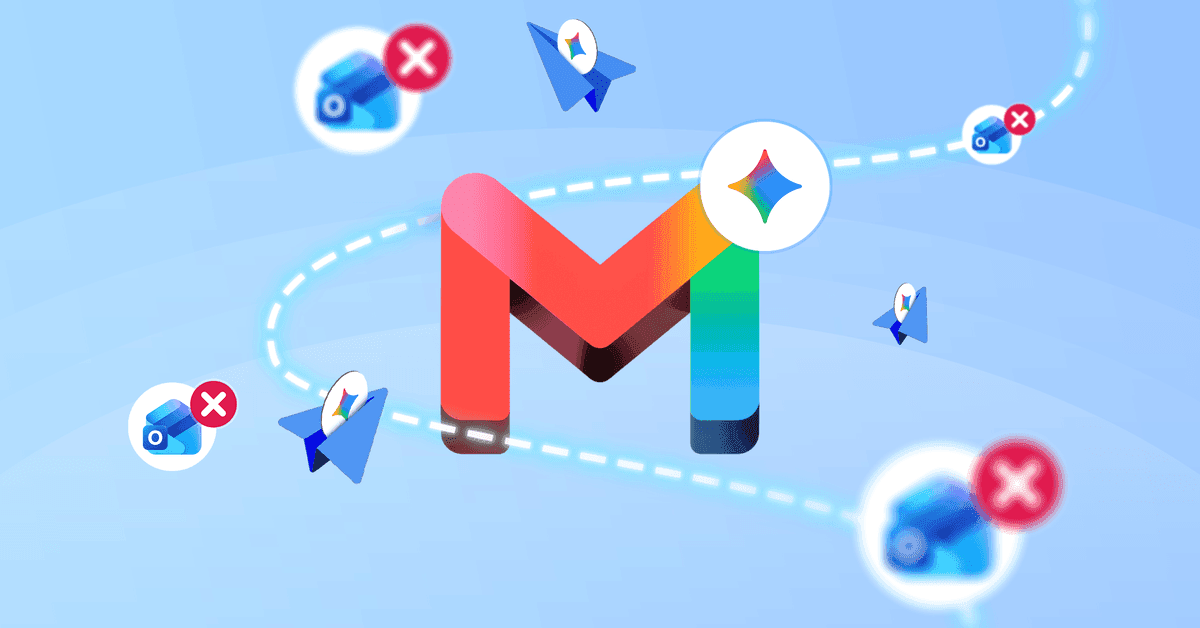
. In practical testing, users successfully completed complex workflows while driving, such as asking Gemini to "Open my recent document about the best FTP clients, extract all the software tools listed in it, and create a checklist in Google Keep." By the time the driver arrived at their destination, the task was complete and ready for review.This cross-app functionality extends to Gmail, where Gemini integration actually works as a native, context-aware assistant rather than a surface-level add-on
3
. Users who previously relied on Outlook for its robust folder management and focused inbox are now switching to Gmail specifically for the AI integration benefits. Instead of manually sorting through threads, users can tap the Gemini star button and ask questions like "Who needs my reply?" The system filters out newsletters and automated notifications, serving up a clean list of actual contacts awaiting responses3
. This represents a significant productivity gain over Microsoft's Copilot in Outlook, which users describe as sluggish and inconsistent, feeling more like a web wrapper than a native assistant3
.
Source: Android Police
Perhaps the most transformative feature lies in a setting many users overlook: the Utilities toggle. Enabling this option in Gemini's Connected apps menu allows the AI assistant to interact directly with system settings, hardware permissions, and notification controls
2
. Before this feature, asking Gemini to perform basic tasks like turning on the flashlight or taking a screenshot resulted in clunky web searches or polite apologies. The user experience felt like a downgrade from Google Assistant, despite Gemini's superior language processing capabilities.With the Utilities toggle enabled, Gemini steps outside its sandboxed chatbot container and becomes a powerful, hands-free operation tool. Users can now issue compound commands like "Set a 15-minute timer and put on my favorite mix on YouTube Music," and Gemini parses both requests simultaneously, spinning up the native countdown clock while firing up the music stream
2
. Multiple system settings commands work seamlessly as well—"Turn off Wi-Fi and enable battery saver mode" executes both tasks without hesitation2
.This functionality is exclusive to Android, as iOS restrictions prevent third-party apps from gaining deep system-level control over core hardware functions. Desktop browser versions of Gemini remain isolated within web tabs, unable to access local hardware
2
. For maximum utility, users should also enable the "Use Gemini without unlocking" toggle in lock screen settings, allowing voice commands to execute without entering a PIN first2
.Related Stories
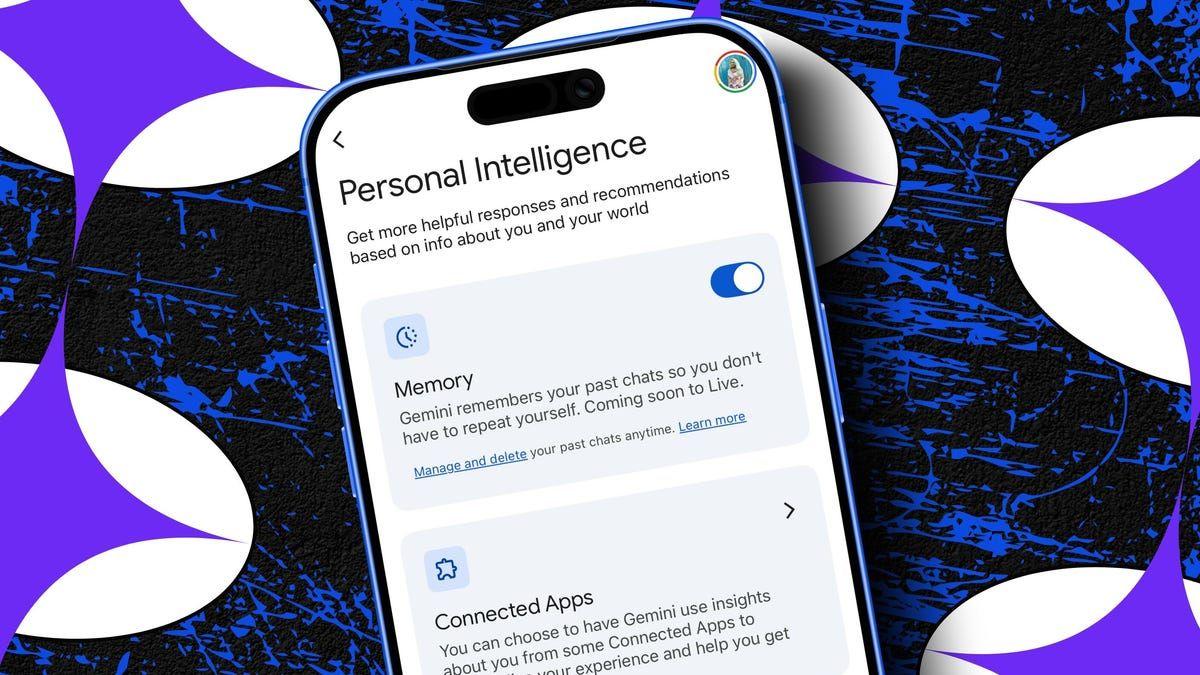
Another standout element of the Gemini integration is its YouTube Music connectivity. When users enable the YouTube Music toggle under Personal Intelligence settings, the AI assistant can interpret contextual music requests that would stump traditional voice commands
1
. Instead of requiring exact song titles or artist names, users can ask for tracks based on context, such as "Play that intro song from the Dhurandhar movie." Gemini processes the request, searches its knowledge base for the film's soundtrack, and queues the correct track.

Source: Android Police
This natural language processing capability addresses a common frustration with previous voice assistants, which demanded precise terminology and often failed when users couldn't recall specific details. The integration suggests Google AI is moving toward understanding user intent and context rather than simply matching keywords to database entries. As more users discover these hidden settings and capabilities, the gap between Gemini and competing AI assistants like Microsoft's Copilot continues to widen, particularly in terms of native functionality and response speed.
Summarized by
Navi
16 Apr 2026•Technology

06 Apr 2026•Technology

03 Mar 2025•Technology

1
Business and Economy

2
Technology

3
Policy and Regulation