Google Chrome quietly installs 4GB AI model on user devices, raising privacy and consent questions


31 Sources
[1]
Chrome's 4GB AI model isn't new, but you're not wrong for being confused
All of Google's products have been getting more AI features, including Chrome, which now offers split-screen Gemini chatbot support, the ability to automate web browsing, and more. Some desktop Chrome users have also noted that the browser appears to suddenly want more storage space for AI. This is
[2]
You Can Disable Gemini in Chrome if It's Freaking You Out
If you use Google's Chrome browser for desktop, there's probably a Gemini Nano AI model running on your computer right now and taking up about 4 GB of space. That's not necessarily a bad thing, but if you didn't know about it and don't want it, there's a way to turn it off. The file started
[3]
Google Chrome Might Have Installed an AI Model Onto Your Device Without You Knowing
Alex Valdes from Bellevue, Washington has been pumping content into the Internet river for quite a while, including stints at MSNBC.com, MSN, Bing, MoneyTalksNews, Tipico and more. He admits to being somewhat fascinated by the Cambridge coffee webcam back in the Roaring '90s. You might not have
[4]
Why Chrome may have quietly downloaded a 4GB file to your PC - and how to get rid of it
You'll see it if you've opted into the on-device AI setting in Chrome. Google is silently saving a Chrome-related file to many computers. That's nothing earth-shaking. But this file is a hefty 4GB in size, which has caught the attention of some Google watchers. What is the file, why is it being
[5]

Chrome's AI features may be hogging 4GB of your computer storage
Google Chrome may be taking up more of your storage than expected thanks to a large on-device AI model file that, in some cases, is being automatically downloaded to the browser's system folders. Users who have noticed unexplained drops in their available desktop device storage are now discovering
[6]

Chrome Is Quietly Downloading a 4GB AI Model Without Your Permission
(Credit: Lily Yeh; Andriy Onufriyenko / Moment via Getty Images; Google) Google Chrome offers plenty of AI features, but some of them could quietly eat up your device storage. As spotted by The Privacy Guy, the browser automatically downloads a 4GB model to support on-device AI features, and it
[7]

Google Chrome 'silently' downloads 4GB AI model to your device without permission, report claims -- researcher says practice may violate EU law, waste thousands of kilowatts of energy
Security researcher Alexander Hanff, also known as "That Privacy Guy," has published a new analysis claiming that Google Chrome is silently downloading a roughly 4GB on-device AI model to users' machines without notice or consent. According to Hanff, the behavior mirrors a separate issue he
[8]

Chrome silently installs a 4 GB local LLM on your computer
Google Chrome will steal 4 GB of disk space from your computer for its local large language model unless you opted out. It's called weights.bin and it's stored in a folder called OptGuideOnDeviceModel. What's more, if you track down the file and delete it, Chrome will download a fresh copy and
[9]

Chrome is quietly downloading a 4GB AI file without telling you, says researcher
Like every tech giant, Google is going all-in with all things AI. In fact, the company is pushing into the space so hard that it looks like Chrome is downloading a 4GB file containing details for running Gemini Nano, Google's on-device LLM, according to computer scientist Aleander Hanff, who
[10]

Google Chrome Is Silently Downloading a 4GB Gemini Nano AI Model to User Devices - General Chat
Google Chrome has been quietly downloading around 4GB of Gemini Nano AI model weights to user devices without their consent, and it automatically re-downloads the files if they are deleted. This behavior has been confirmed on Windows 11, Apple Silicon, and Ubuntu systems, with user reports
[11]
Chrome May Quietly Use 4GB for AI Features: Here's How You Can Stop It
(Credit: Lily Yeh; Andriy Onufriyenko / Moment via Getty Images; Google) Google Chrome offers plenty of AI features, but some of them could quietly eat up your device storage. As spotted by The Privacy Guy, the browser automatically downloads a 4GB model to support on-device AI features, and the
[12]

Chrome downloads a 4GB AI file without user consent, researcher alleges - Engadget
If you've paid any attention to Google lately, you know that it wants us using its AI tools. So much so that Chrome apparently downloads a 4GB file containing details for running Gemini Nano, Google's on-device LLM. Computer scientist Alexander Hanff published the details earlier this week on his
[13]

Google Chrome has been silently pushing a 4GB AI model to your device without asking
Serving tech enthusiasts for over 25 years. TechSpot means tech analysis and advice you can trust. Ripple effect: Google started turning Chrome, the world's most popular web browser, into an AI browser last year in response to threats from popular AI-native rivals such as OpenAI. Recent reports
[14]

Google weighs in on Chrome's weights.bin controversy
Earlier today, we wrote about Chrome automatically downloading a large, poorly explained file called weights.bin to desktop computers. Gossip is floating around online that the file is some type of virus or spyware, but it's actually the Gemini Nano model used for on-device AI features in Chrome --
[15]

Google Chrome Is Downloading a 4GB AI Model Onto Your Device Without Consent, Researcher Warns
Even if you aren't using Google Gemini, it might be using your device. Security researcher Alexander Hanff, also known as "That Privacy Guy," recently reported that Google's widely used Chrome web browser is quietly storing an on-device AI model without explicitly asking for user
[16]

Chrome AI takes up 4GB of your computer storage and there may be nothing you can do about it
AI features have made their way into nearly everything, whether you want them or not. And they tend to take up tons of space. Now we know that Chrome comes with 4GB of AI onboard that it deposits into your storage In a post on That Privacy Guy, Alexander Hanff writes that Chrome comes with a 4GB
[17]

Google Chrome takes up 4GB of storage on your computer for AI, if you have space
The ongoing march of AI features continues to go on, whether you want it to or not, and a recent update to Google Chrome probably installed a few gigabytes of local AI models on your computer. As highlighted in a post from The Privacy Guy and since talked about widely across the web, Google Chrome
[18]

Chrome silently downloads a 4GB AI model. Here's how to remove it
Users can permanently remove the file by disabling "On-device AI" in Chrome's system settings. Detailed instructions are provided below. Google's Chrome browser is already a notorious storage hog, but now comes word that it's crowding our PC drives in a new way: with a local AI model. That model,
[19]

Stop Chrome Browser From Downloading a Hidden 4GB AI File
If your Mac's storage has been mysteriously shrinking recently and you use Google Chrome, you may have already identified the culprit. The browser has been downloading a 4GB AI model file onto computers without explicit user consent. Here's how to reclaim the space. The file in question is called
[20]

Chrome may be downloading a 4GB AI model -- here's what we know
Is Chrome stealing your storage? The 'weights.bin' controversy explained I didn't expect Google Chrome to take up this much space on my computer. According to a recent report from Cybernews, some users have discovered a large file (around 4GB) quietly sitting inside Chrome's system folders. The
[21]

Google quietly installed a giant 4GB AI update through Chrome
Hidden Gemini Nano download is triggering backlash over bandwidth costs * Google Chrome silently downloaded a massive AI model onto devices without user consent * Users deleting Gemini Nano files watched Chrome reinstall everything automatically afterward * Regulators are now facing questions
[22]

Fury Erupts After Google Chrome Sneakily Installs 4 GB AI Model On Users' PCs
Can't-miss innovations from the bleeding edge of science and tech As of 2026, Google maintains an iron grip on the web browser market, boasting well over three billion Chrome users worldwide. That means even small changes or interruptions can have a significant impact. As security researcher
[23]

Google responds to Chrome's silent Gemini Nano install, stops short of addressing consent
Chrome's GM says on-device AI is central to the browser's security strategy, but did not explain why deleting it triggers an automatic re-download. Google Chrome VP and GM Parisa Tabriz has responded to criticism over Chrome's practice of silently downloading a 4GB AI model onto users' devices,
[24]

Chrome Is Quietly Installing a 4GB AI Model on Your Computer -- And Putting It Back If You Delete It - Decrypt
Privacy researcher Alexander Hanff argues the behavior violates the EU ePrivacy Directive. Check your Chrome user data folder. There's a decent chance a 4GB AI model is sitting there -- one you never agreed to install. The file is called weights.bin, buried in a folder named OptGuideOnDeviceModel.
[25]

Chrome's AI Might Be Taking Up a Bunch of Storage, but You Can Fix It
You can delete the file itself, but Chrome might just reinstall it if you keep these AI features turned on. Google Chrome is the most popular web browser in the world, but it isn't necessarily the most efficient. While Chrome offers users the most compatibility with Google's products and services
[26]

Here's how I finally got Google's uninvited 4GB AI model off my Mac
Without notice or consent, Chrome has been downloading the hefty Gemini Nano model to run AI locally on your computer. Removing it can require minor surgery. My 2020 M1 MacBook Air still runs well, but conserving hard drive space as years of files, media, and software accumulate is a continual
[27]
Google Chrome is installing a 4 GB AI model onto your device. Here's how you can turn it off
Chrome just decided your storage is fair game, no permission slip required. While Google Chrome is still the most popular browser, it's feeling the heat from the new wave of AI browsers, including Perplexity Comet, Dia, and more. To stay relevant, Google is adding new AI features to Chrome, which
[28]

Google Chrome silently downloads a 4GB AI model on your PC without asking
It seems Google has decided that your PC needs a hefty dose of AI, whether you asked for it or not. Security researcher Alexander Hanff, also known as "That Privacy Guy," has published a new report claiming that Google Chrome silently downloads a roughly 4GB AI model onto users' machines without
[29]

Google Chrome accused of silently installing Gemini Nano files
Computer scientist Alexander Hanff has alleged that Google's Chrome web browser downloads a 4GB file named "weights.bin" without user consent. This file reportedly contains data for Google's on-device large language model, Gemini Nano, which powers AI features such as "help me write" and scam
[30]

Google defends Chrome's silent Gemini installs, but doesn't address the real issue
When not writing, Dave enjoys spending time with his family, running, playing the guitar, camping, and serving in his community. His favorite place is the Blue Ridge Mountains, and one day he hopes to retire there (hopefully his fear of heights will have retired by then, too!). Summary Chrome
[31]

Google Chrome AI model: Is a 4GB file being downloaded without your permission? New report raises questions
A recent report has sparked concerns that Google Chrome may be installing a large AI model on users' devices without clear notice. The issue, highlighted by security researcher Alexander Hanff, raises questions about transparency, storage usage, and user consent. According to claims by a security
Share
Copy Link
Google Chrome has been automatically downloading a 4GB Gemini Nano AI model to users' computers since 2024, often without their knowledge. The file powers on-device AI features like scam detection and writing assistance, but users are now discovering its presence and questioning why they weren't asked for permission. While the local processing offers privacy benefits, the lack of transparency has sparked backlash.
Google Chrome Installs 4GB AI Model Without Clear User Notification
Google Chrome has been quietly downloading a 4GB Gemini Nano AI model to users' devices since 2024, a practice that has recently sparked confusion and concern among users who discovered the large file consuming their computer storage space
1
. The file, named weights.bin, resides deep within Chrome's user data folder under the OptGuideOnDeviceModel directory and powers various Chrome AI features including scam detection, writing assistance, and developer APIs2
.
Source: Gizmodo
While Google announced the integration of on-device AI capabilities in 2024, many users remain unaware of the 4GB file download. Computer scientist Alexander Hanff, known as That Privacy Guy, brought renewed attention to this issue in a recent report, highlighting that Chrome installs the model without explicit user consent
3
. The controversy intensified when users who simply use Chrome as their default browser discovered they had been running a substantial AI model without their knowledge.Understanding the Gemini Nano Deployment and Storage Impact
The confusion surrounding Chrome's on-device AI stems partly from Google's gradual rollout strategy. According to Google, multiple flags determine whether Gemini Nano gets installed on a particular machine, including hardware specifications, account features, and whether users have visited websites utilizing Google's on-device Gemini API
1
. Because the model continues appearing on machines for the first time in 2026, users frequently mistake it for a new deployment rather than an ongoing two-year-old initiative.The 4GB file download represents a significant commitment of computer storage space, particularly for users with limited disk capacity
4
. The weights.bin file contains numerical values that measure the level of importance the AI model assigns to user input, helping predict appropriate responses and completions4
. While a fresh Chrome install typically consumes 6-8GB of storage and can grow to 10 times the AI model's size with cache and extension data, the principle of user consent remains central to the debate1
.
Source: PCWorld
Privacy Benefits Versus Transparency Concerns
Local processing through on-device AI offers tangible privacy advantages compared to cloud-based models. When AI capabilities run locally, user data stays on the device rather than traveling to remote servers, reducing exposure risks
2
. Chrome's general manager Parisa Tabriz emphasized that integrating Gemini Nano "powers important security capabilities like on-device scam detection and developer APIs without sending your data to the cloud"2
.However, data privacy advocates argue that the lack of transparency undermines these benefits. Longtime security consultant Davi Ottenheimer noted that "an on-device model could be a hidden minefield," particularly when users aren't informed about its presence
2
. The situation became more concerning when Google removed language from the Chrome settings toggle that previously stated the on-device AI model would not send data to Google's servers. Though Google clarified this wording change doesn't reflect actual functionality changes and that data remains processed solely on-device, the timing raised eyebrows among privacy-conscious users1
.How to Disable Gemini in Chrome and Remove the Model
Users who want to reclaim their storage space or simply prefer not to use AI tools can disable the feature through a Chrome settings toggle. To remove Gemini Nano, open Chrome, click the three-dot menu in the top right corner, navigate to Settings, then System, and toggle "On-device AI" to off
2
. Once disabled, the model will no longer download or update, and Chrome will remove the existing file2
.Simply deleting the weights.bin file without adjusting settings proves ineffective, as Chrome will silently redownload it upon the next browser reboot if AI features remain enabled
3
. Google states the system is designed so Gemini Nano will automatically uninstall if the device runs low on resources, though this reactive approach doesn't address the fundamental consent issue2
.Legal and Ethical Questions Around Installed Without Consent
The practice of downloading substantial files without explicit user consent has raised potential legal questions, particularly in jurisdictions with strict data protection regulations. Alexander Hanff suggested the Gemini Nano installation could constitute a breach of the European Union's GDPR principles of lawfulness, fairness, and transparency
3
. He also noted that considering potential environmental impacts from increased computing resource usage, Google should have announced the deployment under the Corporate Sustainability Reporting Directive3
.Hanff speculated that the 4GB file download might help Google reduce operational costs by shifting AI computational work from its own servers onto user hardware
3
. "Running inference on users' own hardware allows them to push 'AI features' without the compute costs," he told CNET3
.Related Stories

The Broader Context of AI Defaults and User Choice
Google's approach reflects a broader industry trend of making AI the default experience rather than an opt-in choice. The company didn't begin rolling out the Chrome settings toggle for on-device AI until February 2026, nearly two years after the initial deployment
2
. This delay suggests the feature wasn't initially conceived as something users would actively control or even know about.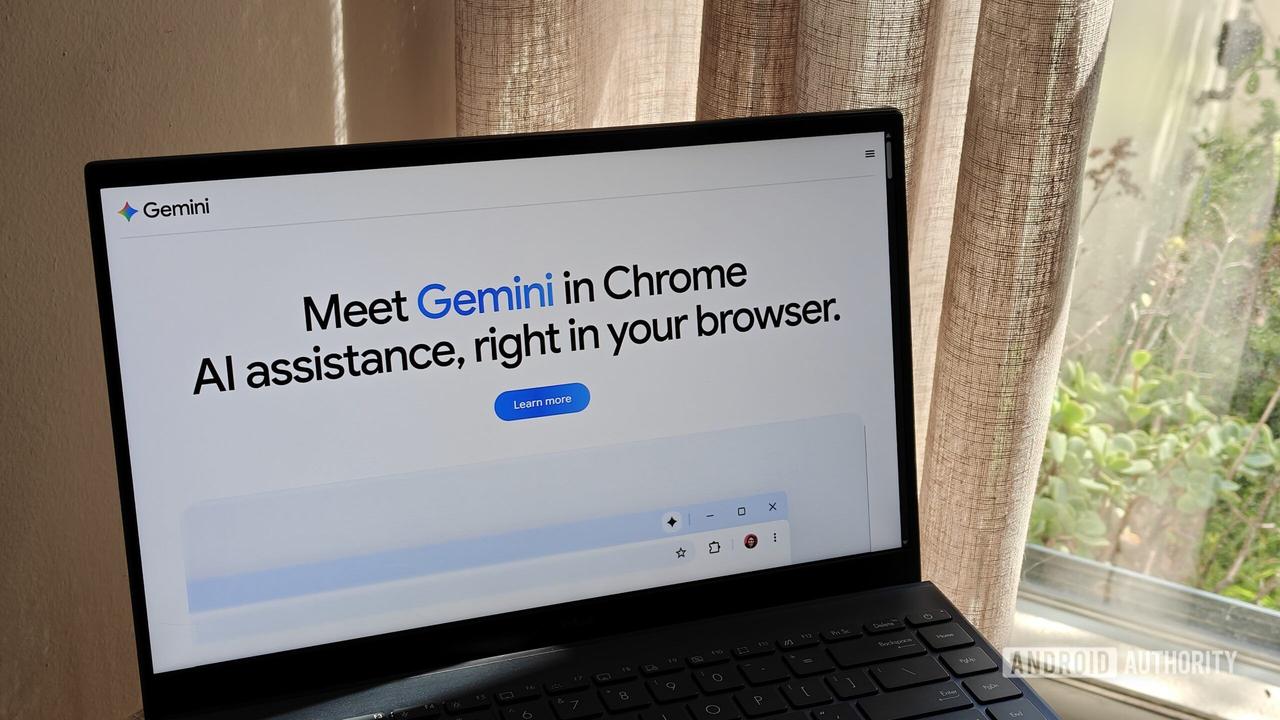
Source: Android Authority
The backlash against Chrome's AI implementation highlights shifting user attitudes toward artificial intelligence features. While users proved more accepting of AI integration in 2024, resistance has grown significantly by 2026 as people increasingly seek ways to avoid AI tools
1
. Google's reliance on defaults mirrors its strategy of paying billions to remain the default search engine on Apple devices, recognizing that most users never change default settings1
.What Disabling On-Device AI Means for Chrome Functionality
Removing the Gemini Nano model comes with trade-offs. If you disable on-device AI, certain security features including AI-enabled scam detection will stop functioning
2
. Additionally, since Gemini Nano enables local AI processing for third-party developer APIs, blocking this capability could affect how various websites and web services behave within Chrome2
.Google AI tools powered by the local model include writing assistance, autofill improvements, and suggestion features that operate without cloud connectivity
5
. These features are separate from Chrome's AI Mode, which routes queries to Google Gemini servers rather than using the local model3
. Users must weigh the privacy and functionality benefits of local processing against their storage constraints and personal preferences regarding AI integration.References
Summarized by

Navi
Related Stories
Apple Intelligence Consumes Up to 30GB Storage on macOS 27 Macs, Double Apple's Stated Limit
24 Sept 2026•Technology

Open-Source RemoveMacAI Tool Disables Apple Intelligence, Frees Up to 12GB Storage on macOS 27
05 Oct 2026•Technology

Google explains why AICore storage spikes during Gemini Nano updates on Android devices
03 May 2026•Technology

Recent Highlights



Recent Highlights
Today's Top Stories




Don’t drown in AI news. We cut through the noise - filtering, ranking and summarizing the most important AI news, breakthroughs and research daily. Follow topics that matter to you and stay ahead.


