Google expands Gemini AI split-screen to regular phones, ending constant app switching


2 Sources
[1]
You can now use Gemini without leaving your apps, thanks to split-screen multitasking
Google's Gemini expands into split-screen multitasking, blending AI with phone apps Google is rolling out a major update to its Gemini AI platform that changes how mobile users interact with artificial intelligence on Android devices. With its latest enhancement, Gemini can now operate in
[2]
Gemini's Split-Screen Feature Might Be Coming to Non-Foldable Smartphones
The feature is reportedly being rolled out in a phased manner Google is reportedly expanding the split-screen compatibility of the Gemini app to non-foldable smartphones. As per the report, Gemini can now operate side-by-side in the split-screen mode even on regular handsets. So far, this
Share
Copy Link
Google is expanding Gemini AI's split-screen feature beyond foldables to regular Android smartphones. The update allows users to run Gemini alongside another app, enabling contextual assistance without switching apps. A new "Share screen and app content" option lets the AI chatbot analyze content on the second screen and answer queries in real time.
Gemini AI Split-Screen Feature Arrives on Non-Foldable Android Devices
Google is expanding its Gemini AI platform with a significant update that transforms how users interact with artificial intelligence on their smartphones. The split-screen feature, previously limited to foldables and tablets, is now rolling out to non-foldable Android devices in a phased manner
2
. This enhancement allows Gemini to operate side-by-side with other apps, eliminating the need to constantly switch between interfaces while working1
.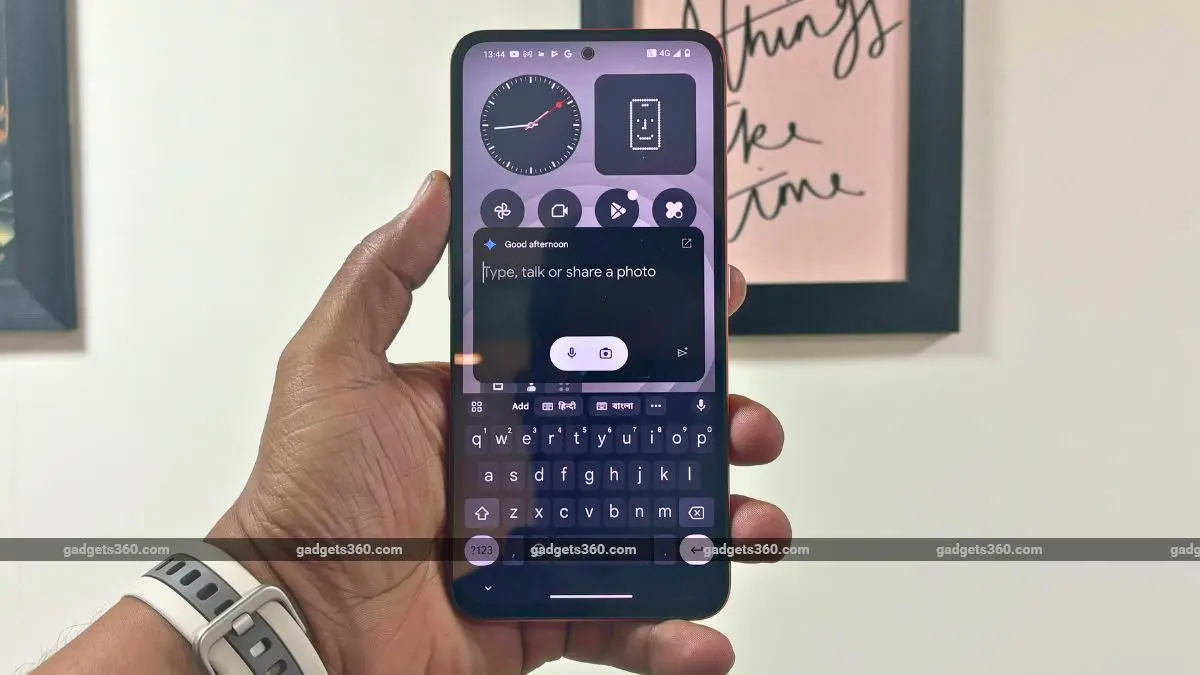
Source: Gadgets 360
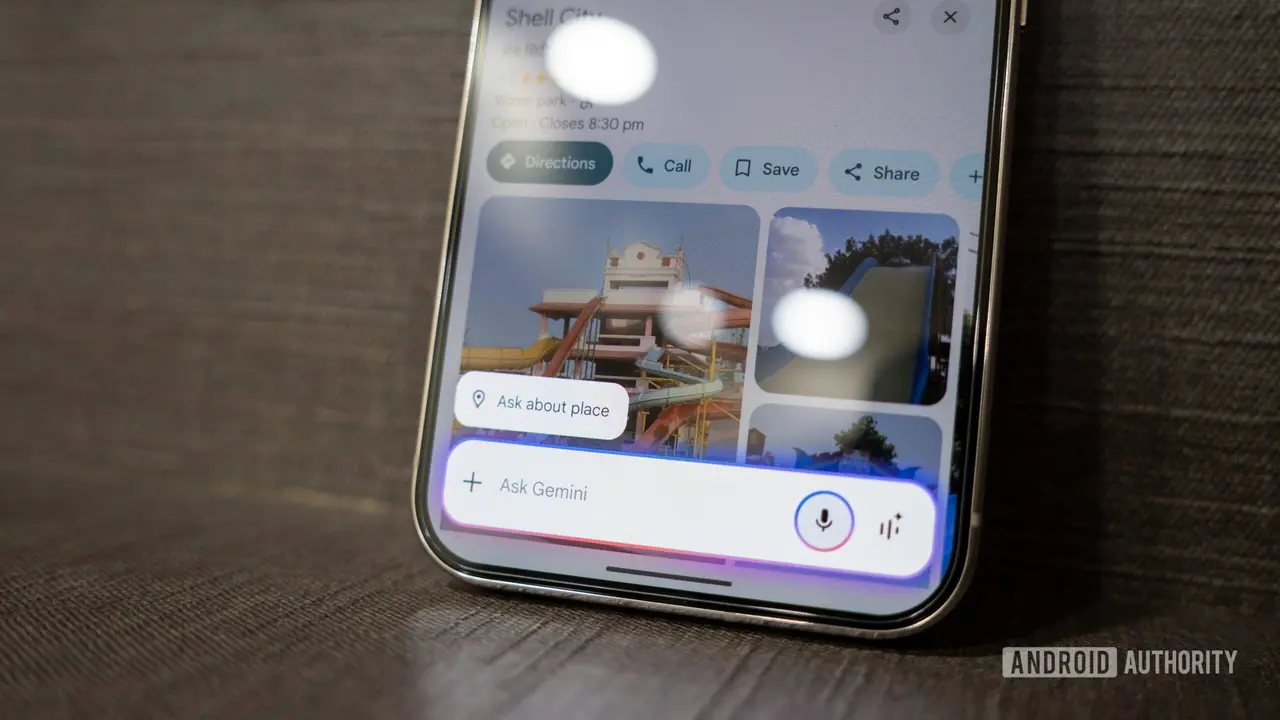
The update fundamentally changes mobile AI multitasking by enabling users to run Gemini alongside another app in a dedicated pane. Testing on devices like the Pixel 9 revealed that when activated in split-screen mode, users see a new "Share screen and app content" option on the home screen
2
. This capability allows the AI assistant to actively contribute to tasks rather than simply responding to isolated queries.How AI-Augmented Multitasking Changes Mobile Workflows
Traditional AI assistants on smartphones required users to open a separate chat window, ask questions, then return to their primary app. Google's Gemini split-screen multitasking breaks this pattern entirely. While composing emails or messages, Gemini can suggest phrasing, refine text, or draft replies in real time without interrupting the user interface
1
. When reading articles or documents in a browser, the chatbot can extract key points or provide summaries while the content remains visible.The feature demonstrates two distinct behaviors depending on the application type. For browsers and similar apps, Gemini captures the URL and answers questions based on web content. For non-web-based apps, the AI assistant takes screenshots and analyzes visual information, blacking out its own interface during analysis to avoid confusion
2
. This contextual assistance without switching apps reduces friction in routine workflows significantly.Deep AI Integrations Signal Broader Industry Shift
This move reflects how manufacturers and developers are rethinking mobile AI. Instead of treating artificial intelligence as a separate service accessed occasionally, companies like Google are moving toward seamlessly embedded into operating systems where generative intelligence becomes part of everyday tasks
1
. Competitors including Apple and Microsoft have signaled similar intentions, with Microsoft exploring AI tools within Windows apps and Apple preparing on-device AI services in iOS.Google's implementation represents one of the more advanced examples of AI integration on split-screen on Android devices so far. Students researching topics, professionals managing communication, or casual users extracting insights from articles will find practical value in having Gemini analyze content on the second screen without context switching
1
.Related Stories
Phased Rollout and Future Implications
The feature is currently available through Google app version 17.5.42.ve.arm64, though the rollout remains limited
2
. Not all devices or apps support the split-screen feature yet, and some users have reported being unable to access it on non-Pixel devices. This suggests Google may be testing the capability before wider expansion across Android and potentially other operating systems.Looking ahead, the groundwork has been laid for even deeper integrations where third-party apps might expose richer interfaces that Gemini can use for more tailored assistance. Developers could eventually allow structured access to app content, similar to desktop AI plugins
1
. As AI becomes more embedded, experiences like split-screen multitasking may blur the line between app and assistant, creating an AI-augmented workflow where your phone's intelligence actively helps complete tasks rather than merely answering questions. Watch for announcements from Google regarding broader device compatibility and potential API access for developers seeking to integrate this contextual assistance into their applications.References
Summarized by

Navi
[1]
Related Stories
Google Expands Gemini AI's 'Ask About This Screen' Feature to More Android Devices
29 Aug 2024

Google Unveils Major AI Upgrades for Android Devices, Starting with Samsung's Latest Foldables
10 Jul 2025•Technology

Google Unveils Gemini Live: Revolutionizing AI Assistance with Real-Time Video and Screen Sharing
03 Mar 2025•Technology
Recent Highlights



Recent Highlights
Today's Top Stories



Don’t drown in AI news. We cut through the noise - filtering, ranking and summarizing the most important AI news, breakthroughs and research daily. Follow topics that matter to you and stay ahead.


