Gemini's Device Help Feature Brings AI-Powered Troubleshooting to Pixel Phones Running Android 17


3 Sources
[1]
PSA: Gemini can adjust system settings on any Pixel running Android 17
Device Help is available on all Pixel phones running Android 17, a Googler has clarified. The Pixel 11 series debuted a new Gemini feature called Device Help. Device Help lets you tell Gemini what you want to accomplish on your phone, and the AI will return the relevant settings and even offer to
[2]
Finally, someone to ask why your Pixel is acting weird -- and actually fix it
A lifelong musician, Hamed plays multiple instruments, including guitar, bass, and oud. He is equally fascinated by smart-home technology and can happily spend hours geeking out over connected lights, speakers, sensors, and automations that make everyday life a little more interesting. When he
[3]
Google's New Gemini Tool Could Save You a Repair Store Trip
Google is testing a new AI tool that can look at what's wrong with your phone and try to fix it. It happens right from a conversation. It's called Device Help, and so far it's only showing up on the Pixel 11 Pro. If it works as promised, this could save you an actual trip or a phone call. Instead
Share
Copy Link
Google has expanded its Gemini Device Help feature beyond the Pixel 11 series to all Pixel phones running Android 17. The AI-powered feature can diagnose device issues, adjust system settings, and apply fixes through natural language commands, potentially eliminating trips to repair stores.
Gemini Device Help Now Available Across Pixel Phones Running Android 17
Google has clarified that its new Gemini Device Help feature is not exclusive to the Pixel 11 series. According to Google's Minhaz A V, the AI-powered feature is available on all Pixel phones running Android 17, which includes Pixel 6 and newer models
1
. The feature represents a shift from generic troubleshooting advice to AI-guided solutions that can inspect a device's actual settings and data before recommending fixes.How Device Help Works to Diagnose Device Issues
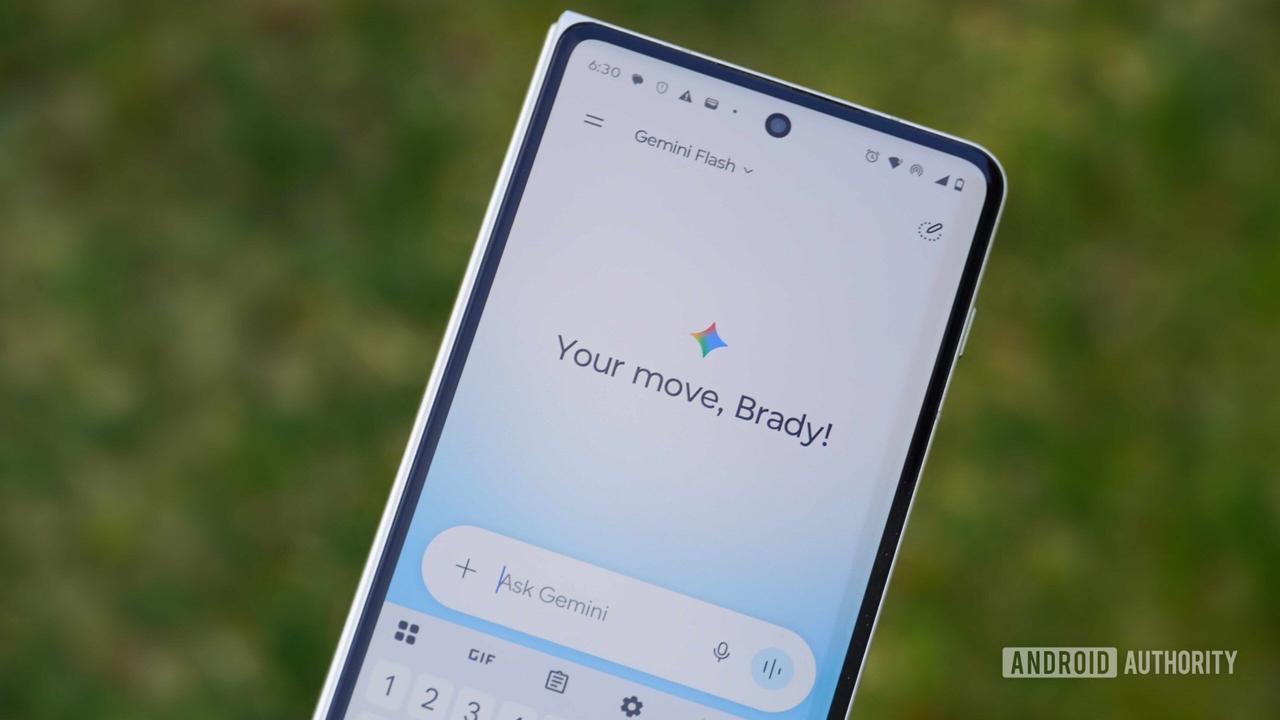
Device Help operates through the Gemini app's attachment menu, allowing users to describe problems using natural language commands rather than navigating complex settings menus
2
. The feature can investigate various issues including battery drain, storage issues, WiFi connectivity, Bluetooth problems, and audio performance3
. When activated, Gemini examines the phone's current configuration and active settings to provide context-specific recommendations.For example, if a user complains about a yellow-tinted screen, Device Help can identify that Night Light is enabled and offer to disable it immediately
3
. In a demonstration video, Minhaz A V showed how the feature can surface multiple settings to make a phone "comfortable to use at night," including dark mode and screen brightness adjustments1
.
Source: Android Authority
AI-Powered Feature Can Adjust System Settings Automatically
Unlike traditional troubleshooting tools that simply provide instructions, Device Help can actually implement system adjustments on the user's behalf. The feature can answer questions about the phone's current state, such as which apps have consumed the most mobile data or whether the ringer is enabled
2
. It can help stop unwanted pop-up ads, reduce excessive notifications, keep the display awake longer, and free up storage space.Google has implemented safeguards to prevent potentially destructive actions. Device Help cannot perform factory resets, change PINs or passwords, delete profiles, grant app permissions, alter location settings, or modify security protections
2
. These restrictions ensure the feature cannot be exploited for remote-control or social-engineering attacks.Related Stories
Troubleshoot and Fix Issues Through Natural Language
The feature addresses a common pain point: finding the right toggle among hundreds of Android settings. Device Help can investigate complex problems like unexplained battery drain, which typically requires checking several Pixel phone settings individually
2
. For storage issues, where Android often attributes tens of gigabytes to a vague "System" category, Device Help can examine actual device data to provide more relevant answers than generic advice to delete photos or clear app caches.Currently, the feature is limited to English and only works through the device's primary profile
2
. Early testing has shown mixed results, with different Pixel 11 devices returning different instructions for the same query about the Magic Capture camera feature1
.Expansion Plans and Current Availability
While Device Help is now confirmed for all Pixel phones running Android 17, Google has indicated the feature will expand to more devices in the future
1
. The Pixel 11 Pro currently shows the feature in Labs mode, indicating it remains an early experiment rather than a finished product3
. Users with compatible devices may need to install the Google app beta to access Device Help.
Source: Phandroid
The feature appears to build on Google's existing Device Assistance tool, previously known as Utilities, by wrapping it in a conversational Gemini interface
3
. This approach leverages existing diagnostic capabilities while making them more accessible through AI-powered natural language processing. As Google refines the feature and addresses current bugs, Device Help could eliminate the need for many repair store visits by enabling users to resolve common issues directly through conversation with their phones.References
Summarized by

Navi
[1]
Related Stories
Google accidentally enabled Gemini troubleshooting mode, revealing a practical new feature
06 Jun 2026•Technology
Gemini task automation rolls out to Galaxy S26 and Pixel 10 with app control for ordering food
12 Mar 2026•Technology

Google Enhances Gemini Live with Visual Guidance and Native Audio Model
21 Aug 2025•Technology
Recent Highlights
1
OpenAI's AI Models Disprove 27-Year Exponential Time Hypothesis, Rendering Decades of Research Obsolete
Science and Research

2
Google DeepMind unveils Genie 4 world model with audio and 2-minute interactive simulations
Technology

3
OpenAI Cuts Internet Access for AI Model Training After Security Breaches
Technology

Recent Highlights
Today's Top Stories









Don’t drown in AI news. We cut through the noise - filtering, ranking and summarizing the most important AI news, breakthroughs and research daily. Follow topics that matter to you and stay ahead.


