Gemini task automation rolls out to Galaxy S26 and Pixel 10 with app control for ordering food


9 Sources
[1]
Gemini's task automation is here and it's wild
A couple of weeks ago, Google and Samsung announced a big Gemini development coming to their newest devices: task automation. Starting with food delivery and rideshare apps, Gemini would be able to use certain apps on your behalf in a virtual window to take care of things like ordering dinner or
[2]
Google Gemini's task automation is finally live on the Galaxy S26
Instead of opening apps manually, you can say something like "Get me a ride to the airport," and Gemini handles the workflow. Android phones have had smart assistants for years. But now Google is pushing things a step further: instead of just answering questions, Gemini is starting to do things on
[3]
The Galaxy S26 can now order food for you using your favorite apps
Timi is a news and deals writer who's been reporting on technology for over a decade. He loves breaking down complex subjects into easy-to-read pieces that keep you informed. But his recent passion comes from finding the best discounts on the internet on some of the best tech products out right
[4]
Gemini can now order your lunch as Android app control rolls out on Galaxy S26 [Gallery]
Gemini has a new trick up its sleeve with agentic task automation, with the AI able to use an app on your behalf to perform certain tasks, and it's now live on the Galaxy S26 series. Rolling out now to the Galaxy S26 series, Gemini task automation - also referred to as "screen automation" - hands
[5]

Samsung Galaxy S26's best new AI feature is now available on Pixel 10 -- here's how it works
Pixel 10 owners can order takeout, groceries and cabs using Gemini One of the best new features that arrived with the Samsung Galaxy S26 series is no longer exclusive. Gemini's screen automation is now rolling out to Google's Pixel 10 series, as part of the March Feature Drop. This means both
[6]
I just asked Gemini on the Galaxy S26 to order Dunkin' Donuts for me -- and 24 minutes later, it got delivered to my door
The Galaxy S26 lineup is only a couple of days old, but it just received what I'd go so far as to say is the most powerful AI feature to date. A new software update brings Gemini's task automation to the Galaxy S26, marking an evolution of the Cross App Actions feature introduced with last year's
[7]

The Pixel 10 just got one of the best Gemini features around - Phandroid
If you've been watching Galaxy S26 owners use Gemini to order food and book rides while you waited, the wait is over. Gemini screen automation is now rolling out to the Pixel 10, Pixel 10 Pro, and Pixel 10 Pro XL in the US as part of the March 2026 Feature Drop. The Pixel 10 Pro Fold is also seeing
[8]

Gemini's Task Automation Tool Arrives on Samsung's Galaxy S26 Series: Report
Pixel 10 series will also receive Gemini's task automation tool The Samsung Galaxy S26 series was launched in India and other global markets last month, during the first Galaxy Unpacked event of 2026. During the event, the Mountain View-based company, Google, also showcased new Galaxy AI features
[9]

Samsung Galaxy S26 will now let you order food and book rides just by talking to Gemini
At the moment, the feature only supports a limited number of apps. Samsung's latest Galaxy S26 series is getting a helpful AI feature that could make everyday tasks a lot easier. With the latest update, users can now ask Google Gemini to order food or book a ride directly from their phone using
Share
Copy Link
Google's Gemini can now handle ordering food and booking rides on Galaxy S26 and Pixel 10 devices through a new task automation feature. The AI assistant takes control of apps like Uber Eats and DoorDash, completing multi-step processes based on simple voice commands, though users must confirm final checkout for security.
Gemini Task Automation Arrives on Galaxy S26 and Pixel 10
Google and Samsung have launched a significant update to Gemini that transforms how users interact with their smartphones. The new task automation feature, now live on the Galaxy S26 series and rolling out to Pixel 10 devices as part of the March Feature Drop, allows the AI assistant to take control of specific apps and complete complex workflows on behalf of users
1
5
. This agentic task automation capability marks a shift from traditional voice assistants that merely answer questions to an AI that actively performs tasks within Android apps.
Source: Tom's Guide
The feature works through natural language commands, enabling users to make requests like "order a coffee and a croissant" or "get me a ride to the airport" without manually opening apps or navigating through menus
2
. Gemini handles the entire process in a virtual window, adding items to carts, selecting options, and even making contextual decisions—such as specifying that a pastry should be warmed—without explicit user input1
.How Screen Automation Feature Works in Practice
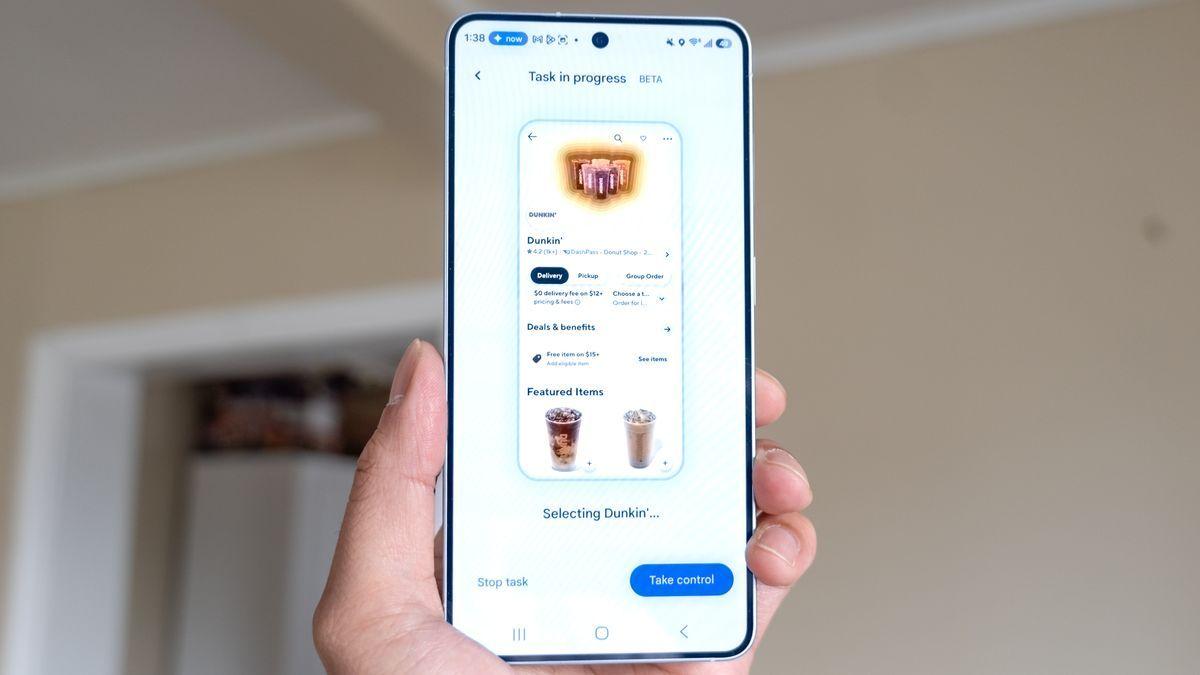
When users activate the screen automation feature through conversational commands, Gemini takes over Android app control in the background. Testing on the Galaxy S26 Ultra demonstrated the system's capability to handle ordering food and rideshares with minimal user intervention
4
. For instance, when asked to "order a spicy chicken sandwich from Popeye's on Uber Eats," Gemini initiated the process, added items to the cart, and even skipped unnecessary add-on pages to streamline the workflow4
.
Source: Tom's Guide
The multi-step task completion capability handles complex requests that previously required multiple manual actions. Users receive notifications when Gemini is working on a task and can either watch the process unfold in real-time or continue using their phone for other activities
2
. However, for security purposes, Google does not allow Gemini to press the final "place order" or "pay" button. After Gemini builds the cart and navigates through the ordering process, user confirmation is required to complete the purchase2
.Supported Apps and AI Integration for Galaxy Users
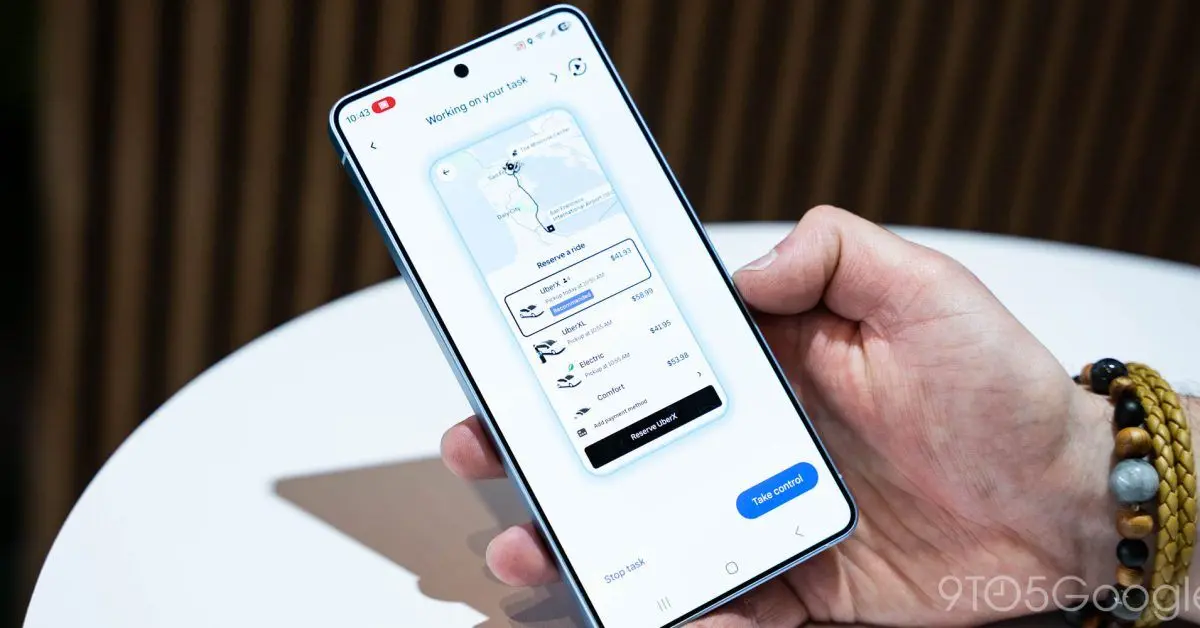
At launch, the feature supports a limited but practical selection of apps focused on ordering food and rideshares. Compatible services include Uber, Lyft, Uber Eats, GrubHub, DoorDash, and Starbucks
4
3
. The list of supported apps appears in Gemini's settings and is specific to what's currently installed on each device4
. Google has opened the door for additional apps to join the ecosystem as the system expands beyond food delivery and rideshare services2
.
Source: 9to5Google
The beta feature is currently launching in select markets, including the United States and South Korea, exclusively on Galaxy S26 and Pixel 10 phones
2
. This represents a significant step in AI integration for Galaxy users and the broader Android ecosystem, though availability varies by region and device.Related Stories

Privacy Concerns and Usage Limitations
While the automation capability offers convenience, it comes with important privacy considerations. The automation process requires Gemini to take screenshots of app activity, potentially exposing visible information. If users have Google services set to "Keep Activity On," these screenshots are reviewed by trained human reviewers
5
. Users concerned about privacy concerns can switch off activity history to prevent human review of their data.Usage limits also apply based on subscription tier. Free users are restricted to 5 requests per day, while AI Plus subscribers receive 12 requests. AI Pro subscribers get 20 requests, and AI Ultra plan holders can make up to 120 requests
5
. Additionally, early testing revealed that while the feature works as intended, the process can take considerably longer than manual ordering—approximately two and a half minutes versus 30 seconds for traditional app navigation5
. The primary advantage lies in having Gemini handle the grunt work in the background while users focus on other tasks, rather than pure speed optimization.As Google continues to refine this capability and expand to more apps, the feature signals a broader shift toward AI assistants that don't just respond to queries but actively automate tasks in apps, potentially reshaping how millions interact with their smartphones daily.
References
Summarized by

Navi
[1]
[2]
[3]
[4]
Related Stories
Google's Gemini AI now automates multi-step tasks on Android while Apple's Siri features stall
25 Feb 2026•Technology

Google's Gemini gains screen automation to control Android apps and perform tasks for you
04 Feb 2026•Technology
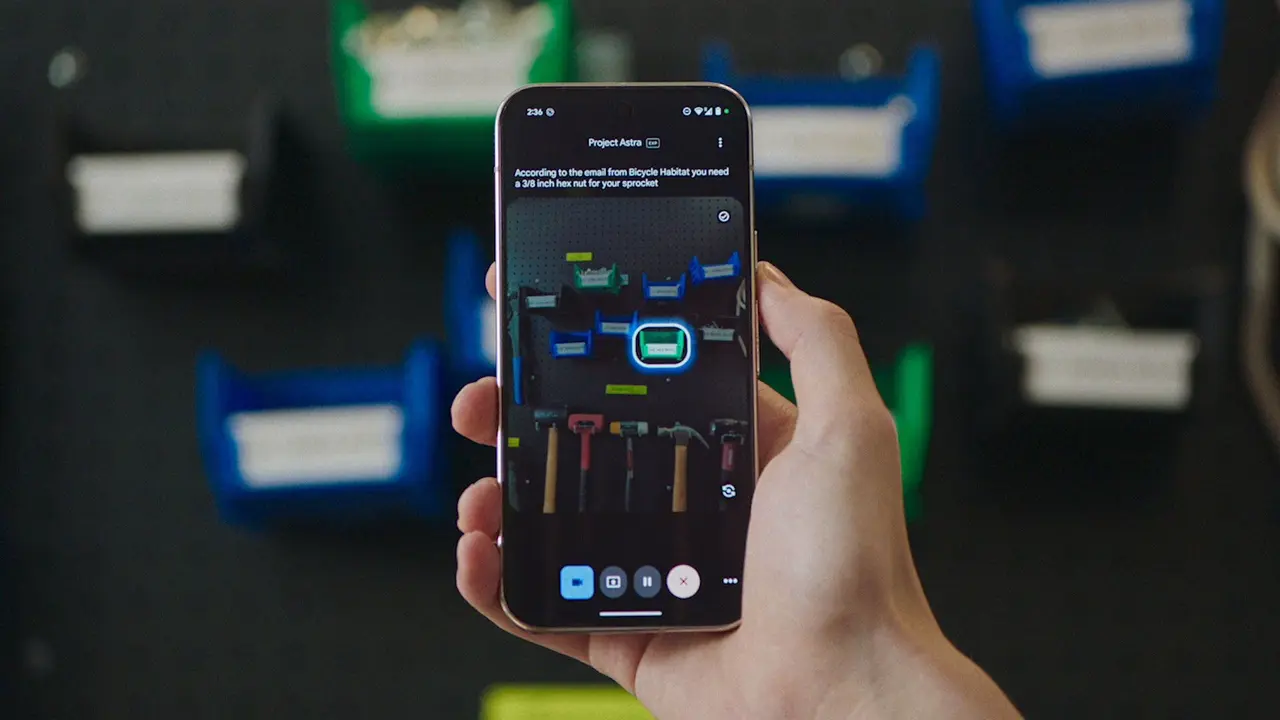
Google Unveils Advanced Gemini AI Features for Samsung Galaxy S25 and Beyond
23 Jan 2025•Technology

Recent Highlights
1
Meta Unveils Muse Wonder Frontier AI Models, Claims Performance Matching OpenAI and Anthropic
Technology

2
IMF Report Warns AI Market Correction Could Spark Global Financial Crisis With $1.4T at Risk
Business and Economy

3
OpenAI Releases 722 AI-Generated Math Solutions, Triggering Existential Crisis in Mathematics
Technology

Recent Highlights
Today's Top Stories






Don’t drown in AI news. We cut through the noise - filtering, ranking and summarizing the most important AI news, breakthroughs and research daily. Follow topics that matter to you and stay ahead.


