5 Sources
5 Sources
[1]
Google Upgrades Maps Features With More Gemini and Faster Photo Uploads
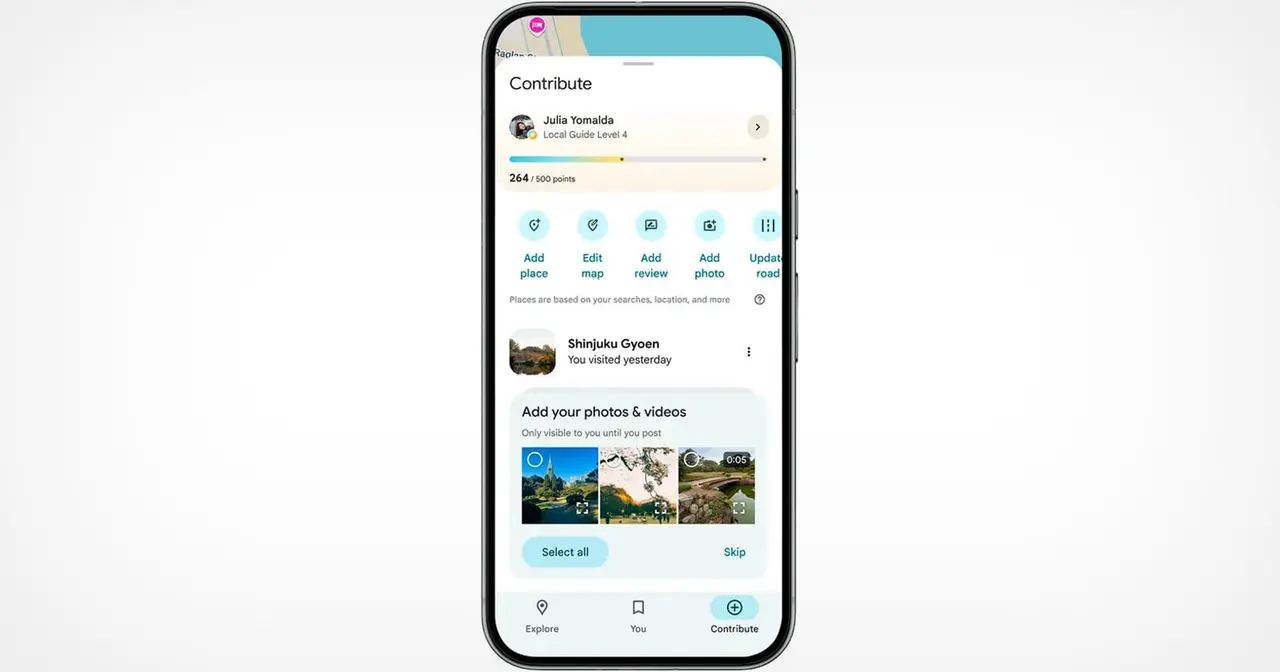
Google announced three new features for Maps on Tuesday that should streamline sharing your experiences. Despite being a strong maps application itself, Google relies on everyday users to contribute their reviews, photos and videos so others doing research can make more informed decisions about places they plan to visit. With the new updates to Google Maps, you can access your photos faster to contribute to information about places you've been. You can also choose to have Google's AI model, Gemini, caption your photos and more quickly check the contributions you've made in the past. It's not hard to share photos or videos for a location on Google Maps, but the app will now offer photo and video suggestions from your saved images -- if you give it permission to do so. The new feature will appear on the Contribute tab at the bottom of the maps app. When scrolling through the view, you'll see photo and video recommendations or the option to upload other photos. How the specific photo and video recommendations are determined isn't clear, but the new feature will likely use a photo's geolocation if that setting is enabled in your camera's settings. A Google representative didn't immediately respond to a request for comment. This feature is now available globally on Android and will expand to iOS in the coming months. Google's giving your photos some Gemini power by automatically analyzing and captioning them once you've selected them to share. This could be helpful in situations where you have selected several photos you don't care to caption. If you don't like what Gemini comes up with, you can edit or remove the caption completely before publishing your photos to Maps. Gemini captions are available in English on iOS and will expand to other languages globally and Android in the future. You can now show off your prior contributions to Google's Local Guide community program. When you contribute, you gain points, and the more you contribute, the more you can level up as a Local Guide. All your points and badges are now prominently displayed on your profile. Google's also adding gold profiles for high-level contributors, so you know you're reading reviews from experienced users. The new contributor updates are rolling out now on Android, iOS and desktop.
[2]
Google Maps Will Now Suggest AI Captions for Your Photo Uploads
Google wants to make sure the images you're uploading to Google Maps are as helpful as possible, and it's using AI to do it, of course. Maps will now suggest photos you should upload, provided it has access to your gallery. Once you provide that from app settings, you'll automatically see photos and videos from your recent outings highlighted in the Contribute tab. These recommendations are available on Android at launch, and will roll out to iOS in the coming months. Once you select the photo or video you'd like to upload, Gemini will analyze the media and suggest the most appropriate caption. "Captions add valuable context to photos, but it can sometimes be tough to find the right words," Google says. Note that these are AI-generated photo captions, not reviews of the place itself. These captions are short, headline-like titles for images. Once Gemini generates them for you, you can keep them as is or make changes. AI captions in Maps are available in English for iOS users in the US. They will expand to Android and users worldwide in the coming months. Finally, Google is making interface changes across iOS, Android, and desktop that will encourage users to post more often. You'll now see your total impact points and achievement badges more prominently in the Contribute tab. The same goes for Local Guide levels on your profile page. High-level contributors will also receive gold-colored profiles. "Photos, reviews, and videos of authentic experiences make it possible for people to confidently decide what to do and where to go," Google says. Google Maps also received numerous AI-powered features last month. First, it got 3D views for navigation and a Gemini-powered, interactive "Ask Maps" feature for your queries. Then it received an Android Auto update that uses AI to forecast how many charging stops you'll need on an EV trip.
[3]
Google Maps wants to lower the bar for getting started with contributions
Google also appears to be working on a "Tell Maps" tool that uses Gemini to streamline contribution. Google Maps is as useful as it is because of the quality of information it offers about all the places you might want to visit -- and it pulls that off with a lot of help from community contributions. Just yesterday, Google shared some updates on how it was improving that experience, making it easier to share photos with Maps and track your overall impact. But as it turns out, that's only the start of Google's upgrades here. Maps is already taking advantage of Gemini, and that extends into these contributions, with Google sharing how Gemini will now give you a hand thinking up captions for your photo submissions. But we've also spotted another place Gemini is looking to integrate itself in the contribution workflow -- but this one's not yet public. Working with Google's new 26.15.01.894202351 beta release of Maps for Android, we've been able to take an early look at "Tell Maps," which appears to be AI-powered system for helping with Maps contributions in general. When this is live, you'll see a "Post and update with AI" prompt for getting started. Interacting with that should pull up the Tell Maps card, which appears to use a chatbot-like interface that allows you to describe what you'd like to add to Maps. For users who may be unfamiliar with Maps user contributions at all, this could present a nice, low-friction way to get started. Right now, it's not quite working as presumably intended -- we showed you about as far as we're able to get in the screens above, but it's pretty clear that this is still a work in progress. That said, what Google appears to be aiming for here seems reasonably straightforward, so hopefully it won't be much longer until you're able to give Tell Maps a spin for yourself.
[4]
I just tried the new Google Maps update and these 3 new features are game-changers
Google is rolling out changes to its popular Maps platform that will make it easier for anyone to post photos, reviews, videos and other content to help them boost their Local Contributor status. Most of the changes involve integrating Gemini into Maps to speed up processes. If you're sick of scrolling endlessly through your photo library or writing complicated captions, you'll love the updates coming to Google Maps. And if you don't care about sharing yourself, the fact that Google's making it easier for other people to post content will still benefit you, as you'll find more places you're considering about going to have photos and videos to browse. What's new in Google Maps? There are three core updates coming to Google Maps, and they're built around user contributions rather than traditional navigation. The first big change is that Google is making it easier to find the right image for sharing. Rather than endlessly scrolling through images, Google will suggest photos and videos from your recent experiences, highlighted directly in the Contribute tab, saving contributors time and effort. This means it's just a matter of you tapping and posting the content that works for the place you're sharing. This feature is now available globally on Android and will expand to iOS in the coming months. The next update leverages the company's popular Gemini models to suggest a draft image caption, saving you time. Once you choose the photos, either manually or via the update above, the AI tool will analyze them to generate captions that you can edit or replace with your own words if you don't like what it spits out. Caption suggestions are now available in English on iOS in the U.S. and will expand globally and to Android in the next few months. The final update focuses on helping Google Maps contributors to see how they're doing overall. Now, total points will be displayed directly on the Contribute tab, and Local Guide levels will be more prominently featured on profile pages. Google is also updating its achievement badges so it's easier to see if you're an expert fact-finder, a master photographer, or a rising novice. For people who enjoy writing, posting and generally sharing on Google Maps, these features are now rolling out to Android, iOS and desktop. Follow Tom's Guide on Google News and add us as a preferred source to get our up-to-date news, analysis, and reviews in your feeds. Subscribe to Tom's Guide on YouTube and follow us on TikTok.
[5]
Google Can Now Select Relevant Photos From Your Phone to Share on Maps
Google Maps has rolled out new features centered on photos, including one that can scan photos and videos on a user's phone to find the most relevant images for a particular location. To access this feature, the user must have media access turned on for Google Maps in their phone settings. Scroll over to the Contribute tab on the bottom right of the app, where the user will see the photos and videos from their recent experiences. Select the photos and post so others can better understand a location. Google says that photo and video recommendations are available globally now on Android, arriving on iOS in the coming months. Another feature Google has rolled out is automated captions, powered by its AI model, Gemini. "Captions add valuable context to photos, but it can sometimes be tough to find the right words. To help get you started, we're using the power of our Gemini models to suggest a draft," Google explains. With a photo selected, Gemini will use AI-powered computer vision to analyze the image and create a relevant caption. It can be edited or removed at the user's discretion. For now, the caption suggestions are only available in English and only on iOS in the U.S. It will expand globally and to Android in the near future. Finally, Google is allowing users to better track the impact their photos are having on Maps. The total points a user has will be displayed on the Contribute tab, while Local Guide levels will be prominently highlighted on profile pages. "We're also updating our achievement badges so it's clear at a glance if you're an expert fact-finder, a master photographer or a rising novice," Google explains. "Plus, if you're looking for trusted voices while wading through reviews, we're making it simpler to spot high-level contributors with new gold-colored profiles. These updates are now rolling out globally across Android, iOS, and desktop." Google says that it has 500 million contributors to Maps, and the new features will help people decide what to do and where to go via authentic photos, reviews, and videos.
Share
Share
Copy Link
Google Maps is making it easier for users to share photos and reviews with three new features powered by Gemini AI. The updates include automatic photo suggestions from your gallery, AI-generated captions for images, and enhanced visibility for Local Guide achievements. With 500 million contributors worldwide, these changes aim to reduce friction in the contribution process while improving the quality of location information.
Google Maps has unveiled three new features designed to simplify how users share photos, videos, and reviews across its platform. The updates, announced Tuesday, leverage the company's Gemini AI model to reduce friction in the contribution process and encourage more frequent participation from its 500 million contributors
5
. The new Google Maps features center on making community contributions faster and more accessible, addressing a core challenge for the platform that relies heavily on crowdsourced content to help users make informed decisions about places they plan to visit1
.The first major update introduces AI photo suggestions that automatically identify relevant images and videos from users' galleries. After granting media access permission in app settings, contributors will see recommended photos and videos from recent outings highlighted directly in the Contribute tab at the bottom of the Maps app
2
. While Google hasn't explicitly detailed how these recommendations are determined, the feature likely uses geolocation data embedded in photos when camera location settings are enabled1
. This eliminates the need for endless scrolling through photo libraries, allowing users to simply tap and post content that matches the location they're sharing4
. The faster photo and video uploads capability is now available globally on Android and will expand to iOS in the coming months1
.
Source: PetaPixel
The second update harnesses Gemini to automatically analyze and caption selected photos, addressing what Google describes as the challenge of finding the right words to add valuable context
2
. Once users select photos for sharing, the AI model generates short, headline-like titles rather than full reviews of the location itself. These AI-generated captions can be edited, replaced, or removed entirely before publishing, giving users full control over the final content1
. The feature proves particularly helpful when contributors have selected multiple photos they don't want to caption individually5
. Photo captions generated by Gemini are currently available in English on iOS in the United States, with plans to expand globally and to Android in the near future2
.The third update focuses on enhancing user engagement by making contributor achievements more visible across the platform. Total impact points and achievement badges now appear prominently in the Contribute tab, while Local Guide levels are highlighted more clearly on profile pages
4
. Google has also introduced gold profiles for high-level contributors, making it easier for users to identify trusted voices when reading reviews5
. The updated achievement badges clearly indicate whether someone is an expert fact-finder, master photographer, or rising novice, helping readers assess the credibility of information5
. These Local Guide updates are rolling out now across Android and iOS devices as well as desktop platforms1
.Related Stories
Beyond the announced updates, Google appears to be developing an additional AI-powered tool called "Tell Maps" that could further streamline user contributions. Discovered in the Google Maps 26.15.01.894202351 beta release for Android, the feature promises a "Post and update with AI" prompt that uses a chatbot-like interface
3
. This would allow users to describe what they'd like to add to Maps conversationally, presenting a low-friction entry point for those unfamiliar with the contribution process3
. While the feature isn't fully functional yet, its development signals Google's commitment to reducing barriers for contributors and potentially expanding its contributor base beyond the current 500 million users. For users who don't actively contribute themselves, these updates still offer significant benefits, as the simplified process should result in more locations having photos, videos, and reviews available for research purposes4
.
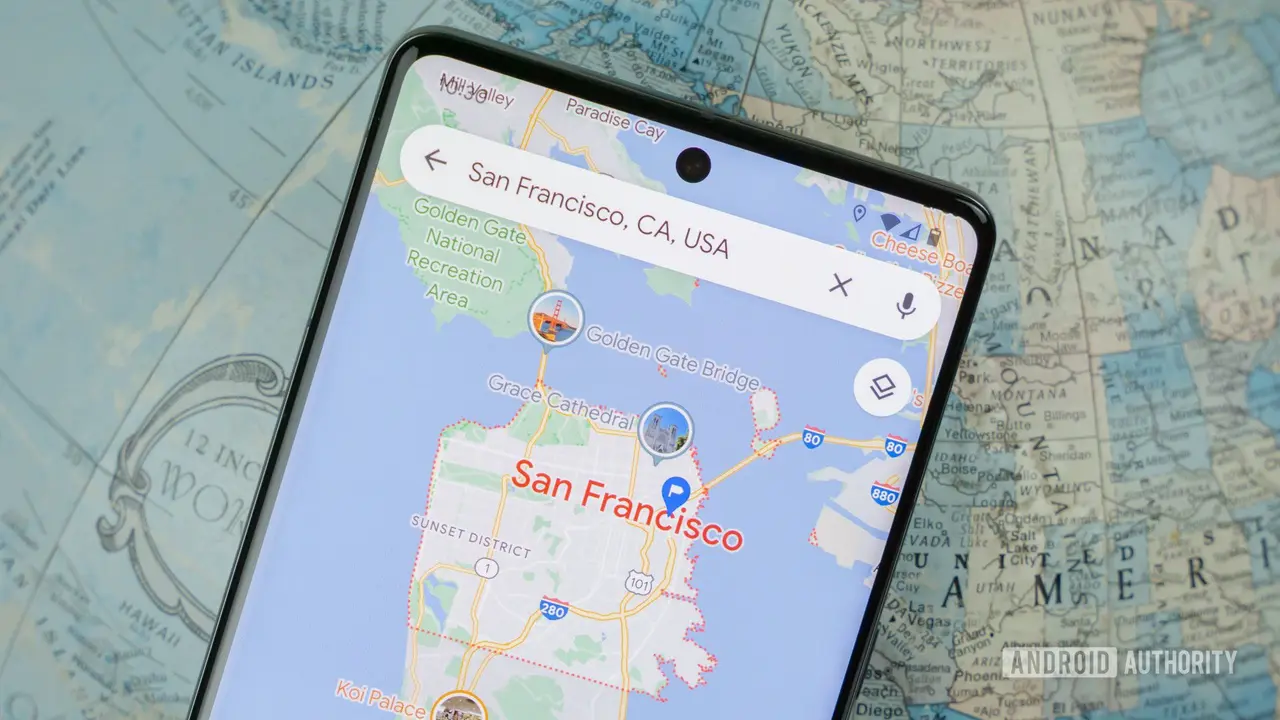
Source: Android Authority
Summarized by
Navi
[3]
09 May 2025•Technology

19 Nov 2025•Technology

04 Feb 2026•Technology