Google Meet Enhances AI Capabilities with Gemini-Powered "Next Steps" Feature


3 Sources
[1]
Google Meet will now use Gemini to suggest "next steps" after your team meetings
Making sense of priorities in your work calls could soon be a lot more straightforward, thanks to an AI-assisted update coming to Google Meet. The video conferencing service has announced it will now be using Gemini to create a checklist of "next steps" following the end of every call, collating
[2]
Gemini in Google Meet Can Now Suggest 'Next Steps' After Meetings
With this, users will be able to see the last 30 minutes of captions Google Meet is getting a couple of new features, the company announced on Tuesday. The first feature is exclusive to the Google Workspace enterprise and business accounts, and it upgrades the existing note-taking capability in
[3]
Google Meet's AI transcripts will automatically create action items for you
Quentyn Kennemer is a writer who helps The Verge's readers save money by surfacing the best tech deals and presenting the latest product recommendations from our experts. He has covered tech and gaming for all of his 15-plus-year career for publications like Forbes, Business Insider, and
Share
Copy Link
Google Meet introduces new AI-powered features, including a "next steps" checklist generated by Gemini and extended access to live captions, aiming to improve post-meeting productivity and accessibility.

Google Meet Introduces Gemini-Powered "Next Steps" Feature
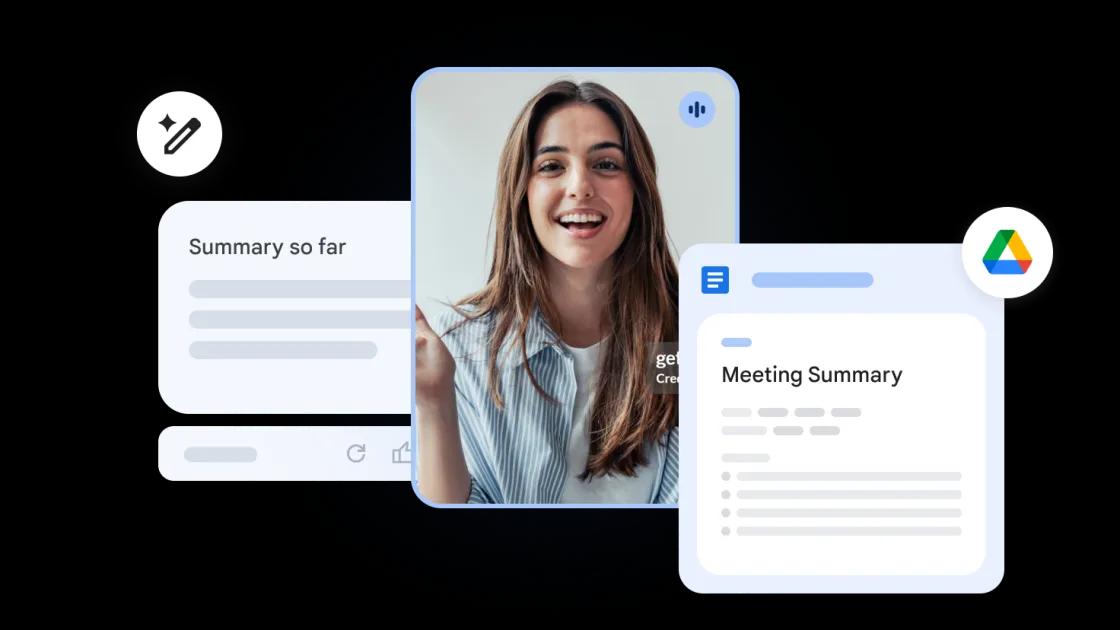
Google has announced a significant upgrade to its video conferencing platform, Google Meet, leveraging the power of its AI model, Gemini. The new feature, an extension of the "Take notes for me" tool launched in August 2024, aims to streamline post-meeting workflows by automatically generating a checklist of "next steps"
1
.AI-Generated Action Items and Follow-ups
The Gemini-powered feature will analyze meeting conversations and create a list of follow-up tasks, complete with suggested due dates and assigned team members. This information will be appended to the existing AI-generated meeting summary in a Google Doc, which is shared with all participants
2
.Users will have the flexibility to review and edit these AI-generated tasks, allowing for adjustments to assignments, due dates, or the removal of irrelevant items. Google emphasizes that this enhancement will help ensure important follow-ups aren't missed and keep team members aligned on post-meeting actions
1
.Extended Access to Live Captions
In addition to the "next steps" feature, Google Meet is introducing an improvement to its live captions functionality. Users will now be able to access and scroll through captions, including translated captions, for up to 30 minutes after they're created. This update addresses the previous limitation where captions disappeared instantly as the conversation progressed
1
2
.Availability and Rollout
The "next steps" feature will be available to users on Google Workspace Business Standard and Plus tiers, as well as Enterprise Standard and Plus users. It will also be accessible with the Gemini Education Premium add-on and to those who previously purchased the Gemini Enterprise or AI Meetings & Messaging add-ons
1
.The extended live captions feature will be available to all Google Workspace customers and users with personal Google accounts
2
.Related Stories

Cautious Rollout and Performance Monitoring
Google is taking a measured approach to the rollout of these new features, particularly the "next steps" functionality. The company states that it will be deploying the update at a "much slower pace than usual" to carefully monitor performance and quality
3
.Implications for Workplace Productivity
While the AI-powered note-taking and action item generation show promise in streamlining post-meeting workflows, some users may have reservations about relying on AI for these tasks. Concerns about the accuracy of transcriptions and the potential exposure of sensitive information to large language models remain topics of discussion
3
.References
Summarized by

Navi
Related Stories
Recent Highlights
1
OpenAI's AI Models Disprove 27-Year Exponential Time Hypothesis, Rendering Decades of Research Obsolete
Science and Research

2
Google DeepMind unveils Genie 4 world model with audio and 2-minute interactive simulations
Technology

3
Microsoft AI Diagnostic Tool Beats Doctors With 83% Accuracy on Complex Medical Cases
Health

Recent Highlights
Today's Top Stories






Don’t drown in AI news. We cut through the noise - filtering, ranking and summarizing the most important AI news, breakthroughs and research daily. Follow topics that matter to you and stay ahead.


