14 Sources
[1]
Google Photos uses AI to make the iconic closet from 'Clueless' a reality
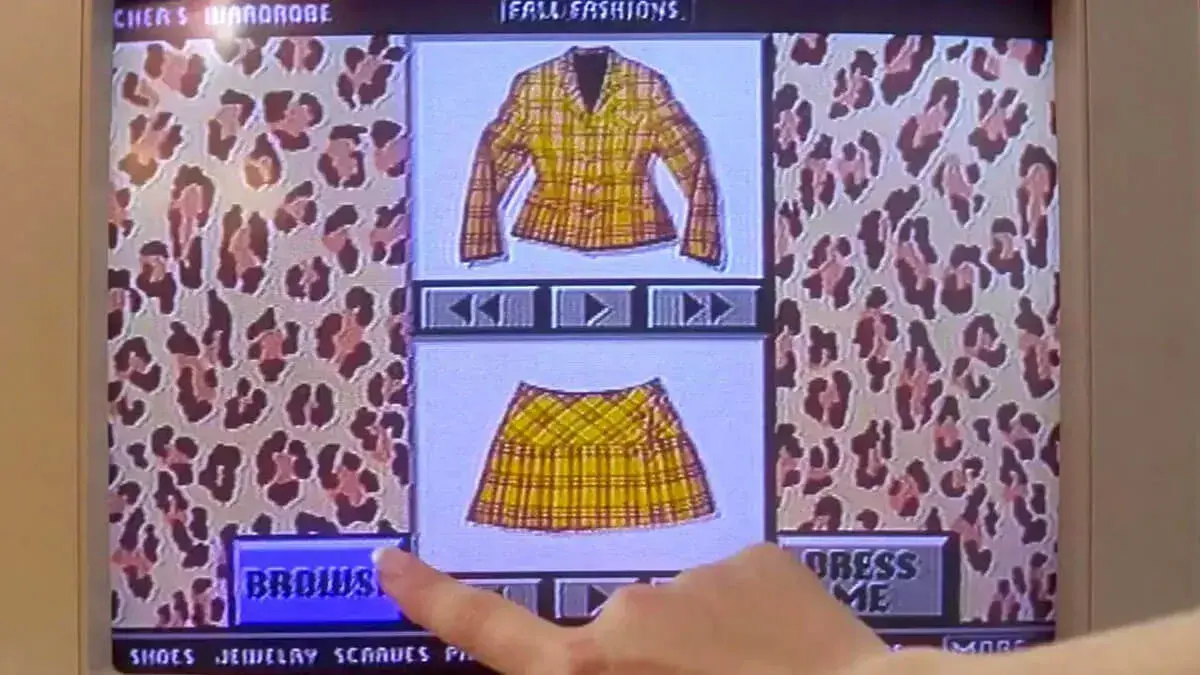
Google Photos on Wednesday announced a new AI-powered feature that will soon turn photos of your clothes into a digital closet where you can create new outfit ideas, and even virtually try on your creations. Yes, the idea takes obvious inspiration from Cher's iconic virtual wardrobe featured in the movie "Clueless," where she could scroll through her various ensembles while deciding what to wear. Google says the new feature will leverage AI technology to automatically create a copy of your wardrobe that's based on the pieces of clothing appearing in your Google Photos library. From the app, you'll be able to filter items by category -- like tops, bottoms, jewelry, and more -- then mix and match them to create different outfits. The idea of a digital closet in "Clueless" was meant to highlight Cher's life of privilege. As a result, the fashion industry and various startups have long sought to recreate the feeling of easy outfit creation. Google is betting that AI technology will make it possible for anyone to have access to a similar tool, one that could improve over time as AI advances. Those outfit ideas can either be shared with friends or saved to a digital moodboard, where you could save ideas for different occasions, like travel, events, date nights, work, and more. In addition, another feature will let you virtually try on items to preview the looks. The feature is not yet live, but Google says it will roll out to Google Photos on Android later this summer, followed by iOS, where it will be found under "Collections." It will compete with existing apps like Acloset, Combyne, Pureple, Wearing, and others. The company didn't go into detail about how the AI works, but notes it will recognize the clothing and accessories featured in your library to create its individual snapshots. Of course, while the AI may be able to pull images from well-lit, full-body photos, we imagine you would get better results by taking the time to photograph your clothes yourself, much as Cher had.
[2]
Google Photos' New AI Tool Will Help You Picture Yourself in All Your Clothes
Macy has been working for CNET for coming on 2 years. Prior to CNET, Macy received a North Carolina College Media Association award in sports writing. Just last night, I was scrolling through endless Pinterest boards and online sites to find a dress for my best friend's engagement party. I was deep into scrolling before deciding to just wear something I already have. So I went to my Photos app on my phone and started scrolling to see what formal outfits I've worn in the past for inspiration. If you find yourself doing this often (I do it at least once a week), a new Google Photos AI feature might help with this by cataloging the clothes you're wearing in photos saved to the app. From there, it will organize your clothes into a digital collection, so you can style, mix and match and try on clothes virtually. The Google Photos wardrobe feature is rolling out this summer, first to Android and then iOS. The wardrobe feature uses AI to scan the photos in your camera roll to create a digital closet based on pieces you've worn in the past. With this saved collection, you can filter by category, such as "jewelry" or "tops" to find that one particular item. Google also seems to be taking a page from Pinterest with the ability to create digital mood boards. Rather than pulling out your entire closet and trying on 10-plus outfits that you send to your friends to see what they like best, you can use the wardrobe feature to mix and match items into outfit ideas that you can then save to a shareable mood board. You can save these mood boards for different categories or occasions, like "wedding guest" or "work outfits." With the wardrobe feature, you'll also be able to "try on" clothes virtually to save time getting dressed. You can select clothing items saved in your collection, then click "Try it on" for a preview of how it will look on your body. Something to keep in mind is that the AI doesn't really know what size clothes are or how they're cut, so it's at best a rough approximation of how any particular article will fit on a particular person. Last year, Google released an AI-powered try-on feature in Search. But that feature was only for clothing you were shopping for and did not already own. The technology works by having an AI image generation model like Nano Banana to generate a guess at what you might look like in those clothes. Google said it won't use the images you upload for the try-on feature for AI training, use it for other Google services or sell it to third parties. CNET's Abrar Al-Heeti tested the Search try-on feature last year and found it would, in fact, generate bare arms to show off a sleeveless dress. A similar feature on the Samsung Galaxy S26 and Google's Pixel phones, called "Find the Look," adds this function to Circle to Search. That means you can take a screenshot or a photo and get an idea of what you might look like wearing it.
[3]
Google Photos Will Soon Remember Your Outfits to Help You Decide What to Wear
With over a decade of experience reporting on consumer technology, James covers mobile phones, apps, operating systems, wearables, AI, and more. Sick of switching in and out of clothes when figuring out what to wear? Many tech companies have proposed ways to virtually suggest outfits, but an upcoming Google Photos feature has a big advantage: it already knows what you wear. Google Photos Wardrobe will look through your existing photos and videos to see what you often wear and your overall style, creating virtual versions of your clothing, so you can mix and match outfits without having to scan individual items. Google says Wardrobe works by monitoring "pieces of clothing that appear in your photo library." It's not yet clear whether it will be exclusive to outfits you've worn, or whether other people pictured in photos will generate virtual clothes. If it's the latter, it may let you try on your friend's favorite denim jacket without asking them. You can filter by outfit type, with examples that break it down into Tops, Bottoms, Skirts, Dresses, Full Body, and more. You can then select multiple items and press a button to add them to an AI-generated version of yourself. You can regenerate the image if you're not happy with how it looks, or you can share it directly with friends or save it for future reference. Those choices you save will then appear under a submenu called Outfits, separate from individual items. Google says this feature may also help keep track of forgotten items in your wardrobe. The idea is you've got a virtual list to scroll through, so anything buried in your bottom drawer won't be as easy to forget. This also means you likely need to manually delete any items you sell or donate that are no longer part of your wardrobe. The new feature will appear under a new Wardrobe option in the Collections menu. In an example shown by Google, it's represented by one of your items of clothing, and it's not yet clear if you need to opt in for this feature to work. Google Photos will roll out Wardrobe later in the summer, with no clear release date. We may hear more at Google I/O 2026, scheduled for May 19. The feature will be first available on Android before landing on iOS at a later date.
[4]
Google Photos Wardrobe will scan your pictures to compile a digital version of your closet - Engadget
Google Photos is adding a new AI feature this summer. Wardrobe creates a "digital closet" for your clothing and jewelry, making it easier to organize them and pick what to wear. The feature discovers your clothes by scanning your Google Photos library. It then creates a catalog of your items, organized by category (tops, bottoms, jewelry, etc.). Thumbnails give each piece of clothing a simple visual reference.From there, you can mix and match items to create outfits -- sharing them with friends or saving to a "digital moodboard." There's also a try-on feature. Like a corresponding feature in Google Shopping, it will generate a photo of you wearing the clothes you chose.
[5]
Google Photos can now become Cher's wardrobe planner from Clueless
After first debuting on Android devices, including the new Moto Razr lineup, Google plans to extend the feature to iOS users. One of the more useful tricks AI has enabled involves tracking down new clothing. If we see someone wearing something we like online, tools like Circle to Search make it easy to not just find where we can buy the garment, but also preview how it might look on someone like us. That's great for new acquisitions, but what do we do if we're having trouble picking out an outfit from our existing wardrobe? Google Photos might have just the solution.
[6]
Google Photos Wardrobe finally makes the 'Clueless' closet a reality
Chandra Steele has been writing about tech for the entirety of her journalism career. She loves making tough topics easy to understand. Before joining Android Police, Chandra was senior features writer at PCMag where she did everything from interviewing Jeff Goldblum to explaining crypto. There is no way to talk about Google Photos' latest feature without invoking Cher Horowitz. In the movie "Clueless," Cher opens up a program called Dress Me! on her desktop PC that sorts through her separates and puts them on a virtual version of her until it makes a successful outfit that she then pulls from her closet. Now the Wardrobe feature from Google Photos is set to do pretty much the same thing. Wardrobe uses AI to go through photos of you and create individual snapshots of the clothing and accessories you wear. You can then browse them by category (tops, pants, skirts, jewelry, etc.), create an outfit, and click "Try it on" to dress an image of you. You can also save outfits for future occasions, share them with friends, and create moodboards. This Wardrobe feature will be available this summer, starting with Android devices and then moving to iOS. It looks to be the most promising in a long line of attempts at similar technologies. Movie magic made real The "Clueless" closet has been a dream of millennial women for over 30 years, and Google is not the first company to try to make it a reality. There have been countless attempts that have come and gone. I receive a press release every few years that swears that the technology touted is finally the one and neither I, nor the market, have ever found it to be the case. Right now you can download apps like Indyx, Whering, and Stylebook that either directly claim inspiration from "Clueless" or garner references to it in press coverage, but they fall short. They all require that you take photos of each item in your closet yourself and none of them let you put the assembled outfits on an image of you before you experience the hassle of trying things on IRL. There's a cost involved with each of the apps. Indyx and Whering offer some very basic features for free and then add on things like social sharing, moodboards, and outfit planning as in-app purchases. Stylebook is a flat $4.99. Amazon attempted a hardware-based solution with the Echo Look, introduced in 2017. It used a camera to take photos or videos of you in an outfit so that Alexa could render a style judgment on it and offer fashion advice. I reviewed the Echo Look when it came out and felt that though it held the promise of declaring an outfit a "Mis-Match!" like the fictional Dress-Me! did, it ultimately didn't deliver. Using the Echo Look was not the smoothest; it required that you stand and model five feet away from the camera, which is a challenge if you live in a small space. It also came with considerable privacy concerns because not only were you taking countless photos and videos of yourself and delivering them to Amazon, they were all sent to "fashion specialists" at Amazon for review. Subscribe for hands-on coverage of Google Photos' Wardrobe Curious whether Google Photos' Wardrobe lives up to the 'Clueless' dream? Subscribe to the newsletter for hands-on testing, practical how-tos, privacy and setup breakdowns, and real-use assessments that help you judge the feature yourself. Get Updates By subscribing, you agree to receive newsletter and marketing emails, and accept our Terms of Use and Privacy Policy. You can unsubscribe anytime. The Echo Look was $199.99. I say was, because Amazon discontinued the device in 2020 and rendered all existing Echo Looks useless. If Google Photos' Wardrobe works as advertised, the fashion-focused feature will be frictionless. Not having to take photos or videos of your wardrobe or yourself and being able to try things on virtually will save countless hours over other solutions. And best of all, the feature is free. While a lot of what's promised in movies doesn't translate to real life, there will be lots of people (and by people, I mean me) hoping that Wardrobe does.
[7]
Google Photos to Get AI 'Wardrobe' Feature
Google Photos is getting a new wardrobe planning feature that will help you decide what to wear. AI will pull in images of clothing from the Google Photos library, organizing clothing items into a digital closet. You will be able to put items together to create outfits, and even virtually try them with a digital avatar on to see how they'll look. The Google Photos app will show all items of clothing in a new Wardrobe section in the Collections tab. Clothing can also be viewed in specific categories like tops or bottoms. Items of clothing can be mixed and matched to create outfits, and the results can be shared with friends or saved to a digital moodboard. Google's version of the Clueless virtual wardrobe will be coming to Google Photos this summer. Google says it will be available to Android users first, and then iOS users.
[8]
I tried Google Photos Wardrobe on the Motorola Razr Ultra 2026, and it's the AI 'Clueless' closet I've always wanted
I'm not ashamed to admit that outfit meltdowns are a frequent occurrence in my daily routine of getting dressed. Whether I forget what I have, can't find what I'm looking for or feel that "I'm already running late" stress, even a freshly organized closet can't stop me from not knowing what to wear. But Google Photos is rolling out a new feature that potentially can help. One of the most interesting features I tried on the new Motorola Razr Ultra 2026 had nothing to do with processors or cameras. It's Google Photos Wardrobe, and it's basically Cher Horowitz's iconic 'Clueless' closet from the '90s manifested for modern day styling needs. Google Photos can pull from images already in your library and identify clothing items you own. Using Google's Nano Banana image generation tech, it can turn those real-life photos into cleaner, catalog-style cutouts that look almost like product shots from an online store. From there, the app sorts everything by category, including tops, bottoms, dresses, bags, shoes and more. Essentially, it creates a digital version of your closet from photos you've already taken. That alone would be useful for someone like me, because I often forget what I actually own. I'll stare into a full closet convinced I have nothing to wear, while multiple great options are apparently hiding in plain sight. But the feature gets better. You can pull pieces into outfit boards, mix and match looks, save combinations and experiment with styling before ever trying anything on physically. There's also a virtual try-on option that uses AI to preview how items may look together on you. I travel often, and one of the hardest parts of packing is building outfits that all work together. I want versatile pieces, shoes that match multiple looks and enough variety without overpacking. Google Photos Wardrobe feels built for that exact problem. Instead of throwing six "maybe" tops into a suitcase, I could actually plan combinations in advance and have them lined up for the entire trip. Google Photos Wardrobe is debuting initially on the Razr 2026 family. That makes a lot of sense considering that Motorola's clamshell foldable is unapologetically style-forward device, with textured finishes, bold colors, and design choices that make the device feel more like a fashion accessory than your average smartphone. It also helps that Motorola uses Google Photos so deeply across the experience. If your best outfits already live in your camera roll, you've got the materials to get started with this wardrobe feature. Is it perhaps a little gimmicky? I might think so if I hadn't gotten to try it out myself. Based on the demo I did, the feature is intuitive and borderline effortless. I think if you love clothes, take outfit photos, travel often or just want help seeing your own closet differently, this is the kind of tool that'll make you question why it's taken over 20 years since Clueless to practically execute. Follow Tom's Guide on Google News and add us as a preferred source to get our up-to-date news, analysis, and reviews in your feeds. Subscribe to Tom's Guide on YouTube and follow us on TikTok.
[9]
Google Photos Will Help You Choose Outfits Based on Clothes You've Worn in Photos
Just over a week after Google added AI-powered "beautification" tools to Google Photos, the company is showing off yet another addition. This time it's a wardrobe feature that will let people virtually try on different outfits in Google Photos on Android later this summer. People's photo libraries are often full of them wearing a wide variety of clothes and outfits. Google Photos will soon be able to automatically catalog all these different pieces of clothing, including tops, bottoms, jewelry, shoes, and more, creating a virtual wardrobe. Users can then browse this digital closet to dial in a fresh outfit, which Google says will eliminate people's "nothing to wear" mornings, evenings, vacations, and special occasions. Soon enough, Google Photos will have tools to give users smoother skin, generate AI images from their real photos using Nano Banana, and even pick out their outfits. Google Photos sure has come a long way from a simple image gallery in the AI age. Google says people will be able to mix and match items of cataloged clothing, share them with friends, and create mood boards. Importantly, users will also be able to virtually try on their clothes to get a sense of how an outfit will look before digging through their closet to find the real pieces. "Wardrobe can recognize clothing and accessories in your Google Photos library to create individual snapshots, so you can virtually mix, match, and try on different looks with ease. It is a whole new way to get dressed!" says Google. Given how clothing items are presented in Google's preview videos, it appears that Google Photos is identifying clothing items in a user's image library and then pulling product photos of those items from Google Images. For example, a person is extremely unlikely to have photos of folded jeans or shoes as seen from above in their personal photo collection. However, as Google has long demonstrated through features like Circle to Search, its AI can consistently identify items in photos and then pull up websites where those items are sold. Google Photos wardrobe will launch first in Google Photos on Android "this summer" and then arrive on iOS later.
[10]
Google Photos will let you try on clothes you already have in the wardrobe, or just screenshotted
In the past couple of months, Google has added a plethora of features to its Google Photos app, including new editing tools, AI enhancements, and more. Now, the tech giant has added a new AI-powered wardrobe feature that turns your existing photo library into a personal style guide. The feature uses AI to scan your Google Photos library and automatically builds a wardrobe collection from the clothes you wear in your photos. That means you will have your entire clothing collection as a digital wardrobe. What can you do with it? Once your wardrobe is catalogued, you can filter your clothes by category. Want to see only your tops, or just your jewelry? You can do that. You might even rediscover items you forgot you owned and actually liked. Beyond browsing, the feature lets you mix and match items to create outfits and save them to a digital moodboard. You can create separate moodboards for different occasions, like summer weddings, work outfits, or that holiday trip you have been planning for two years. Recommended Videos The most fun part is the virtual try-on feature. Select individual pieces from your wardrobe, tap "Try it on," and you will get a preview of how the outfit looks on you before you actually commit to wearing it. You can even share them with your friends. It is basically a digital fitting room. Since it lets you pick individual outfits and mix and match them, you can try a variety of combinations and decide on what to wear in minutes. Is this actually useful? For anyone who has ever spent 20 minutes getting dressed only to change their mind three times, yes. The feature is particularly handy for vacation packing, where you can plan full outfits ahead of time instead of overpacking out of panic. This feels like the next evolution of Google's "Try It On" tool, which allows you to try on dresses before purchasing. Now, you can try your own outfits and see which combinations you like better. The new wardrobe feature in Google Photos will start rolling out this summer, starting with Android users first, with iOS support to follow. No specific date has been confirmed yet.
[11]
A new way to create a digital wardrobe from your Google Photos
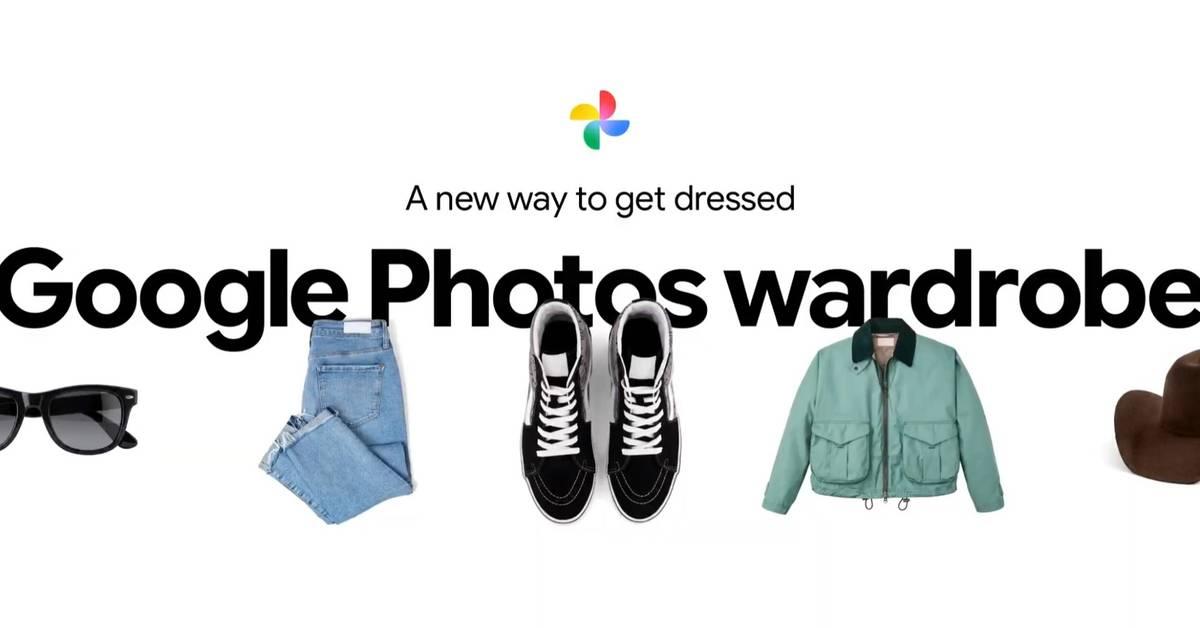
This content is generated by Google AI. Generative AI is experimental Getting dressed is about to get easier, no matter how full your closet is. To help streamline your "nothing to wear" mornings -- and evenings and vacations -- a new Google Photos feature will soon catalog the clothes you're wearing in photos and create a digital closet that puts your wardrobe at your fingertips. The new wardrobe feature in Google Photos uses AI to automatically create a dedicated "wardrobe" collection based on pieces of clothing that appear in your photos library. It will give you an organized view of your wardrobe from from your past photos, where you can:
[12]
Google Photos to launch AI wardrobe organizer
Google Photos is set to launch a new AI feature called Wardrobe this summer, designed to create a digital closet for users' clothing and jewelry. This feature will scan users' Google Photos libraries to identify and catalog clothing items by category, including tops, bottoms, and jewelry. Thumbnails will provide a visual reference for each piece of clothing, allowing users to mix and match items and create outfits. Users can share these outfits with friends or save them to a digital moodboard. A try-on feature will also generate a photo of the user wearing selected items, similar to capabilities found in Google Shopping. However, limitations exist. The AI may miss items not photographed, and users may see clothing they have donated or discarded still appearing in their catalog. Google Photos Wardrobe will first be available to Android users, with iOS access coming later this summer.
[13]
This New Google Photos Feature Can Help You Decide What to Wear
Users will be able to virtually try on clothes using Wardrobe Google Photos will soon roll out a new artificial intelligence (AI) feature to help users decide what to wear. The feature brings several existing AI tools together to let users digitise their entire wardrobe and mix and match clothes virtually to create new outfits without the hassle of manually wearing clothes. The feature is set to be available on both Android and iOS, although it will debut on the former before the latter. The Motorola Razr 2026 series, which is expected to be launched in select global markets in the coming months, will offer this feature out of the box. Google Photos Teases the Wardrobe Feature In a blog post, the Mountain View-based tech giant announced the new AI feature in Google Photos. The company has not revealed a fixed release date, but said that Wardrobe will be rolled out to users "this summer." It will first be released on Android, and then on iOS. It is unclear whether the AI feature will be available for free or if users will need a Google AI Pro/Ultra subscription (or a compatible Pixel device). Put simply, Wardrobe brings together Nano Banana and the Virtual Try On feature to let users create a digital version of their wardrobe, and easily try out different items to create new outfits. The feature will be available inside the Collections section as a dedicated space. Inside the space, AI will automatically detect the user's clothing items by scanning the saved photos. How the Wardrobe feature in Google Photos works Photo Credit: Google The feature, then, creates a snapshot version of the clothing items and saves them as individual images. So, if you've worn a particular outfit, clicked an image of it, and saved it on Google Photos, the AI will create and list it in the dedicated space. This acts as a dedicated digital closet for the user. There is also a Create floating action button (FAB) with the hanger icon, which increases the functionality of Wardrobe. Tapping it opens a bottom sheet that lets users create a new look by mixing and matching different pieces of clothes. For ease of access, users can also filter the items by tops, bottoms, skirts, dresses, and more. Once they have selected different items to create a look, clicking the Try it on button lets the user virtually try out the outfit to see if they like the look. It's like an AI version of the "get ready with me" or GRWM trend inside the Google Photos app.
[14]
Google's new wardrobe feature lets you dress a virtual version of yourself using your real clothes | Stuff
Tired of staring into your wardrobe like it's betrayed you? Google Photos' new AI-powered wardrobe feature is here to help (if you're rocking an Android phone, that is). Rolling out this summer, the feature aims to turn your camera roll into a personal stylist. It works by scanning your photo library to identify clothing you've worn in the past, then organises those items into a dedicated digital wardrobe. From there, you can start building outfits directly inside the app. Mix and match pieces, save combinations to moodboards for different occasions, or share them with friends if you're the type who crowdsources outfit decisions. And yes, virtual try-ons are also available. Google says you'll be able to preview outfits on a digital avatar before you actually get dressed, giving you a rough idea of how combinations will look without committing to the full outfit change. It's too early to tell whether this is just another AI gimmick or something that will prove genuinely useful. Given that I have the wardrobe depth of a Simpson's character, it probably won't do much for me. But if you've got an impressive collection of garments and often get choice paralysis, it sounds like it could be worth a shot. Interested? Google says that the Wardrobe feature will arrive on Android first this summer, before heading to iOS later on.
Share
Copy Link
Google Photos is launching an AI-powered Wardrobe feature that scans your photo library to create a digital closet of your clothing and accessories. The tool, inspired by Cher's iconic virtual wardrobe from Clueless, lets you mix and match outfits, create mood boards, and virtually try on items. Rolling out to Android this summer, followed by iOS.
Google Photos announced a new AI feature this week that transforms your photo library into an interactive digital wardrobe, drawing direct inspiration from Cher's iconic virtual closet in the 1995 film Clueless
1
. The Wardrobe feature leverages AI technology to automatically scan photos in your Google Photos library and create a catalog of clothing items and accessories you've worn, making outfit planning as simple as scrolling through digital thumbnails4
.
Source: TechCrunch
The feature will roll out to Android devices later this summer, with iOS support following at a later date
3
. Users will find the new tool under Collections in the Google Photos app, where it will be represented by one of your clothing items3
.The AI-powered system recognizes clothing and accessories featured in your existing photo library to create individual snapshots of each item
1
. Once cataloged, you can filter items by category including tops, bottoms, skirts, dresses, full body outfits, and jewelry3
. This organization system helps you rediscover forgotten pieces buried in bottom drawers that might otherwise be overlooked3
.
Source: PetaPixel
Google says the feature monitors pieces of clothing that appear in your photo library, though it remains unclear whether it will exclusively catalog outfits you've worn or include clothing worn by others in your photos
3
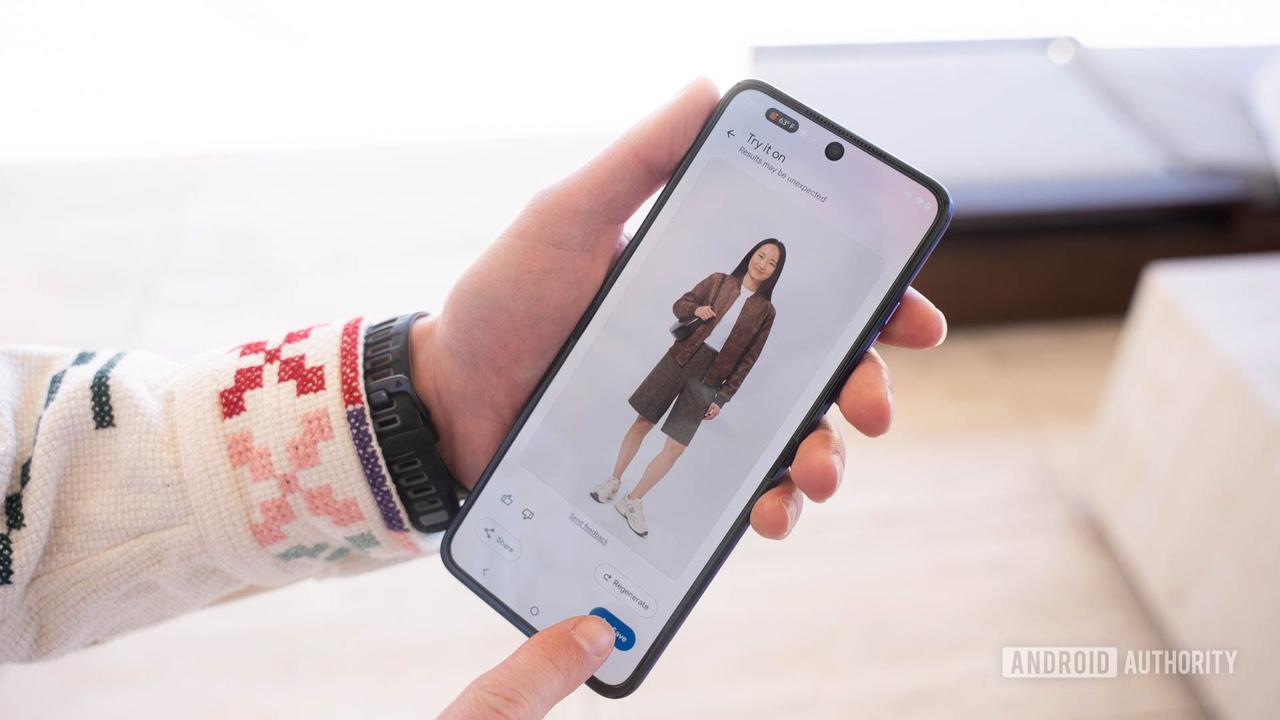
. If the latter proves true, you might be able to virtually try on a friend's favorite denim jacket without asking to borrow it.Beyond simple cataloging, the Wardrobe feature lets you create new outfits by selecting multiple clothing items and adding them to an AI-generated version of yourself
3
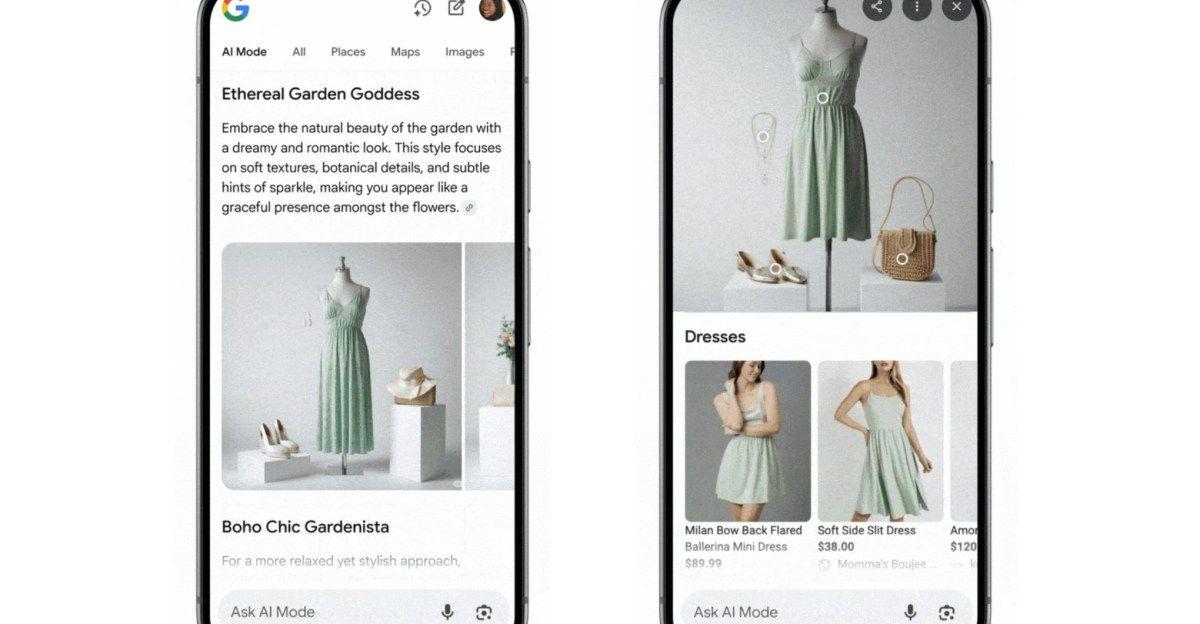
. The virtual try on capability generates a preview of how selected items will look on your body, similar to a corresponding feature already available in Google Shopping4
.
Source: Android Authority
If you're not satisfied with how an outfit looks, you can regenerate the image or share it directly with friends for feedback
3
. However, the AI doesn't truly understand garment sizing or how clothes are cut, meaning the virtual try-on provides a rough approximation rather than a precise fit preview2
.The wardrobe planner includes digital mood board functionality that lets you save outfit ideas for different occasions like travel, events, date nights, and work
1
. These saved choices appear under a submenu called Outfits, separate from individual items3
. This approach mirrors Pinterest's visual organization style, eliminating the need to pull out your entire closet and try on ten-plus outfits before settling on one2
.Related Stories
Google previously released an AI-powered try-on feature in Search last year, but that tool only worked for clothing you were shopping for, not items you already owned
2
. The technology relies on AI image generation models to predict how clothes might look on different body types. Google has stated it won't use images uploaded for the try-on feature for AI training, other Google services, or sell them to third parties2
.A similar feature on Samsung Galaxy S26 and Google's Pixel phones, called Find the Look, adds virtual try-on functionality to Circle to Search, allowing users to screenshot or photograph clothing and visualize how it might look on them
2
. The new Wardrobe feature extends this capability to your existing wardrobe5
.Google Photos will compete with existing wardrobe apps like Acloset, Combyne, Pureple, and Wearing
1
. The company's advantage lies in its integration with an app that millions already use daily for photo storage, eliminating the need to manually photograph each garment. That said, while AI can pull images from well-lit, full-body photos, users will likely achieve better results by taking dedicated photos of their clothes, much as Cher had in her privileged setup1
.Users should note they'll need to manually delete items they sell or donate to keep their virtual wardrobe current
3
. More details about the feature may emerge at Google I/O 2026, scheduled for May 193
.Summarized by
Navi
[4]
[5]