14 Sources
[1]
Apple may finally close the AI gap with Android in iOS 27
You can also set us as a preferred source in Google Search by clicking the button below. According to the report, Apple is building on the "Writing Tools" feature already available in iOS 26 and trying to make it more discoverable and useful. The company might add a "Write with Siri" button at the top of the keyboard and also show a "Help Me Write" option when Siri is activated, and a text field is selected. Additionally, Apple could also introduce a new grammar-checking feature to help iPhone and iPad users write without errors. Per the report, the feature will display suggested improvements in a translucent menu that slides up from the bottom of the screen. Users will be able to accept, ignore, or reject suggestions individually, similar to services like Grammarly or QuillBot. Improvements to "Writing Tools" aren't the only AI features coming with iOS 27. The report goes on to say that Apple will also introduce AI-powered shortcut creation. This could help users create shortcuts more easily by using natural language to describe what they want the shortcut to do. I'm cautiously optimistic about the new AI shortcuts feature. Having created many shortcuts on my iPhone, I have come to appreciate both the power and the complexity of creating new ones. Using natural language to describe what I want a shortcut to do would be much easier, for sure. However, I have firsthand experience with Apple Intelligence letting me down, so I'm not getting too excited just yet. Apple is reportedly also working on a new feature inside the wallpaper picker. iOS 27 could let users generate new wallpapers using the Image Playground app. It is worth noting that the Image Playground app itself is also expected to receive improvements with iOS 27. We'll get to learn more about iOS 27 and every other Apple operating system at the WWDC keynote on June 8.
[2]
iOS 27 to add new custom wallpaper feature, more: report - 9to5Mac
iOS 27 is set to be announced in just three weeks, and a new report today dives into three new features coming to iPhone this year. The report comes from Bloomberg and says Apple has big AI changes in store for Shortcuts, Writing Tools, and iPhone wallpapers. First, the report says iOS 27 will include a more powerful grammar checker similar to Grammarly, the popular third-party service. The system appears in a translucent menu that slides up from the bottom of the screen and displays original text alongside suggested revisions. Users can accept individual suggestions, approve all changes or ignore them altogether. There are also controls to pause grammar checking and navigate between flagged sections of text. iOS 27 will also include changes to make Writing Tools more discoverable. Apple is reportedly testing a "Write With Siri" toggle that will appear at the top of the keyboard. There's also a new "Help Me Write" button that "appears when users activate Siri while working in a text field," the report says. For Shortcuts, Apple's app that lets you create automations for performing different tasks, iOS 27 will let people use natural language to "create shortcuts simply by describing what they want them to do." In the updated app, users are presented with a prompt asking, "What do you want your shortcut to do?" along with a text field to describe the request. The system then automatically builds and installs the shortcut on the device. Finally, iOS 27 will allegedly include a feature to generate custom wallpapers using AI. The feature will build on the existing Image Playground app and appear as another option in the standard wallpaper picker interface. What do you think of these features? Are you excited to see what Apple has up its sleeve for iOS 27 this year? Let us know down in the comments.
[3]
iOS 27 to Let Users Generate Wallpapers and Build Shortcuts With AI
iOS 27 will include a custom wallpaper generator and an option to automatically create shortcuts using AI, reports Bloomberg. When choosing a new wallpaper, users will have the option to generate something custom using the Image Playground app. Image Playground is used for generating custom emoji and images that can be used throughout iOS, and it is set to get an upgrade in iOS 27. Apple is testing models that produce more lifelike images, so the version of Image Playground that's used for generating custom wallpapers could be different from the current version. Shortcuts is also getting a major update, with users able to use natural language to ask Siri to make a shortcut. There is an option for users to tell Siri what they want to accomplish with a shortcut to have the workflow created using AI. Bloomberg says the Shortcuts app has a prompt that says "What do you want your shortcut to do?" with a text field to enter a description. Shortcuts that are created using AI are then automatically installed and immediately available for use. Shortcut creation is largely done manually now, and it is a tool that has remained out of reach of many casual iPhone users. A Shortcuts app that's able to work with natural language capabilities will see the app getting more widespread use. The new Shortcuts app and the wallpaper generation tool will be previewed at the WWDC keynote that's set to take place on June 8.
[4]
More Apple Intelligence features detailed as iOS 27 leaks continue
Bloomberg's Mark Gurman reveals the Image Playground app will generate personalized wallpapers while writing tools will compete with services like Grammarly. Apple's expanded use of AI in iOS and iPadOS 27 will include writing tools that can check your grammar, custom shortcut creation using natural language, and AI-generated wallpapers, according to a report from Mark Gurman at Bloomberg. The tools are part of an expanded use of AI throughout iOS, iPadOS, and macOS, including an all-new conversational Siri powered by an entirely new language model. Apple wants to make Writing Tools, now two years old, more discoverable. There may be a "Write with Siri" button at the top of the keyboard, and a "Help Me Write" option if you invoke Siri while the cursor is in a text field. Among the new features will be a grammar checker, similar in function to Grammarly, that will display original and suggested text in a translucent menu that slides up from the bottom of the screen. For some time now, Apple has been working on AI-powered Shortcut creation, and it is apparently ready to be included in the OS. Instead of creating scripts in the Shortcuts app to make your own shortcut, you'll be able to use natural language to describe what you want your shortcut to do. Finally, the report says we can expect a new option in the wallpaper picker that allows users to generate one using the Image Playground app, which is also expected to get a major overhaul with improved image generation capabilities. Google has promoted a similar feature in its Pixel phones since 2023. For more on what we expect Apple to announce at WWDC, check out our iOS 27 guide.
[5]
iOS 27 Siri 2.0 details leaked -- new chat interface, Dynamic Island integration, and more
* A detailed leak has explained how Siri could evolve with iOS 27 * As well as gaining a dedicated app, it could largely live in the Dynamic Island * There might also be a system-wide "Search or Ask" interface that taps into AI, and improvements to Image Playground We've been hearing for a while that Apple could roll out a dedicated chat app for Siri in iOS 27, but now we have a clearer idea of how this overhaul might look -- and there's more to it than just an app. According to Mark Gurman at Bloomberg (via MacRumors), Siri will actually largely live within the Dynamic Island, meaning that when you activate it with a wake word or the side button, a Siri animation will appear in the Dynamic Island. Then, once you've asked it something, a transparent results card will be displayed. If you need to go deeper than those initial results you can swipe on the card to bring up a chat interface that apparently looks similar to an iMessage chat. Here, you'll be able to see various small cards related to your query, with the cards potentially including things like calendar events, notes, and the weather. But beyond that, there will also apparently be a dedicated Siri app that you can launch at any time, complete with conversation history and the ability to upload images and documents. So, it sounds much like ChatGPT and most other chatbots. System-wide search and better image generation But that's not all, as iOS 27 will apparently also include a system-wide search interface that you can access by swiping down from the top center of the display on any screen or app. Do this, and a "Search or Ask" bar will appear in the Dynamic Island, which you can then speak or type to. Apparently, this is somewhat like Spotlight Search, but can display "more advanced results and additional data from within apps." Or if you press on the search bar, you can swap from Siri to other chatbots. Also on the AI front, Apple is apparently overhauling the Image Playground app, giving it a new layout and the option to create more lifelike images. So all in all, it's sounding increasingly like iOS 27 could include some big -- and much-needed -- upgrades for Apple's AI tools. We'll probably find out for sure at WWDC 2026 on June 8, as that's when iOS 27 is likely to be unveiled. Follow TechRadar on Google News and add us as a preferred source to get our expert news, reviews, and opinion in your feeds. Make sure to click the Follow button! And of course you can also follow TechRadar on TikTok for news, reviews, unboxings in video form, and get regular updates from us on WhatsApp too.
[6]
AppleInsider.com
The slow trickle of iOS 27 leaks continues with seemingly obvious upgrades that are being painted as part of a desperate move to catch up with competitors. Instead, they appear to be business as usual. Apple announces new features for iOS each year during WWDC, and sometimes, early builds lead to leaks of features being tested. While these leaks frustrate Apple engineers that would prefer to keep them a surprise, they're sometimes obvious and predictable. According to a new leak from Bloomberg, Apple will announce improved Writing Tools, a wallpaper generator, and the ability to generate Shortcuts with natural language input. While these are not groundbreaking features, they're part of a larger effort to ensure users have access to various AI tools across their iPhone. The report goes out of its way to suggest that Apple is "racing to catch up with hardware rivals" while referencing Google's Android Show filled with pre-announced features. Several of these, like importing grocery lists to apps from a first-party tool like Reminders, already exist on Apple platforms without the need for AI. Ignoring the unnecessary color of the report, the new features are predictable, if useful, additions to iOS. They also hold up to my repeated assertion that Apple's AI efforts will remain out of the way for those that don't want to use them. Writing Tools updates Writing Tools were introduced during WWDC 2024 as a part of Apple's initial AI push. They're able to generate or summarize text, but I've taken to using the Proofread function instead of paying for Grammarly. That feature is set to get an upgrade in iOS 27 that will bring Grammarly-style checks to the tool. Writing Tools already checks for spelling errors, punctuation mistakes, and similar basic changes, but it doesn't look for syntax errors. It doesn't appear that Writing Tools will operate differently when invoked by the user, but one poorly explained part does stick out. The report mentions that Writing Tools will appear from a translucent menu at the bottom, provide users with the ability to apply or ignore changes, and see edited text alongside revised text. That's already in place today. What's new appears to be a briefly mentioned toggle that "pauses grammar checking." That sounds more like the feature can be set to run automatically within a text field rather than relying on activating a specific tool. Today, Writing Tools are found via a right-click menu or in the text suggestions box above the keyboard. Apple may bring more of the Writing Tools controls to the top of the keyboard. Again, none of this is particularly revolutionary. In fact, they sound right out of my own wishlist for the Writing Tools feature. More obvious updates Apple previously introduced a whole new system for customizing the iPhone Lock Screen and Home Screen. It involves a wallpaper picker that pulls from Photos, preset wallpapers, or custom ones based on the weather or selected emoji. It is only natural that Apple bring Image Playground into the mix. It's already being used for generating images for Apple Invites, for example. Then there's the returning rumor about natural language processing for generating Shortcuts. This is an often repeated rumor that never came to fruition. It seems iOS 27 will finally include the feature. Users will apparently be able to speak Shortcuts into existence rather than having to build them manually. Apple's more proactive Siri was also meant to suggest Shortcuts based on common and repeated tasks. Today, Apple Shortcuts is a useful tool, but only if you know how to build Shortcuts or get them from elsewhere. Negative framing I suppose it is fair to say that Google and Samsung have announced AI features, and even released some, for their smartphones. By that basic reality alone, it is easy to say that Apple is "behind" in this AI race, even if those features make the Android experience arguably worse. However, I have never encountered a real human being, on the internet or otherwise, who has said these Android AI features were useful. Sure, they love their AI tools found in apps, but the on-device tools touted in these keynotes get crickets as far as I can tell. It probably doesn't help that the requirements for those features are incredibly specific. The fragmented nature of Android prevents feature parity across devices. When I think of desperation, I imagine a company putting AI in a cursor so that everything becomes an AI interaction. But of course, no one would actually do that. Right? Apple has seen record sales and demand in spite of it not drowning its products in unnecessary AI features. In fact, I believe part of the success can be attributed to the exact opposite. The idea that Apple is somehow flailing internally is silly to me. Of course, the company would have preferred not having a two-year delay on some AI features, but that's a different story. Apple's products are primed to be the best home for AI models, if you choose to use them. Not only will Apple ship its improved Apple Foundation Models and APIs for endpoint agents, it will give users the ability to do business as usual. The only ones I see "racing to catch up" are Apple's competitors who are hoping for some time in the spotlight before the inevitable AI collapse. At that point, Apple will have its iPhone while these AI-first companies will have to pivot to some other grift.
[7]
Apple's iOS 27 could bring AI writing tools, smarter Siri, and custom wallpapers
Apple's iOS 27 AI push could finally make Siri and writing tools feel more useful Apple WWDC This story is part of our complete Apple WWDC coverage Updated less than 2 minutes ago Apple is preparing a major expansion of its AI features for iPhones and iPads with iOS 27 and iPadOS 27, according to a new report from Bloomberg's Mark Gurman. The update is expected to bring AI-powered writing assistance, natural-language app shortcuts, smarter Siri integrations, and even AI-generated wallpapers as Apple tries to catch up with rivals like Google and Samsung in consumer AI features. The upcoming features are expected to be unveiled at Apple's Worldwide Developers Conference (WWDC) in June ahead of a public release later this year. Apple wants AI to feel more built into everyday iPhone use According to the report, one of the biggest additions in iOS 27 will be expanded AI writing tools. Apple is reportedly working on a grammar-checking feature similar to Grammarly that can suggest edits, corrections, and rewrites directly inside text fields across the operating system. The tool is said to appear through a translucent interface that shows original text alongside AI-generated revisions. Users will reportedly be able to accept individual changes, approve all edits, or ignore suggestions entirely. Apple is also said to be testing a new "Write With Siri" option built directly into the keyboard experience. Another feature called "Help Me Write" could appear when users activate Siri while typing. Recommended Videos The bigger shift, however, may be Apple's overhaul of the Shortcuts app. The updated version reportedly allows users to create automations simply by describing what they want in natural language instead of manually building commands. For example, users may be able to tell Siri to automatically summarise PDFs, manage calendars, or trigger smart home actions without needing to configure workflows themselves. Apple is still playing catch-up in AI The timing of these upgrades is important because Apple is increasingly under pressure to respond to rapid AI advancements from Google, Samsung, OpenAI, and Microsoft. Google recently announced new Android AI features, including AI-generated widgets, contextual task handling, and advanced voice interactions through Gemini Intelligence. Apple's AI rollout so far has been more cautious and slower than many competitors. While the company continues prioritising privacy and on-device processing, critics have argued that Siri and Apple Intelligence still lag behind modern AI assistants in conversational capabilities and flexibility. The report also mentions Apple's continued work on a redesigned Siri capable of deeper app controls and visual analysis using the camera app. Another addition coming to iOS 27 could be AI-generated wallpapers. Apple is reportedly integrating generative wallpaper creation into the existing Image Playground framework, allowing users to create custom home screen and lock screen backgrounds directly from prompts. What happens next Apple is expected to formally introduce iOS 27 and its AI features during WWDC in June, with developer beta testing likely beginning shortly afterward. The larger challenge for Apple will be convincing users that its AI ecosystem can compete with rivals that already offer more mature chatbot-style assistants and automation tools. However, if Apple successfully integrates these features deeply into iOS rather than treating them as standalone apps, the company could still differentiate itself through tighter ecosystem integration and privacy-focused design. For now, iOS 27 appears to be less about flashy AI demos and more about making everyday iPhone tasks feel smarter, faster, and more automated.
[8]
Apple Expanding AI Writing Tools With Grammar Checker in iOS 27
Apple is testing an expanded version of Writing Tools that will do more rewriting and text generation than the current version. There is a "Write With Siri" toggle at the top of the keyboard, along with a "Help Me Write" option that comes up when Siri is activated while a text field is open. Apple is planning to introduce a dedicated AI grammar checker for Writing Tools that will work like Grammarly. When writing in Messages, Mail, and other apps there will be a translucent menu that slides up from the bottom of the iPhone's screen, and it will show suggested revisions next to the original written text. Users can go through the suggestions and accept or reject them one by one, approve all of the changes at once, or ignore all of the changes. Apple has an option for pausing grammar checking and for moving between different flagged sections of text. Apple already has a spellchecking feature, but the new feature will add grammar suggestions. The updates to Writing Tools will be unveiled at Apple's June 8 WWDC keynote. Apple is also planning AI updates for the Photos app, Camera app, and more, with details available in our iOS 27 roundup.
[9]
iOS 27 will put Siri in the Dynamic Island, but it's the feature upgrades that excite me more
Apple's iOS 27 Siri overhaul will go beyond a new look, adding better web search, a standalone app, and support for third-party AI assistants. Apple plans to redesign Siri in iOS 27, and the most talked-about change is its new home in the Dynamic Island. The visual refresh is notable, but the feature upgrades underneath it are what will actually move the needle. According to Bloomberg, activating Siri in iOS 27 will trigger a pill-shaped animation in the Dynamic Island. Swiping it down will open a chat interface styled like a messaging thread, with embedded cards for things like weather, notes, and calendar events. A smarter, more capable assistant A new "Search or Ask" bar will build on the existing Spotlight Search experience, pulling richer results from within apps. Users will also be able to switch their default search engine between Siri and third-party AI assistants like ChatGPT and Gemini. Web search is reportedly getting an update, too. Siri has long fallen short on general-knowledge questions, and iOS 27 will address that directly, returning bullet-point summaries and images pulled from the web. That alone will bring it closer to what Google has offered for some time. A home of its own Siri is also said to be getting a standalone app for the first time. Its home screen will surface past conversations in a grid, and users will be able to resume any prior chat or start a new one. The conversation view will also support image and document attachments, making it possible to ask Siri questions about a photo or file. Recommended Videos The standalone app will bring Siri closer in form to ChatGPT and Gemini, both of which have dedicated apps that iPhone users turn to for tasks that Siri struggles with. Apple is expected to preview iOS 27 at WWDC in June. The Siri overhaul is one of the most anticipated changes in the update, and for good reason. The Dynamic Island placement will likely grab all the attention. But while it may be a cosmetic win for Apple, better web search and third-party AI assistant support are the additions that iPhone users have actually been waiting for.
[10]
Leaked iOS 27 Features Reveal a Major Customization Upgrade
Apple's iOS 27 introduces a fantastic update designed to enhance how you interact with your devices. By focusing on customization, artificial intelligence (AI), and streamlined usability, this release ensures your device adapts seamlessly to your needs. From a redesigned camera app to smarter AI tools, iOS 27 delivers a personalized and efficient experience that caters to both casual users and tech enthusiasts. Here's a closer look at its standout features in a new video from iReviews. The camera app in iOS 27 has been completely reimagined to provide greater control and flexibility. Its new customizable interface allows you to arrange controls like widgets, making sure that frequently used features, such as filters, exposure adjustments and focus settings, are always within easy reach. This intuitive design makes capturing the perfect shot more accessible than ever. A key highlight is Siri's AI-powered visual intelligence, which optimizes photo and video captures based on your environment. Whether you're shooting in low light, capturing fast-moving subjects, or framing a scenic landscape, Siri's enhancements ensure professional-quality results with minimal effort. This feature enables users to achieve stunning visuals without requiring advanced photography skills. Typing on iOS 27 has been refined to feel more natural and responsive. The keyboard now features subtle animations for each keystroke, providing tactile feedback that enhances the overall typing experience. This attention to detail ensures smoother interactions, whether you're composing a quick text or drafting a lengthy email. Autocorrect has also received a significant upgrade. It now offers context-aware suggestions that adapt to your writing style, providing smarter alternatives to improve clarity and accuracy. Similar to advanced tools like Grammarly, this feature ensures your messages and documents are polished and error-free, making communication more effective and professional. iOS 27 takes home screen customization to the next level, offering tools that make it easier than ever to design a layout that suits your preferences. The addition of undo and redo buttons allows you to experiment freely with arrangements, eliminating the fear of losing progress while trying new configurations. Enhanced widget options, dynamic wallpapers and improved app arrangement tools give you the ability to create a home screen that is both visually appealing and functionally efficient. These updates ensure that your device reflects your personal style while meeting your practical needs, making navigation more intuitive and enjoyable. Safari in iOS 27 introduces a more organized and efficient browsing experience. The redesigned start page now includes categorized tabs that automatically group content by type, such as news, sports, or technology. This feature simplifies multitasking, making it easier to locate specific pages when managing multiple topics during a single session. The cleaner interface not only improves usability but also enhances productivity. Whether you're conducting research, shopping online, or catching up on the latest trends, Safari's updates ensure a seamless and user-friendly experience tailored to your browsing habits. The Photos app uses advanced AI technology to elevate your editing capabilities. With automatic enhancements, you can adjust lighting, color balance and sharpness with a single tap, making it easier to achieve professional-quality edits without extensive manual adjustments. One of the most innovative additions is the ability to expand images beyond their original frame. Using AI, the app intelligently fills in missing details, allowing for creative cropping and resizing without compromising image quality. This feature opens up new possibilities for photo editing, allowing users to reimagine their images in ways that were previously impossible. Siri evolves into a more capable and versatile assistant in iOS 27. The introduction of a standalone Siri chatbot app enables deeper, more conversational interactions, making it easier to manage tasks, set reminders, or retrieve information with precision. Additionally, Siri's multitasking capabilities have been expanded to integrate seamlessly with third-party apps. This allows you to control multiple applications simultaneously, streamlining workflows and saving time. Whether you're coordinating schedules, managing smart home devices, or handling work-related tasks, Siri's enhanced functionality ensures a smoother and more efficient experience. iOS 27 represents a significant leap forward in making your device more intuitive, personalized, and efficient. With updates spanning the camera app, keyboard, home screen, Safari, Photos and Siri, this release emphasizes usability and customization to meet the diverse needs of its users. Whether you're seeking convenience in everyday tasks or exploring advanced features for creative projects, iOS 27 delivers a tailored experience that aligns with your preferences. Apple's commitment to blending innovation with user-centric design ensures that your device not only works smarter but also adapts to enhance your daily life. Disclosure: Some of our articles include affiliate links. If you buy something through one of these links, Geeky Gadgets may earn an affiliate commission. Learn about our Disclosure Policy.
[11]
Apple to Bolster AI Capabilities in iOS 27 | PYMNTS.com
By completing this form, you agree to receive marketing communications from PYMNTS and to the sharing of your information with our sponsor, if applicable, in accordance with our Privacy Policy and Terms and Conditions. The planned updates represent a concerted effort by the technology giant to keep pace with hardware competitors such as Samsung and Google, both of which have moved ahead of Apple in the integration of consumer AI features. The new operating systems are scheduled for a public release in September. Central to the update is a set of AI-powered writing tools, including a grammar checker. The system will reportedly utilize a menu at the bottom of the screen to present suggested revisions alongside original text, allowing users to accept individual suggestions or approve all changes at once. Apple is also testing deeper Siri integration within text fields, including a "Help Me Write" option and a "Write With Siri" toggle located at the top of the keyboard. The Shortcuts app is also slated for a significant overhaul. The new version currently in testing will allow users to generate complex automations -- such as sharing calendar availability or summarizing documents -- simply by describing their desired outcome in natural language. Currently, these tasks require users to manually build shortcuts or download them from a gallery. Additionally, Apple plans to introduce AI-generated wallpapers through its Image Playground app, matching features long offered by rival Android devices. These software enhancements will arrive alongside a redesigned Siri assistant featuring improved app control and a new mode for analyzing visual data via the device's camera. While Google recently unveiled Android 17 with "Gemini Intelligence" features -- such as a "Rambler" dictation mode -- Apple is expected to debut its response at its Worldwide Developers Conference in June. These new AI features are part of a company-wide push. A central component of this strategy is a new system called "Extensions," which will allow users to choose from several third-party AI models, such as Google's Gemini or OpenAI's ChatGPT, to handle tasks like text generation, image editing and Siri queries. Additionally, the company is reportedly designing a framework to host autonomous AI agents in the App Store while maintaining its strict privacy and security regulations.
[12]
Goodbye Voice Assistant, Hello AI: How iOS 27 Turns Siri into a Real ChatGPT Rival
Apple's iOS 27 introduces a new era of mobile technology, combining advanced artificial intelligence with user-centric design improvements. This update emphasizes personalization, usability, and intelligence, offering features that make your iPhone more intuitive and responsive than ever before. From a smarter Siri powered by innovative AI to enhanced photo editing tools, iOS 27 sets a new standard for mobile operating systems, making sure your device is not just functional but also deeply attuned to your needs. The video below from 9 to 5 Mac gives us more details on rumored features in iOS 27. One of the standout features of iOS 27 is the debut of Liquid Glass 2.0, a refined iteration of Apple's user interface. This update focuses on streamlined navigation and enhanced functionality, making sure that every interaction feels effortless. Native apps such as Podcasts, Music and Health have been redesigned with improved readability and usability, making them more accessible without sacrificing their visual appeal. The interface's polished design ensures that your iPhone remains both aesthetically pleasing and highly functional, offering a seamless experience across all applications. The camera app in iOS 27 receives a comprehensive upgrade, offering unprecedented levels of customization. With new options for button mapping, widgets and adjustable controls, you can tailor the app to suit your unique photography style. Additionally, Apple Visual Intelligence integrates real-world AI capabilities, allowing the camera to perform tasks such as scanning nutrition labels, translating text, or capturing business card details with precision. These features cater to both casual users and photography enthusiasts, making sure that everyone can capture and interact with the world in innovative ways. Siri undergoes a fantastic upgrade with the integration of Gemini Intelligence, Apple's most advanced AI engine to date. This enhancement allows Siri to understand context, hold natural conversations, and perform multi-step actions with ease. The introduction of a standalone Siri app further expands its capabilities, allowing deeper integration with other apps and services. Whether you're managing tasks, controlling smart home devices, or seeking information, Siri's improved intelligence ensures a more productive and intuitive interaction every time. iOS 27 improves the Photos app with professional-grade editing tools that empower users to unlock their creativity. Features such as photo expansion, spatial re-framing, and advanced color adjustments provide precise control over your images. These tools are designed to cater to both casual users looking to enhance their snapshots and professionals seeking detailed refinements. With these updates, achieving stunning visual results has never been more accessible or straightforward. Apple continues to prioritize health and wellness with the introduction of AI-driven coaching in the Health app. By analyzing data from your Apple Watch and other connected devices, the app offers personalized recommendations to help you achieve your fitness goals. New features such as nutrition tracking and educational content provide a holistic approach to health management, making sure you stay informed and motivated. These updates make it easier to integrate healthy habits into your daily routine. Managing your digital life becomes more convenient with the improved functionality of Apple Wallet in iOS 27. The ability to create digital passes from physical cards, barcodes, or QR codes streamlines everyday tasks while maintaining Apple's commitment to security. This feature not only simplifies how you organize your digital assets but also reinforces the Wallet app as an essential tool for modern life. Typing on your iPhone becomes faster and more intuitive with the AI-enhanced keyboard in iOS 27. Smarter autocorrect not only fixes errors but also suggests contextually relevant words and phrases based on your writing style. Over time, the keyboard learns and adapts to your preferences, making sure smoother communication whether you're composing emails, texting friends, or jotting down notes. For digital creators, the updated Image Playgrounds feature offers a versatile platform for experimentation and innovation. With lifelike image generation models and expanded creative tools, you can explore new design concepts and bring your ideas to life. Whether you're working on personal projects or professional tasks, these enhancements provide the flexibility and functionality needed to push your creative boundaries. Safari in iOS 27 introduces intelligent tab grouping and a redesigned start page, making it easier to organize your browsing sessions. These updates ensure that frequently visited sites and important tabs are always within reach, streamlining your online experience. By focusing on efficiency and usability, Apple enhances how you interact with the web, saving you time and effort. iOS 27 represents a significant leap forward in mobile technology, emphasizing AI integration, personalization, and usability. From the Gemini-powered Siri to advanced photo editing tools and health-focused innovations, every feature is designed to enhance your daily interactions with your iPhone. By addressing user needs and pushing the boundaries of what a mobile operating system can achieve, Apple continues to lead the way in delivering a smarter, more intuitive device. With iOS 27, your iPhone evolves into a personalized, intelligent companion that adapts to your lifestyle and enables you to achieve more. Check out more relevant guides from our extensive collection on iOS 27 Update that you might find useful. Disclosure: Some of our articles include affiliate links. If you buy something through one of these links, Geeky Gadgets may earn an affiliate commission. Learn about our Disclosure Policy.
[13]
iOS 27 said to bring AI Writing, standalone Siri app, and more
Apple has confirmed the keynote date for its WWDC 2026 at 10 AM PDT (10:30 PM IST) on June 8. With its flagship software event just a few weeks away, reputable Bloomberg Apple analyst Mark Gurman has tipped a slew of AI features and the company's approach for the upcoming iOS 27 and iPadOS 27. It is said that Apple will introduce a dedicated Siri app with more privacy controls, AI-powered writing tools, the ability to create systemwide shortcuts using natural language, and custom wallpaper generation. With competitors like Google, Samsung, and OPPO all introducing AI-assisted writing, Apple is eyeing a similar approach to make AI more accessible quickly. The company is testing a new "Write With Siri" toggle at the top of the keyboard as well as a "Help Me Write" option that appears when users activate Siri while working in a text field, the report suggests. While typing, AI goes through words and sentences and proactively suggests changes. Users can accept individual suggestions, approve all changes, or ignore them altogether. It is also said to offer controls to pause grammar checking and navigate between flagged sections of text. Apple's Siri revamp is long overdue. The delay is primarily due to Apple's privacy-first approach of handling users' data for AI operations, which involves processing it through dedicated servers for more intense AI tasks. It is said that at WWDC '26, privacy will play as a "centerpiece of its presentation" with AI data processed on Private Cloud Compute, as suggested by Apple. This means more advanced AI requests would run through cloud infrastructure powered by Apple's in-house server chips. It's unclear whether Apple would detail more on this, as it now relies on Google's Gemini for intense AI tasks. So, most probably, the security infrastructure would be handled by Google. The standalone Siri app will rival apps like OpenAI's ChatGPT and Anthropic's Claude with distinctive features like auto-deleting chats, where users will be able to choose to keep conversations for 30 days, one year, or forever; an ad-free experience; and more. Another notable feature of Apple's upcoming AI capabilities includes a new Siri mode for analyzing visual data through the camera app, as well as multiple editing tools for the Photos app. Genmoji, emoji created by natural language, will also get an upgrade. To improve user adoption, the company might introduce "Suggested Genmoji," created from your photos and commonly typed phrases. Apple is also said to be planning an upgraded version of Shortcuts, an app for creating time-savers, such as for sharing calendar availability or summarizing a PDF, or automations like opening the garage door and turning on lights when arriving home. The version now in testing lets users create shortcuts simply by describing what they want them to do. Currently, users must manually create shortcuts within the app or download them via Apple's App Store. Lastly, Apple is preparing a feature that lets users generate wallpapers -- the background images on a device's screen -- with AI. We should get to know more of these AI features at WWDC 2026.
[14]
Apple iOS 27 may include AI writing help, custom wallpaper generation and other features
One of the biggest additions could be a new AI-powered grammar checker. Apple is reportedly working on several new AI-powered features for iPhones and iPads. The features are expected to arrive with the upcoming iOS 27 and iPadOS 27 updates. The new tools are said to focus on writing assistance, smarter shortcuts and AI-generated wallpapers as the company tries to compete more closely with rivals like Google and Samsung in the AI space. One of the biggest additions could be a new AI-powered grammar checker. The feature may work similarly to Grammarly's software, as per Bloomberg. It is expected to automatically spot grammar mistakes, suggest better sentence structures and offer quick corrections while typing. Users could reportedly accept or reject suggestions individually or apply all changes at once. Also read: Elon Musk loses legal battle against Sam Altman and OpenAI, here is what he said Apple is also said to be improving its AI writing features. The company may add a new 'Write With Siri' toggle at the top of the keyboard. Another major upgrade could arrive for the Shortcuts app. Currently, users have to manually create shortcuts. However, the new version may allow users to simply describe what they want in natural language. Also read: OpenAI may sue Apple over how ChatGPT was integrated into iPhones: Here is what happened Moreover, Apple is reportedly planning AI-generated wallpapers as well. Users may get the option to create custom lock screen and home screen backgrounds using AI through the Image Playground app. Note that Apple has not officially confirmed these features yet. The tech giant is likely to introduce the new operating software systems during its Worldwide Developers Conference (WWDC) next month. The public rollout is expected later this year in September.
Share
Copy Link
Apple is preparing to unveil iOS 27 with significant AI features including AI-powered shortcut creation, AI-generated wallpapers, and enhanced writing tools with grammar checking. The update also brings a completely redesigned Siri experience with a dedicated chat app, Dynamic Island integration, and natural language capabilities, set to debut at WWDC on June 8.
Apple is positioning iOS 27 as a significant leap forward in its AI capabilities, potentially helping the company close the AI gap with Android competitors. Set to be announced at WWDC on June 8, the update introduces a suite of AI features that span writing assistance, automation, personalization, and a complete overhaul of Siri
1
2
. According to Bloomberg reports, these changes represent Apple's most ambitious push yet to make Apple Intelligence more useful and discoverable across iPhone and iPad devices4
.
Source: FoneArena
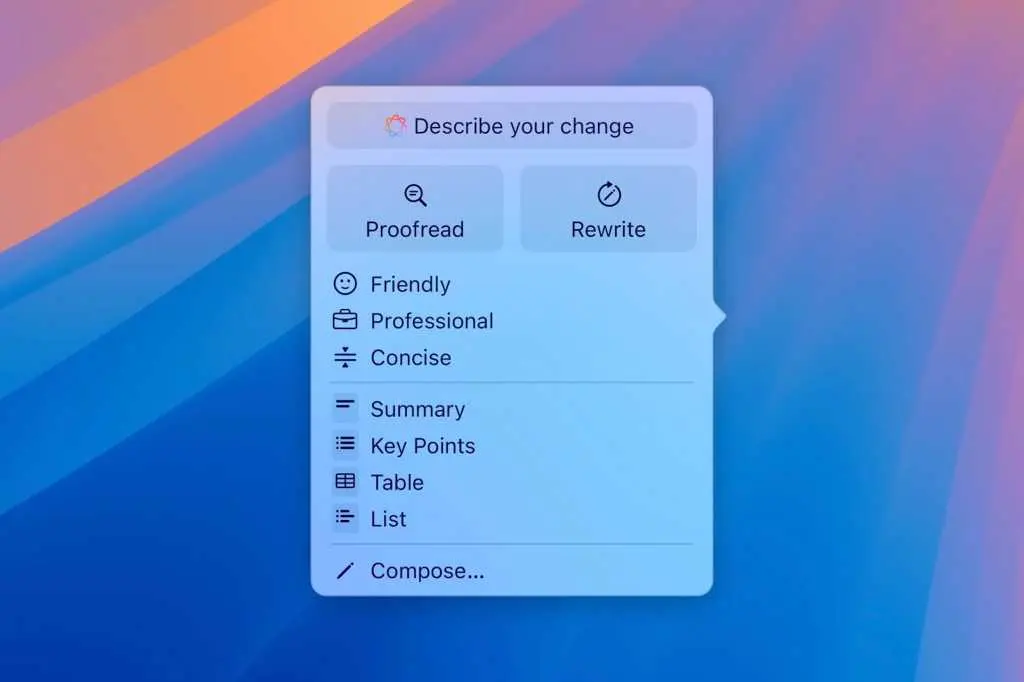
Apple is expanding its two-year-old Writing Tools feature with new grammar checking capabilities that directly compete with services like Grammarly and QuillBot. The system will display suggested improvements in a translucent menu that slides up from the bottom of the screen, showing original text alongside suggested revisions
2
. Users will be able to accept individual suggestions, approve all changes, or ignore them altogether, with controls to pause grammar checking and navigate between flagged sections of text4
.
Source: Macworld
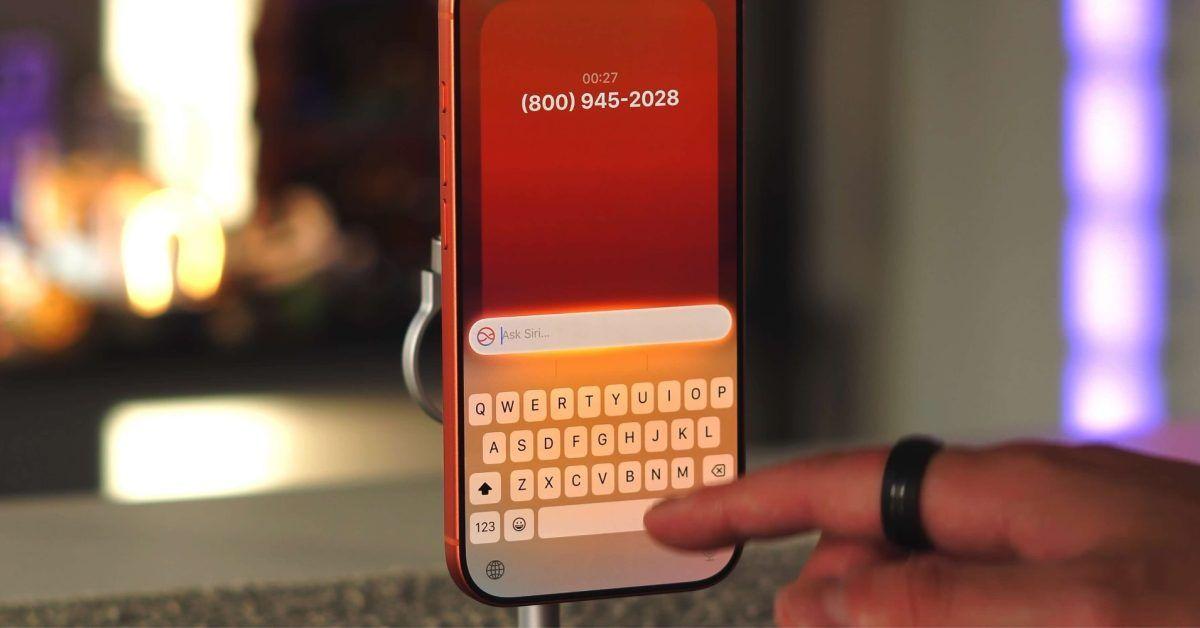
To make these tools more accessible, Apple is testing a "Write with Siri" button at the top of the keyboard and a "Help Me Write" option that appears when Siri is activated while working in a text field
1
. This approach addresses one of Apple Intelligence's key challenges: discoverability. By placing these AI-powered features directly in the keyboard interface, Apple ensures users encounter them naturally during everyday typing tasks.The Shortcuts app is receiving one of its most significant updates since launch, with AI-powered shortcut creation using natural language prompts. Instead of manually building complex workflows, users will simply describe what they want their shortcut to do in a text field
3
. The system then automatically builds and installs the shortcut on the device, making automation accessible to casual iPhone users who previously found the tool too complex2
.The updated Shortcuts app presents users with a prompt asking "What do you want your shortcut to do?" followed by a text field to describe the request. This natural language approach could dramatically expand the app's user base, as shortcut creation has largely remained out of reach for many iPhone owners due to its technical complexity
3
.Related Stories
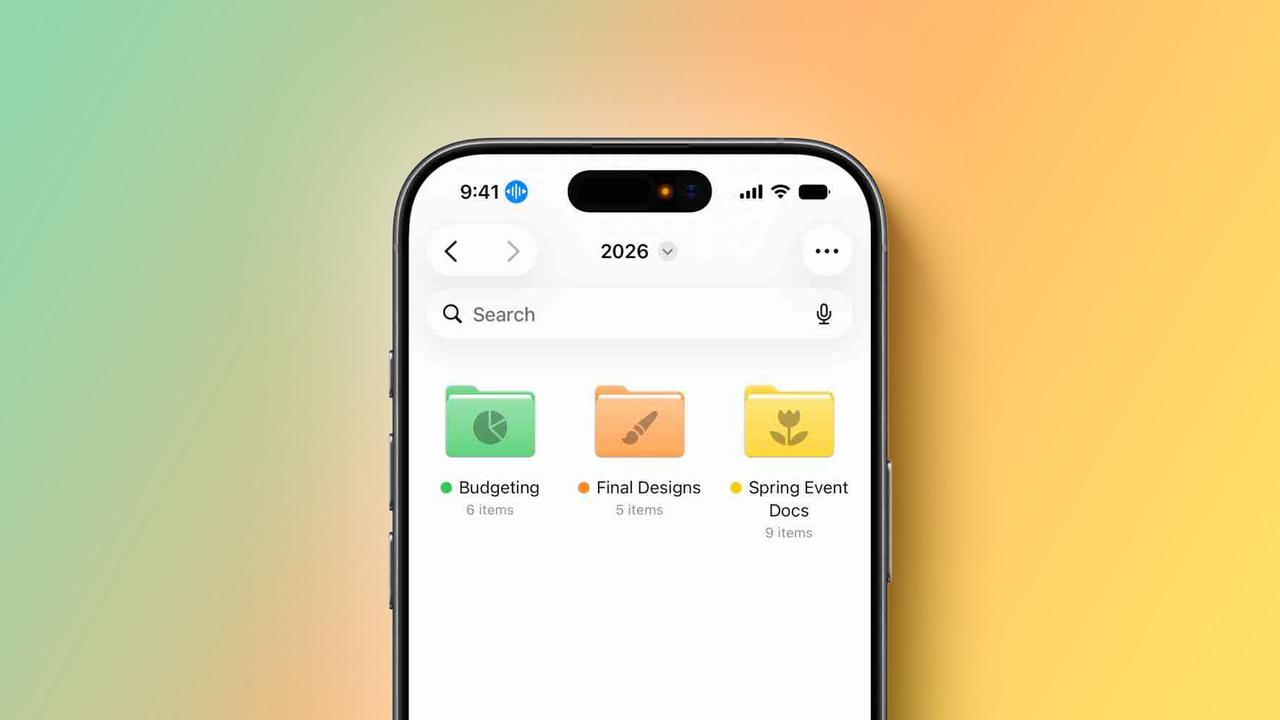
User personalization gets a boost with AI-generated wallpapers integrated directly into the wallpaper picker interface. The feature builds on the existing Image Playground app, which is currently used for generating custom emoji and images throughout iOS
2
. Apple is testing models that produce more lifelike images, suggesting the custom wallpaper generator may use an upgraded version of Image Playground3
.Google has promoted a similar AI wallpaper feature in its Pixel phones since 2023, making this addition particularly important for Apple as it works to match Android's AI capabilities
4
. The Image Playground app itself is expected to receive improvements with iOS 27, including a new layout and enhanced image generation capabilities5
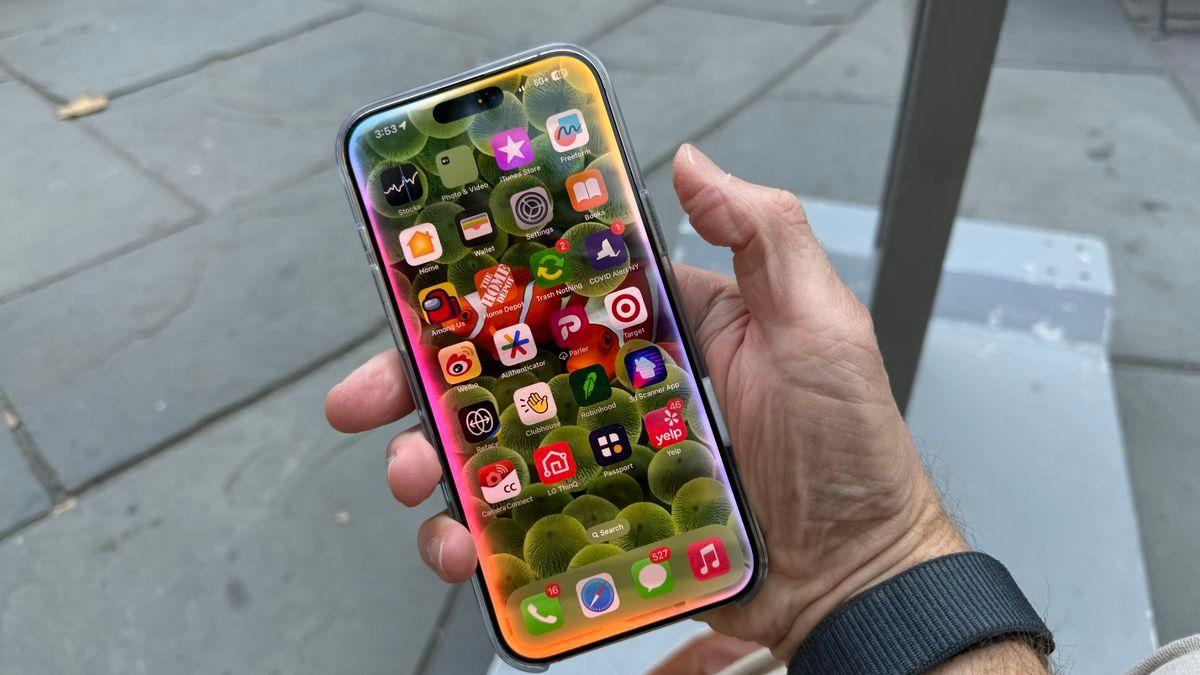
.Perhaps the most dramatic change coming to iOS 27 is a completely redesigned Siri experience powered by an entirely new language model. When activated with a wake word or the side button, a Siri animation will appear in the Dynamic Island, followed by a transparent results card
5
. Users can swipe on the card to access a chat interface that looks similar to iMessage, displaying various small cards related to queries including calendar events, notes, and weather information.
Source: TechRadar
Beyond the Dynamic Island integration, iOS 27 will include a dedicated Siri app that users can launch at any time, complete with conversation history and the ability to upload images and documents—much like ChatGPT and other chatbots
5
. A system-wide "Search or Ask" interface will also be accessible by swiping down from the top center of the display, offering more advanced results and additional data from within apps compared to the current Spotlight Search5
.These updates to iOS 27 and iPadOS 27 signal Apple's determination to compete more aggressively in the AI space, addressing criticism that the company has fallen behind competitors. Whether these AI-powered features will be enough to close the AI gap remains to be seen, but they represent a clear commitment to making Apple Intelligence more capable and integrated across the entire operating system.
Summarized by
Navi
[1]
28 Apr 2026•Technology

29 May 2026•Technology

01 Apr 2026•Technology

1
Technology

2
Policy and Regulation

3
Technology