Google Vids makes AI avatars free for US users, turning presentations into narrated videos


3 Sources
[1]
Google now lets you try its custom AI avatars without signing up for a paid plan
Google plans to expand the feature beyond the US in the coming months. We've all sat through endless dry presentations where the key takeaways simply don't stick. Making those bullet points into a fun video used to take a quiet room, ring lights, and hours of awkward retakes. Google Vids wants to
[2]
AI avatars in Google Vids are now available for free users
Google Vids announced today that it's making AI avatars available to free accounts, with the Workspace video creation tool now used by 7 million users every month. AI avatars in Google Vids act as digital presenters that can be "re-scripted whenever your message or content needs an update." The
[3]
Stop making boring slides because Google Vids just made AI avatars free for everyone
Google Vids makes AI avatars free, adds longer video generation along with multilingual voiceovers If you've wanted to turn presentations into videos without recording yourself, Google has some good news. Starting today, anyone with a personal Google account in the US can use AI avatars in Vids
Share
Copy Link
Google announced free access to AI avatars in Google Vids for all personal Google account holders in the US. The video creation tool, now used by 7 million users monthly, allows anyone to convert presentations into AI-narrated videos with 10 free video generations per month. Powered by Veo 3.1 and Lyria 3, the feature will expand globally this summer.
Google Vids Opens AI Avatars to All US Users at No Cost
Google announced that Google Vids is making AI avatars available to all personal Google account holders in the US at no cost, marking a shift in how professionals can create video content without traditional recording setups
1
. The video creation tool, which has reached 7 million users every month, now offers free access to digital presenters that can narrate content without requiring users to appear on camera2
. This AI-powered video generation tool combines traditional timeline editing with generative AI capabilities, removing barriers that previously made video production time-consuming and resource-intensive.
Source: 9to5Google
Free users receive 10 free video generations per month, which can be split between custom AI avatars and Veo-generated clips
3
. The US rollout will be followed by global expansion in the coming months, extending this capability to users worldwide1
. For those needing more capacity, paid subscriptions through Google AI Pro or Ultra unlock up to 1,000 generations monthly, providing headroom for professional content creators and businesses with higher volume needs.Turning Google Slides into AI-Narrated Videos
The integration with Google Slides allows users to convert existing presentations into video format with minimal effort. Google Vids automatically creates a storyboard and generates AI-generated scripts from Google Slides content, then inserts a customizable AI spokesperson to deliver the narration
1
. Users can select from a gallery of high-quality avatars or generate their own using Nano Banano 2, offering flexibility in how content is presented2
.Scripts and AI voiceovers now support 24 languages, enabling the same avatar to deliver presentations in English, Arabic, Vietnamese, or any other supported language
3
. This multilingual capability matters for teams operating across time zones and regions, eliminating the need to record the same pitch multiple times. Paid users on AI Pro, Ultra, and Business or Enterprise tiers gain access to AI voiceovers in eight languages, including Japanese, Korean, Spanish, French, German, Italian, and Portuguese3
.Advanced Features Powered by Veo 3.1 and Lyria 3
Under the hood, these capabilities run on Google's latest video generation model, Veo 3.1, and Lyria 3 for custom music scoring
1
. The avatars go beyond static faces on screen—users can direct them to interact with uploaded props and place them against custom backdrops, making them suitable for tutorials, travel vlogs, or client pitches1
.Paid Veo users now benefit from extended duration limits, breaking past the previous eight-second clip restriction to create longer, more consistent narratives
3
. All avatar content includes a SynthID watermark to confirm it was AI-generated, maintaining transparency about the content's origin1
.Related Stories
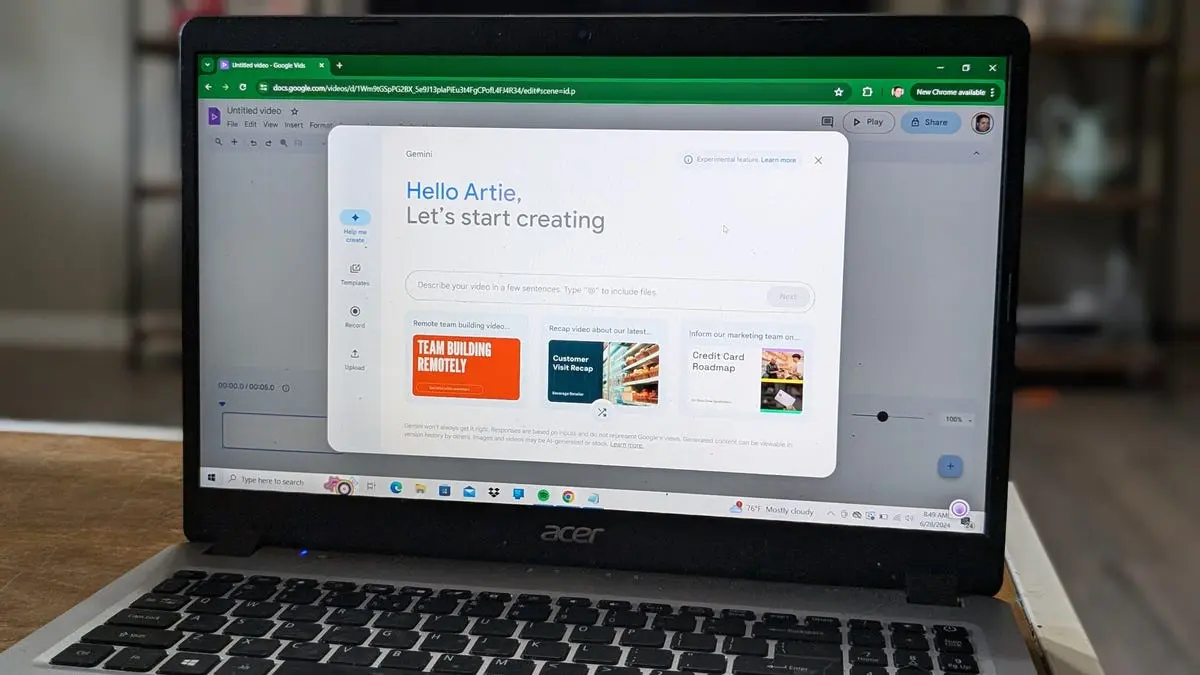
What's Coming Next: Emotion Steering and Interactive Avatars
Google plans to introduce emotion steering later this summer, allowing both free and paid users to adjust how avatars and AI voiceovers deliver messages so the tone matches the intended emotion
2
. This feature will let users fine-tune delivery to better align with their communication goals, whether that's enthusiasm for a product launch or professionalism for a quarterly review.
Source: Android Authority
Emotion steering builds on Direct Avatars, which already enables users to place avatars into scenes where they can walk, talk, and interact with objects simply by typing a prompt
3
. Items or products can be added as ingredients by specifying a prompt, opening possibilities for product demonstrations and instructional content that previously required complex video production setups. Watch for how businesses adopt these tools to scale their content output while maintaining consistent quality across communications.References
Summarized by

Navi
[1]
Related Stories
Google Vids adds personal avatars and conversational editing with Gemini Omni integration
16 Jul 2026•Technology

Google Vids gets AI upgrade with Veo 3.1 and directable avatars that interact with objects
02 Apr 2026•Technology

Google Makes AI Video Generation Free for Everyone with Gemini Omni in Vids
24 Sept 2026•Technology

Recent Highlights



Recent Highlights
Today's Top Stories






Don’t drown in AI news. We cut through the noise - filtering, ranking and summarizing the most important AI news, breakthroughs and research daily. Follow topics that matter to you and stay ahead.


