Developer Ports Pixel 11's Rambler Feature to Any Android Phone via PixelBoard Mod


4 Sources
[1]
How to add the Pixel 11's Rambler feature to your Android phone right now
One of the few things that AI models are surprisingly good at is speech-to-text. A local AI model can reliably transcribe speech, and even format it for you. You'll find dozens of third-party apps, ranging from free to $10/month subscriptions that offer to do a version of this. But Google took
[2]
Someone ported Pixel 11's Rambler voice-to-text to other Android phones
One of the best new features of Google's Pixel 11 (and Googlebook) is support for Rambler voice-to-text, and it's now been ported to other devices - if you're willing to take the risk, that is. Rambler on the Pixel 11 series is essentially AI-enhanced voice-to-text. The feature takes what you say
[3]
Use This Hack to Get the Pixel's AI Dictation on Any Android Phone
This is an unofficial port, so install it with caution -- though you can check the source code on PixelBoard's official GitHub page. Rambler, Google's AI-powered dictation feature, seems genuinely useful. At its core, Rambler is like your phone's existing dictation tool, only much smarter. It can
[4]
PixelBoard Brings Pixel 11's Rambler AI Voice Typing to Android
Google's Rambler voice-typing feature, introduced with the Pixel 11 series, is now available on other Android phones through an unofficial modified version of Gboard called PixelBoard. The project, developed by Akshay Kadam, brings Gemini-powered dictation and basic writing tools to supported
Share
Copy Link
Google's Pixel 11-exclusive Rambler feature is now accessible on any Android phone through PixelBoard, a modified Gboard app. Developer Akshay Kadam created this unofficial port that brings AI-powered dictation to non-Pixel devices without requiring root access, though users should exercise caution when sideloading.
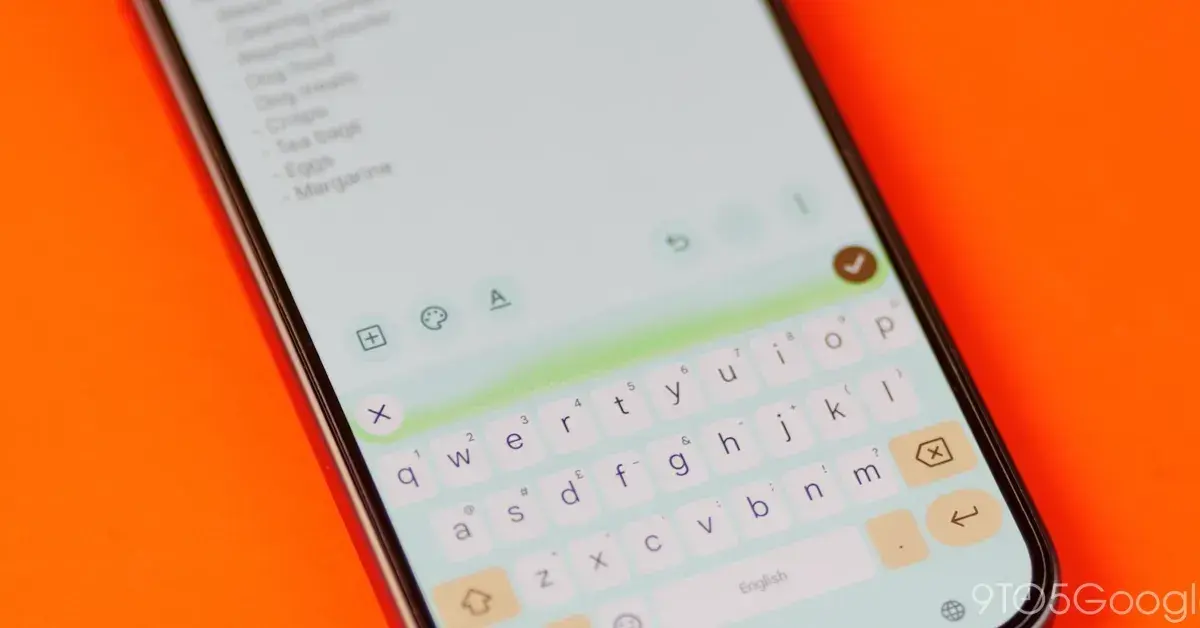
Google introduced the Rambler feature with its Pixel 11 series as an AI-enhanced voice-to-text tool that removes filler words, corrects grammar, and formats speech into polished text. Unlike traditional speech-to-text technology that displays words as you speak, the Rambler feature processes your entire dictation through AI before displaying the cleaned-up result. The feature was designed exclusively for Pixel 11 devices, leaving owners of other Android phones without access to this advanced dictation capability.
PixelBoard Makes Rambler Available Beyond Pixel 11
Developer Akshay Kadam has successfully ported the Pixel 11 Rambler feature to any Android phone through a modified Gboard app called PixelBoard
1
2
. The project demonstrates that the AI-powered dictation doesn't actually require Google's latest Tensor chip for processing, contrary to what the Pixel 11 exclusivity might suggest. PixelBoard is based on Gboard 18.4.1 and weighs approximately 127MB4
. The modified Gboard app runs alongside the standard keyboard without requiring users to uninstall their existing Gboard installation or root their Android phone.How PixelBoard's AI Voice Typing Works
The PixelBoard app enables Rambler's Gemini-powered dictation on non-Pixel devices by integrating the feature directly into the keyboard interface. When activated, users tap the microphone button with an AI sparkle icon and begin speaking normally
1
. The AI-enhanced voice-to-text processes speech intelligently, understanding context and intent. For example, if you say "we need to pick whole milk...I mean, oat milk," the Rambler feature will type "we need to pick up oat milk"3
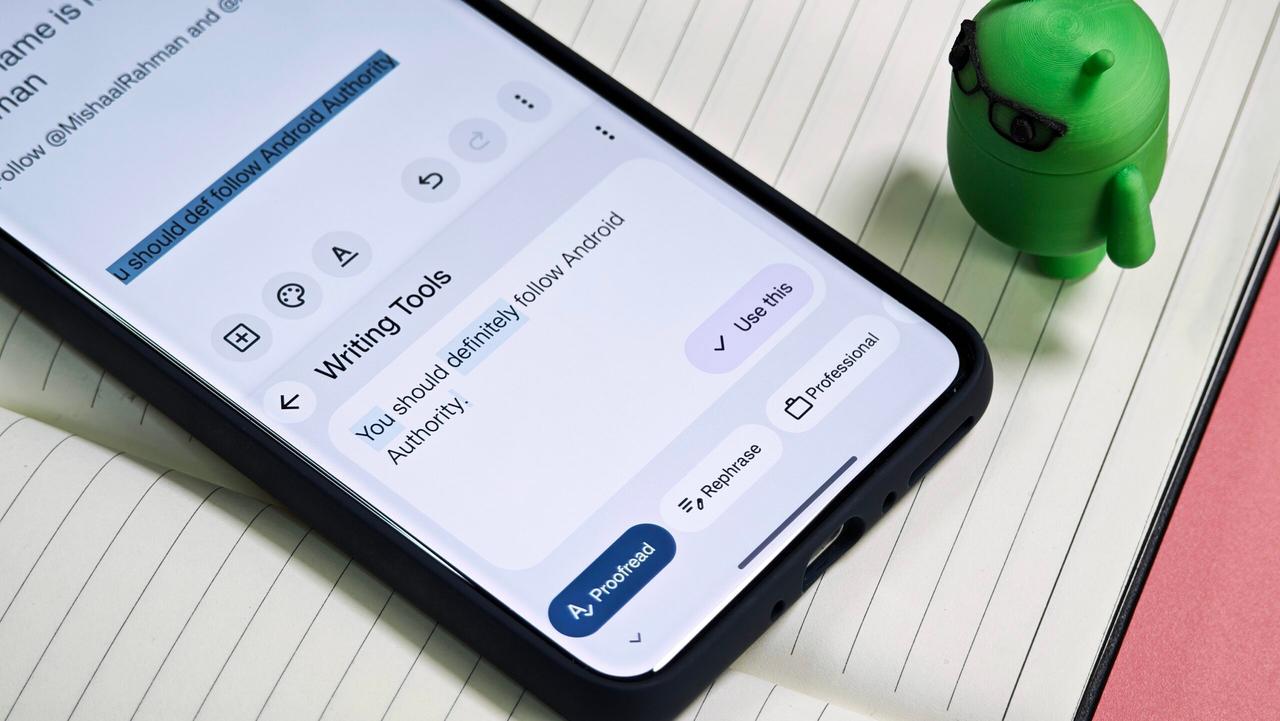
. Testing revealed the feature handles punctuation and instructions effectively, though it occasionally struggles with brand names that require clear enunciation. Beyond dictation, PixelBoard also includes AI writing tools that allow users to proofread, rephrase, shorten, or expand text with custom prompts1
.Installation Process and Security Considerations
Installing PixelBoard requires sideloading the APK from the project's GitHub page, which presents both convenience and risk. The easiest installation method involves downloading the APK directly from GitHub and installing it through the notifications panel or file manager
1
. Samsung phone users may need to disable Auto Blocker in Security and Privacy settings before installation. After installing, users enable PixelBoard in their keyboard settings and select it as the default input method. Advanced users can patch the stock Gboard APK using Morphe Manager for auto-updating capabilities, though most users find reinstalling the APK for major updates simpler1
. However, sideloading a modified keyboard carries inherent security risks since keyboards can access sensitive information including passwords and private messages4
. Users should review the source code available on GitHub and carefully consider security implications before installation.Related Stories
What This Means for Android Users
The successful port of the Rambler feature to any Android device through PixelBoard highlights a growing tension between manufacturer exclusivity and user demand for AI features. While Google hasn't confirmed plans to officially bring the Rambler feature to non-Pixel devices, third-party modifications like PixelBoard demonstrate the technical feasibility of wider availability
2
. Not all features are accessible through PixelBoard—Writing Tools V2 and on-device AICore and Astrea inference options remain restricted to Pixel hardware4
. Users seeking official alternatives can consider Microsoft SwiftKey, which offers conventional voice-typing functionality through Play Store installation2
4
. The project's ongoing development means users should monitor GitHub for updates, with compatibility varying by device. As AI-powered dictation becomes increasingly valuable for productivity, the availability of tools like PixelBoard allows Android users to experience advanced speech-to-text capabilities regardless of their device manufacturer.References
Summarized by

Navi
[1]
[4]
Related Stories
Google launches Rambler for Gboard, bringing Gemini-powered voice dictation to Android
12 May 2026•Technology
Google quietly releases free offline AI dictation app that polishes speech into clean text
06 Apr 2026•Technology

Google Pixel 10's Gboard Introduces AI-Powered Writing Tools and Voice Commands
21 Aug 2025•Technology

Recent Highlights
1
Google Unveils Gemini 4 Carbon AI Model With Major Cybersecurity Gains, Beating Claude Opus 5.5
Technology

2
Binance Hack: How AI-Enabled Cyberattack Led to Record $6.3 Billion Crypto Theft
Technology

3
Pope Leo XIV Demands AI Disarmament and Ban on Autonomous Weapons at UN Geneva Meeting
Policy and Regulation

Recent Highlights
Today's Top Stories










Don’t drown in AI news. We cut through the noise - filtering, ranking and summarizing the most important AI news, breakthroughs and research daily. Follow topics that matter to you and stay ahead.


