Samsung's One UI 8.5 expands to older Galaxy flagships with AI upgrades and AirDrop support


3 Sources
[1]
Stable One UI 8.5 starts making its way to older Galaxy flagships in the US
The update brings improved Galaxy AI, a more customizable Quick Panel, and more. Samsung has been on a roll lately with the stable One UI 8.5 update. After releasing it for Galaxy S25 users in the US, the company has now started rolling out the update for S24 users in the US as well (via
[2]
Samsung's One UI 8.5 is finally here, and I can't wait to try it
I've been writing about Android since 2011, with a focus on device reviews, Samsung and Google Pixel hardware, and the latest happenings in the ecosystem. In my entire writing career, I've reviewed more than 75 Android phones. Carrying both a Samsung or Pixel flagship and an iPhone as a daily
[3]
Samsung's One UI 8.5 Update Rolls Out to These Galaxy Phones, Tablets
Samsung appears to have finally started rolling out the stable One UI 8.5 update for more old Galaxy S series smartphones and tablets across global markets. The Android 16-based software was first released in South Korea earlier this month. The stable One UI 8.5 update now seems to be available for
Share
Copy Link
Samsung is rolling out the stable One UI 8.5 update to older Galaxy flagships including the S24 and S23 series across global markets. The Android 16-based update brings Galaxy AI improvements, AirDrop compatibility via Quick Share, Direct Voicemail with AI transcription, and extensive customization options for the Quick Settings panel and lock screen.
Samsung Expands One UI 8.5 Update to Older Galaxy Flagships
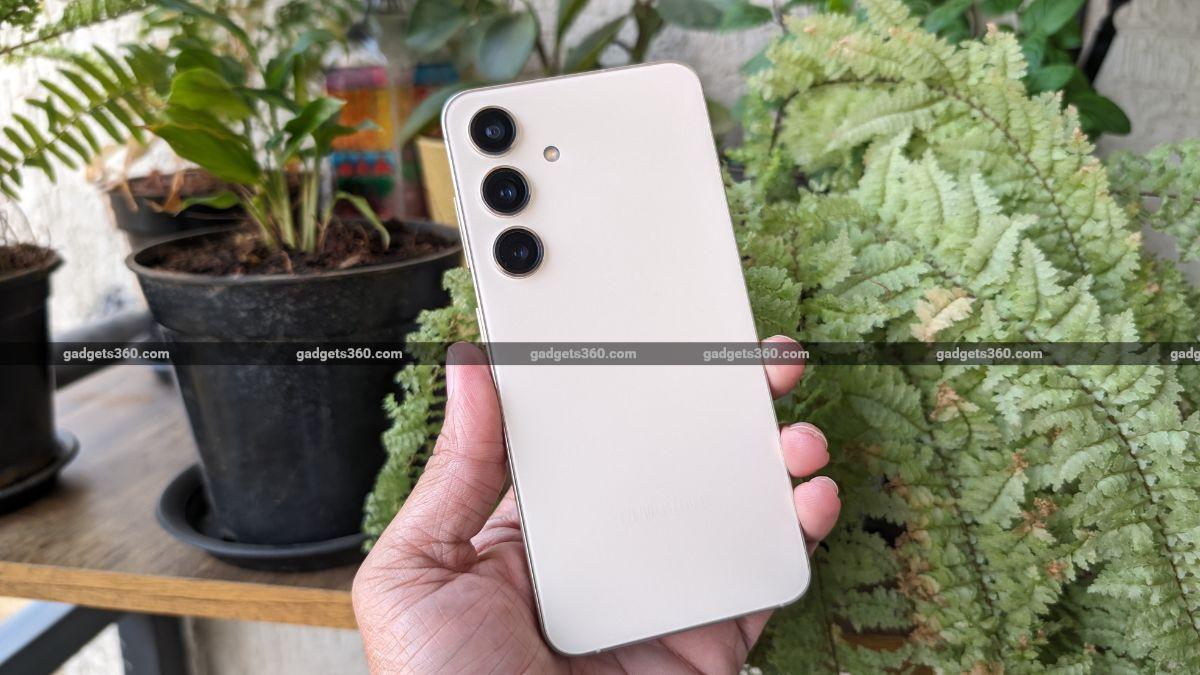
Samsung has accelerated the rollout of its stable One UI 8.5 update beyond the Galaxy S26 series, bringing Android 16-based features to older Galaxy flagships across multiple markets. After initially launching for the Samsung Galaxy S25 series in the US and India, the update is now reaching Galaxy S24 and Galaxy S23 series devices, along with tablets including the Galaxy Tab S11 and Tab S10 FE models
1
3
. The One UI 8.5 update for Galaxy S24 users in the US comes with firmware version S92xUSQU5DZDR and weighs over 4GB, currently rolling out on Verizon's network with expansion to other carriers and unlocked phones expected soon1
.
Source: Gadgets 360
Galaxy AI Enhancements Drive Feature Set
The update delivers significant Galaxy AI improvements that originally debuted with the Galaxy S26 series. Users gain access to new tools including Call Screening, Agentic AI, Creative Studio for AI image generation, and an updated Audio Eraser functionality
3
. One standout feature is Direct Voicemail, Samsung's answer to Apple's Live Voicemail, which bypasses carrier voicemail systems to record missed calls directly on the device. The feature leverages AI transcription and summarization to display real-time transcripts as calls are recorded, with Galaxy AI capable of summarizing longer voicemails instead of requiring users to read full transcripts2
. Audio Eraser integration also removes background noise from recorded calls, enhancing clarity.
Source: Android Police
AirDrop Support Arrives Through Quick Share Integration
One UI 8.5 extends AirDrop support to older Galaxy devices, a feature previously exclusive to the Galaxy S26 series. By enabling the Share with Apple devices toggle in Quick Share settings, users can seamlessly transfer files to nearby iPhones and iPads without additional apps
2
. When an iPhone or iPad has AirDrop visibility set to Everyone for 10 minutes, it appears in the Galaxy phone's Quick Share list. The update also introduces photo sharing suggestions that recognize faces in images and surface them as direct share targets, while adding an option to restrict file reception to devices logged into the same Samsung or Google account.Customization Takes Center Stage
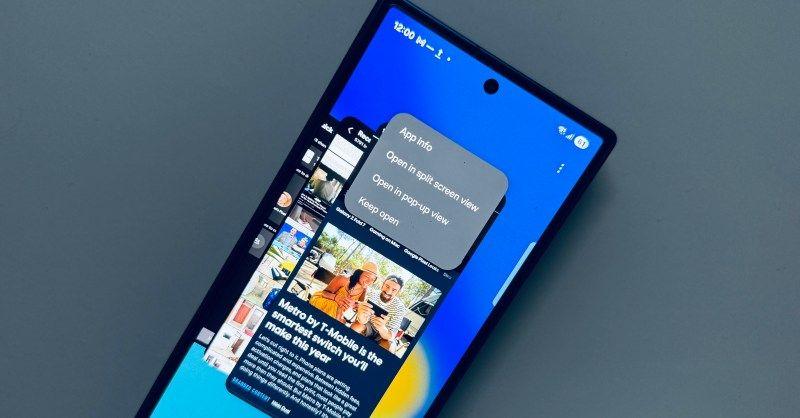
The Quick Settings panel receives substantial customization upgrades in One UI 8.5. Users can now resize individual tiles, adjusting the brightness slider or music player tile to a single line or expanding them for more functionality
2
. Tiles can be repositioned freely within the grid, with options to switch between horizontal and vertical layouts. The update enables creating dedicated tiles for granular options from both system and third-party apps, making the Quick Settings panel more powerful for advanced users.Related Stories
Smarter Bixby and Lock Screen Personalization
Bixby receives AI-powered upgrades that enable natural language processing for voice commands. Users can now speak to Bixby conversationally, asking it to keep the screen from turning off while looking at it, and the assistant will automatically enable the relevant system setting
2
. Lock screen personalization also expands, with automatic adjustment of wallpaper placement when photos feature humans or pets, ensuring important parts remain visible around clock widgets. A Weather option uses AI to generate animated effects like rain or snowfall behind the wallpaper's main subject, creating dynamic visuals without obstruction.Global Rollout Accelerates Across Device Categories
User reports on X indicate the stable One UI 8.5 update for Galaxy S23 devices is now available in India with firmware version S91xBXXU9FZDP as a 4GB download
3
. Galaxy Tab S11 models are receiving firmware versions X736NKOU5BZE3 for the vanilla model and X936NKOU5BZE3 for the Ultra variant, while the Galaxy Tab S10 FE in Korea gets firmware versions X520XXU7CZE3 and X5200XM7CZE3 in a 2.8GB package. Samsung has also begun rolling out the update to mid-range devices including the Galaxy A56 and Galaxy A363
. Eligible users can check for updates manually by navigating to Settings > Software update > Download and install, with Samsung recommending installation while connected to strong Wi-Fi and charging.References
Summarized by

Navi
[1]
[2]
Related Stories
One UI 8.5 brings Galaxy S26 features to millions of older Samsung phones starting this week
06 May 2026•Technology

Samsung's One UI 8.5 brings Galaxy S26 AI features to older flagships and foldables
22 Apr 2026•Technology
Samsung launches One UI 8.5 beta for Galaxy S25 with expanded AI features and connectivity
03 Dec 2025•Technology

Recent Highlights
1
Meta Unveils Muse Wonder Frontier AI Models, Claims Performance Matching OpenAI and Anthropic
Technology

2
IMF Report Warns AI Market Correction Could Spark Global Financial Crisis With $1.4T at Risk
Business and Economy

3
OpenAI Releases 722 AI-Generated Math Solutions, Triggering Existential Crisis in Mathematics
Technology

Recent Highlights
Today's Top Stories






Don’t drown in AI news. We cut through the noise - filtering, ranking and summarizing the most important AI news, breakthroughs and research daily. Follow topics that matter to you and stay ahead.


