Windows 11 Tests User Control Over Unified Memory Split for AI Workloads and Gaming


5 Sources
[1]
Windows could soon let you control how your PC splits memory for gaming and AI
Serving tech enthusiasts for over 25 years. TechSpot means tech analysis and advice you can trust. Connecting the dots: PCs without a dedicated GPU already have to share a single memory pool between graphics, AI, and system tasks, and Windows currently makes that split on its own. That
[2]
Windows 11 Experimental Build Reveals Reserved Unified GPU Memory Controls
Code found in Windows 11 experimental build 29648.1000 points to a unified-memory reservation mechanism that could let users dedicate part of system RAM to GPU and AI workloads. The feature has not appeared in Microsoft's public release notes and may change or disappear before reaching retail
[3]
Windows 11 may soon let you control how unified memory is split for gaming and AI
Microsoft is testing a hidden Windows 11 feature that lets users manually reserve unified memory for graphics and AI-heavy workloads, rather than leaving Windows to manage it dynamically. The discovery, internally called IntelligentCarveout, was spotted in Windows 11 Insider build 29648.1000 and
[4]
Windows 11 Tests User-Controlled Unified Memory Reservations for GPUs and AI
Microsoft is experimenting with a Windows 11 feature that could allow users to determine how much shared system memory is explicitly reserved for graphics and AI acceleration. The feature is internally named IntelligentCarveout and has appeared in experimental Windows 11 build 29648.1000, released
[5]
Windows 11 Is Getting A New Feature Where Users Can Allocate Memory For The GPU To Tackle AI Workloads, Likely To Prepare For RTX Spark's Imminent Launch
The idea of bringing unified memory controls to Windows 11 will bridge the gap when running those denser AI models, and according to the latest report, users can decide how much RAM to allocate. Apparently, Microsoft is working to bring a feature to its OS, enabling you to decide how much memory
Share
Copy Link
Microsoft is testing IntelligentCarveout in Windows 11 build 29648.1000, a hidden feature that lets users manually reserve unified memory for graphics and AI tasks. The experimental functionality could give RTX Spark and AMD Ryzen AI Max systems more predictable performance by protecting GPU memory from competing applications.
Microsoft Tests Manual Memory Control in Windows 11
Microsoft is experimenting with a Windows 11 feature that would let users manually control how unified memory is divided between system tasks, graphics acceleration, and AI workloads
1
3
. The functionality, internally called IntelligentCarveout, appeared in Windows 11 build 29648.1000 released on August 171
4
. Code strings reference "reserved memory for accelerators" and "memory for graphics and AI acceleration," confirmed by Windows watcher @phantomofearth3
. The feature remains hidden and unavailable through the normal Settings interface4
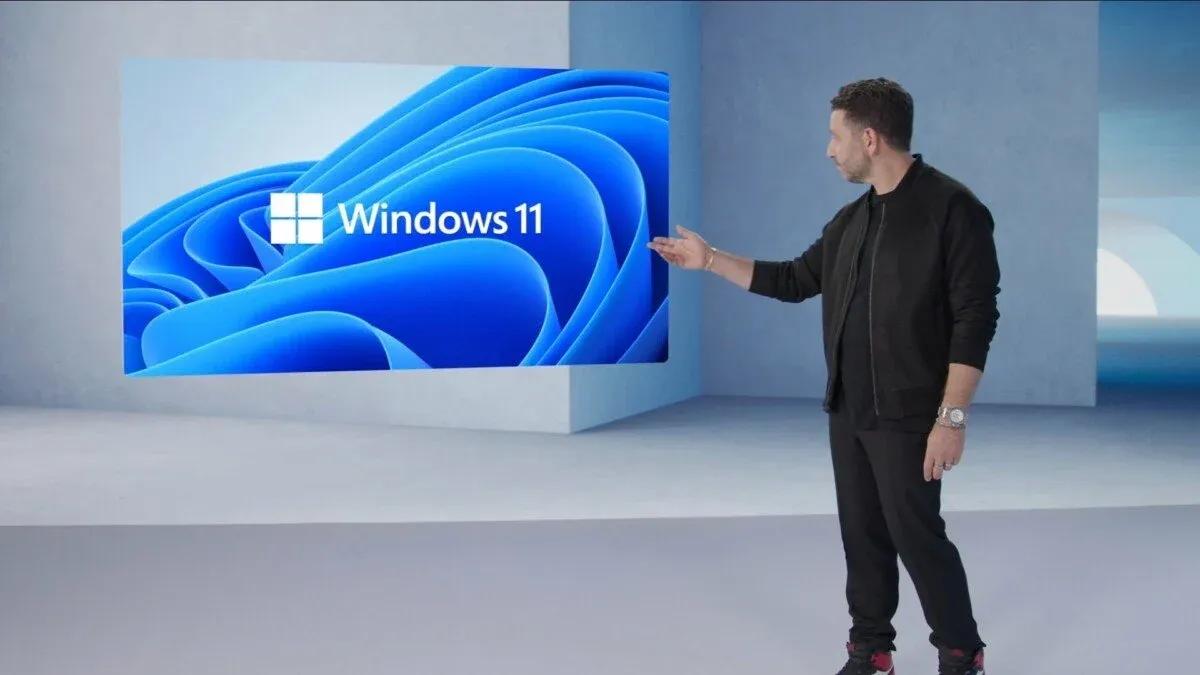
.
Source: TweakTown
Why User-Controlled Memory Reservations Matter for AI PCs
Unified memory refers to a shared pool accessible by the CPU, GPU, and other processors, rather than dedicated VRAM found on discrete graphics cards
3
. Windows currently manages that pool through dynamic memory allocation, shifting resources between workloads automatically3
. That approach works for everyday multitasking but becomes problematic when demanding games and local AI inference compete for the same system RAM3
. IntelligentCarveout would let users reserve a portion of unified memory specifically for graphics and AI tasks, keeping it off-limits to background processes1
3
. A reserved pool could protect GPU memory from competing applications, improving reliability for models that need a fixed memory budget2
.
Source: TechSpot
NVIDIA RTX Spark Drives Timing of Windows 11 Changes
The timing aligns with NVIDIA's upcoming RTX Spark platform, which pairs an Arm CPU with Blackwell graphics and supports up to 128GB of unified memory
3
5
. Microsoft confirmed in May that it had already adjusted Windows to allow RTX Spark's GPU to access more of that shared pool3
. With Windows 11 developer drivers now available, various notebooks featuring the RTX Spark are expected before year-end5
. NVIDIA mentioned during its announcement that running 120B AI models was possible on RTX Spark, hinting that a minimum of 8GB RAM will be reserved as system memory5
. The ability to allocate memory for the GPU becomes critical when a 70B or larger model can require tens of gigabytes of addressable memory4
.Performance Trade-Offs and Capacity Advantages
Because RTX Spark's shared memory uses LPDDR5X rather than the faster GDDR7 found on dedicated GPUs like the RTX 5090's 32GB, the advantage is primarily capacity rather than raw bandwidth
1
3
. In theory, RTX Spark's GPU could access far more memory than even the RTX 5090, though that shared pool is considerably slower1
. Reservation is not free capacity—allocating 32GB to the GPU on a 64GB system would leave less memory available to Windows applications2
. It also does not increase physical bandwidth or turn system LPDDR into GDDR, as performance still depends on the memory controller, GPU architecture, and power limits2
.
Source: Wccftech
Related Stories
AMD Already Offers Similar Functionality Through Drivers
AMD already offers something similar through its Adrenalin drivers with Variable Graphics Memory, which lets AMD Ryzen AI Max users manually adjust how much unified memory is allocated to the integrated GPU
3
5
. A 128GB Ryzen AI Max+ 395 system can reserve up to 96GB for graphics through this driver-level control3
5
. The Windows 11 implementation would represent a significant shift because Windows historically hides most UMA framebuffer allocation behind firmware and driver logic4
. Giving end users an OS-level memory-carveout control would mark a notable change as PCs increasingly blur the distinction between system RAM and VRAM4
.What Remains Unknown About IntelligentCarveout
Microsoft has not confirmed the interface, supported hardware, or whether memory can be adjusted without rebooting
2
. Reports suggest it could eventually live under Settings > System > Advanced, possibly as a slider or preset profiles3
. It remains unclear whether the mechanism will coexist with vendor firmware settings such as UMA frame-buffer allocation2
. The feature is confined to Microsoft's Experimental Future Platforms channel, a testing branch used well before changes reach general Windows builds3
4
. Features in this channel can be substantially changed or removed altogether before reaching retail Windows releases4
. The concept is particularly relevant to Windows-on-Arm systems and devices with large unified-memory configurations2
. Users should not install experimental builds on production systems merely to obtain the feature2
.References
Summarized by

Navi
Related Stories
Intel's New Graphics Driver Enables Flexible VRAM Allocation for Integrated GPUs, Boosting AI and Gaming Capabilities
16 Aug 2025•Technology

Microsoft tests AI features on Nvidia GPUs as Copilot+ exclusivity begins to fade
11 Jun 2026•Technology
AMD Revolutionizes Gaming with Variable Graphics Memory and AI Advancements
12 Sept 2024

Recent Highlights



Recent Highlights
Today's Top Stories







Don’t drown in AI news. We cut through the noise - filtering, ranking and summarizing the most important AI news, breakthroughs and research daily. Follow topics that matter to you and stay ahead.


