5 Sources
[1]
Adobe launches Acrobat Spaces, a free AI-powered study tool for students | TechCrunch
Adobe Acrobat has largely catered to professionals with its recent AI features. Now, the company is turning its attention to students by making the Acrobat more useful with the launch of a new AI tool called Acrobat Spaces. The tool will allow students to create presentations, flash cards, and quizzes from study materials such as PDFs, links, and notes. With the launch, the creative suite company is trying to compete with other AI tools like Google's NotebookLM, Goodnotes, and Turbo AI, all of which allow students to upload documents to generate different kinds of study materials. To gain traction, Adobe is making Adobe Acrobat Spaces free, and it's hosting it on a separate URL. Plus, users can get started with Acrobat Spaces without logging in. To use Spaces, students can upload all sorts of documents, including PDFs, Docs, PowerPoint, Excel, URLs, handwritten notes, and transcript files, and then generate different study materials, like flashcards, mind maps, quizzes, podcasts, and editable presentations powered by Adobe Express. They can also create study guides and maps to chart their way around a learning course. The company previously added the ability to generate two-person AI podcasts from documents in Acrobat last month. That feature now extends to the student tool, allowing users to listen to the topics they are studying. Students will also access the chat option to ask questions to the AI-powered assistant. Adobe said that the assistant grounds its knowledge in the uploaded documents to reduce the possibility of error. The company noted that it has developed the product by testing it with 500 students and various student groups from universities such as Harvard, Berkeley, and Brown. Charlie Miller, VP of Education at Adobe, told TechCrunch over a call that while there are existing tools for study, Adobe wants to create a one-stop shop for students for reading and material creation. "Students are already starting in Acrobat to consume these documents and to read all of their course materials. The thing that we've heard time and time again, they love this as a one-stop shop or a hub for study. When they're already opening Acrobat to read those PDFs, they can just hit generate flashcards, or they can just generate a study space. Plus, not have to keep moving documents around, I think that's one of the big differentiators," he said.
[2]
Adobe Has a New AI Study Buddy, Just in Time for Finals
With the school year wrapping up, Adobe's newest AI tool could help students cram for finals. The company on Tuesday introduced Student Spaces in Acrobat, a new learning space for college students to get personalized study help. Student Spaces lives inside Adobe Acrobat. You simply upload your course materials, assuming you have the rights to them (don't upload your entire textbook). Adobe's AI will create custom study materials. You can make study guides, flashcards, quizzes, podcasts, video overviews, presentations, mind maps and custom lesson plans. It's primarily designed for college students, but any student may find it useful. These AI-generated study materials are rooted in the "ground truth" of the material you upload and will cite its sources with every question, so you can see where a piece of information was pulled from. If you've used Google's NotebookLM, it has a similar feel. Student Spaces was built by Adobe's education team, led by Vice President Charlie Miller, who's also a veteran college professor. The Adobe team worked with and solicited feedback from more than 500 students across six universities. Student Spaces was intentionally designed to include a wide variety of study tools so that every kind of learner could use it, Miller said. "As much as possible, we do want to be agnostic to the type of learning or the type of content," Miller said in an interview with CNET. Auditory and visual learners could use the podcast and video overview tools, for example. Math students could use the AI tutor to solve equations, while history students could use quizzes and flashcards to remember important events. Two of the biggest things students want from an AI study tool are the ability to collaborate with classmates and to have all the tools in one place. Adobe built Student Spaces to be easily shareable through Discord, WhatsApp and GroupMe. You can also share specific study tools -- like practice quizzes -- without sharing your entire Student Space. AI is playing an increasing role in education, with many educators and parents concerned about how kids are using the new tech. More general-use AI tools like chatbots may make it harder for students to critically think through assignments, one study found. Adobe's AI builds more traditional study tools that require a student to interact with it, not spitting out entire essays, for example. Acrobat Student Spaces is now in public beta and available for free. If you don't have access to Adobe Acrobat, check whether your university offers access to Adobe Creative Cloud apps. If not, you can nab a subscription with a student email at a big discount.
[3]
Adobe takes on NotebookLM with Acrobat Student Spaces - 9to5Mac
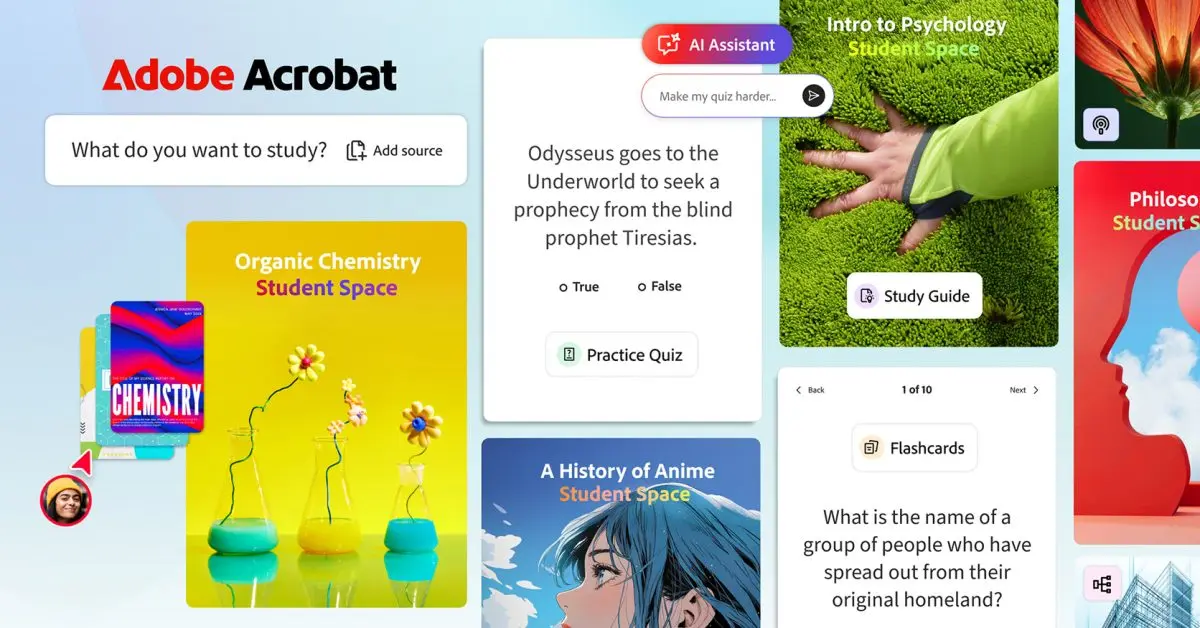
Designed specifically for students, this new free tool generates study guides, mind maps, podcasts, and other AI-powered visual and auditory learning content based on class notes and other uploaded materials. Here are the details. Today, Adobe is rolling out Acrobat Student Spaces in beta. This new AI-powered platform was developed in collaboration with students and offers several ways to generate study aids based on uploaded coursework: Adobe says Acrobat Student Spaces was designed to support different learning styles, whether users are studying on their own or working with others. For solo work, in addition to offering an AI tutor, Acrobat Student Spaces also has a focus mode that helps reduce distractions and keep students on track. And for students working on group projects, the platform lets them invite classmates into shared spaces to exchange notes, ask questions, and build presentations together in real time. Adobe also says that Acrobat Student Spaces offers a complete set of tools that were tailored for different learning styles: Here's Charlie Miller, PhD, Adobe's Vice President of Education and Document Cloud, on today's launch:
[4]
Adobe debuts AI Student Spaces on Acrobat; enables podcasts, videos from study material - The Economic Times
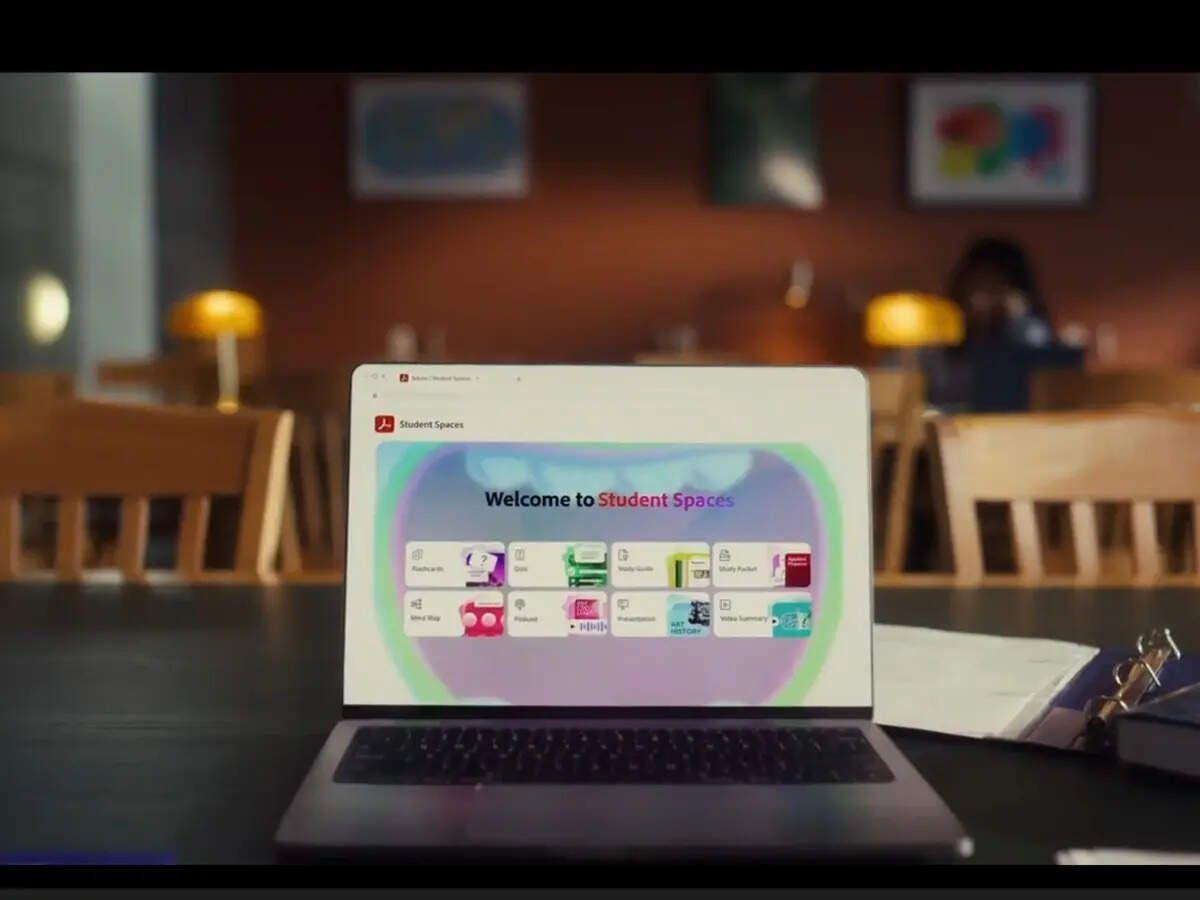
Amid rising competition, Adobe is positioning Student Spaces against tools like Google NotebookLM, GoodNotes, and Turbo AI to make Acrobat into a unified platform for both consuming and creating study material.Adobe on Tuesday launched an artificial intelligence (AI)-powered tool, Student Spaces, within its PDF software Adobe Acrobat. A beta version of Student Spaces is available to users for free, and it can also be accessed via the web. The feature does not require an initial login. It aims to make Adobe Acrobat a unified platform for both consuming and creating study material and assist those using AI to streamline their workflows and improve learning. The platform lets students upload over 100 files, including PDFs, documents, links, handwritten notes, and transcripts, to generate diverse study materials such as flashcards, quizzes, mind maps, podcasts, videos, and editable presentations, using its cloud-based content creation platform, Adobe Express. The platform also offers an AI tutor for explanations with verifiable sources, along with an AI assistant for queries grounded in the uploaded content. This follows Adobe's earlier rollout of its AI Assistant, first introduced in beta in 2024. The Assistant is now monetised as a Rs 159.30 per month add-on alongside the Rs 1,596.54 per month Acrobat Pro subscription. Based on this, Student Spaces may also shift to a paid model over time. Adobe offers discounted Adobe Creative Cloud plans for students and teachers, starting at Rs 638.38 per month for the first year and renewing at Rs 1,516.30 per month, compared to the standard Rs 2,714 per month. It categorises students as those aged above 13 years and enrolled in recognised schools, colleges, or equivalent educational programmes. Adobe is thus positioning Student Spaces against tools like Google NotebookLM, GoodNotes, and Turbo AI. However, it has been relatively late in offering AI support for students. Google piloted its NotebookLM to support researchers and students in July 2023 and launched the service for enterprises by 2024. GoodNotes launched its sixth iteration, which had its first AI-powered capabilities in August 2023. Meanwhile, Turbo AI, another AI-powered note-taking and study utility platform, was launched in 2024. The startup was reported to have over five million active users as of October 2025. Amid rising competition from generative AI (GenAI) tools, this move is part of the legacy player's broader strategy to reposition itself as a student-friendly content creation platform. In March, CEO Shantanu Narayen, who has led the company for 18 years, announced his plans to step down once a successor is appointed. The company has not yet announced Narayen's successor.
[5]
Adobe Acrobat gets Student Spaces with mind maps, audio summaries, and group work tools
Adobe has introduced Student Spaces in Adobe Acrobat as a free feature currently available in beta, aimed at helping students manage coursework, organize study materials, and prepare for exams. Student Spaces in Adobe Acrobat is designed to support academic tasks such as classes, assignments, group projects, internships, and career planning by bringing multiple tools into a single workspace. Users can upload class notes, documents, and links, and use built-in AI tools to generate study guides, summaries, mind maps, flashcards, and quizzes. The workspace centralizes study materials and supports collaboration, allowing students to share content, ask questions, and work together on assignments and presentations within the same environment. It combines content organization, AI assistance, and collaboration to support studying, revision, and group work. Student Spaces in Adobe Acrobat is available in beta as a free feature. Users can access it within Acrobat by uploading documents, organizing study materials, and inviting others to collaborate in shared spaces.
Share
Copy Link
Adobe introduces Acrobat Spaces, a free AI-powered study tool designed specifically for students. The platform transforms uploaded class notes, PDFs, and documents into flashcards, quizzes, podcasts, and mind maps. Competing with Google NotebookLM and other education tools, Adobe positions this as a one-stop hub where students can both consume and create study materials without switching platforms.
Adobe has launched Adobe Acrobat Spaces, a free AI study tool designed to help students transform uploaded class notes and course materials into personalized study materials. Available now in beta version, the platform allows students to upload over 100 files including PDFs, documents, PowerPoint presentations, Excel spreadsheets, URLs, handwritten notes, and transcript files to generate flashcards and quizzes, mind maps, podcasts, video overviews, and editable presentations powered by Adobe Express
1
. The tool is hosted on a separate URL and notably doesn't require users to log in initially, lowering barriers to entry for students seeking quick study assistance.
Source: ET
With this launch, Adobe enters direct competition with established players like Google NotebookLM, Goodnotes, and Turbo AI. However, Adobe arrives relatively late to this space—Google piloted NotebookLM to support researchers and students in July 2023, while Turbo AI launched in 2024 and reportedly had over five million active users as of October 2025
4
. To gain traction, Adobe is making the AI-powered study tool completely free and positioning it as a unified platform where students can both consume and create content without constantly moving documents between different applications.Charlie Miller, Vice President of Education at Adobe and a veteran college professor, told TechCrunch that students already use Acrobat to read course materials, making it natural to add study creation tools directly within the same environment. "Students are already starting in Acrobat to consume these documents and to read all of their course materials. When they're already opening Acrobat to read those PDFs, they can just hit generate flashcards, or they can just generate a study space," Miller explained
1
.Adobe designed the platform with diverse learning styles in mind. Auditory learners can use the podcast feature—previously added to Acrobat last month—which generates two-person AI podcasts from uploaded documents
1
. Visual learners benefit from video overviews and mind maps, while students who prefer traditional methods can generate study guides and practice quizzes. The platform also includes an AI tutor that provides explanations with verifiable sources, grounding its responses in the uploaded content to reduce errors2
4
.
Source: 9to5Mac
Collaboration emerged as a priority during development. Adobe tested the product with over 500 students from universities including Harvard, Berkeley, and Brown
1
. Based on feedback, the company built collaborative spaces for group projects where students can share content through Discord, WhatsApp, and GroupMe. Users can share specific study tools like practice quizzes without exposing their entire workspace2
5
. For solo work, the platform offers a focus mode to reduce distractions and keep students on track3
.Related Stories

The launch represents Adobe's broader strategy to reposition itself as a student-friendly content creation platform amid rising competition from generative AI tools. While currently free, the monetization path remains uncertain. Adobe previously introduced its AI Assistant in beta in 2024, which now costs Rs 159.30 per month as an add-on to the Rs 1,596.54 per month Acrobat Pro subscription
4
. Adobe does offer discounted Creative Cloud plans for students starting at Rs 638.38 per month for the first year, suggesting Student Spaces may eventually transition to a paid model.For students, the key advantage lies in having a centralized hub that eliminates the need to juggle multiple applications. The AI-generated study materials cite their sources with every question, allowing students to verify information and understand where content originates
2
. This transparency addresses growing concerns about AI's role in education and how students interact with AI-generated content. Unlike general chatbots that can produce entire essays, Adobe's tool builds traditional study materials that require active student engagement. Whether Adobe can capture significant market share from established competitors while maintaining its free access model will determine the platform's long-term viability in the crowded AI education tools landscape.Summarized by
Navi
19 Aug 2025•Technology

21 Jan 2026•Technology

19 Feb 2026•Technology

1
Technology

2
Policy and Regulation

3
Science and Research