2 Sources
[1]
Adobe Workfront AI Collaborators now available for AI workflows
Adobe has announced the general availability of AI Collaborators in Workfront. The feature allows marketing teams to assign tasks to AI agents within existing workflows and review their output in Workfront, while keeping the relevant project context, permissions, activity records, and human review connected to the task. Adobe Workfront AI Collaborators An AI Collaborator is a permissioned user in Workfront that connects an AI agent to project work. Teams can assign it a task in the same way they assign work to a person, and it can be connected to any AI agent the team has built. Workfront automatically provides the agent with the information required for the task, including the task description, campaign brief, messaging rules, brand voice, competitive analysis, and other relevant project details. This gives the agent the required project context without relying on an individual user to create a detailed prompt. After completing the task, the agent returns its output to the relevant Workfront task for review and approval. The workflow maintains permissions and activity records, with human approval required before the work is shipped. AI Collaborators provide four key workflow characteristics: * Permissioned: The agent's access is tied to its assigned role. * Visible: Results are posted in Workfront instead of remaining in an individual chat. * Repeatable: The same context and instructions can be applied to recurring tasks. * Auditable: Activity is logged throughout the workflow, with human approval required before work is shipped. AI Collaborator use cases Adobe has outlined several use cases from its AI Collaborator beta customers, including copy creation, localization, advertising variations, and brand compliance. Copy creation: An AI Collaborator connected to a team's copywriting agent, built in Microsoft Copilot Studio, can create a landing page draft using the project brief, brand guidelines, messaging pillars, and custom details supplied in the request. The copywriter can then review and refine the draft. Localization: An approved piece of content can be localized across multiple markets. A regional reviewer checks each version for local nuance, brand fit, and compliance before approving it, while the workflow from the source content through the approved localized versions remains in Workfront. Ad variations: An AI Collaborator connected to a team's Writer agent can transform a campaign brief into multiple LinkedIn ad variations. Brand compliance: A content reviewer Collaborator can check content before it reaches approvers. When powered by Adobe Brand Intelligence, it can apply written brand guidelines and use information from real approvals, rejections, and comments when assessing how the brand is represented in content. Adobe's global marketing team is also building AI Collaborators for: * Generating channel-specific image renditions when hero assets are added to a project * Drafting pages in Adobe Experience Manager * Coordinating event-promotion handoffs across teams Scaling multiple AI agents AI Collaborators can connect multiple specialized agents across different stages of a workflow. Agents can be chained together, with inputs and outputs automatically passed between people and agents, allowing multiple steps to progress without someone manually coordinating each stage. Since the work runs in Workfront, teams can monitor agent activity and identify agents that require tuning. Setup and integrations Setting up an AI Collaborator takes a few minutes and does not require extensive development. The setup involves: Customers can connect AI Collaborators to agents built on platforms such as: * Microsoft Copilot Studio * Claude managed agents * Writer Connections to other agents can also be made through: * Public API endpoint * MCP endpoint * Agent-to-agent connection Workfront MCP Adobe also offers Workfront MCP, which allows teams to access Workfront from AI tools they already use, including Claude, Microsoft Copilot, Gemini, and ChatGPT. The two capabilities work in different directions: * AI Collaborators: Bring AI agents into Workfront workflows. * Workfront MCP: Allows AI assistants to access Workfront. AI Collaborators therefore allow work to move from Workfront to connected agents, while Workfront MCP allows AI assistants to interact with Workfront. Availability Adobe Workfront AI Collaborators are now generally available.
[2]
Adobe Workfront AI Collaborators is now generally available.
Many marketing teams already have AI agents scattered across their team. But often, most of that work happens in an isolated fashion (in someone's individual chat window, for instance), making it invisible to the rest of the team and disconnected from the organizational flow of work. AI collaborators in Adobe Workfront aims to change that. This capability brings those same agents directly into a space where the work they do is visible, connected, repeatable, and reviewed like any other task. When fully integrated into governed workflows, AI Collaborators transform agents from side-channel experiments into a new engine for your marketing organization -- unlocking faster, higher-capacity, and fully accountable work. How you put agents to work, under control An AI Collaborator is a permissioned user in Workfront that pulls the context an agent needs from your projects, putting them to work and returning the finished result into Workfront for review. It gives teams a governed way to delegate work to AI -- with the right permissions, context, and an auditable trail of activity. To get started, an AI Collaborator can be assigned work in the same way you'd assign it to a person. You can do this with any AI agent your team has built. Workfront automatically packages and hands the agent everything it needs, such as the task description, campaign brief, messaging rules, brand voice, and competitive analysis. That is the difference that matters. The system supplies the context, so that the agent is more capable, and a quality response doesn't ride on an individual knowing how to write a quality prompt. The output returns to Workfront, posted right to the task where it can be reviewed and approved. Nothing ships unseen, and every step is in the record. Permissions, audit trails, and human-in-the-loop approvals are built in from day one, so enterprises can operationalize and scale agentic work while staying in control. That structure is what turns scattered agents across your organization into compounding value for your whole team. * Permissioned: The agent operates with access tied to its role, nothing more. * Visible: Results post to Workfront instead of disappearing into a chat thread. * Repeatable: The same context and instructions apply every time, so your best strategist's approach becomes the whole team's approach. * Auditable: Every step is logged, and a human always signs off before anything ships. What this looks like in real work. The clearest way to understand AI Collaborators is to watch where they automate work before a person ever gets involved. Here are use cases being built by AI Collaborator beta customers. On-brand copy creation. A stakeholder requests new marketing copy for a landing page. An AI Collaborator connected to the team's copywriting agent -- built in Microsoft Copilot Studio -- creates an on-brand draft, pulling the brief, brand guidelines, and messaging pillars straight from the project, along with the custom details supplied in the request. The copywriter now starts from a strong draft and spends their time on craft and judgment, not setup. Localization at volume. An approved piece of content gets localized across markets automatically with a regional reviewer checking each version for nuance, brand fit, and compliance -- then signs off. The AI Collaborator handles the volume, and the human owns the judgment call. The entire path -- from source content to every approved local version -- stays governed and logged in one place. From brief to ad variations. An AI Collaborator connected to a team's Writer agent and transforms a campaign brief into multiple LinkedIn ad variations. Brand compliance review. A content reviewer Collaborator checks every piece for brand compliance before it reaches approvers -- and when powered by Adobe Brand Intelligence, it enforces not just your written guidelines but how your brand actually shows up in practice, learning from real approvals, rejections, and comments as you produce at scale. Adobe's own global marketing team is building AI Collaborators to generate channel-specific image renditions the moment hero assets land in a project. It can draft pages in Adobe Experience Manager and coordinate event-promo handoffs across teams. Scaling agents with AI Collaborators. These scenarios are just the starting point. As the models behind these agents get more capable, so does everything you can hand them. AI Collaborators let you put not one agent to work but many -- specialized agents chained across a workflow, automatically passing inputs and outputs between people and agents. This means an entire sequence of work advances without someone shepherding each step. One task becomes ten, then a hundred, across your projects. And because it all runs in Workfront, you can see which agents are pulling their weight, which need tuning, and where you're getting the most value -- so scaling agents means gaining capacity, not losing track of it. Getting started takes a few minutes "Feels approachable. You're making AI digestible, and usable for us." -- AI Collaborators beta customer Setting up your first collaborator takes just a few minutes and requires no heavy development. Name your collaborator, describe what it does, and connect it to any existing agent -- then assign it to a task and watch the work get done. Watch this demo to learn how to set up your first AI Collaborator. Customers often connect AI Collaborator to agents built on common platforms such as Microsoft Copilot Studio, Claude managed agents and Writer. In addition, connections to any agent can be made via public API endpoint, MCP endpoint or an agent-to-agent connection. Closing the loop: Agents into your work, and Workfront into your agents. AI Collaborators bring agents into your work. Workfront MCP does the inverse. It lets your teams reach Workfront from the AI tools they already use (including Claude, Microsoft Copilot, Gemini, or ChatGPT) without leaving the assistant. Together they close the loop: work flows out to your agents and back in from them, in both directions, all governed, all anchored to one marketing system of record. That's what human-agent work looks like when it's fully wired. AI Collaborators are what make human-agent work real. They move agents out of side-channel experimentation and into the governed flow of work. That's how AI becomes more than individual productivity. It becomes a new gear for your whole marketing organization -- faster, higher-capacity, and accountable by design.
Share
Copy Link
Adobe has launched AI Collaborators in Workfront, allowing marketing teams to assign tasks directly to AI agents within existing workflows. The feature maintains project context, permissions, and audit trails while requiring human review before content ships, addressing the challenge of isolated AI work across organizations.
Adobe has officially launched AI Collaborators in Adobe Workfront, introducing a structured approach to integrate AI agents into existing project workflows
1
. The feature addresses a persistent challenge facing marketing teams: AI agents operating in isolation, disconnected from organizational workflows and invisible to broader teams2
.
Source: CXOToday
An AI Collaborator operates as a permissioned user in Workfront that connects AI agents to project work
1
. Marketing teams can assign tasks to these AI Collaborators just as they would assign work to human team members. Once assigned, Workfront automatically provides the agent with essential project context including task descriptions, campaign briefs, messaging rules, brand voice guidelines, competitive analysis, and other relevant project details1
. This automated context delivery eliminates the need for users to craft detailed prompts, ensuring agents receive consistent, comprehensive information for every task2
.Adobe Workfront AI workflows are built on four foundational characteristics designed for enterprise deployment. The system maintains permissions tied to each agent's assigned role, ensuring controlled access to sensitive information
1
. Results post directly to Workfront rather than remaining hidden in individual chat windows, making AI-generated work visible to entire teams2
. The platform enables repeatable processes by applying identical context and instructions to recurring tasks, transforming individual expertise into standardized team approaches2
. Every activity generates audit trails throughout the workflow, with human review required before any work ships1
.Beta customers have deployed AI Collaborators across multiple use cases. For copy creation, teams connect AI Collaborators to copywriting agents built in Microsoft Copilot Studio, generating landing page drafts using project briefs and brand guidelines
1
. Copywriters then refine these drafts rather than starting from scratch2
. In localization workflows, approved content automatically adapts across multiple markets while regional reviewers verify local nuance and brand compliance1
. For advertising, AI Collaborators connected to Writer agents transform campaign briefs into multiple LinkedIn ad variations1
. Brand compliance applications leverage Adobe Brand Intelligence to check content against written guidelines and learn from actual approval patterns, rejections, and reviewer comments1
2
.Related Stories
Operationalizing AI within enterprise workflows extends beyond single-agent deployments. AI Collaborators support chained workflows where multiple specialized agents operate across different workflow stages
1
. Inputs and outputs pass automatically between people and agents, allowing sequences to progress without manual coordination at each step2
. This orchestration transforms agentic work from isolated experiments into scalable capacity. Teams monitor agent activity within Workfront to identify which agents deliver value and which require tuning1
. Adobe's global marketing team is building AI Collaborators to generate channel-specific image renditions when hero assets arrive, draft pages in Adobe Experience Manager, and coordinate event-promotion handoffs across teams1
2
.Setting up an AI Collaborator requires minimal development effort and completes within minutes
1
. Teams can connect AI Collaborators to agents built on platforms including Microsoft Copilot Studio, Claude managed agents, and Writer1
. Additional connections are possible through public APIs, MCP endpoints, and agent-to-agent connections1
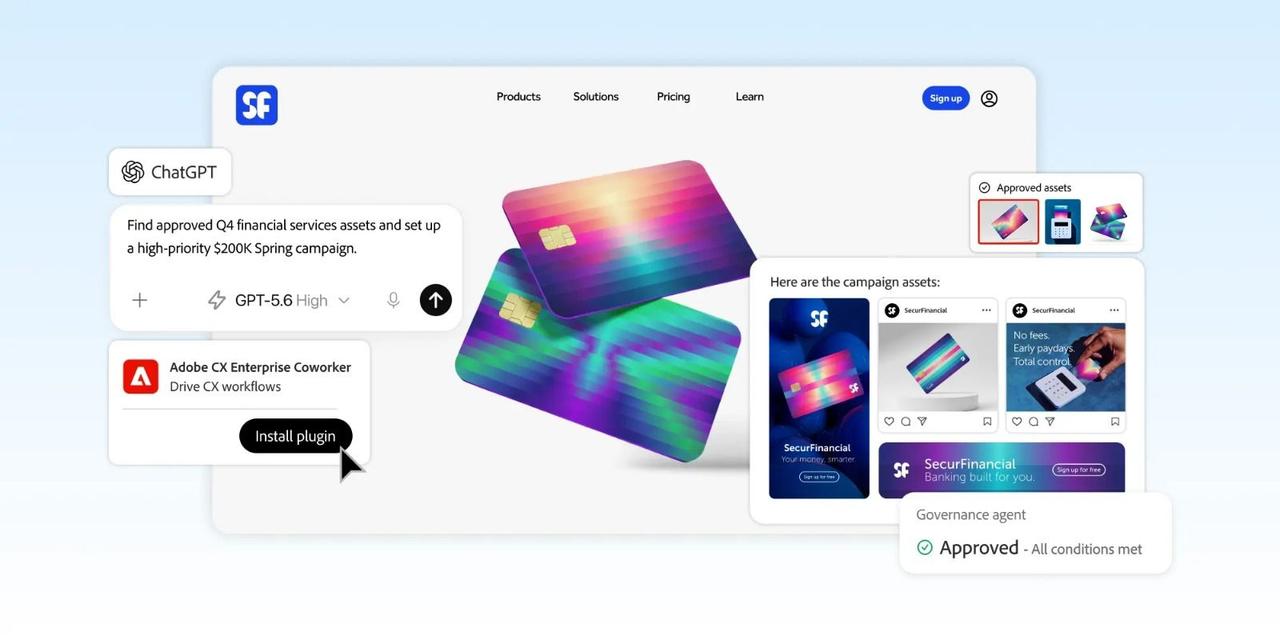
. Adobe also offers Workfront MCP, which operates in the opposite direction by allowing AI assistants like Claude, Microsoft Copilot, Gemini, and ChatGPT to access Workfront data1
. While AI Collaborators bring agents into Workfront, Workfront MCP enables external AI tools to interact with Workfront systems1
.Summarized by
Navi
11 Jun 2026•Technology
19 Mar 2025•Technology

12 Sept 2025•Technology

1
Technology

2
Technology

3
Technology