6 Sources
[1]
Apple's iPhone Camera App Is Getting an AI Upgrade in iOS 27
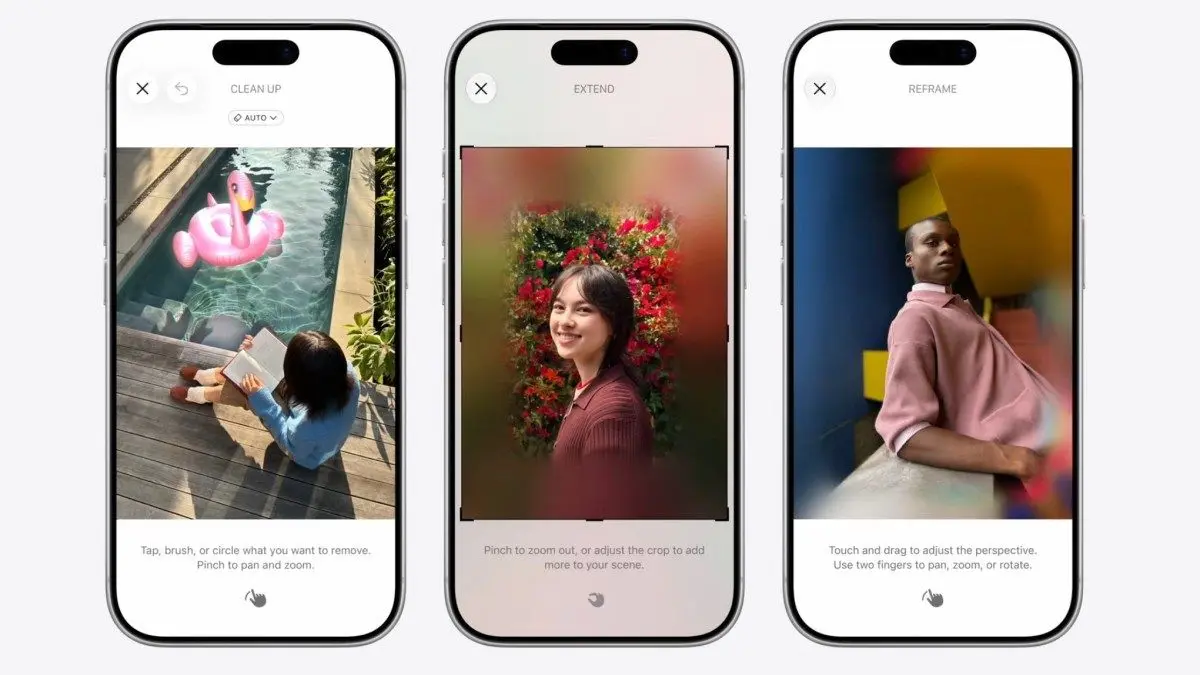
Your iPhone camera app will look a little different this fall. On Monday at its annual Worldwide Developers Conference in Cupertino, California, Apple showed off new features in its next version of its mobile operating system, iOS 27, and changes are afoot for the camera app. Notably, instead of just shifting between "Photo" and "Video" tabs, there's now a new option: Siri AI. Before, to trigger Siri's "Visual Intelligence" feature, you had to press the Camera Control button. When you pressed it, Siri could see what you're pointing the iPhone camera at and deliver contextual assistance -- like Google Lens -- such as adding dates from a concert poster to your calendar or helping identify a plant. Now that it's visibly baked into the camera app, Apple hopes the feature will be easier to find and use. This kind of visual AI assistance is a key feature of smart glasses and AI pendants with cameras, allowing users to access AI assistance with a single tap without having to explain or type anything since the cameras do the work. Apple is reportedly working on smart glasses as well as AirPods with cameras embedded in the stem, so while this computer vision tech is making its debut on the iPhone, it could seep into other Apple products later. Then there are a few artificial intelligence features coming to the Photos app that can alter the final look of your photos. These include: Clean Up, Extend, and Spatial Reframe. Clean Up already exists, allowing you to remove unwanted objects from your photos. Now, it works even better thanks to Apple's updated AI foundation models. It will do a better job of realistically filling in the image after it removes an object. Extend is for those moments when you want to add a bit more space to your image. Using generative AI, if you're a little too close to the edge of the photo and want a little breathing room, Extend can generate imagery based on what it thinks should be in the shot. Google has also added nearly identical features in its Pixel phones over the last few years. Finally, Apple's "Spatial Reframing" feature can change a photo's perspective. You can slightly shift the photo's perspective by dragging your finger on the image. Apple also uses generative AI here to fill in some of the gaps from the new perspective. It's unclear just yet if this feature is limited to select iPhones. This is a developing story. Check back later for more updates.
[2]
Apple Introduces Siri Mode in Your iPhone's Camera
I've been covering technology and mobile for 12 years, first as a telecommunications reporter and assistant editor at ZDNet in Australia, then as CNET's West Coast head of breaking news, and now in the Thought Leadership team. During the keynote for WWDC 2026, one of Apple's many announcements was Siri Mode for its Camera app, an AI-enabled chatbot experience while you're taking photos. Apple's annual software event kicked off Monday morning, with a whole host of new AI features, including visual intelligence across multiple platforms. For the iPhone, it's baked into the camera app, where you can access it by tapping a button. "It allows you to get information and take action on what's in front of you," Apple said. Simply tap the shutter button to let Siri see what you see and give you a useful response, and you can pull down to get rich details and ask follow-up questions." A pre-recorded demo of the camera app's Siri Mode during WWDC showed someone taking a photo of a ball, pressing the Siri shutter button and having Siri with AI explain: "This appears to be a traditional cricket ball, which is typically made of cork layered with tightly wound string and cased in a leather shell," followed by more details on cricket balls. Another demo during WWDC showed that you can take a photo of a restaurant receipt, and Siri will break out each item ordered and its cost, and enable you to select each menu item that you ordered so you can more easily split the bill with Apple Cash. "The Siri mode also suggests relevant actions in the moment based on what's in front of you. For example, you can point your iPhone at a plate of food to get nutritional insights," Apple said. Your images and related conversations with the AI chatbot will be saved in the Siri app. Apple Foundation AI models underpin the capabilities of Siri Mode in the iPhone camera.
[3]
Apple's new Siri camera trick is giving strong Google Lens vibes
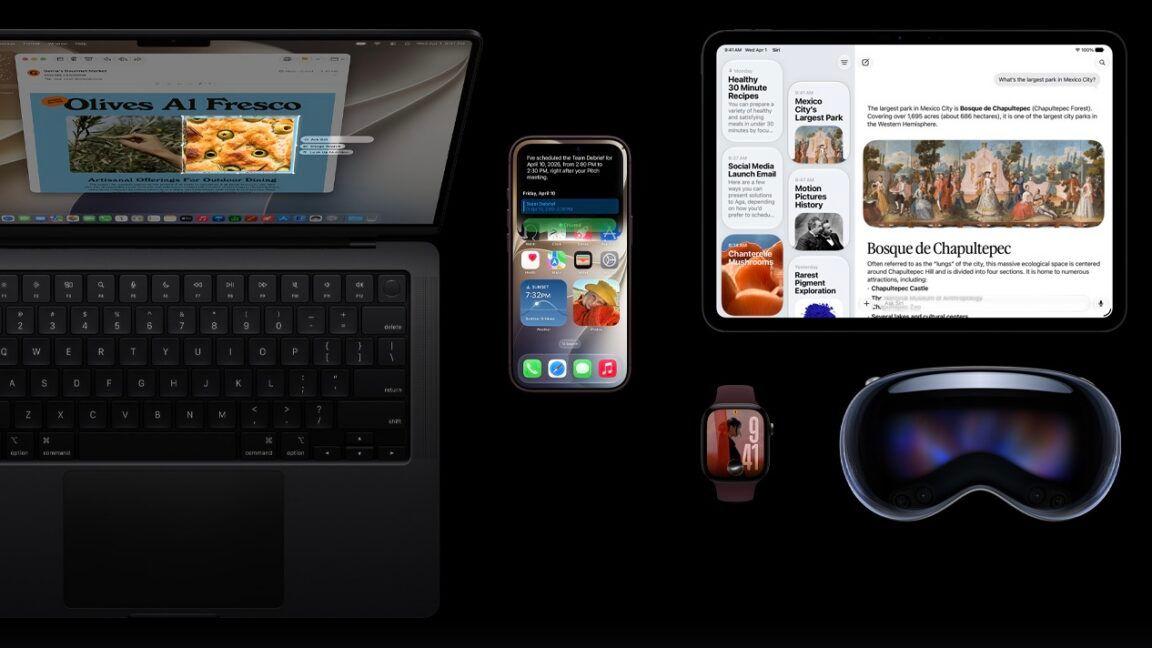
Handy as the upgrades are, Android users will recognize the functionality from Google Lens. Apple has already spent the past couple of years playing catch-up with Android by turning the iPhone camera into something more Google Lens-like through Visual Intelligence. It's now able to fully embrace that functionality with Siri mode in Camera, a new option that lets the assistant look at what you're seeing and respond with answers or actions. Apple announced the feature today as part of its broader Siri AI reveal at WWDC 2026. The company says Siri now has image understanding and multimodal capabilities, and users can tap the shutter button in Siri mode to let the AI analyze what's in front of them and offer a response. That can include identifying what is in the camera view and answering follow-up questions, such as recognizing a dish and then getting nutritional insights. Apple also says Siri mode in Camera can help split a bill with friends using Apple Cash, which may feel familiar to Android users. Google Lens added receipt scanning and bill splitting back in 2019. The Siri visual upgrades are also coming to more Apple devices beyond the iPhone. Visual Intelligence with Siri is heading to iPad and Mac, where users can search visually, ask questions, and take action on what is on their screen. Apple Vision Pro will also let users ask Siri about app windows and physical objects around them. Apple's version might not be exactly akin to Google Lens pasted into iOS, but it's not far off. Between the Lens-like camera abilities and Apple's previously announced Gemini partnership for the broader Siri overhaul, this may have been one of those WWDC moments that Android users watched with a hint of smugness. Siri AI is available for developer testing today and is set to launch in beta for many more users later this year.
[4]
iPhone Camera app updates: Siri Mode
Siri is coming to the iPhone Camera app, the company announced at WWDC. Back in May, Mashable reported on Camera upgrade rumors, including an integration with Siri AI, and it was confirmed today. With Visual Intelligence, Siri Mode will be able to "see what you see" and be able to tell you more information about it. You can translate text and identify plants, or even get nutritional insights when you point your Camera at a plate of food (and also split the check that way, too). Some Camera rumors didn't pan out, though -- at least not on the first day of WWDC. These included that the Camera would soon have widgets and be customizable in iOS 27. Default controls (like Night Mode, Flash, and Live Photos) won't go away, but the leak hinted that advanced options would also be available. For more WWDC 2026 news, follow our live blog to see all of the latest announcements and surprises from the annual Apple event.
[5]
AppleInsider.com
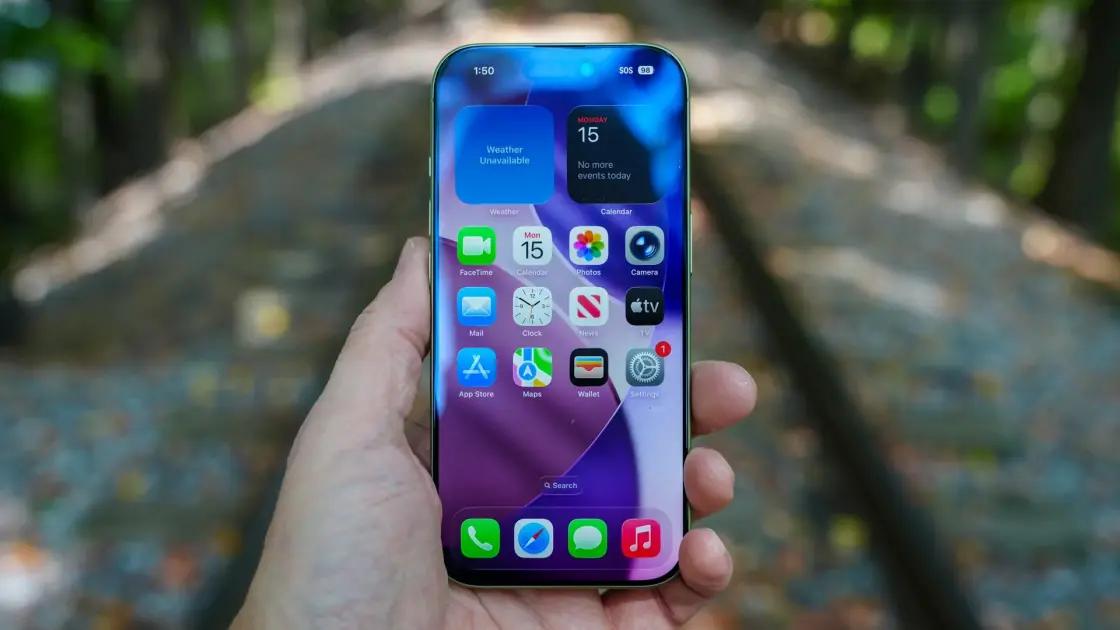
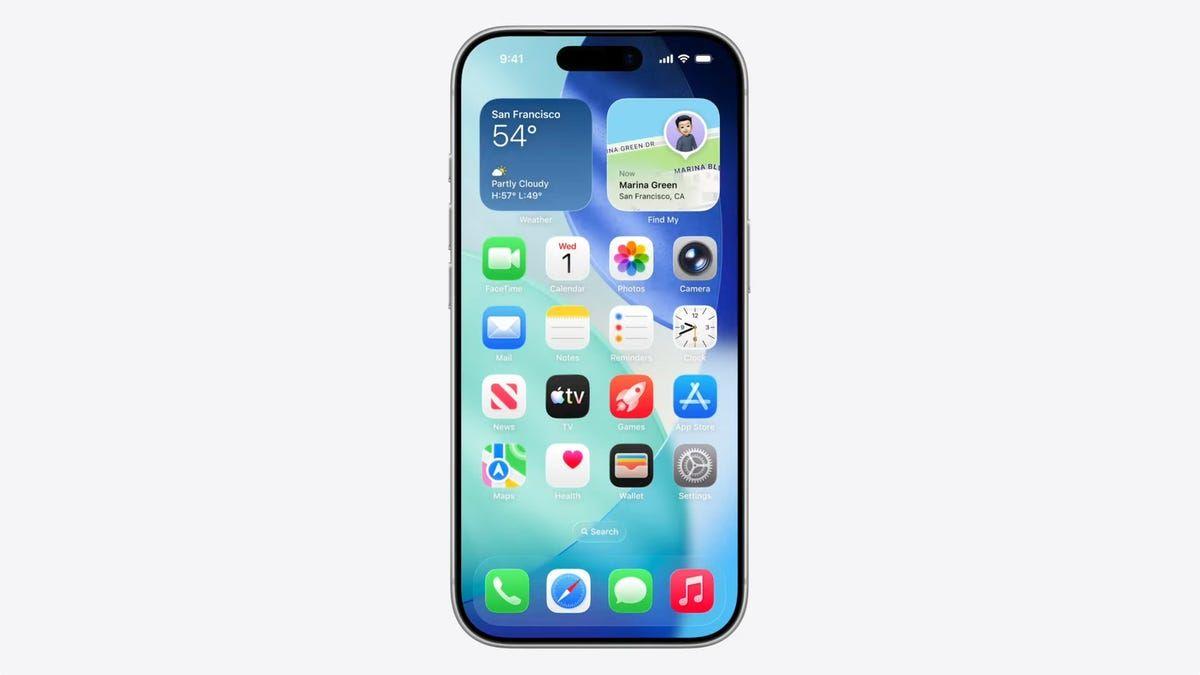
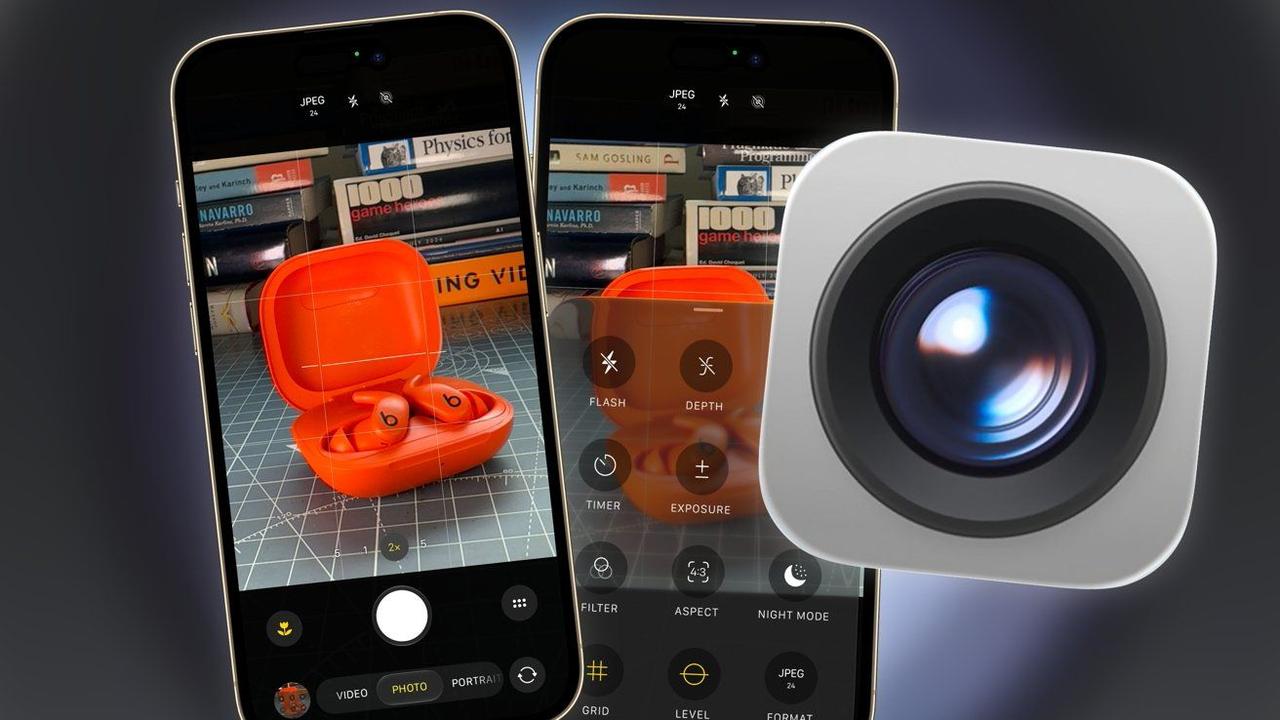
Apple's main Camera app push for iOS 27 was about Siri AI, but it did include other changes. They're very small alterations, but they do exist. The WWDC keynote didn't dwell for long on the Camera app in iOS 27. There was discussion about Siri AI being included, and that was about it. There wasn't any other discussion about the Camera app's features or any other changes in the talk. Even the iOS 27 preview page on Apple's website talks about the Siri Mode and an improvement in how long shots take to reach your Photos library. The lack of discussion of the Camera app outside of performance and Siri AI is still justifiable, as there's not really that much new with the Camera app at all. An iOS 26 refinement For iOS 27, Apple focused on a few key areas for the operating system as a whole. Aside from AI stuff, it concentrated on shoring up what already existed, improving performance and refining what was included in iOS 26. To be fair, the iOS 26 Camera app was a complete overhaul of the imaging tool. As we discussed at length, there were massive changes in the way the app was presented to users, making it much more user-friendly. There were major interface changes, making it a lot easier for content creators to change their video settings on the fly. The introduction of Liquid Glass also introduced a new way to access settings for the different modes, with more available to use without delving into the Settings app. The year-ago update was major in many ways. By contrast, the 2026 update is positively minimal. A tweaked interface At first glance, you'll probably miss the changes, since the core elements are still in the usual places. The shutter button is bottom-middle with zoom levels above, a macro button to the left side, photos you've taken in the bottom left corner, and a front-rear switcher button in the bottom right. The most obvious refinement is the model selector. Under iOS 26, you would see Video and Photo, but more will appear if you swipe the section left or right. The iOS 27 version differs in that it centers the section on your currently-selected mode, Photo when you're launching the app. Instead of seeing Video as the default alternate, you see the left and right options of the mode. In my case, it's Video to the left of Photos and the first few letters of Portrait on the right. It still expands the selector sideways when you start swiping, and you also have the full selection of modes as before. You're just prompted early that there's more available than Photo and Video. Settings arrangement The other main change is how you change the settings within each mode. Under iOS 26, the top of the app had a file selector element and shortcuts to commonly-changed settings, like the flash, as well as a grid menu for other settings at the bottom of the screen. The iOS 27 refresh maintains the file format and shortcuts at the top of the screen, but this time in the center instead of the corners. The grid of settings options has instead migrated to the lower right corner of the screen. Selecting it brings up the drawer of settings as usual, though again there are some tweaks. For example, the settings in Photos includes the same items as last time, such as Flash, Live, Exposure, Timer, Syles, and Night Mode. But this time there are extras, including Depth, Format, Level, and Grid. These latter two elements simply add and remove the level and grid from the screen. The Format duplicates the function of the Format button at the top of the screen. Format, Grid, and Level also join the Video settings tray, too. Another refinement is that every settings-related box appears at the bottom of the screen. Last time, elements like the format selection panel appeared at the top, but now everything is unified at the bottom of the screen. The change is useful for mobile photographers and videographers who are used to using their thumb for everything. You can now set up practically any setting you want using just one hand. Of course, you can find many other settings within the Settings app. However, again, it seems that there's no real change from what was available before. Siri Mode, or not The sole major feature change to the Camera app is the involvement of Siri. Confirming rumors before WWDC, Apple has incorporated Visual Intelligence into the Camera app, in the form of Siri Mode. The idea is that, like Visual Intelligence, you can take a photo of something and ask a question. Siri would ponder about what it sees, and give you a response. However, rather than being a separate item of iOS, users can instead trigger it from within the Camera app itself. The general idea is to make it easier for users to access the mode. Instead of hiding it away with the Camera Control or Action button, there's instead a software button within the Camera app that does the same thing. At least, that's what should be there. At this very early stage, very few people have access to the new Siri AI upgrade, which Siri Mode uses. There is currently a waitlist that developer beta users have to sign up for, if they want to try out the new Siri AI functionality. While we don't know how long it will take for Apple to allow everyone on that waitlist access, it's a safe bet that the list is very, very long. In the meantime, Visual Intelligence acts as normal, but there's no new button to play with just yet. We will revisit this article once the waitlist for Siri AI opens up to users. There's a lot of Siri AI and Apple Intelligence discussions yet to be had between now and September. A better camera app without its brain As part of the first developer beta, it's safe to say that the Camera app hasn't gone through a groundbreaking change. You're not going to find new features or changes compared to the iOS 26 version. Heck, even the all-singing, all-dancing Siri Mode is absent for many beta testers at this time. What has changed is that the groundwork laid in 2025 has been refined. You're not losing features, but the arrangement has been tweaked so you can get to the features you want to change a little bit quicker. If you want new features in photography, you really should check out the Photos app. AI is a major element in that app, including a new Spatial Reframe function for 2026. As it stands right now, the new Camera app in iOS 27 is less of an overhaul, more of a glow-up.
[6]
Siri just moved into your iPhone camera, and it's pretty handy
Your iPhone camera just learned a new trick: point it at anything and let Siri do the thinking for you. This story is part of our complete Apple WWDC coverage Updated less than 11 minutes ago Apple gave Siri a major glow-up at WWDC 2026, and one of my favorite parts is how it now lives right inside your iPhone's camera app. With a brand new Siri mode, your camera becomes a tool for understanding the world around you, not just snapping photos of it. Let me explain how it works. How does the new camera Siri mode work? Siri now offers powerful visual intelligence features directly from the camera app with a new Siri mode in camera. You can switch to it by swiping on the mode bar that currently lets you switch between photo, video, and other modes. Recommended Videos Once you switch to the Siri mode, just point your phone at something, tap the shutter button, and Siri sees what you see and gives you a useful response. If you want to dig deeper, you can pull down to get rich details and ask follow-up questions. The best part for privacy nerds like me is that all these features run on Apple Foundation models using private cloud compute, so your data stays protected. Your images and conversations are also saved to the new Siri app, so you can revisit them whenever you want. What can you use it for? Siri mode suggests relevant actions in the moment based on whatever is in front of you. Point your iPhone at a plate of food, and it will give you nutritional insights. Out grabbing a bite with friends? Point your camera at the bill, select what you ordered, and split the tab with Apple Cash right there. No more awkward math at the dinner table. Combine this with AI features in the Photos app that let you reframe photos, remove unwanted objects, and extend your photos, and the new Siri camera upgrade seems quite interesting. It's a small change in how you use your camera, but I think it's going to change how often you reach for it. I cannot wait to try it out.
Share
Copy Link
Apple introduced Siri Mode for the iPhone Camera at WWDC 2026, integrating Visual Intelligence directly into the camera interface. Users can now tap a button to let Siri AI analyze what they're seeing—identifying objects, translating text, providing nutritional insights, and even splitting bills. The update also brings improved AI-powered photo editing features to the Photos app.
Apple announced a significant update to the iPhone Camera app at its Worldwide Developers Conference, revealing that Siri Mode will be available as a dedicated option within the camera interface in iOS 27
1
. Instead of shifting between just "Photo" and "Video" tabs, users will now see a third option: Siri AI. This marks a shift from the previous implementation where Visual Intelligence required pressing the Camera Control button to activate1
.
Source: AppleInsider
The AI integration in Camera app allows users to tap the shutter button and let Siri AI see what they're viewing through the lens, delivering contextual visual assistance similar to Google Lens
2
. During WWDC demonstrations, Apple showed how someone could photograph a cricket ball and receive detailed explanations about its construction, or point the camera at a restaurant receipt to break down each item and its cost for bill splitting using Apple Cash2
.
Source: CNET
Apple's new Siri camera trick extends Visual Intelligence capabilities across multiple devices. The feature is heading to iPad and Mac, where users can search visually, ask questions, and take action on what appears on their screen
3
. Apple Vision Pro will also enable users to ask Siri about app windows and physical objects around them3
.The functionality allows users to access AI assistance with a single tap without typing or explaining, as the cameras handle the work. Apple Foundation AI models underpin the capabilities of Siri Mode in the iPhone Camera
2
. Users can translate text, identify plants, or get nutritional insights when pointing the camera at a plate of food4
. Your images and related conversations with the AI chatbot will be saved in the Siri app2
.The iOS 27 update brings several artificial intelligence features to the Photos app that can alter the final look of images. These include Clean Up, Extend, and Spatial Reframe
1
. The existing Clean Up feature for object removal now works even better thanks to Apple's updated AI foundation models, doing a better job of realistically filling in the image after removing an object1
.Extend uses generative AI to add more space to images when users are too close to the edge of a photo, generating imagery based on what the system thinks should be in the shot
1
. The Spatial Reframe feature can change a photo's perspective, allowing users to slightly shift the angle by dragging their finger on the image, with generative AI filling in gaps from the new perspective1
.Related Stories
Android users will recognize the functionality from Google Lens, which has offered similar features for years. Apple has spent the past couple of years playing catch-up with Android by turning the iPhone Camera into something more Google Lens-like through Visual Intelligence
3
. Google Lens added receipt scanning and bill splitting back in 20193
.
Source: Android Authority
This computer vision technology making its debut on the iPhone could seep into other Apple products later, as the company is reportedly working on smart glasses as well as AirPods with cameras embedded in the stem
1
. Siri AI is available for developer testing and is set to launch in beta for many more users later this year3
. The iOS 27 update represents a minimal refresh compared to the complete overhaul the Camera app received in iOS 265
.Summarized by
Navi
[3]
[4]
[5]
28 Apr 2026•Technology

13 May 2026•Technology

16 Sept 2025•Technology

1
Technology

2
Policy and Regulation

3
Health