2 Sources
[1]
Gemini's Daily Brief replaced my morning routine, and I'm shocked how well it works
I've been an Android user for my entire smartphone-using life. I've been writing for Android Police since 2021 with a focus on smartphones, tablets, and smart home technology. In addition to writing for Android Police, I have been the lead writer at Tech.co for the last five years, covering business software like CRM, website builders, project management tools, and security platforms. For Android Police, I have reviewed 10 phones, 10 smart home devices, three tablets, and three earbuds. I've been skeptical of embracing AI, as an intelligent person should be in 2026. Beyond the societal implications of the technology, AI has proven to be error-prone to say the least, with every model donning a clear and present warning about the very real possibility of mistakes. That's why I was hesitant to give the Daily Brief from Gemini a try. I didn't want to start my day having to figure out which tasks and to-dos were real and which ones were convincing hallucinations. Much to my surprise, though, the new AI-powered feature provides some exceptionally helpful nudges and reminders, with the errors being largely superficial and easily spotted. Google Gemini: 5 ways to use Google's AI-powered assistant day-to-day It can make a lot of everyday tasks a lot easier Posts By Yasmine Crossland The surprisingly impressive Daily Brief A lot more helpful than I thought I got the notification out of nowhere a few weeks ago, and I was curious. What could a "daily brief" possibly be, and how many AI errors would it contain? Immediately upon opening it, I was impressed. For one, the layout makes sense. There are little headers to keep it organized, and it's clearly set in order of importance, focusing on tasks with due dates first, then going on to more vague suggestions about upcoming tasks and events. More importantly, though, the briefs are helpful and (mostly) accurate. I've received genuinely valuable information, helping and reminding me to resolve scheduling conflicts, follow up on emails, and even write this article. Even better, the Daily Brief was not only pulling information out and repackaging it, but also suggesting actionable tasks to move along specific projects. For my upcoming headlining set at Zanies in Chicago, it suggests "room-filling marketing ideas" and "refining my new hour." And while I would never ask AI for help with comedy, due to its horrid sense of humor, the suggestion is a helpful reminder regardless. Daily Brief is clearly pulling from more than just Gmail and Calendar. Some of the information in my brief could only be gleaned from Google Drive services like Docs or Sheets, providing a far more comprehensive brief than I expected. You can even click specific brief items to see which services were accessed to provide the item, and you can edit which services Gemini has access to. There are some errors But they aren't dealbreakers While I am undeniably impressed by the new Daily Brief feature, it is not perfect. The system is still fueled by Gemini, the AI model from Google, which by its own admission "can make mistakes," according to the warning label attached to every prompt. The Daily Brief is no different. There are mistakes. Sometimes it will get the source of information wrong or misattribute an address to a specific location. In one case, I noticed that it had mixed up the company I was hosting an event for with the company that owned the space where the event would be. All in all, these weren't massive mistakes because I haven't been using the Daily Brief as the end-all, be-all of my schedule. Instead, it acts as a reminder of the many tasks I have to tackle on a given day. And because I'm already familiar with the topics being briefed on, I can spot the small errors and ignore them, rather than letting them get in the way. How to get your Daily Brief Notifications activated To get started with Daily Brief, you need a paid Gemini account, which will cost you at least $4.99 per month. That could be a barrier to entry for many users, with many still enjoying the free accounts. If you have a paid account, open Gemini, access the sidebar on the left, and directly beneath Search chats, you'll find the Daily brief button. Subscribe to the newsletter for practical AI brief tips Get the newsletter for clear, practical coverage of AI-powered briefing tools -- learn how to spot hallucinations, link your apps, and turn suggestions into actionable tasks with grounded analysis and useful examples. Get Updates By subscribing, you agree to receive newsletter and marketing emails, and accept our Terms of Use and Privacy Policy. You can unsubscribe anytime. Push that, and you'll immediately be provided with your daily brief. Make sure you enable notifications too, so you're notified when you get a new brief. You'll also want to be sure to check out the Connected Apps setting in Gemini to ensure that you have the most comprehensive experience. You can connect all Google Workspace apps like Gmail, Docs, and Calendar, as well as other services like YouTube, WhatsApp, and Spotify. The AI is here And it wants you to use it I'm just as skeptical as the next person about AI, but the Daily Brief feels like exactly what it's supposed to be used for. Technology should provide me with simple reminders, scheduling advice, and logical next steps for upcoming projects, so that I can remember to do them myself. I don't want AI that writes jokes for me, I don't want AI to schedule meetings for me, and I don't want AI that makes art, writes poems, or produces content that humans are supposed to be making. I just want it to remind me to do those things when I have the time.
[2]
This Gemini feature made all my other AI apps feel obsolete
Shimul studied pyschology as her major but never looked back at her degree once she graduated. She began her journey in college as a social media intern and eventually became a social media manager for publications like iGeeksBlog, Guiding Tech, and MySmartPrice, along with popular tech influencers like Rajiv Makhni. For the initial years of her career, she focused primarily on social media until she joined MySmartPrice, where she stepped into the world of consumer tech writing. That's where her love for writing really took off, especially when it comes to the Apple ecosystem, Android smartphones, and finding clever tips and tricks that make everyday life easier. When she's not reading or writing, you'll probably find her cooking and making sure everyone tries her delicious food. If you've read my work before, you probably already know that I'm a big Claude fan. That hasn't changed one bit -- if anything, I love it even more now. But there's a sentence I never expected to write: Google has introduced a Gemini feature that makes apps like ChatGPT, and maybe even Claude, in this one specific area, feel a little outdated. Yes, I'm talking about the Daily Brief. Ever since I started using it on my Pixel 10a, it has become one of the features I rely on the most. In fact, I keep finding reasons to use it throughout the day. That's a bold claim coming from someone who spends far too much time with AI tools, so hear me out. 5 Gemini and Google Workspace hacks that save me hours each week If you aren't using Gemini in your favorite Workspace apps, you're missing out on major productivity gains. Posts 2 By Brady Snyder The AI that finally got my life onto one screen My biggest enemy is my own memory Just as the name suggests, Daily Brief is a morning digest that tries to make sense of your day before you do. It pulls information from apps like Gmail, Google Calendar, and Google Tasks and presents it all in one place. Upcoming meetings, tasks you've been ignoring, emails that actually need a response, deadlines creeping up on you -- it's all there. Instead of making me jump between five different apps every morning, it gives me a quick snapshot of what deserves my attention. And honestly, that's something I desperately need. I'm one of those people who are obsessed with making to-do lists. I've tried journaling, I've tried apps, I've tried dumping every thought into Notion and convincing myself that this time I'd become an organized person. I've also used Google Keep, random productivity apps, and probably half a dozen systems that productivity videos promised would change my life. Sadly, none of them did. I know I am the problem. At some point, I always drift back to writing things down on paper because I like the feeling of physically crossing things off a list. The problem is that paper doesn't send reminders, and my brain certainly doesn't -- I forget things all the time. That's where Daily Brief has genuinely been useful for me. Every morning, it feels like someone's already done the sorting and prioritizing before I even start my day. It tells me what needs attention now, what can wait, and what I've conveniently pushed to the back of my mind. As someone who works remotely and juggles many moving pieces throughout the day, I find it surprisingly helpful. What surprised me most, though, is how often I end up using the shortcuts. If I need to reply to an email, reschedule a meeting, or mark a task as finished, I can do it right from the Brief itself. There's no extra hunting around for the right app or menu. These conveniences definitely add up. The best part is that it gets better the more I use it. As I give feedback and interact with its suggestions, it starts understanding what matters to me and what doesn't. That's the kind of AI experience I actually want. Not something trying to do my job for me, but something that handles the tedious organizational stuff that nobody enjoys doing in the first place. If AI wants to save me from forgetting deadlines and losing track of my day, that's a trade I'm willing to make. Let Gemini rummage through your Google life Don't worry, it won't become productive overnight either If you're interested in trying Daily Brief for yourself, getting it set up only takes a minute or two: * Open the Gemini app on your phone. * Tap the two-line menu icon in the upper-left corner. * Tap the Settings icon. * Go to Personal Intelligence. * Turn on Memory and Daily Brief. * Open Connected Apps and enable Google Workspace. Once that's done, Gemini can pull information from all the Google apps to create your personalized morning briefing. Every day, it'll generate a fresh summary that you can access directly from the side navigation menu, saving you from hopping between multiple apps just to figure out what's on your plate. Google's Gemini Is Underrated, and There Are 5 Reasons to Try It Out Don't sleep on Google Gemini and its extensive set of features. Posts 5 By Jayric Maning There are a couple of things worth keeping in mind, though. Daily Brief requires a supported paid Gemini plan, whether that's Plus, Pro, or Ultra. If you're using the free tier, you won't be able to access the feature. It's also still rolling out, so there's a chance it won't appear on your account immediately. And even if you do get access, don't expect a beautifully organized morning briefing five minutes after turning it on. Daily Brief usually needs a day or two to get its bearings, process information from your connected apps, and figure out what your days actually look like before it starts serving up personalized summaries. So if you've followed the steps above and still can't find the feature -- or you've enabled it but aren't seeing much happen -- don't worry. Between Google's gradual rollout and the time it takes Gemini to build your briefing, a little patience goes a long way. Chances are it'll show up and start working as intended before long. Google Gemini OS Android, iOS, macOS, Windows Developer Google Price model Free, Subscription Google Gemini is an AI assistant that can understand and generate text, images, code, and more. It's designed to help people find information, solve problems, and create things more easily. See at Google See at Google Play Store See at App Store Expand Collapse A rare case of my data actually helping me Now, I know what you're probably thinking: What about privacy? After all, Daily Brief pulls information from your Google apps, so it's a fair question. Trust me, it was one of the first things that crossed my mind, too. The reality is that we're constantly making privacy trade-offs, whether we realize it or not. The apps we use, the websites we visit, the services we rely on for navigation, shopping, messaging, and work all ask for some level of access to our data. That's not me saying you should stop caring about privacy -- far from it. It's just the reality of how modern devices and services work. Subscribe for hands-on coverage of Gemini's Daily Brief Get practical setup steps, privacy trade-offs, and hands-on analysis by subscribing to the newsletter, with focused coverage of Gemini's Daily Brief and related AI productivity tools, plus context and tips. Get Updates By subscribing, you agree to receive newsletter and marketing emails, and accept our Terms of Use and Privacy Policy. You can unsubscribe anytime. I've always tried to be mindful of what I share online and which permissions I grant. But at the same time, I'm not going to pretend I live completely off the grid with a feature phone in my pocket. If a service is going to access my data, I want something genuinely useful in return. That's where Daily Brief wins me over. Instead of collecting information and disappearing into the background, it actually gives me something back. It helps me stay on top of my day, reminds me about things I'd probably forget, and saves me from bouncing between half a dozen apps every morning. For me, that's the ideal use case for AI. If it's going to learn from my data, I'd rather it helps me manage my workload, keep track of my commitments, and make my day run more smoothly than simply use that information to serve me another targeted ad. That's a trade-off I'm comfortable making.
Share
Copy Link
Google Gemini's Daily Brief is winning over skeptics by delivering surprisingly accurate AI-powered daily summaries. The feature pulls information from Gmail, Google Calendar, Google Tasks, and Google Drive to create personalized morning briefings. Despite occasional errors, users report it's becoming indispensable for managing their morning routine and task management.
Google Gemini has introduced an AI feature that's converting even the most skeptical users into believers. The Gemini Daily Brief, available to paid Gemini account subscribers starting at $4.99 per month, delivers AI-powered daily summaries that consolidate information from multiple Google services into a single, organized morning briefing
1
. For users juggling multiple tasks and deadlines, this personal productivity tool is proving to be more than just another AI gimmick.
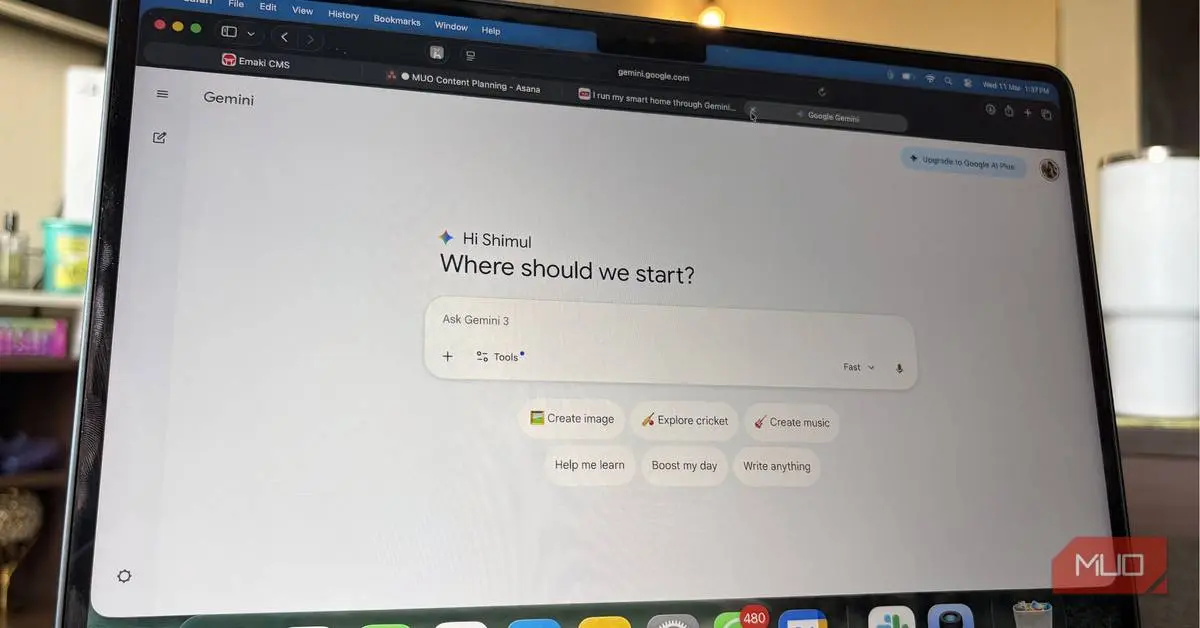
Source: MakeUseOf
The feature pulls data from Gmail, Google Calendar, Google Tasks, and even Google Drive services like Docs and Sheets to create a comprehensive overview of what demands attention each day
1
. Unlike traditional to-do lists or productivity apps, the Daily Brief organizes information by priority, focusing first on tasks with due dates before moving to more general suggestions about upcoming events. This Google services integration has made other AI apps like ChatGPT and Claude feel "a little outdated" in this specific area, according to one longtime AI tool user2
.Users report that the Daily Brief goes beyond simply repackaging existing information. The AI feature suggests actionable tasks to advance specific projects, helping users resolve scheduling conflicts, follow up on emails, and stay on top of deadlines
1
. One user noted receiving "genuinely valuable information" including reminders for upcoming events and suggestions for project-specific tasks. The feature even includes shortcuts that allow users to reply to emails, reschedule meetings, or mark tasks complete directly from the brief itself, eliminating the need to hunt through multiple apps2
.For remote workers managing multiple moving pieces throughout the day, the morning routine optimization has proven particularly valuable. The system learns from user feedback and interactions, continuously improving its understanding of what matters most to each individual
2
. This adaptive capability sets it apart from static productivity tools that require constant manual updates.While the Daily Brief has impressed users with its accuracy and utility, it's not without flaws. Google Gemini itself carries a warning that it "can make mistakes," and the Daily Brief feature is no exception
1
. Users have reported occasional errors, such as misattributing addresses to specific locations or confusing company names for events. In one instance, the system mixed up the company hosting an event with the company owning the event space1
.However, these mistakes tend to be superficial and easily spotted by users already familiar with their schedules and projects. Rather than serving as the definitive source of truth, the Daily Brief functions best as a reminder system that surfaces important tasks users might otherwise forget. For individuals who struggle with memory and organization—those who've cycled through journaling apps, Notion, Google Keep, and countless productivity systems—this AI-powered approach offers a different solution
2
.Related Stories
Accessing the Daily Brief requires a paid Gemini account, which starts at $4.99 per month and could present a barrier for users accustomed to free AI tools
1
. Setup takes only minutes: users open the Gemini app, access settings, enable Memory and Daily Brief under Personal Intelligence, and connect Google Workspace apps2
. Once configured, the feature generates fresh summaries daily, accessible directly from the side navigation menu.
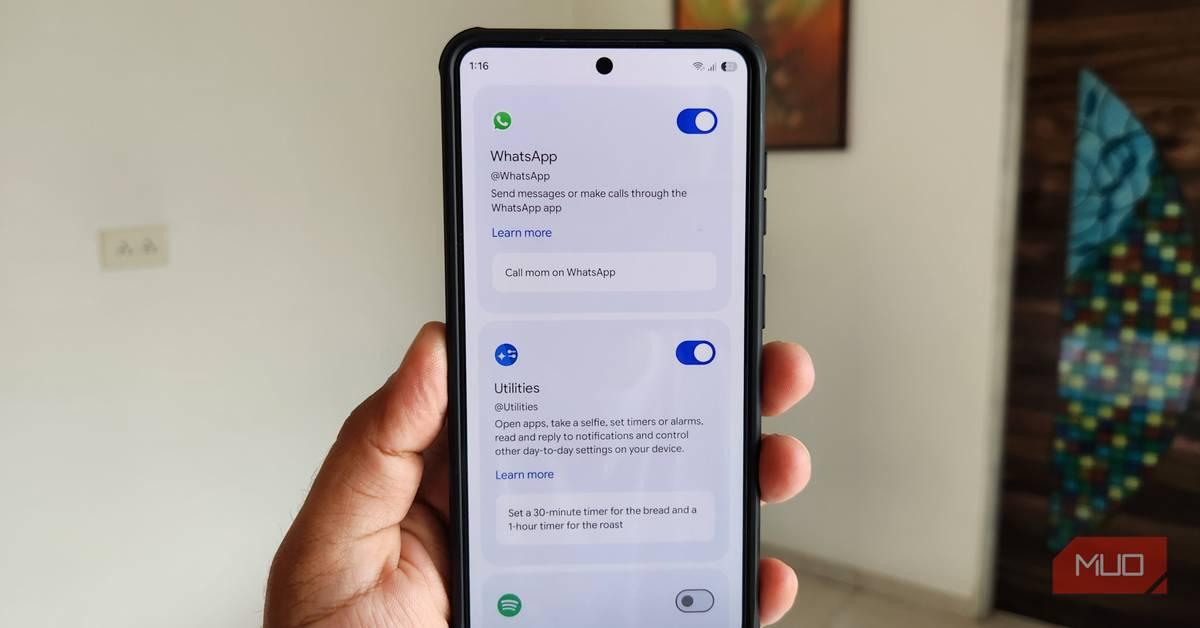
Source: Android Police
Users can review which services Gemini accesses for each brief item and adjust permissions through the Connected Apps settings
1
. Enabling notifications ensures users receive alerts when new briefs become available, integrating the feature seamlessly into their morning routine. As AI continues to handle tedious organizational tasks that few people enjoy, features like the Daily Brief represent a practical application of the technology—one that saves users from forgetting deadlines and losing track of their day without attempting to replace human judgment entirely.Summarized by
Navi
[1]
10 Mar 2026•Technology

27 May 2026•Technology

16 Apr 2026•Technology

1
Policy and Regulation

2
Business and Economy

3
Technology