4 Sources
[1]
I get asked about local AI all the time -- here are the 7 predictions I'd bet on
AI is moving so fast that some of these developments are already happening Every day readers send me their questions about AI. Some are eager to learn more about stacking models or genuinely curious what model I'm favoring at the moment. But a recent email from a reader named Mike stood out, because it wasn't really about today's AI at all. Mike wanted to know where this is all heading. And I think that's something we all question pretty regularly. Questions like, what kind of computer will run AI five years from now? Will it know when to search the internet instead of guessing? Could it become a private tutor that never uploads a word about his kids? And -- this was my favorite -- will companies eventually sell downloadable AI "experts" the way we install apps today? He even compared it to swapping cartridges into an old game console: pop in the one you need, pull it out when you're done. They're thoughtful questions. And what struck me is that they're not really about hardware at all. They're about the kind of relationship we'll have with AI -- how much it knows about us, how much it shares, and who's in control of that. No one knows exactly what the future looks like. But based on what companies like OpenAI, Google, Anthropic, Apple, Microsoft and Nvidia are building right now, here are seven predictions I'd put real money on. 1. Your next computer won't just run software -- it'll run AI For decades, the spec that mattered most when you bought a laptop was the processor. The next number you'll learn to care about is the NPU -- the neural processing unit, a chip designed specifically to run AI models efficiently without draining your battery. You're already seeing the marketing: "AI PCs," "Copilot+ PCs," Apple's Silicon chips with their built-in Neural Engine for the best MacBooks. Most people scroll right past those labels today. In a few years, they'll be the first thing you check. Here's the shift that matters most, though, and it's one most buyers haven't caught onto yet: memory is becoming the real bottleneck. AI models are big, and they have to load into RAM to run. The more memory you have, the larger and smarter the model your laptop can hold at once. RAM is quietly becoming the new storage -- the thing you'll wish you'd bought more of. My guess is that 32GB becomes the comfortable sweet spot for anyone who wants to run capable AI locally, the way 16GB became the default for serious work over the last decade. Buy less, and you'll feel boxed in faster than you expect. 2. Most of your everyday AI will happen privately, on your device Today, almost everything you do with AI runs through someone else's servers. You type a prompt, it travels to a data center, and the answer travels back. That works but it means your words leave your machine every single time. That's about to flip for the routine stuff. Drafting an email, summarizing a long PDF, searching your own documents, transcribing a meeting, writing a bit of code, even generating an image, these are exactly the kinds of tasks that increasingly run right on your hardware, no internet required. Cloud AI isn't going anywhere; for the hardest problems, it's still where the most powerful models live. But the idea that every task needs a round trip to a data center is already starting to look outdated. Most of what you do day to day simply won't need it. 3. AI will ask before it searches the internet This is the prediction I'm rooting for hardest, because it's both practical and quietly respectful of your privacy. Picture your assistant pausing to say: "I can answer this from what I already know, or I can search the web for newer information. Which would you prefer?" That small moment changes the whole dynamic. Instead of silently shipping your question off to the cloud the instant you hit enter, the AI hands you the decision. Want a fast, fully private answer from its local knowledge? Done. Need the latest news or a fresh price? Give it the nod and let it search. It's a tiny design choice with a big consequence because it allows the user to determind where their data goes. 4. Your AI will know your files better than you do Here's where local AI gets genuinely personal. Imagine an assistant that has quietly read your documents, your photos, your emails, your calendar and your notes, then allows you to pull from anything on command. For example, you might ask "What did I agree to in that contract back in March?" or "Find the photos from the trip where we hiked that volcano," and it just knows. The technology behind this has an intimidating name know as "Retrieval-Augmented Generation" but the idea is that instead of relying only on what the AI learned during training, it looks things up in your stuff first, then answers based on what it finds. Think of it as an open-book exam: the model doesn't have to memorize your life, it just gets to flip to the right page whenever you ask. The crucial part is where that book lives. Done locally, the assistant becomes an expert on your entire life without a single file ever leaving your computer. 5. AI tutors could reshape education As a parent, this one feels the most wild. We've already seen early versions of what a patient, always-available teacher could feel like. But the local, private version of this is where it gets powerful. Imagine an AI tutor that understands your child's specific textbook, learns their pace and adapts to their accommodations, but never uploads any of that information to a server. For homeschool families, it's a tireless teaching assistant. For gifted kids, it never runs out of harder questions. For students in special education, it can adjust its approach as patiently and as often as needed, without anyone feeling rushed or judged. The reason privacy matters so much here is that the information involved (a child's struggles, their diagnoses, their pace) is some of the most sensitive data a family has. An AI tutor that keeps all of it on the family's own device removes the single biggest reason to hesitate. 6. We'll download AI experts instead of leaning on one giant chatbot This one came straight from Mike's cartridge idea, and it's the boldest bet on the list, so let me flag it as exactly that. His instinct was that instead of one enormous model trying to know everything, we'd download specialized ones for specific jobs. Update the metaphor from game cartridges to something more familiar, an App Store, and you can picture it: a Photography Expert, a Mechanic, a Medical Reference, a History Tutor, a Travel Planner, a Gardening Coach. Install the ones you need, skip the ones you don't. I'll be honest that the industry is also pulling the other direction. A lot of the momentum right now I've seen is in generalist models getting so capable that you arguably won't need a separate "Mechanic AI" at all. So this isn't a safe prediction, obviously a genuine fork in the road. But there are real reasons to think specialization wins for local AI specifically. Smaller, focused models are cheaper to run on your own hardware, easier to keep private and can be tuned to be genuinely excellent at one thing. Rather than one model stretched thin across everything, you might assemble a small team of specialists, each one lightweight enough to live on your device. Mike may have been a few years ahead of the curve. 7. Cloud AI isn't going away -- but it'll become your backup So where does all this leave the big cloud chatbots we use today? I don't think the future belongs entirely to local AI, or entirely to the cloud. The smartest systems will use both and the dividing line will be effort. Your device handles the everyday work privately and instantly. Then, when a problem is genuinely hard, your assistant asks permission before handing it off to a more powerful cloud model. Notice that this ties prediction 3 and prediction 2 together into one habit: local by default, cloud by consent. Your AI won't just get smarter. It'll get better at respecting your privacy and your choices along the way. Final thoughts I keep coming back to why I loved Mike's email so much. His questions sounded like they were about specs like chips, memory, downloadable models, but underneath, every one of them was really asking the same thing: what kind of relationship are we going to have with this technology? I don't think we'll stop using cloud models. They're too useful, and they'll keep being the place the most powerful AI lives. But I do think the AI that knows us best such as our files, our families, our habits, will increasingly live on our own devices, where it answers to us first. What do you think? Let me know in the comments. And if you have a question, send it to me! It might just appear in an article. Follow Tom's Guide on Google News and add us as a preferred source to get our up-to-date news, analysis, and reviews in your feeds. Subscribe to Tom's Guide on YouTube and follow us on TikTok. Finally, you can visit our dedicated Tom's Guide Savings Squad hub for expert help on getting the best products for less.
[2]
Google couldn't give Meta enough AI power -- here's why running AI locally suddenly makes even more sense
Cloud AI has felt limitless for years. But according to a Financial Times report, Google told Meta back in March that it couldn't supply all the Gemini computing capacity Meta wanted to buy. Meta had been paying for access to Google's models through cloud and API services, leaning on Gemini for internal jobs like content moderation and scam detection, where it outperformed Meta's own Llama models. When Google couldn't meet the full request, the shortfall reportedly delayed several of Meta's internal AI projects, and Meta told employees to ration their token usage more carefully. Think about that for a second. A company with a nine-figure AI budget was told by its own cloud provider to use fewer tokens. The 'yikes' factor here Google Cloud pulled in roughly $20 billion in a single quarter, yet CEO Sundar Pichai has openly acknowledged that compute constraints are capping growth, and the division's order backlog has ballooned to more than $460 billion. The bottleneck isn't money or demand, as you might expect. Instead, it's the physical supply of chips, memory, and power. Google is even paying SpaceX nearly a billion dollars a month to borrow GPU capacity as a stopgap. So here's my honest read on the Meta news: it doesn't prove you personally need local AI. Meta's problem is an industrial-scale one, and its actual response was to build its own in-house model (Muse Spark) and pour well over $100 billion into its own data centers, not to switch to laptops. But the episode does prove something worth internalizing: cloud AI is not an infinite faucet, even for the best-capitalized companies on Earth. The real reasons local AI matters * Privacy. When a model runs locally, your prompts and data never leave the machine. For health information, financial details, legal drafts, or anything you'd rather not hand to a server, that's a meaningful difference, and in some regulated fields, increasingly a requirement. * Speed for the small stuff. A cloud round-trip adds noticeable lag before you see a single word. For quick, repetitive tasks, an on-device model can start responding almost instantly. * It works offline. On a plane, in a dead zone or during an outage, a local model keeps going. A cloud one doesn't. * Predictable cost at volume. If you're running the same kind of task thousands of times, owning the hardware can be cheaper over time than paying per token forever. Today's local models still can't match the biggest cloud systems in complex reasoning. But for summarizing documents, rewriting text, drafting code and answering everyday questions, they're already good enough. And with the dedicated neural processing units (NPUs) now shipping in AI PCs, more of that work can happen right on your laptop. The catch Here's the catch: the same shortage that's squeezing Meta is also making local AI hardware more expensive, not less. Cloud and local AI draw from the same well, including the same chips, high-bandwidth memory, and DRAM. As demand for AI has soared, manufacturers have shifted production toward data-center parts, and consumer prices have followed. It's a big reason laptops, memory upgrades, and even game consoles have crept up in price this year. So while local AI is a real way to sidestep cloud rationing, you may pay for the privilege upfront -- and that trade-off deserves to be part of the decision. Frontier reasoning is the other honest caveat. If you need the smartest possible model for a genuinely hard problem, the cloud still wins, and it isn't close. Local AI is a complement to that, not a replacement for it. Follow Tom's Guide on Google News and add us as a preferred source to get our up-to-date news, analysis, and reviews in your feeds. Subscribe to Tom's Guide on YouTube and follow us on TikTok. Finally, you can visit our dedicated Tom's Guide Savings Squad hub for expert help on getting the best products for less.
[3]
I stopped paying for ChatGPT after I installed this free local model on my phone
As unfortunate as it is, barely anyone goes to Google or YouTube instantly to look something up anymore. The reflex is to open ChatGPT (or whatever chatbot you prefer) and ask. It hurts me to write that as someone who writes content for the web, but I'd be lying if I said I was any different. Unlike Google or YouTube though, the chatbot I've been leaning on isn't free, and I pay it a fair bit of money just to keep asking it questions. It also comes with other strings attached, like my privacy and a quiet trust that the company on the other end is handling all the data I feed it responsibly. And while using the free tier is a good enough way to get around the subscription problem, free AI tiers in 2026 are more or less unusable. Turns out all I needed was already sitting in my pocket: a free local model on my phone, and a reason to stop paying for ChatGPT for good. I run Gemma 4 locally on my iPhone 15 Pro Max My phone out-AI'd my MacBook I have an 8GB MacBook Air, and while I've been able to run a few models locally on it, it hasn't been a comfortable experience and I certainly won't be investing in a Mac with 8GB of RAM again. I've had to quit all my open apps, close every browser tab, and basically beg the machine for enough free memory just to load a model without everything grinding to a halt. Even after all that, the responses crawled out slowly enough that I'd lose patience and switch back to a cloud chatbot anyway. When Google launched its Gemma 4 models, the company pitched them as being built to run on everyday devices, including phones. Given that my actual laptop couldn't comfortably handle local models, the idea of my phone doing it instead was too funny not to try. To my surprise, it worked incredibly, and it's since become my default. I currently have an iPhone 15 Pro Max, which has the A17 Pro chip and a neural engine that's purpose-built for exactly this kind of work. Running a local LLM on a laptop can sometimes be a lot of work. You either need a tool like Ollama, which is powerful but lives inside a terminal and can feel intimidating if you've never touched a command line, or something like LM Studio that gives you a friendlier interface but still asks you to think about model files, quantizations, and how much memory you've got to spare. On the phone, all of that disappears. I downloaded Google's AI Edge Gallery, a free app available on both iOS and Android, picked Gemma-4-E2B from the list of models, and waited a couple of minutes for the 2.54 GB download to finish. I didn't have to tinker around with a terminal, copy-paste commands without knowing what they meant, or edit any configuration files. The moment the download finished, I had a working AI model sitting on my phone. Gemma 4 handles the basics better than you'd expect Most of my questions never needed a supercomputer When I say I canceled my ChatGPT subscription in favor of Gemma 4 on my phone, I don't mean I stopped using cloud LLMs. I still use them, but I've become a lot more deliberate about when I actually reach for one. Before I go any further, I want to touch on how LLMs, and by extension local LLMs, work, because it explains exactly what Gemma on my phone can and can't do. LLMs are trained on large sets of data, and all of this data has a cutoff point -- a date beyond which the model simply hasn't seen anything. Everything the model "knows" comes from that training data, frozen at that moment in time. For the Gemma 4 series, the training cutoff date is January 2025, which is over a year before the models actually launched in April 2026. This means Gemma doesn't know about anything that happened in 2025 or later, including its own existence. So if I ask about a piece of news, a product, or really anything from the past year and a half, it has no idea. Beyond models answering questions you asked from its training data, LLMs now can also reach out to the internet in real time. This is what lets us ask ChatGPT or Gemini about something that happened this morning. A local model running on your hardware typically doesn't have that, unless you deliberately set up some kind of search integration. Ultimately, Gemma on my phone is limited to its own training data. That sounds like a deal-breaker until you actually look at what most of us use AI for day to day. The truth is that the vast majority of my AI use has nothing to do with breaking news or live information. When I stop and look at what I actually open a chatbot for, it's almost always something a local LLM can handle without ever needing a connection. I ask it to clean up an email I've written, explain a concept I'm studying, break down a chunk of code I'm stuck on, or quiz me before an exam. None of that depends on knowing what happened this morning. It depends on the model being capable enough to be useful, and for tasks like these, Gemma clears that bar easily. I use it for all sorts of random questions I have, like converting units while I'm cooking, working out a quick percentage, remembering the difference between two similar words, or getting a plain-English explanation of some concept I half-remember from a lecture. They're the kind of small, low-stakes questions I used to fire off to Google or a chatbot a dozen times a day without thinking, and Gemma answers every one of them instantly, offline, without me spending a single token of my paid plan or sending a word of it to someone else's server. Google AI Edge Gallery OS Android, iOS Price model Free App Type Local AI The Google AI Edge Gallery is a mobile app showcasing high-performance, on-device generative AI. Using models like Gemma, it performs tasks like chat, image analysis, and audio transcription entirely offline. It provides developers and enthusiasts a private, secure playground to test local AI capabilities and agentic workflows directly on hardware. See at Google Play Store See at App Store Expand Collapse Gemma 4 often beats the cloud when my connection doesn't It can't lag if it never leaves the phone A model is essentially a massive set of files called weights, which are billions of numbers that hold everything the model learned during training. With cloud models, those weights live on the company's servers. So, when you send a prompt, it travels from your phone to a data center, does the thinking, and generates a response. That response then has to travel all the way back to you before you see a single word. With a local LLM though, those weights are downloaded onto your own device. So, when you ask Gemma something, there's no trip anywhere. Your phone runs your prompt through the weights itself and produces the answer right where you're standing. Nothing gets sent off, and nothing has to come back, which is exactly why you can use it without needing an internet connection at all. This is why I'd say Gemma often works even quicker and more reliably than a cloud LLM. Cloud LLMs need a solid internet connection to function, and when mine is spotty (which happens at the worst possible time), I'm left watching a response stall halfway through or fail to load at all. Gemma never has that problem, because there's no round trip to a server in the first place. The answer is generated right there on my phone, so as long as the device is on, the model works. The privacy element is a nice bonus on top I didn't switch for privacy, but I'll take it Truthfully, I didn't switch for privacy. 99.9% of the tasks I use AI for are things I wouldn't think twice about typing into ChatGPT or Gemini, like rephrasing an email, explaining a concept, or automating a previously tiring manual workflow -- the usual harmless stuff. I'm not doing anything secretive, and I doubt most people are either. So when people list privacy as the number one reason to run a local model, I've always found it a little overblown for the average person. However, once everything started running on my phone, I noticed I stopped hesitating. Earlier, I mentioned the quiet trust you extend every time you use a cloud chatbot. The assumption is that the company on the other end is handling everything you type responsibly. With Gemma running locally, I don't have to extend that trust at all, because there's nothing to trust. My prompts never leave my device, there's no server logging them, no company training on them, and no privacy policy I have to take on faith. That changed my behavior in small ways I didn't anticipate. I'll never pay for AI again AI doesn't have to cost you a dime -- local models are fast, private, and finally worth switching to. Posts 7 By Yadullah Abidi I'll paste in a chunk of code from a project I'm not ready to share, work through something personal, or feed it a document I wouldn't be comfortable uploading to someone else's cloud. It's great for financial stuff too. I can paste in a bank statement, a salary figure, or a budget I'm trying to work through, and ask Gemma to make sense of it without that information ever leaving my phone. That's the kind of thing I'm normally not comfortable dropping into a cloud chatbot (though I admittedly have before). I still use cloud models, just not on my phone Still cheating with Claude when it counts I want to be clear that I haven't sworn off cloud AI, and I'd be lying if I said Gemma on my phone could replace it entirely. It can't, and it isn't trying to. When I'm doing something genuinely demanding, I still open Claude or one of the bigger cloud models on my laptop. Those models run on massive server infrastructure for a reason, and a 2.54 GB model running on my phone is never going to match that. I'm not pretending it does. However, Gemma 4 has impressed me in more ways than one, and if I get to save $20/month while keeping my data on my own device and never worrying about a connection, I'll happily let it handle the bulk of what I throw at an AI. The quick, everyday, low-stakes stuff lives on my phone now.
[4]
Why Local AI is Becoming Essential as Cloud Models Face New Restrictions
Artificial intelligence is reshaping the way we interact with technology, but one concept stands out as particularly essential in today's evolving landscape: local AI. Unlike cloud-based systems, local AI runs directly on personal hardware, offering enhanced privacy, cost savings and independence from external providers. In a recent breakdown, Alex Finn explores how local AI addresses growing concerns over restricted access to advanced models like ChatGPT 5.6 and rising hardware costs. For example, by processing data locally, users can avoid transmitting sensitive information to third-party servers, making sure greater security and control over their AI systems. Dive into this overview to better understand the practical implications of adopting local AI. You'll gain insight into the hardware requirements needed to run these systems effectively, from balancing memory and processing power to optimizing budget-friendly setups. Additionally, explore real-world applications such as personalized AI assistants, database monitoring and continuous security scanning. This guide offers a clear path to using local AI for greater autonomy and sustainability in your personal or professional projects. Shifting Dynamics in the AI Landscape The global AI landscape is undergoing significant changes, with access to innovative models becoming more limited. Governments, particularly in the United States, are imposing stricter regulations on advanced AI systems like ChatGPT 5.6 and Fable 5, citing concerns over security, ethics and potential misuse. Simultaneously, Chinese research institutions are making rapid advancements in their own AI technologies, intensifying international competition in this field. Adding to these challenges, the rising cost of high-performance hardware is creating barriers for average users who wish to run AI systems independently. These trends underscore the growing importance of local AI as a sustainable and viable solution. By allowing users to operate AI directly on their devices, local AI offers a way to bypass these restrictions and costs, providing a pathway to greater control and accessibility. What Makes Local AI Essential? Local AI operates directly on your personal devices, eliminating the need for cloud-based services. This approach provides several key advantages that make it an essential tool for modern users: * Privacy: With local AI, your data remains on your device, making sure that sensitive information is not transmitted to external servers or third-party providers. * Cost Savings: Unlike cloud-based AI, which often requires expensive subscriptions or pay-per-use fees, local AI eliminates recurring costs, making it a more economical choice. * Control: You retain full ownership and functionality of your AI systems, free from corporate or governmental influence, giving you complete autonomy over how your AI operates. By adopting local AI, you gain independence, security and cost efficiency, making it an attractive option for both personal and professional applications. Deep dive into the latest in running local AI models by exploring our other resources and articles. Hardware Requirements for Local AI Running local AI effectively requires the right hardware setup. While high-performance devices like the Mac Studio, DGX Spark, or RTX 5090 deliver exceptional results, they often come with a significant price tag. However, local AI is not limited to innovative hardware. With proper optimization, even older or budget-friendly computers can support local AI systems. When selecting hardware, consider the following factors: * Memory: Adequate RAM is essential for handling the computational demands of AI models. * Processing Power: A fast CPU or GPU ensures smoother and more efficient performance. * Cost Efficiency: Strike a balance between your performance needs and budget constraints to find the most suitable hardware. Additionally, tools like Tailscale and Hermes can simplify the management of local AI systems, allowing seamless integration across multiple devices and enhancing overall usability. Practical Applications of Local AI Local AI is a versatile tool with a wide range of practical applications. Its ability to operate independently of cloud services makes it particularly valuable for tasks that require privacy, reliability and cost efficiency. Common use cases include: * Performing continuous security scans to identify vulnerabilities in systems and networks. * Monitoring databases for anomalies, performance issues, or potential threats. * Conducting web scraping to gather market insights, competitive intelligence, or research data. * Developing personalized AI assistants tailored to specific needs, such as scheduling, task management, or customer service. * Running cost-effective, 24/7 operations for tasks that would otherwise require expensive cloud-based solutions. These examples highlight how local AI can deliver consistent, reliable performance while reducing costs and enhancing privacy, making it a valuable asset for both individuals and organizations. The Benefits of Local AI Adopting local AI offers numerous advantages that make it a compelling choice for users who value independence and security. Key benefits include: * Enhanced Privacy: All data processing occurs locally, making sure that your sensitive information remains confidential and secure. * Cost Efficiency: By eliminating the need for ongoing subscription fees associated with cloud-based AI services, local AI provides significant long-term savings. * Autonomy: You maintain full control over your AI systems, free from reliance on external providers or third-party platforms. * Skill Development: Building and managing local AI systems allows you to deepen your understanding of AI technology and develop valuable technical skills. These benefits make local AI an appealing option for users who prioritize privacy, cost savings and long-term sustainability in their AI solutions. Challenges and the Road Ahead Despite its many advantages, local AI is not without challenges. Current local AI models often lag behind their cloud-based counterparts in terms of speed, scalability and sophistication. However, advancements in hardware efficiency and AI optimization are rapidly closing this gap. In the near future, even older or less powerful devices may be capable of running advanced AI models, making local AI more accessible to a wider audience. As hardware costs continue to rise and access to advanced AI systems becomes increasingly restricted, early adoption of local AI could prove to be a strategic move. By investing in local AI now, you position yourself to take advantage of future advancements while maintaining control over your AI capabilities. Why You Should Consider Local AI Now The growing restrictions on AI access and rising hardware costs make this an opportune time to explore local AI. By investing in local AI systems today, you can secure access to innovative technology before it becomes financially or logistically out of reach. Experimenting with local AI not only enhances your technical skills but also opens up new opportunities for innovation and problem-solving. As AI continues to evolve, local AI will play an increasingly vital role in making sure privacy, cost efficiency and control over your digital tools. By adopting local AI, you can future-proof your technology infrastructure and gain the independence needed to thrive in an ever-changing digital landscape. Media Credit: Alex Finn Disclosure: Some of our articles include affiliate links. If you buy something through one of these links, Geeky Gadgets may earn an affiliate commission. Learn about our Disclosure Policy.
Share
Copy Link
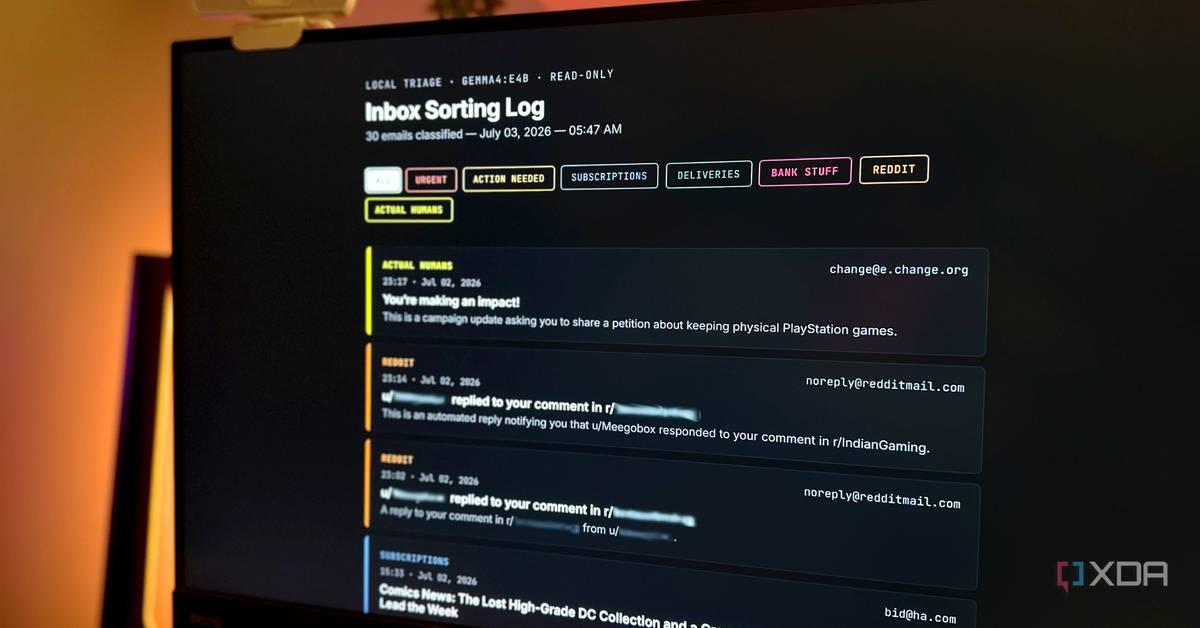
Google told Meta in March it couldn't supply enough Gemini computing capacity, forcing the company to ration token usage and delay internal projects. The incident reveals cloud AI infrastructure constraints even for tech giants with nine-figure budgets. Meanwhile, local AI solutions are advancing rapidly, with new AI-specific hardware and models like Gemma 4 enabling on-device processing that offers privacy, cost savings, and independence from cloud providers.
Google informed Meta back in March that it couldn't provide all the Gemini computing capacity the social media giant wanted to purchase, according to a Financial Times report
2
. Meta had been paying for access to Google's AI models through cloud and API services, relying on Gemini for internal tasks like content moderation and scam detection where it outperformed Meta's own Llama models. When Google couldn't meet the full request, the shortfall reportedly delayed several of Meta's internal AI projects, and the company instructed employees to use fewer tokens more carefully2
.
Source: Tom's Guide
The situation highlights a stark reality: a company with a nine-figure AI budget was told by its cloud provider to ration usage. Google Cloud pulled in roughly $20 billion in a single quarter, yet CEO Sundar Pichai has openly acknowledged that compute constraints are capping growth, with the division's order backlog ballooning to more than $460 billion
2
. The bottleneck isn't money or demand but the physical supply of chips, memory, and power. Google is even paying SpaceX nearly a billion dollars a month to borrow GPU capacity as a stopgap .While Meta's response involved building its own in-house model and pouring over $100 billion into data centers, the episode proves that cloud AI is not an infinite resource, even for the best-capitalized companies
2
. This reality is driving increased interest in running AI locally on personal devices. When local AI runs on your machine, prompts and data never leave the device, offering meaningful privacy and efficiency advantages for health information, financial details, legal drafts, or anything users prefer not to hand to a server2
.Local AI processing also delivers speed benefits for routine tasks. A cloud round-trip adds noticeable lag, while an on-device model can start responding almost instantly
2
. For quick, repetitive tasks like drafting emails, summarizing PDFs, searching documents, transcribing meetings, or writing code, these operations increasingly run right on hardware without internet required1
. Cloud-based AI models aren't disappearing for the hardest problems, but the idea that every task needs a round trip to a data center is starting to look outdated1
.
Source: Geeky Gadgets
The next computer you buy won't just run software—it'll run AI models
1
. For decades, the processor mattered most when buying a laptop. Now the critical spec is the NPU—the neural processing unit, a chip designed specifically to run AI models efficiently without draining battery1
. You're already seeing the marketing: AI PCs, Copilot+ PCs, and Apple's Silicon chips with their built-in neural engine1
.Memory is becoming the real bottleneck for AI-specific hardware. AI models are large and must load into RAM to run. The more memory available, the larger and smarter the model your laptop can hold at once
1
. Industry observers predict 32GB becomes the comfortable sweet spot for anyone wanting to run capable AI models locally, similar to how 16GB became the default for serious work over the last decade1
. Running local AI effectively requires balancing memory and processing power, though proper optimization means even older or budget-friendly computers can support local AI solutions4
.
Source: MakeUseOf
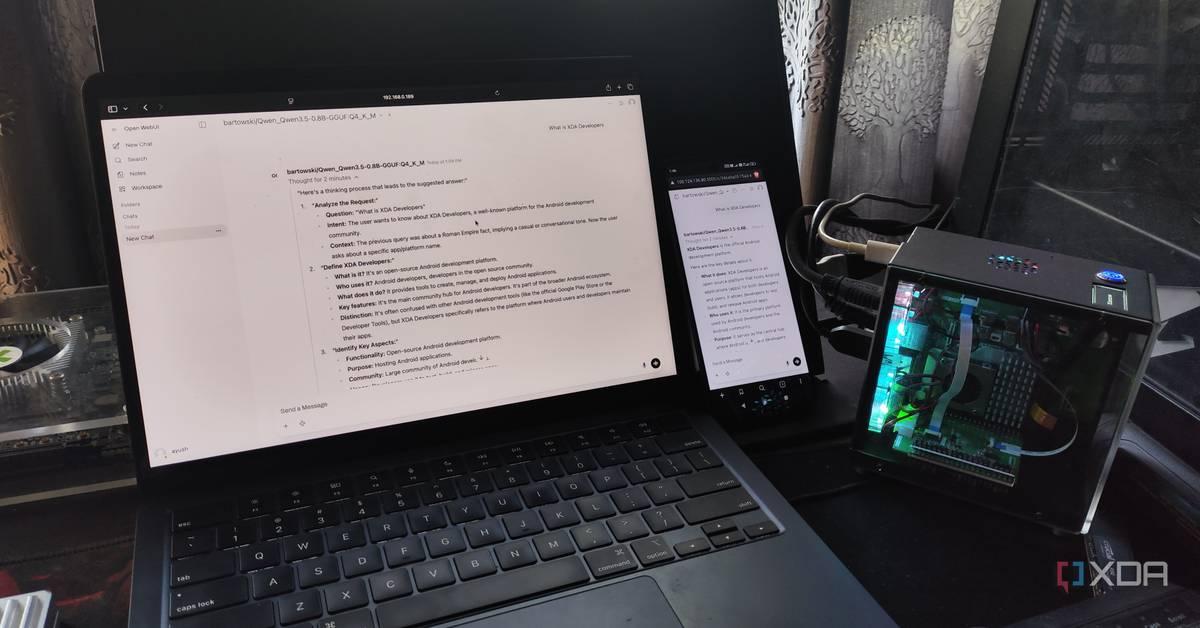
One user reported canceling their ChatGPT subscription after installing Gemma 4 locally on an iPhone 15 Pro Max
3
. Using Google's AI Edge Gallery app, they downloaded the 2.54 GB model without touching a terminal or editing configuration files. The moment the download finished, they had a working AI model on their phone3
. The A17 Pro chip and neural engine in the device proved capable of handling local AI processing tasks that an 8GB MacBook Air struggled with .For most everyday AI use cases—cleaning up emails, explaining concepts, breaking down code, or converting units—large language models running locally handle tasks without needing live information from the internet
3
. Local AI solutions also work offline, continuing to function on planes, in dead zones, or during outages when cloud-based AI models fail2
. At volume, predictable costs from owning hardware can prove cheaper over time than paying per token forever2
.Related Stories
Future AI systems are expected to ask before searching the internet, giving users control over where their data goes
1
. Instead of silently shipping questions to the cloud, the AI would pause to offer a choice: answer from local knowledge for speed and privacy, or search the web for newer information. That small design choice changes the entire dynamic around user control over data1
.On-device processing enables another powerful capability: AI that knows your files better than you do. Using Retrieval-Augmented Generation, local AI can quietly read documents, photos, emails, calendars, and notes, then pull from anything on command
1
. Instead of relying only on what the model learned during training, it looks things up in your files first, then answers based on what it finds. The crucial part is where that information lives—done locally, it never leaves your device1
.The same shortage squeezing Meta is also making local AI hardware more expensive. Cloud AI and local AI draw from the same supply of chips, high-bandwidth memory, and DRAM
2
. As demand for AI has soared, manufacturers have shifted production toward data-center parts, and consumer prices have followed. Laptops, memory upgrades, and even game consoles have crept up in price this year as a result2
. While local AI offers a way to sidestep cloud rationing, users may pay for the privilege upfront.Companies like OpenAI, Google, Anthropic, Apple, Microsoft, and Nvidia are all building toward a future where the relationship with AI centers on how much it knows about users, how much it shares, and who controls that exchange
1
. For frontier reasoning and genuinely hard problems, cloud AI still delivers superior results2
. But for summarizing documents, rewriting text, drafting code, and answering everyday questions, local AI models are already capable enough—and the shift toward on-device processing is accelerating as cloud infrastructure constraints become more apparent.Summarized by
Navi
[2]
1
Technology

2
Policy and Regulation

3
Policy and Regulation