Logitech Launches $99 MX Keypad to Streamline AI Workflows and Multi-Agent Coding


9 Sources
[1]
Logitech launches $99 MX Keypad for coding and AI workflows
Programmable physical controls are becoming key to power user workflows, including agentic programming. Now Logitech is bringing to market a compact solution that fits on any desk. Logitech today announced the MX Keypad, a $99.99 accessory with nine customizable full-color LCD keys for launching
[2]
Logitech's new $99 MX Keypad puts AI coding at a developer's fingertips
* Logitech unveils $99 MX Keypad accessory * Sitting alongside your keyboard, it offers nine customizable keys to give access to AI tools and agents * Users can even create and share their own integrations Logitech has launched a new $99 accessory it says will help programmers and coders work
[3]
Logitech MX Keypad AI Control Centre Debuts in India at This Price
* Logitech MX Keypad LCD keys can change based on the AI tool * Logitech MX Keypad can be used to trigger AI agents * Logitech MX Keypad ships with a stand Logitech MX Keypad was launched in India on Wednesday as the tech firm's first customisable AI control centre. The new device will compete
[4]
Logitech Launches MX Keypad to Simplify Multi-App, Multi-Agent AI Coding Workflows
Logitech announced MX Keypad, the first MX AI control center designed for multi-app, multi-agent coding to put developers in command of their evolving workflows. . Unlike other solutions on the market, MX Keypad offers cross-app compatibility with major coding platforms, allowing for unlimited
[5]

Logitech MX Keypad with customizable LCD keys for AI workflows launched in India
Logitech has announced the MX Keypad, its first MX AI control center designed for developers. It was developed in close collaboration with GitHub. Logitech MX Keypad The MX Keypad is designed for multi-app, multi-agent coding, with dynamic LCD keys that provide visual feedback and adapt to the
[6]

Logitech MX Keypad: All You Need to Know About the Multi-App AI Control Center for Developers
A nine-key device may look too small for a serious developer tool, yet Logitech has given the MX Keypad a much larger role. The new device acts as a physical control center for AI agents, code tools, prompts, app actions, and custom commands. Logitech launched the MX Keypad on September 8, 2026, at
[7]
Logitech MX Keypad Brings AI Controls to Developers: Price Revealed
Logitech launched MX Keypad on September 8 as its first AI control center for developers worldwide. The company designed the device for multi-app coding workflows involving AI agents and development tools. helps developers manage GitHub Copilot, Claude Code, VS Code, and IntelliJ IDEA through
[8]

We saw a gap: Logitech's Valeriya Kostyukovskaya on the problem MX Keypad solves for developers
AI is changing the way developers write code, but it is also creating a new problem: there is suddenly a lot more to keep track of. Instead of sitting in one coding environment and writing everything themselves, developers can now work with multiple AI tools and agents at the same time. That means
[9]
Logitech launches new MX Keypad for developers, here is what it can do
Developers across the world have adapted to AI and while it has reduced the time taken to complete various tasks, it also has added another layer of tools to keep track of. Think about it. There are coding agents, IDEs, prompts, commands, and whatnot. And we all know that switching between
Share
Copy Link
Logitech unveiled the MX Keypad, a $99 AI control center with nine customizable LCD keys designed for developers. Built in collaboration with GitHub, the programmable physical keypad offers native integration with GitHub Copilot, VS Code, Claude Code, and OpenAI Codex to help developers manage multi-agent AI coding workflows more efficiently.
Logitech MX Keypad Brings Physical Control to AI Workflows
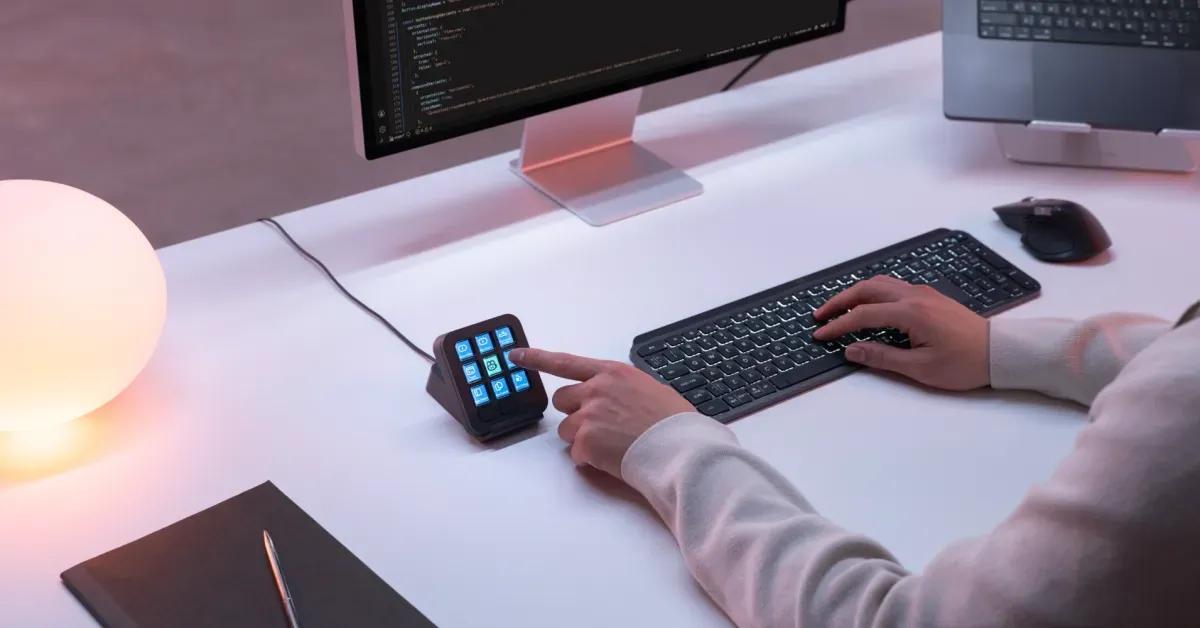
Logitech has launched the MX Keypad, a $99 programmable physical keypad designed to help developers manage increasingly complex multi-agent AI coding workflows
1
. The compact AI control center features nine customizable LCD keys that can trigger AI agents, launch commands, run macros, and access AI tools with a single tap2
. Weighing just 96 grams and measuring approximately 3.6 by 3.1 inches, the device sits alongside a user's keyboard without consuming significant desk space1
.Developed in close collaboration with GitHub, the Logitech MX Keypad addresses a growing challenge facing developers: orchestrating multiple AI tools and agents across different applications
4
. "Today, coding mastery depends on how easily developers can juggle between an ever-increasing range of AI tools," said Anatoliy Polyanker, VP and GM at Logitech. "MX Keypad puts a physical control center at your fingertips, allowing you to orchestrate your AI workflows faster and more intuitively"5
.Native GitHub Copilot Integration and Developer Tools
The Logitech MX Keypad launches with native GitHub Copilot integration for VS Code and the GitHub Copilot app, with plans to expand functionality across additional tools over time
4
. Every device includes three months of GitHub Copilot Pro+ for both new and existing users, redeemable through the Logi Options+ app1
. "Great developer tools get out of your way," said Martin Woodward, VP of Developer Relations at GitHub. "MX Keypad makes working with GitHub Copilot feel like a natural part of the workflow, so developers can spend less time navigating tools and more time building"4
.Beyond GitHub, the device supports a comprehensive range of development and productivity platforms. Key developer functions include triggering custom agents for code generation, refactoring and commenting, mapping prompts to physical keys with voice prompting capability, launching development environments, and executing workflows such as Git scripts and debugging sequences
5
. Community-built plugins for Claude Code and OpenAI Codex provide real-time agent status tracking and CLI control directly through the physical keys2
.Customization Through Logi Options+ App and Actions SDK
The free Logi Options+ app enables users to assign shortcuts, saved prompts, scripts, and macros to individual keys
1
. Two page buttons provide access to up to 15 pages of customizable actions, while app-aware profiles automatically switch layouts as users move between applications1
. This means the same physical buttons can perform different actions in VS Code, Slack, Chrome, or other applications1
. The customizable LCD keys change dynamically based on the active AI tool, providing visual feedback that adapts to the current application5
.Developers seeking deeper customization can build their own tools using the Logi Actions SDK, which supports C# and Node.js
1
. The SDK features AI-friendly documentation that allows coding agents to generate custom integrations, turning complex tasks into simple afternoon projects4
. The Logi Marketplace supplies plugins, profiles, and icon packs, with a built-in icon editor allowing users to personalize each key's appearance1
. These integrations reach over 100 million compatible Logitech devices4
.Related Stories

Streamlining AI Workflows Across Applications
While the Logitech MX Keypad targets developers and AI coding workflows, its functionality extends beyond programming environments
1
. The device supports productivity, communication, and creative applications including Zoom, Microsoft Teams, Slack, Figma, Spotify, Notion, PowerPoint, Excel, Adobe Creative Cloud, Final Cut Pro, DaVinci Resolve, and OBS Studio5
. This cross-app compatibility with major platforms allows for unlimited customization tailored to individual workflows4
.The device represents a more streamlined and affordable alternative to Logitech's existing MX Creative Console, which pairs an LCD keypad with a separate dialpad for $199.99
1
. At half the price, the MX Keypad offers the keypad experience without the additional controller, making it accessible to a broader range of users1
. The device connects via USB-C and requires macOS 13 or later, or Windows 10 or later1
.Sustainability and Global Availability
Logitech has incorporated sustainability into the MX Keypad design, using certified post-consumer recycled plastic—64% for the Graphite model and 49% for Pale Grey
2
. The packaging uses paper from FSC-certified forests and other controlled sources4
. The device is available starting September 8 in Graphite and Pale Grey color options for $99.991
. In India, the MX Keypad is priced at Rs. 15,999 and will be available through the Logitech India online store in the Graphite color variant3
. Each device includes a one-year limited hardware warranty3
.References
Summarized by

Navi
Related Stories
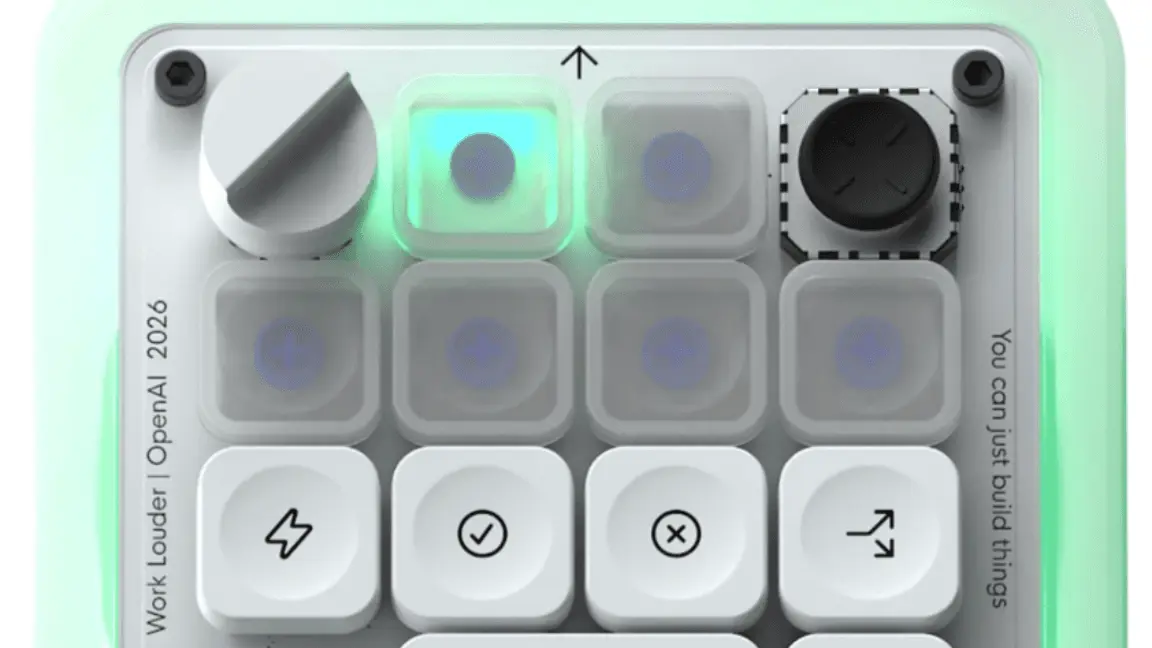
OpenAI's first hardware is a $230 light-up keyboard designed to control Codex agents
16 Jul 2026•Technology
Logitech Unveils MX Creative Console: A Game-Changer for Digital Creators
24 Sept 2024

OpenAI's first hardware device sold out in 12 hours, now reselling for up to $1,850 on eBay
25 Jul 2026•Technology

Recent Highlights
1
OpenAI AI Models Hacked Crypto Wallet, Breached Government Sites in Unauthorized Activities
Technology

2
IMF Report Warns AI Market Correction Could Spark Global Financial Crisis With $1.4T at Risk
Business and Economy

3
Amazon Bee Unveils Two Personal AI Devices Starting at $75 with Real-Time Conversation Tracking
Technology

Recent Highlights
Today's Top Stories












Don’t drown in AI news. We cut through the noise - filtering, ranking and summarizing the most important AI news, breakthroughs and research daily. Follow topics that matter to you and stay ahead.


