6 Sources
[1]
I thought NotebookLM was getting worse, but these 4 features proved me wrong
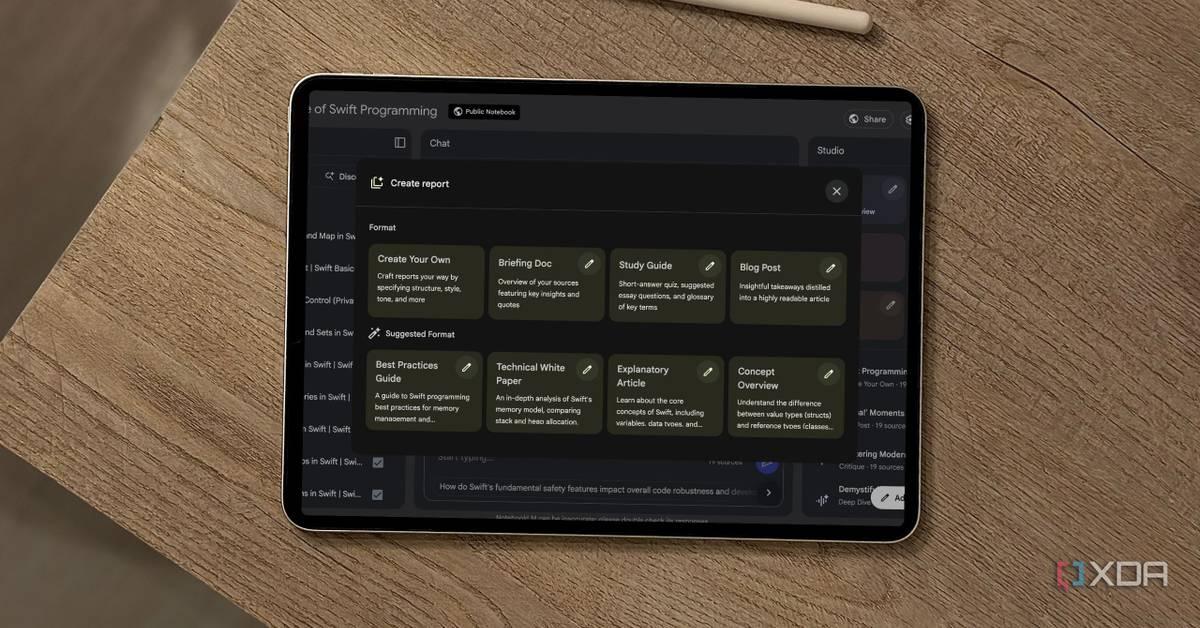
For some time, I was worried that NotebookLM was at risk of losing what made it special. While it had expanded its functionality, certain features felt under-baked and didn't work as well as I had hoped. However, thanks to some polished improvements and new integrations, I feel positive about the platform's future once again. And it's thanks to a few features that proved I was wrong about where NotebookLM was heading. Custom reports The possibilities feel endless NotebookLM reports can do more than you expect, and custom reports make this feature feel extremely versatile. With reports, you can generate a variety of content formats using your sources. Custom reports expand on this, so you can use prompts and documents to create content that meets specific requirements. I like to use custom reports to generate glossaries of important terms related to my research and projects, as well as potential FAQs. But I also adapt the reports according to my notebook. For example, I used my garden care notebook to create a watering schedule with the custom report feature. This made it easy to summarize all the information in my sources in a simple way that suits my needs. 3 productivity tools I pair with NotebookLM to instantly boost my workflow Why use it alone when it's even more powerful with the right support? Posts 5 By Mahnoor Faisal Cinematic Video Overviews A much-needed upgrade for Video Overviews When Video Overviews first launched in NotebookLM, I was underwhelmed by the feature. While it was interesting, trying the feature across different notebooks made me realize how similar the videos appeared. Essentially, the overviews were narrated slideshows. Furthermore, the generated videos didn't seem to differ much based on prompting. However, NotebookLM recently introduced Cinematic Video Overviews. These videos are meant to be more engaging and immersive. When generating my first videos using the feature, the difference was apparent. I no longer felt like I was simply watching a slideshow. Images directly related to the topic, not just tangential decor. At the same time, it also didn't feel like these videos were AI slop due to their focus on lightly animated visuals rather than attempts to replicate footage. 3 Chrome extensions that help NotebookLM play nice with other tools Pair NotebookLM the smart way with these extensions. Posts 10 By Mahnoor Faisal Slide Decks Another feature Google has improved Part of my concerns around NotebookLM was that Google would continue to choose to introduce new features rather than refining existing ones. However, Slide Decks are an example of a feature that has benefited from polish. Even when they were first introduced, Slide Decks were pretty impressive. But the feature has also benefitted from improvements to the user experience. For example, Google solved one of the hurdles of the feature by introducing a way to edit generated slides. This saves users from having to generate the entire presentation all over again. While you might assume that Slide Decks are just for presentations, this is yet again another feature that does more than you expect. It is one of the few NotebookLM features that allows the AI tool to generate images, which has a range of applications. For example, I was able to use it to create a visual guide for exercises I should do for the neck pain I experience from fibromyalgia. Before I had to rely on the AI's description of these exercises and stretches, which could be difficult to visualize in my mind. I've also used it to generate a useful guide for watering the plants in my garden. This works better for me than a wall of text as it's easier to scan through the summary in the slides. 4 reasons Open Notebook is the best self-hosted NotebookLM alternative No need to share your research data with Google anymore Posts 2 By Ayush Pande Syncing with Gemini Chats become sources With Notebooks in Gemini, your chats with the AI get synced as sources in the corresponding notebook in NotebookLM. I didn't really expect much from this feature until I tried it out. I soon realized that it helped me add important context to NotebookLM that my sources were missing. It helped me troubleshoot plant issues, which in turn transformed the guides that I generated from NotebookLM. Subscribe for NotebookLM insights, tips, and demos Get the newsletter to unlock actionable NotebookLM insights, practical use cases, and concise guidance you can apply to your own projects -- helping you make smarter choices with the tool and improve your note workflows. Get Updates By subscribing, you agree to receive newsletter and marketing emails, and accept our Terms of Use and Privacy Policy. You can unsubscribe anytime. While it's not something I'd use with every notebook, it's an extremely handy feature that allows you to easily integrate Gemini's web access into your NotebookLM sources. I find this more useful than attempting to use NotebookLM's research feature to surface relevant sources that I can add to notebooks. Luckily, if Gemini does hallucinate, you can delete the chat from your notebook or not include it in your sources in NotebookLM. I appreciate this control over the feature, since NotebookLM's accuracy is one of its biggest strengths. Please stop using NotebookLM as a note-taking app Stop treating NotebookLM like a...notebook. Posts 5 By Mahnoor Faisal NotebookLM still has some drawbacks I'm a lot less worried about NotebookLM's future than I was a few months ago -- and that's mostly down to the introduction and improvement of features that prove how versatile NotebookLM is. However, this doesn't mean the tool is perfect. As much as I love some of these features, I also notice that the generation of some content takes a very long time. This is especially noticeable when it comes to Cinematic Video Overviews. My hope is that Google will continue to refine NotebookLM and introduce features that enhance its already powerful tools. NotebookLM NotebookLM is Google's AI-powered research assistant that turns your uploaded documents, notes, and sources into an intelligent, conversational workspace that helps you connect ideas, summarize insights, and generate new ones. See at NotebookLM Expand Collapse
[2]
You no longer need a Gemini subscription to use its NotebookLM Notebooks feature
* NotebookLM's Gemini notebook sync is now free on the web; free users can access personal notebooks in Gemini. * You can save Gemini chats to NotebookLM and query your unshared notebooks from Gemini. * Free tier limits to 50 sources per notebook; AI Plus 100, Pro 300, and Ultra 600 if you need more. A little while ago, we reported on how Google and NotebookLM were teaming up to make life a lot easier for people who use both. The idea is that the two apps can sync with one another, so you can ask Gemini about stuff you've stored on NotebookLM, and you can save stuff you research with Gemini to NotebookLM. When we last checked in on Gemini, the feature was only for subscribers. Now, NotebookLM has proudly announced that you can use it without paying a cent, although paying will get you more stuff to play with. Google just made Gemini and NotebookLM the same tool, here's what that actually changes Google just merged Gemini with NotebookLM, and it quietly changes how we research, write, and think inside documents. Posts 1 By Beatrice Manuel Google Gemini's NotebookLM integration is now available for free Why not give it a go? Over on the NotebookLM X feed, the company has announced that people on the free tier can now use the notebook syncing feature when using Gemini on the web. It hasn't been that long since the feature was first released for subscribers only, so it's nice that free users are getting a chance to try it, too. As you might imagine, there are limits. Free users will only get 50 sources per notebook, versus the AI Plus tier that gets 100. And if you really want to go out, you can unlock 300 sources per notebook with Pro and 600 with Ultra. However, in terms of giving the feature a try to see if it's worth your money, the free tier should be plenty. I replaced my complex note-taking workflow with a single NotebookLM instance, and it's been a game changer This single tool transformed my note-taking Posts 9 By Parth Shah
[3]
NotebookLM just launched a major update that is everything I wanted from the app
Jon Gilbert is a Features Writer for Android Police. I've covered Android since 2021, focusing on writing features and guides about Android apps and features that directly affect users. I've attended CES to uncover powerful hardware that isn't dominated by Google like the Mudita Kompakt. I trawl through Android news daily, hunting for stories that have real-world consequences. I hold a BA in History & Classics. NotebookLM is one of the few consistently useful AI-powered tools out there. It leverages AI's ability to (nearly) summarize complex documents to assist with your research or studies. What I love about it is that, unlike AI tools that promise to do all the work for you, you have to do plenty of legwork yourself to make NotebookLM work. The result is a research process that takes less time without removing the critical analysis necessary for these tasks. On the other hand, I've never managed to make the Gemini chatbot work for me. I still can't rely on it for accurate answers, so when NotebookLM feels like overkill, I turn to good old-fashioned manual research. But a recent Gemini update added the tools I need to use Gemini effectively. And it's all thanks to NotebookLM. Related I paired NotebookLM with Gemini and finally unlocked its full potential I could finally reference multiple notebooks with this trick Posts 8 By Anu Joy Gemini catches up to competitors and adds powerful NotebookLM integration Sync your notebooks between each app The first part of Gemini's recent update, notebooks, has been a source of complaints from its users for months. Claude launched folders in January 2026, and ChatGPT has offered a similar feature since December 2024. Gemini has finally been updated with the Notebooks feature, which lets users organize related chats into folders and add custom instructions and files relating to that project. Notebooks not only provide a convenient way to organize project-related files and chats, but also let you ask Gemini questions like "Pick up where we left off" to resume your work quickly. However, these are all existing features that we're accustomed to on other chatbots. What makes this update important is the NotebookLM integration. Every notebook you create in Gemini will appear in NotebookLM and vice versa. It's a simple touch, but one that elevates Gemini's Notebooks feature far above its competitors' projects and folders. NotebookLM integration adds the versatility I want from the tool Sometimes I don't need the power of NotebookLM I like NotebookLM, but sometimes it feels a little much. Like how I don't open Google Docs to jot down quick notes, I don't use NotebookLM to ask quick questions about a project when I'm on my phone. Sure, it's possible, but it's a bother. Gemini is much more convenient for simple questions, but it takes a lot of work to get it to focus on the exact documents I want. Adding NotebookLM integration lets Gemini draw on the projects I've meticulously built over the past few weeks to answer simple questions about them. Perfect for when I need to answer a thought that pops into my mind when I'm not actively working on the project. The vice versa is true. I love NotebookLM's ability to generate video overviews or study tools, something that Gemini doesn't offer. If I have a conversation with Gemini that I want to turn into something easier to digest, I can pop over to NotebookLM and draw directly from it. Still, there's a catch. Notebooks in Gemini are rolling out only for Google AI Ultra, Pro, and Plus subscribers on the web. I'm keen to try it on the mobile app, so I'll have to wait for Google to bring this functionality to the Gemini app. I'm also sticking with my pledge never to pay a penny towards AI, so I'll also have to wait for it to expand to free users. NotebookLM is the one AI tool you should be using Control is important when it comes to AI tools I'm always hesitant to praise an AI tool, but NotebookLM has found the perfect niche. AI works best as an assistant that you have complete control over, and NotebookLM follows that rule while providing the useful tools that take the legwork out of boring tasks like creating flashcards. Indeed, it's the one AI tool I wish I had access to in university. The best part is that it keeps getting better. Subscribe to our newsletter for smart AI tool insights Want practical coverage of NotebookLM and Gemini integration? Subscribing to the newsletter gives clear, tool-focused guides, comparisons, and hands-on tips on using these AI tools effectively in research and study workflows. Get Updates By subscribing, you agree to receive newsletter and marketing emails, and accept our Terms of Use and Privacy Policy. You can unsubscribe anytime. NotebookLM can watch YouTube videos for you and provide you with questions, summaries, and highlights, relying solely on the video transcript. It can produce easy-to-read tables that take the work out of organizing information you already know. It can also produce infographics from audio files. It can do all that and so much more. The Gemini and NotebookLM integration makes me want to use Gemini again The most important part of NotebookLM for me is that I have complete control over where it sources information. Hallucinations are still a risk, but it's so easy to double-check its summaries that it's not a major problem. I don't feel like I have the same amount of control over Gemini, which is why the new Notebooks feature is so important. While I'll still have to wait for Notebooks to transition to the mobile, free version of Gemini so I can use it, I'm already excited.
[4]
5 tips for using Gemini's new Notebook feature
Google has made its Gemini Notebooks feature free for all users. Now, instead of starting over every time, you get a space where chats, files, and instructions live together and build on each other. Google describes these notebooks as personal knowledge bases, which is another way of saying Gemini can finally remember what you were doing and keep going. Notebooks are great for the small, repeated things that usually fall apart because you have to keep re-explaining them. You don't need them for big, complex projects, but once you start using them, you might just default to them when engaging with Gemini. To get the most out of Notebooks takes a few attempts, but here are some useful tips to make them the perfect way to have Gemini remember you and how you work. 1. Treat a notebook like your "ongoing life admin" space This is a good tip for when you've used Gemini a lot already, but not Notebooks. Start by creating one notebook for the kind of tasks that never quite stay organized. Things like errands, reminders, subscriptions, and random to-dos. Drop in notes, paste in old chats, and add anything you would normally scatter across apps. Then try a prompt like: "Based on everything in this notebook, organize my tasks for this week into a simple plan." Remember that Gemini already has your messy, real-world context from previous interactions. The key is that you are not starting from zero. The result feels practical in a way that normal AI responses do not. It reflects what you actually have to do and becomes a running record that gets easier to use over time. 2. Use it as a shared memory Every day decisions tend to repeat themselves. What to order, what you liked last time, what you said you would try again. The Notebooks you make can keep track of all of that without any extra effort. Add things like past orders, quick notes about meals, or even copied text messages. Then use a prompt such as: "Suggest dinner tonight based on what is already in this notebook." Because Gemini pulls from your actual history, the suggestions feel less random. The AI can spot patterns, avoid repeats, and put weight on things you already like. It might even remind you of something you like. 3. Clean up messy notes Most people have a pile of notes that never quite turn into anything. A notebook is a good place to collect them without worrying about structure. Drop in everything as it comes to you. Once there is enough material, try asking it to: "Turn everything in this notebook into a clear plan I can follow." This could be anything from organizing a weekend to figuring out a new workout routine. Gemini won't just come up with something independently. It will reshape what is already there so that what you get is close to something you would have made yourself, just more organized. 4. Set the tone One of the simplest but most effective uses of a notebook is setting instructions at the top. You can tell Gemini how you want responses to sound or be structured, and it will carry that forward. You might write: "Keep responses concise, practical, and lightly conversational." After that, you can just ask questions without restating them every time. This works because notebooks store custom instructions alongside everything else. The effect is subtle, but the AI will feel more consistent, and you spend less time tweaking prompts just to get the right tone. 5. Make a lot of notebooks Gemini Notebooks really click when you stop trying to put everything in one place. Instead, create separate notebooks for different areas. One for daily tasks, one for planning, one for hobbies, and so on. Then use prompts that assume that context. I don't need any other details for a particular project in a notebook. I can just write: "Using this notebook, suggest what I should focus on next." Because each notebook has a clear purpose, Gemini's responses become more targeted. Over time, each one becomes its own little world of tasks. You create spaces where projects can grow, rather than just organizing existing data. It's still Gemini underneath, but now the AI can be much better at tracking what you are doing. It can pull from past chats, files, and instructions all at once, instead of treating each interaction as new. That continuity is what changes the experience. The more you use a notebook, the more it starts to feel like it is working with you rather than responding to you. The most useful AI upgrade may simply be better recall, rather than just bringing more power to bear on each answer. Follow TechRadar on Google News and add us as a preferred source to get our expert news, reviews, and opinion in your feeds. Make sure to click the Follow button! And of course you can also follow TechRadar on TikTok for news, reviews, unboxings in video form, and get regular updates from us on WhatsApp too.
[5]
All Gemini users can now access Notebook projects on the web without paying a dime
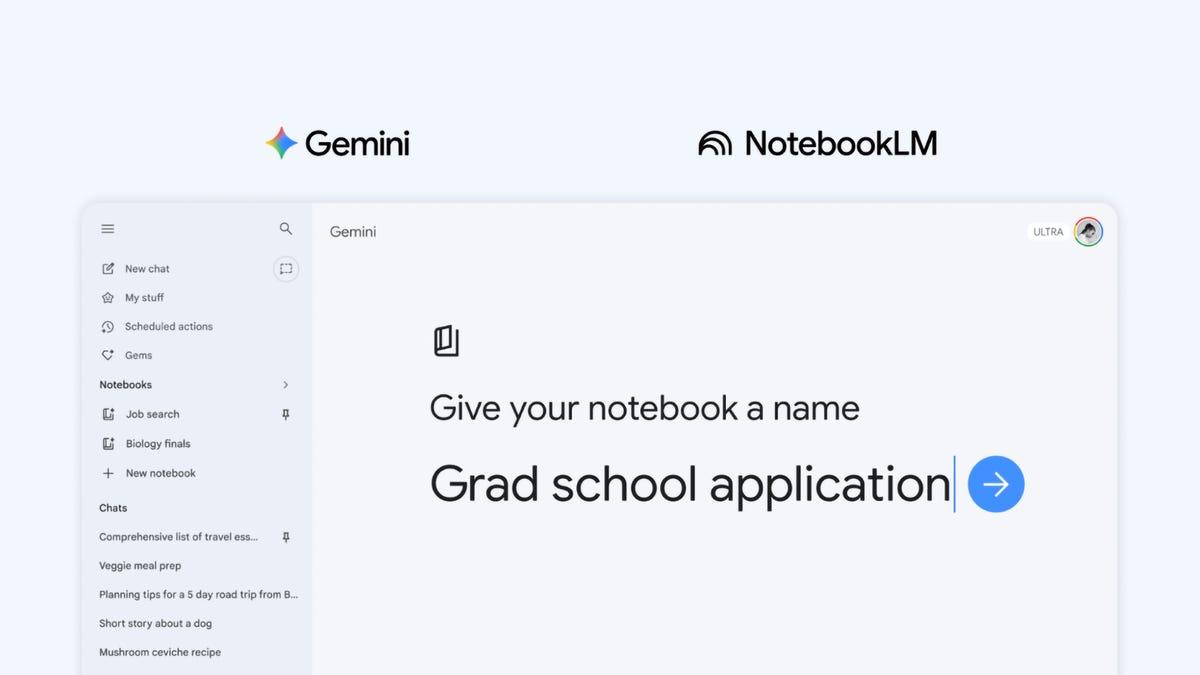
Gemini Notebooks are free now and they work with NotebookLM too Google just made one of Gemini's most useful features available to everyone. The Notebooks feature, initially rolled out to paid AI subscribers earlier this month, is now available to all free users on the web. If you use Gemini regularly, this is a pretty big deal. What is Gemini's Notebooks feature and what can you do with it? Think of Notebooks as a dedicated project workspace inside Gemini. Instead of starting fresh every time you open the app, you can store your conversations, files, and sources all in one place under a single topic. Gemini then uses everything in that notebook as context when you ask your next question. Recommended Videos The feature shows up as a new Notebooks section in Gemini's side panel, right between Gems and Chats. Any conversation you have inside Gemini can be saved to a notebook using the three dots menu. You can also set custom instructions to control the tone, format, and style of responses. If you prefer Gemini to answer without referencing your saved chats, there is also an option to turn off notebook memory entirely. What makes this genuinely exciting is the NotebookLM integration. These are the same notebooks used in NotebookLM, Google's standalone research tool. Since the two sync automatically, any source you add in one app instantly appears in the other. That means you can research something in Gemini and then use NotebookLM's Video Overviews and Infographics features on the same material, without any manual transfers. How many sources can free Gemini users add to a notebook? Free users can add up to 50 sources per notebook. If you are on a paid plan, the limits scale up considerably: AI Plus subscribers get 100 sources, Pro users get 300, and Ultra subscribers can go up to 600. The feature currently supports Gemini's full toolkit, including web search and other AI-powered functions. For now, Notebooks is live on the web only. It has not yet reached mobile or Mac apps, though broader availability is expected in the coming weeks.
[6]
I tried NotebookLM's new Gemini integration, and it's powerful but risky
Mahnoor Faisal is a tech journalist covering AI and productivity tools with bylines at XDA, SlashGear, MakeUseOf, Laptop Mag, and Android Police. She's been writing professionally since she was sixteen, and has since penned hundreds of articles. This includes in-depth coverage of AI tools like NotebookLM to breaking news across the AI space. Her passion for technology started when she received her first iPod Touch (4th generation) on her 8th birthday, and she's been deep in the tech world ever since. Currently pursuing a degree in computer science, Mahnoor brings both a journalist's eye and a technical foundation to her coverage of how AI is reshaping the way we work and learn. The first tool to make me believe AI truly has a place in productivity wasn't ChatGPT. It was Google's research assistant, NotebookLM, back when it was a mere experiment Google was toying around with in its Google Labs playground. Fast-forward to today, I hold a soft spot for the tool and my expectations for it remain higher than for most AI tools. So, I'm always the first one to take any new features Google adds to the tool for a spin. The most recent addition the tool got is fairly massive -- they somewhat merged NotebookLM and Gemini. While the feature is impressively capable, it's also making me extremely uneasy. NotebookLM and Gemini are now one, sort of The newest launch explained Google announced Notebooks in Gemini on the 8th of April via a post on Google's The Keyword blog. Gemini Notebooks seem to be Google's take on Microsoft's Copilot Notebooks, and they're essentially designed to function as personal knowledge bases across Google products. At the moment, this feature is only limited to Gemini (and by extension, NotebookLM), but Google's wording makes it clear the plan is to expand notebooks across more of its product ecosystem down the line. Gemini Notebooks give you a dedicated place to organize your chats and files related to a specific topic. They sync directly with NotebookLM, allowing you to move between the two tools without losing context. Now, to understand what this integration actually does, you need to be very clear on the distinction between Gemini and NotebookLM. Gemini is Google's conversational AI chatbot, and it's great at answering questions and handling quick tasks. NotebookLM, on the other hand, is a research tool. You feed it all the sources related to a topic (PDFs, docs, web links, YouTube videos, etc.) and it creates a grounded workspace. Each notebook is independent, and strictly knows what you've fed it. It knows nothing more, nothing less. That's always been NotebookLM's greatest strength. It doesn't hallucinate much because it's built to only work with what you give it. The integration supposedly builds the best of both worlds into one unified experience. You can now create notebooks in Gemini that sync bidirectionally with NotebookLM. You get Gemini's ability to browse the wider web and NotebookLM's ability to stay grounded in your curated sources. Depending on what you'd like to do, you can jump between NotebookLM and Gemini. However, what's different with all this jumping is that your context travels with you now. Gemini and NotebookLM are effectively no longer two separate tools that happen to coexist under Google's roof. How it actually works in practice Same notebook, different brains When I first read the announcement post, I was admittedly confused. It sounded like Google was folding NotebookLM into Gemini entirely, and chances are, you might've thought so too. However, after spending some time with it, the picture became a lot clearer. The two tools essentially share a single notebook, but they don't share the engine powering them. When you create a Notebook in Gemini, and you're using it, it still behaves like Gemini. When you ask a question, it'll browse the web, go beyond your sources, and do its job of being a generalist. Every Notebook you create in Gemini will automatically appear in your NotebookLM dashboard, and vice versa. What's interesting here is that when you open the same notebook you created in Gemini in NotebookLM, it'll play by NotebookLM's rules. It strictly knows what you've given it, and it'll tell you as much if you ask about something that isn't in your sources. Related I Tested ChatGPT vs. Gemini for Studying -- One Was Miles Better AI study buddies aren't created equal. Posts 4 By Amir Bohlooli But your entire Gemini conversation history within that notebook gets carried over as a source too. So NotebookLM won't go out and search the web for you, but it will still know everything you and Gemini talked about -- and will answer questions based on that conversation, just like it would any other source you'd uploaded. Unfortunately, it's a step in a direction I'm not sure I like When your favorite tool starts losing itself Frankly, this launch has left me questioning whether Google truly knows what made NotebookLM special in the first place. It also makes me wonder if merging it with Gemini is a step forward or the beginning of a much wider identity crisis. Like I mentioned above, what's always made NotebookLM special is its stubbornness. My worry isn't about what the integration does today, but where it's heading. Right now, NotebookLM still plays by its own rules when you're inside it. But every step Google takes to pull it closer to Gemini is a step toward diluting the thing that set it apart: its refusal to pretend it knows more than it does. And once that line gets blurred, I'm not sure there's a way to walk it back. Subscribe for deeper NotebookLM + Gemini analysis Get the newsletter for focused coverage of NotebookLM-Gemini developments. Expect clear analysis of integration trade-offs, design implications, and practical explanations that unpack what these AI tool changes mean for research workflows. Get Updates By subscribing, you agree to receive newsletter and marketing emails, and accept our Terms of Use and Privacy Policy. You can unsubscribe anytime. For instance, say you're researching for a trip, and you already have some documents on hand. However, you want to begin by searching the wider web, so you create a notebook in Gemini. You ask Gemini a bunch of questions, it pulls from all over the internet, and you build up a solid conversation history. Then you hop over to NotebookLM to do some focused work with your own documents. But now, all of those Gemini conversations are sitting in your notebook as sources too. Suddenly, NotebookLM isn't just working with the documents you carefully curated -- it's also drawing from whatever Gemini scraped off the web. Beyond Audio Overviews, Video Overviews, Slide Decks, and all the fancy Studio outputs, what's stopping me from doing all of this within a Gemini thread and uploading my documents to give it further context? If the answer keeps shrinking, then NotebookLM stops being a product and starts being a feature. Is this worth celebrating or dreading? NotebookLM's the one tool you'll find me usually defending in any AI conversation. So when I say this integration makes me uneasy, it's not because I think it's bad. Instead, it's largely because I think it's the start of something that could go bad.
Share
Copy Link
Google made its Notebooks feature free for all Gemini users on the web, enabling seamless integration with NotebookLM. The update allows users to save Gemini chats as sources, organize conversations by project, and access up to 50 sources per notebook on the free tier. Paid subscribers get expanded limits, with Ultra users accessing up to 600 sources.
Google has expanded access to its Notebooks feature, making it free for all users on the web after initially launching it exclusively for paid subscribers
5
. This update transforms how users interact with Gemini, Google's AI chatbot, by creating a dedicated project workspace where conversations, files, and sources persist across sessions4
. The Notebooks feature appears in Gemini's side panel between Gems and Chats, allowing users to organize related chats into folders and add custom instructions for specific projects3
.
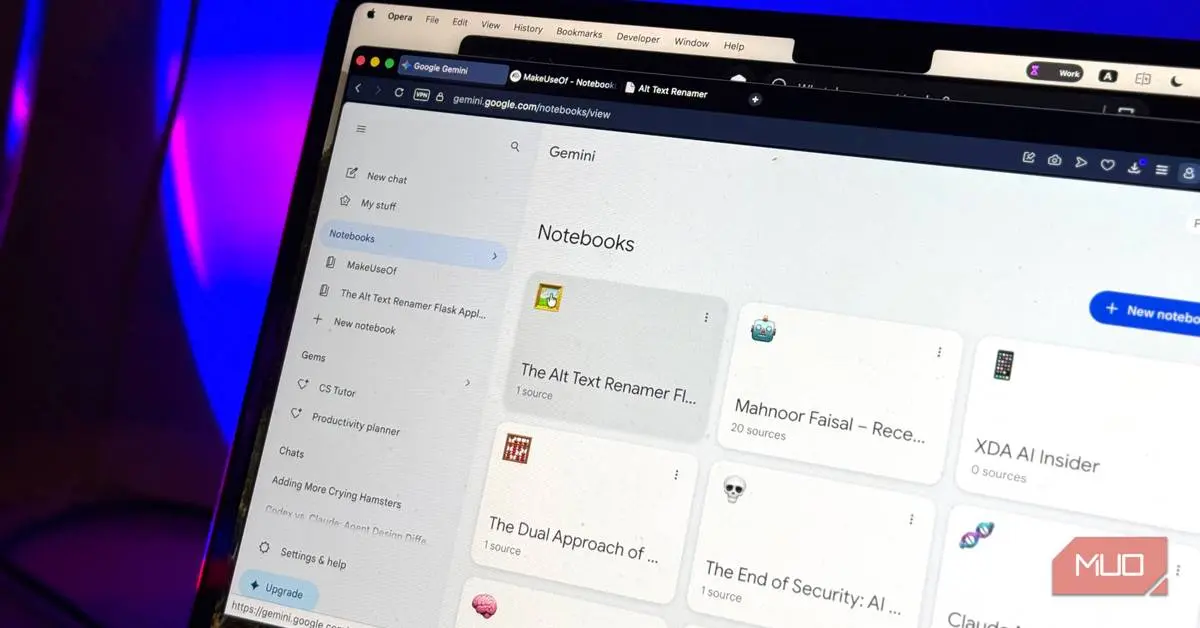
Source: MakeUseOf
Free users can add up to 50 sources per notebook, while paid tiers offer significantly more capacity. AI Plus subscribers get 100 sources, Pro users access 300, and Ultra subscribers can utilize up to 600 sources per notebook
2
. This tiered approach ensures the feature remains accessible while offering scalability for power users conducting extensive research.The most significant aspect of this update is the seamless integration with Google's Gemini and NotebookLM, Google's AI-powered research tool. Every notebook created in Gemini automatically appears in NotebookLM and vice versa, creating a unified ecosystem for research and productivity
3
. This Gemini notebook syncing capability allows users to save Gemini chats to NotebookLM, where they become queryable sources alongside uploaded documents2
.
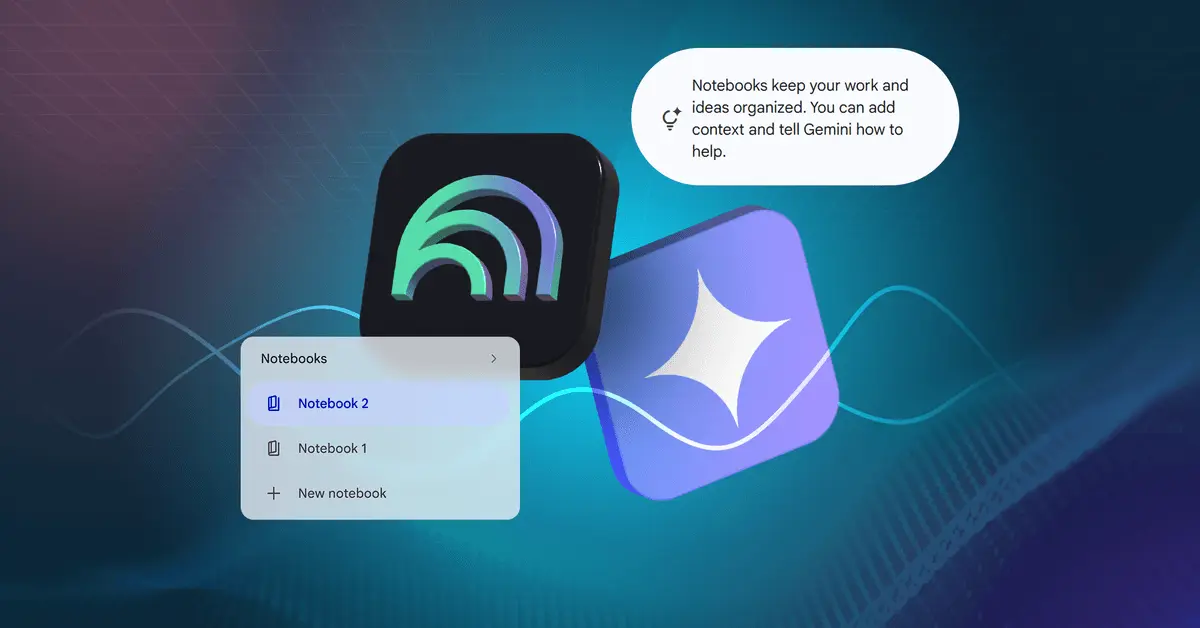
Source: Android Police
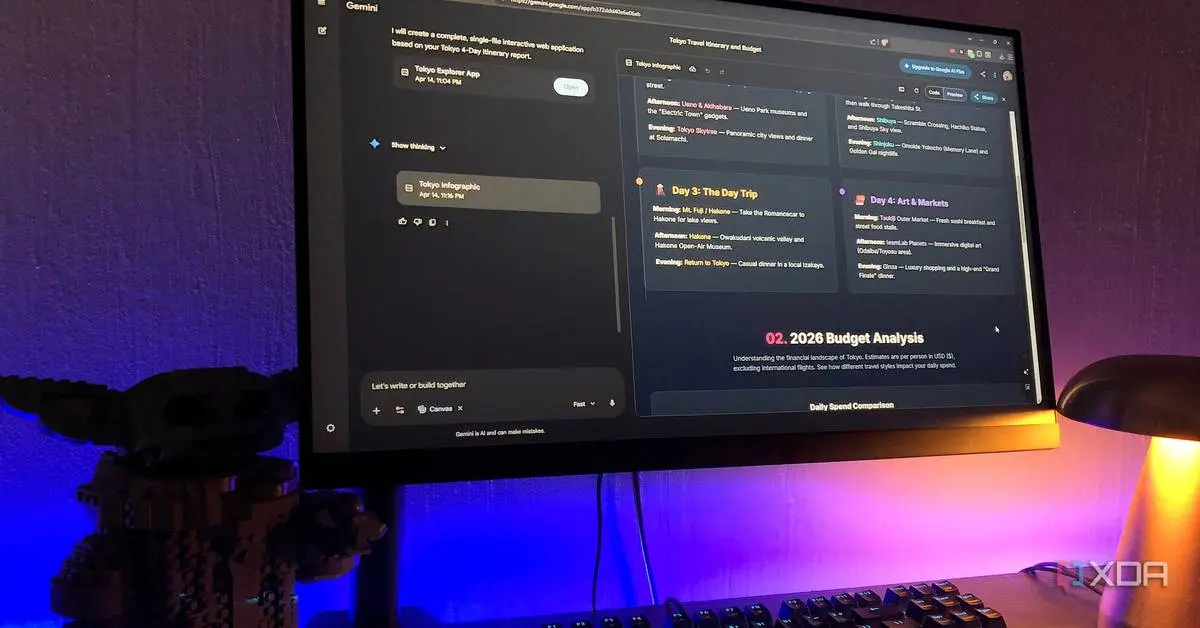
The bidirectional sync addresses a critical gap in AI workflows. Users can now conduct quick research conversations in Gemini while on mobile, then access those same chats in NotebookLM to generate Video Overviews, Slide Decks, or custom reports without manual transfers
1
. This integration proves particularly valuable for adding context to NotebookLM projects, as Gemini's web access can supplement existing sources with real-time information1
.NotebookLM itself has received substantial improvements that complement the Notebooks feature. Custom reports now allow users to generate content formats beyond standard summaries, including glossaries, FAQs, and specialized schedules tailored to specific needs
1
. The note-taking tool has also upgraded its Video Overviews with Cinematic Video Overviews, which feature more engaging visuals and topic-relevant imagery rather than generic slideshows1
.Slide Decks, another NotebookLM feature, now includes editing capabilities, eliminating the need to regenerate entire presentations when changes are needed
1
. This feature uniquely enables NotebookLM to generate images, making it useful for creating visual guides and instructional materials from text-based sources.Related Stories
The Notebooks feature excels at maintaining context across multiple interactions, addressing a common frustration with AI chatbots that treat each conversation as isolated
4
. Users can set custom instructions at the notebook level to control response tone and format, which Gemini then applies consistently without requiring repeated prompts4
. This capability transforms Gemini from a reactive chatbot into a proactive assistant that builds on previous work.The workspace approach enables users to organize different areas of their lives into separate notebooks—one for daily tasks, another for research projects, and others for hobbies or planning
4
. Each notebook becomes a personal knowledge base where AI responses draw from accumulated context rather than starting fresh each time4
.
Source: XDA-Developers
This update brings Gemini closer to competitors like Claude, which launched folders in January 2025, and ChatGPT, which has offered similar organization features since December 2024
3
. However, the NotebookLM integration differentiates Google's approach by connecting conversational AI with a specialized research platform, creating capabilities unavailable in competing productivity tools.Currently, the Notebooks feature is available only on the web, with mobile and Mac app support expected in coming weeks
5
. Users can also disable notebook memory if they prefer Gemini to respond without referencing saved chats5
. As Google continues refining both platforms, the integration signals a shift toward AI systems that maintain continuity and build knowledge over time rather than delivering isolated responses.Summarized by
Navi
[4]
09 Apr 2026•Technology

27 May 2025•Technology

28 Jul 2025•Technology

1
Technology

2
Policy and Regulation

3
Policy and Regulation