4 Sources
[1]
After six months, Microsoft's Auto SR finally gives the ROG Xbox Ally X what it needed all along
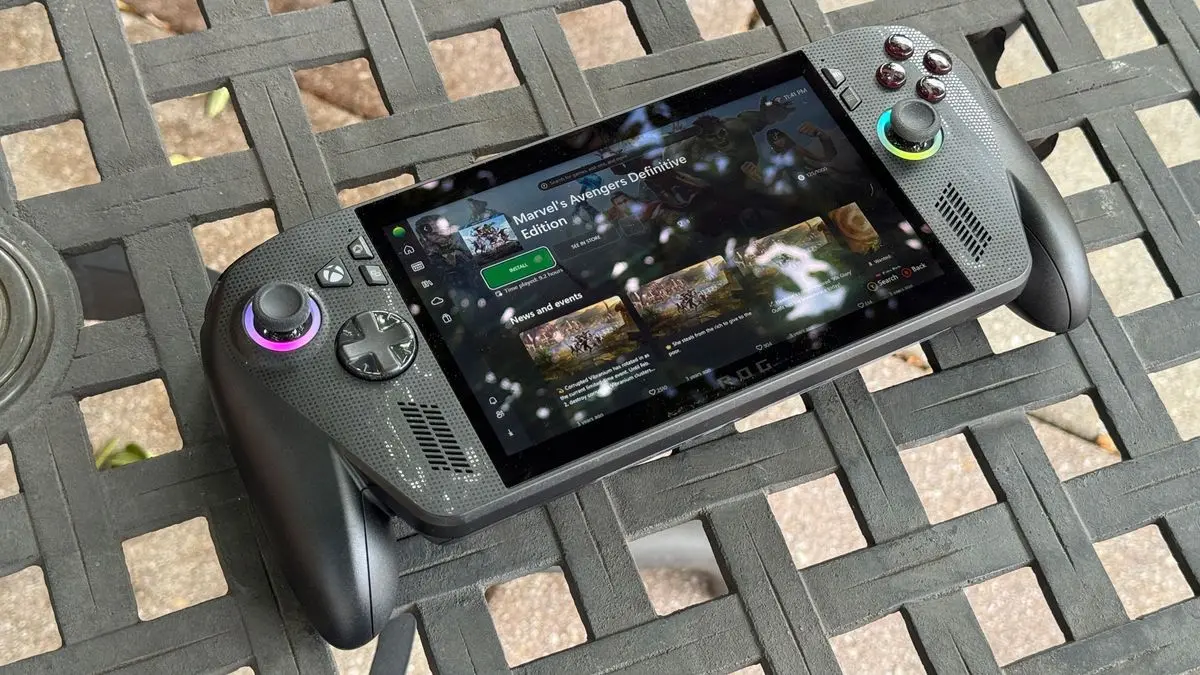
* Auto SR preview arrives on Asus ROG Xbox Ally X, promising up to ~30% better framerates. * Auto SR upscales lower resolution to 1440p, keeping visuals nearly indistinguishable from native. * Available now in docked mode via Xbox Insider; enable Auto SR in the Game Bar to try it. Of all the areas AI has affected in our daily lives, I think the effect it has had on upscaling in video games is the one that feels the most magical. When done correctly, it essentially allows you to play your games at better framerates without sacrificing any visual fidelity. And while some eagle-eyed enthusiasts may be able to spot the difference between a native and an upscaled game, it's getting scarily close now. When the Asus ROG Xbox Ally X was first announced, the tech company promised consumers that it would eventually receive Microsoft's Auto SR tech. Well, just over six months later, the feature has finally arrived on the preview branch, and you should see up to 30% better framerates with the feature turned on. The Asus ROG Xbox Ally X's Auto SR tech is now ready to preview Hopefully, it will be ready for general release soon As announced on the Microsoft Dev Blogs, Auto SR is now ready on the Xbox Insiders branch for the Asus ROG Xbox Ally X. By the looks of things, Auto SR seems to work very similarly to other upscaling technologies; the idea being that you run the game at a lower resolution than normal, and Auto SR scales it up to the best of its ability. Ideally, this should mean you get all the benefits of running a game at a lower resolution without actually seeing the game at a lower resolution. You can see the tech in action above. The left side is the game running natively at 1440p on the ROG Xbox Ally X, and it manages around 35-40 FPS. The right side has the game running at a lower resolution, with Auto SR scaling it up to 1440p. That side runs at a stable 46-50 FPS, and if I'm being honest, I really struggle with seeing any visual difference between the two sides. It really does look like you get both the high FPS and the good visual quality at the same time. Right now, Xbox Insiders can only use Auto SR when the console is docked, and for good reason: Docked play means larger screens and higher resolutions, where drops in image quality are more noticeable or where some games struggle to maintain smooth FPS. That's exactly the problem Auto SR was designed to solve, so we're starting the preview with docked mode where we expect players will see the most value. If you want to give it a try, enrol in the Xbox Insider program, then update your system. You'll know you've got the update if you see a new Auto SR tab in the Game Bar. Enable it from there, and you should get higher framerates without sacrificing any visual acuity.
[2]
Xbox Ally X gets its own DLSS-rivaling frame upscaling tech, among other updates
Auto SR on the Ally X is the first real signal of where Xbox's entire graphics strategy is heading. It brings OS-level AI upscaling that works silently across thousands of games. Microsoft just dropped one of the most meaningful updates for the ROG Xbox Ally and Ally X. The latter is also getting Auto SR, Xbox's AI-powered upscaling technology, as a preview for Xbox Insiders, starting today. For those catching up, Auto SR, short for Automatic Super Resolution, operates at the Windows OS level rather than requiring developers to add it to individual games. This means that any DirectX 11 or DirectX 12 title can potentially benefit from the technology, without an additional patch. What is Auto SR, and why does it matter? When docked, Auto SR uses the Ally X's dedicated NPU, found only in its Ryzen AI Z2 Extreme chip, not the base Ally, to upscale games to 1440p-like detail while running at a lower native resolution. Recommended Videos Per the early GDC 2026 demos, the technology could bring up to a 30% drame rate improvement on supported titles. Some latency is introduced, though Microsoft considers it worthwhile. Support for portable mode is also being explored. As part of the new update, docking gets significantly smarter for both models, as they auto-disable the handheld display when connected to a TV. Compatible smart TVs will also activate low-latency gaming modes automatically. What other updates are rolling out to the handheld consoles? While the ROG 100 Charger Dock gets HDR10, the ROG Bulwark Dock gets both HDR10 and VRR (which synchronizes the TV's refresh rate to the game's frame rate in real-time). Bluetooth LE Audio also makes its debut, bringing lower-latency wireless audio and high-fidelity voice chat to both modes. The update also refines haptic feedback across the board. Rounding things out is a Collective Library update that brings games installed from any PC store, including Steam, Epic, and others, directly to the Xbox library via a '+' button. This means that users can launch everything from one unified interface without bouncing between apps.
[3]
ROG Xbox Ally X owners can now choose between AMD's FSR upscaler or Microsoft's NPU-powered Auto SR for better performance, though only for docked gaming
How long before all desktop PCs with NPUs can use it is what I want to know. With the vast majority of handheld gaming PCs using an AMD chip to handle graphics duties, users have been mostly limited to using FSR upscaling to give frame rates a healthy bump. However, with its latest update, the Asus ROG Xbox Ally X now offers Microsoft's Auto SR as a different option, and this upscaler is powered by the processor's NPU. You know what an NPU or neural processing unit is, right? It's that thing inside some processors that seldom gets used for anything. Don't get me wrong, it's a neat bit of hardware that's great for handling AI models without using masses of power, but hardly any applications require one to be present. But with the Auto SR Preview feature in the new Asus ROG Xbox Ally X update, that's no longer the case, because Microsoft's upscaler doesn't run on the GPU inside the AMD Ryzen Z2 Extreme that powers the handheld PC. Instead, it's all done on the chip's NPU. Microsoft explains why this is a good thing in a short blog about AutoSR: "When super resolution [upscaling] runs on the GPU, it counts towards frame time. To avoid impacting FPS, models are limited to a minuscule 1-2ms, constraining their size and quality. Game-integrated super resolution fits in this window and still delivers quality by relying on the game to provide more detailed texture data. "Auto SR sidesteps this limit by running larger models on the NPU in parallel with the GPU. This gives Auto SR an entire extra frame of time to run the model -- critical for devices like the ROG Xbox Ally X, that couldn't otherwise run these models without significantly impacting FPS." Now, it's important to note that Microsoft isn't saying that Xbox Ally X users should abandon using AMD's shader-based FSR in favour of Auto SR. Quite the opposite, in fact: "Game-integrated super resolution remains the preferred choice. Auto SR steps in where game-integrated super resolution isn't available or when hardware constraints prevent it from simultaneously delivering quality and FPS." In other words, a game that has been developed to use FSR natively is likely to produce better results than what Microsoft's automatic upscaler can achieve, but if that's not an option in the game, then Auto SR comes to the rescue. Well, sort of. The system only works when the Xbox Ally X is docked and connected to an external display. The latter isn't a requirement; it's just that the only reason why you'd game on a docked handheld is to max out the power limit, so you can get the best frame rate on a big screen. But this does mean that you're still going to be using FSR, or AMD's driver-based RSR, when using the device in handheld mode. That suggests the NPU has to work pretty hard to do Microsoft's upscaler, and even though it's designed to operate in low power conditions, the combination of the CPU, GPU, and NPU's power consumption probably isn't great for unplugged battery life. And unfortunately, even with the update for Asus' handheld, getting Auto SR onto your Xbox Al...no, I'm not writing that silly name out again. Getting Auto SR onto your XAX is somewhat of a faff. You need to enrol in Xbox Insider to begin with, go through all the required updates in Windows, open the Xbox Game Bar to check that Auto SR is available, and install the latest Auto SR package from the Microsoft Store. Let's hope that's all a lot simpler and easier to do once it's out of preview. Anyway, my take on all of this is that Auto SR will be a nice extra to have on laptops, once it's rolled out for more devices. And when desktop PCs with Intel Core Ultra chips, for example, get added to that pile, it might be a great way to finally make use of that NPU, while giving your graphics card a bit more breathing space to render your favourite games.
[4]
Microsoft is Finally Releasing AutoSR For the Xbox Ally X Later Today, But Just For Windows Insiders.
When the Asus ROG Xbox Ally X was first announced, one of its biggest promised features was AutoSR, or automatic super resolution. And now, almost seven months after the handheld launched, the feature will be available to Windows insiders today. AutoSR functions similarly to Nvidia's DLSS or AMD's FSR, in that it takes a lower resolution image and upscales it to a higher displayed resolution. Just like these other solutions, AutoSR would be using an AI model to upscale your games, but instead of using special cores in the GPU, it's using the Xbox Ally X's NPU, or neural processing unit. Unlike other AI upscaling methods, AutoSR should work on pretty much any game. Because it isn't implemented on a per-game basis like DLSS, AutoSR works at the driver level, so potentially any game running with DirectX should be compatible. According to the DirectX blog about the technology, offloading the upscaling to the NPU allows for a larger model, which means greater preservation of detail, with a bit of a cost to latency. Microsoft also claims that its AutoSR model is more memory-efficient than other GPU-based upscalers, which are a bit more demanding on memory bandwidth. This is important, because handhelds like the Xbox Ally X don't have a ton of memory bandwidth to spare. However, rather than just kicking off for everyone using the Xbox Ally X, AutoSR will only initially be available to folks who connect their handhelds to an external display. That's mostly because the higher resolution of a TV is hard for the Z2 Extreme to handle, so game-agnostic upscaling should go a long way to making games run a bit faster. Microsoft claims that this new technology can improve 1440p performance by about 30%, which could be the difference between a stuttering mess and a playable game. Either way, I'll be trying out this technology myself when the update goes live later today. And hopefully, Microsoft will allow this to be used in handheld mode soon - there are more than a few games that don't exactly run super well at 1080p on the Xbox Ally X, after all.
Share
Copy Link
After six months of waiting, Microsoft has released Auto SR for the Asus ROG Xbox Ally X through its Windows Insider program. The AI-powered upscaling technology uses the handheld's NPU to upscale game resolutions to 1440p while improving frame rates by up to 30%, currently available only in docked mode.
Microsoft has finally released Auto SR for the Asus ROG Xbox Ally X, nearly seven months after the handheld gaming PC launched with promises of the feature
1
4
. The Automatic Super Resolution technology is now available in preview form for Windows Insiders, marking a significant step forward in how handheld devices handle graphics performance. Unlike traditional upscaling methods, this AI-powered upscaling operates at the Windows OS level rather than requiring developers to implement it game-by-game, meaning any DirectX 11 or DirectX 12 title can potentially benefit without additional patches2
.
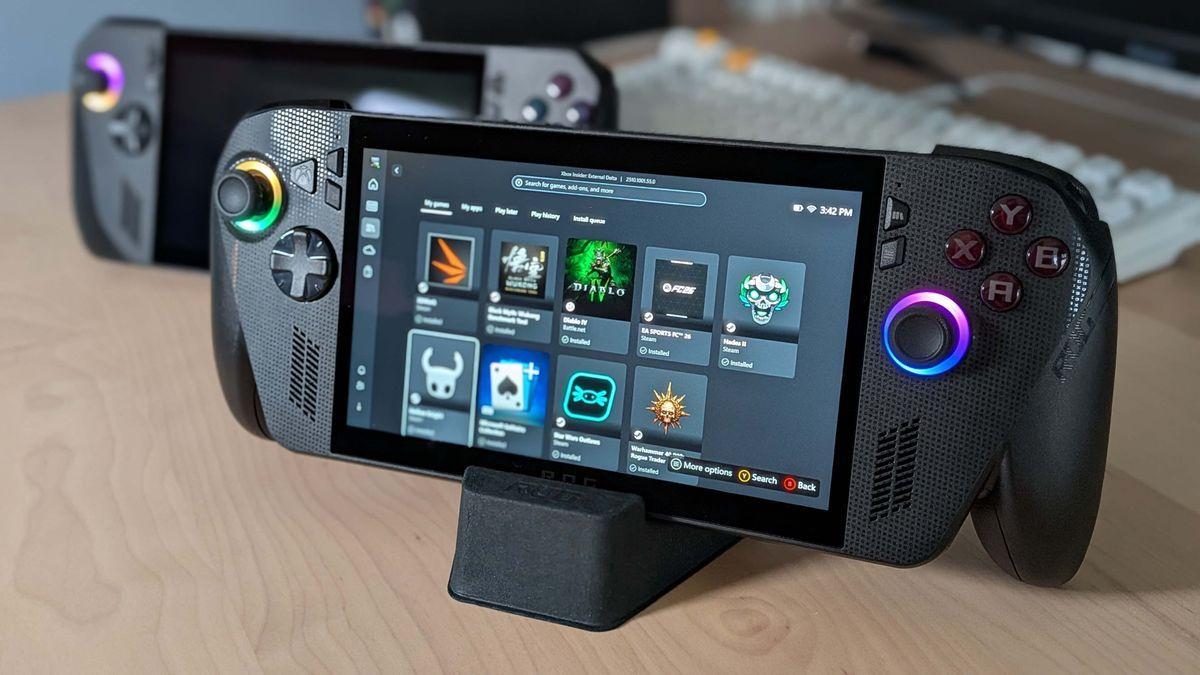
Source: PC Gamer
The technology leverages the Ryzen Z2 Extreme chip's neural processing unit to upscale game resolutions, setting it apart from GPU-based solutions like DLSS and FSR
3
. According to Microsoft, running the AI model on the NPU instead of the GPU provides crucial advantages for the ROG Xbox Ally X. When super resolution runs on the GPU, it counts toward frame time and is limited to just 1-2ms to avoid impacting performance. By offloading to the NPU, Auto SR can run larger models in parallel with the GPU, getting an entire extra frame of time to process the upscaling3
. This approach also proves more memory-efficient than GPU-based upscalers, which matters significantly for handheld devices that don't have abundant memory bandwidth to spare4
.
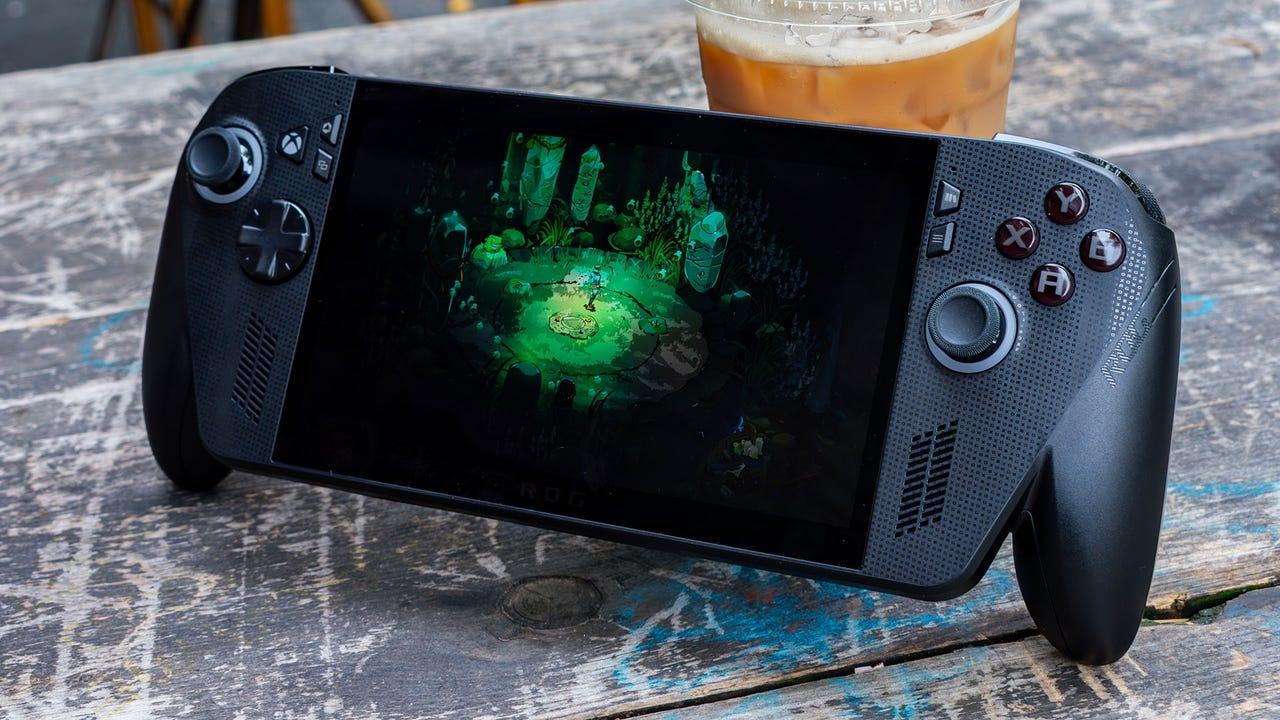
Source: IGN
Early demonstrations show the frame upscaling tech delivering impressive results. When running natively at 1440p on the ROG Xbox Ally X, games manage around 35-40 FPS. With Auto SR enabled, the same games run at lower native resolutions but upscale to 1440p, achieving stable 46-50 FPS with minimal visual differences
1
. Microsoft claims the technology can improve 1440p performance by approximately 30%, which could transform stuttering games into playable experiences4
. Currently, the feature only works when the handheld gaming PC is docked and connected to external displays. Microsoft explains this limitation strategically: "Docked play means larger screens and higher resolutions, where drops in image quality are more noticeable or where some games struggle to maintain smooth FPS"1
.
Source: XDA-Developers
Related Stories
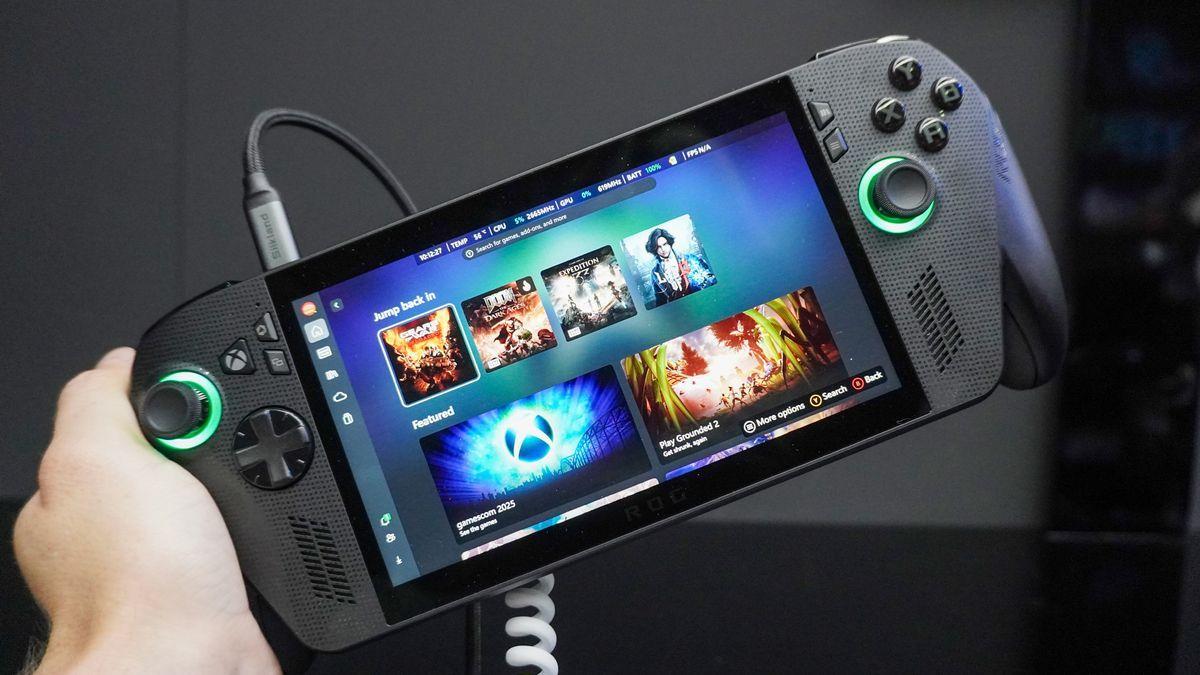
Microsoft emphasizes that Auto SR isn't meant to replace game-integrated solutions like AMD's FSR. "Game-integrated super resolution remains the preferred choice," the company states. "Auto SR steps in where game-integrated super resolution isn't available or when hardware constraints prevent it from simultaneously delivering quality and FPS"
3
. This positions the technology as a complementary tool rather than a direct competitor to DLSS or FSR, filling gaps where native upscaling isn't implemented. The update also brings other enhancements to both the ROG Xbox Ally X and base Ally models, including smarter docking that auto-disables the handheld display when connected to TVs, HDR10 support, VRR capabilities, and Bluetooth LE Audio for lower-latency wireless audio2
.Auto SR on the ROG Xbox Ally X signals where Microsoft's entire graphics strategy is heading—OS-level AI upscaling that works silently across thousands of games without developer intervention
2
. To access the preview, users must enroll in the Xbox Insider program, update their system, and enable Auto SR through a new tab in the Game Bar1
. While the setup process is currently complex, involving multiple update steps and Microsoft Store installations, the hope is that the general release will streamline this experience3
. Microsoft is exploring support for portable mode, though the NPU's power consumption when running the upscaling AI model likely impacts battery life significantly. The technology's arrival raises questions about broader rollout to laptops and desktop PCs with NPUs, potentially giving Intel Core Ultra chips a practical use case while providing graphics cards more breathing room3
.Summarized by
Navi
[1]
13 Mar 2026•Technology

28 Jan 2026•Technology

10 Dec 2025•Technology

1
Technology

2
Policy and Regulation

3
Policy and Regulation