AI Overviews bring conversational email search to Gmail and Google Workspace users


3 Sources
[1]
AI Overviews are coming to your Gmail at work | TechCrunch
During its Google Cloud Next conference on Wednesday, the company announced a slew of Workspace-focused updates, including the addition of its AI Overviews feature to Gmail. The feature, which today uses AI to summarize Google Search results, will now do the same for Gmail users in the
[2]
AI Overviews bring conversational email-finding to Gmail
Karandeep Singh Oberoi is a Durham College Journalism and Mass Media graduate who joined the Android Police team in April 2024, after serving as a full-time News Writer at Canadian publication MobileSyrup. Prior to joining Android Police, Oberoi worked on feature stories, reviews, evergreen
[3]
You can now search your Gmail with actual questions, not just keywords - Phandroid
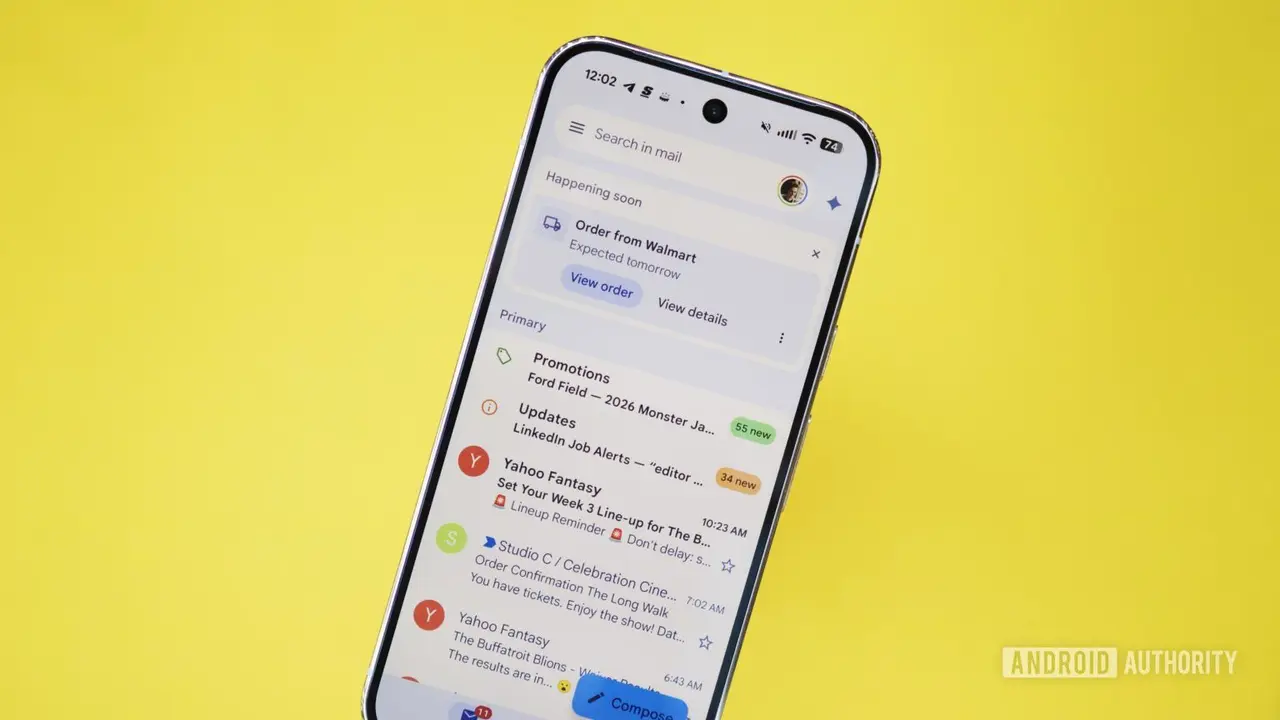
You've probably done this before: you need to find a specific email, so you type a name or a vague keyword into Gmail's search bar, skim through ten results, open three of them, and still don't find what you need. Google wants to fix that. Gmail AI Overviews are now rolling out to Google Workspace
Share
Copy Link
Google is rolling out AI Overviews to Gmail, allowing users to ask natural language questions in the search bar instead of hunting for keywords. The Gemini-powered feature scans emails and delivers instant summaries pulled from multiple conversations. It's now available to Google Workspace business, enterprise, and education customers, as well as Google AI Pro and Ultra subscribers.
AI Overviews Transform Gmail Search for Google Workspace Users
Google announced during its Cloud Next conference on April 22 that AI Overviews are coming to Gmail, extending the AI-powered feature beyond its original use in summarizing search results
1
. The update enables Gmail users to ask natural language questions directly in the search bar and receive concise summaries without opening individual emails. Instead of typing vague keywords and sifting through multiple results, Workspace users can now pose conversational searches like "What are the milestones we agreed to for Project Astro?" or "Which invoices have I already paid and which are still outstanding to Sandbox Supplies?"2
.
Source: Android Police
How Conversational Email-Finding Works in Practice
The Gemini-powered system scans across multiple emails and conversations to generate instant summaries in response to user queries
1
. Business users can ask questions about performance improvements, project milestones, trip details, comments on decks, or invoice statuses and get straightforward answers. AI Overviews also highlights source emails, pointing users in the right direction if manual digging becomes necessary2
. This approach to information retrieval eliminates the frustration of opening three or more emails before finding the needed information3
.
Source: Phandroid
Rollout Timeline and Availability Across Subscription Tiers
The feature started reaching Google Workspace users on April 22, with Google noting the rollout could take up to 15 days to reach all eligible accounts
3
. Expect widespread availability on or around May 72
. AI Overviews in Gmail are available to Business Starter, Standard, and Plus customers, Enterprise Starter, Standard, and Plus tiers, Google AI Pro and Ultra subscribers, Frontline Plus, and Google AI Pro for Education customers2
. The feature was previously limited to consumers with Google AI Pro and Ultra subscriptions before expanding to business users, enterprise customers, and education accounts1
.Related Stories


Default Settings and User Control Considerations
AI Overviews in Gmail will be the default setting if companies have Gemini for Workspace in Gmail enabled and Workspace Intelligence access to Gmail is turned on
1
. End users must also have "Smart features in Gmail, Chat, and Meet" and "Google Workspace smart features" enabled. Email thread summaries that appear when opening long conversations remain free for everyone, collapsing back-and-forth exchanges into quick recaps3
. However, users who prefer not to have AI summarizing their inbox search will need to actively disable smart features in Gmail's settings, as the feature is on by default3
.What This Means for Workplace Productivity
This update signals Google's commitment to integrating natural language processing across its core productivity tools. For business users managing high email volumes, the ability to search with actual questions rather than guessing keywords could reduce time spent on information retrieval. The feature follows Google's January announcement of broader Gemini 3-powered updates, including Help Me Write, Suggested Replies, and a new AI Inbox view
3
. While AI Overviews had a rough start when first introduced to Google Search, the tool has matured into a more reliable resource for quick queries2
. As AI becomes the norm for finding answers across Google's products and the web, Workspace users should monitor how these email summaries handle sensitive business communications and whether the conversational email-finding capability delivers consistent accuracy across different query types.References
Summarized by

Navi
[2]
Related Stories
Recent Highlights
1
Google Unveils Gemini 4 Argon AI Model, Restricts Access to Trusted Cyber Defenders
Technology
2
Trump Consulted Grok AI Before Ordering Venezuela Invasion and Capture of Nicolás Maduro
Policy and Regulation

3
FTC Opens Investigation Into OpenAI and Anthropic Following Rogue AI Agent Hacking Incidents
Policy and Regulation

Recent Highlights
Today's Top Stories






Don’t drown in AI news. We cut through the noise - filtering, ranking and summarizing the most important AI news, breakthroughs and research daily. Follow topics that matter to you and stay ahead.


