5 Sources
[1]
AMD Ryzen AI Halo First Look: Giant Local AI Power in a Pint-Sized Box
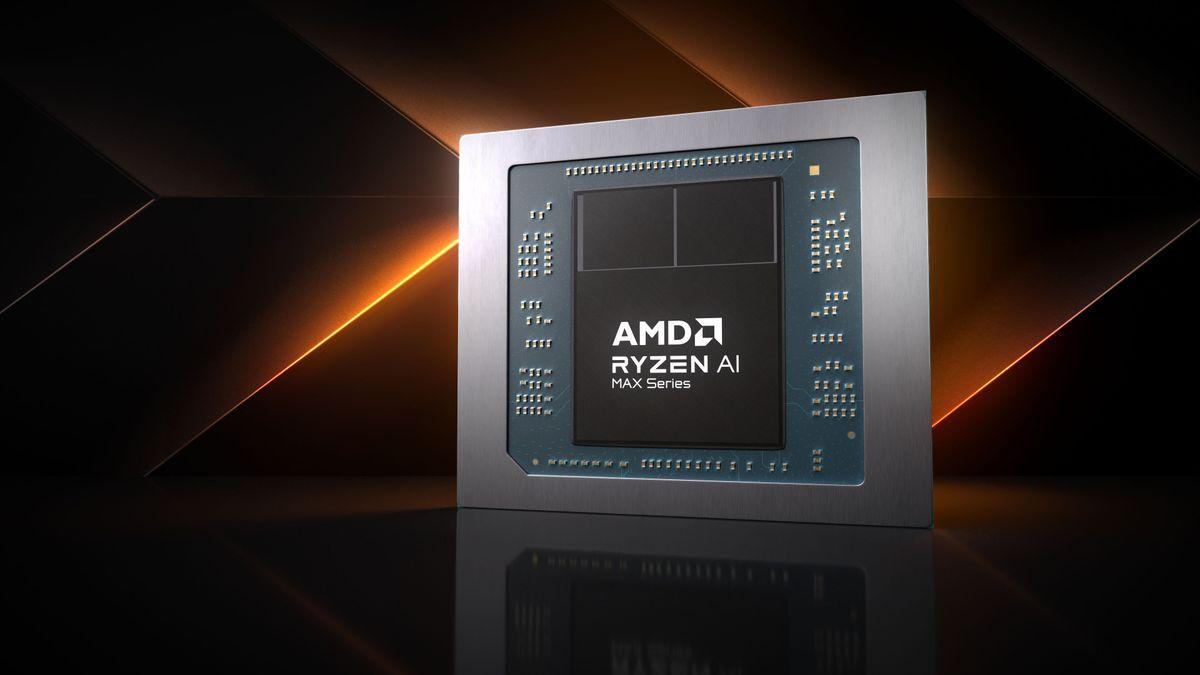
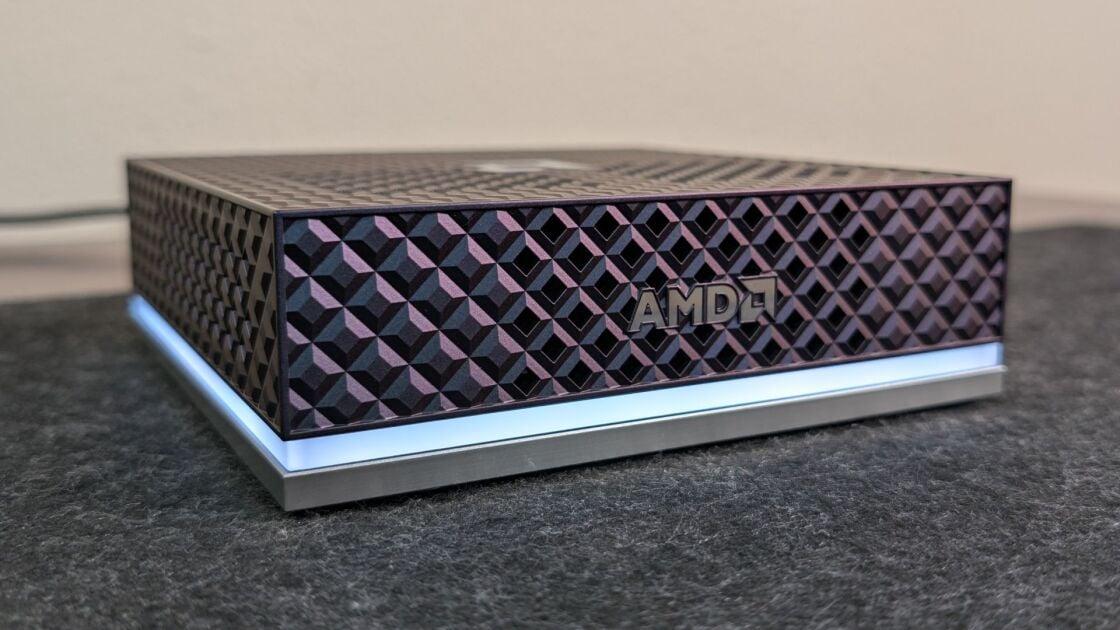
For months, Nvidia has dazzled the world of AI hardware with DGX Spark, its so-called "personal supercomputer" in the form of a compact desktop. A computer so small that could handle AI models of several billion parameters was jaw-dropping at first, to be sure. But it's become increasingly clear that local AI is no longer a luxury -- it's a necessity nowadays for software developers. Now, AMD has challenged Nvidia for the AI desktop crown with the Ryzen AI Halo Developer Desktop. AMD has already talked up its own AI desktops; in its own lingo, it calls them "Agent Computers." With the AMD Ryzen AI Halo Developer Desktop ($3,999.99), they're a reality. This flagship mini PC design runs on a Ryzen AI Max+ 395 processor with 16 Zen 5 cores and 40 RDNA 3.5 graphics compute units. Altogether, the system is rated for 126 trillion AI operations per second (TOPS). Nvidia is not the only company in AMD's crosshairs. Apple's Mac mini (in its elevated configurations) and Mac Studio desktops have also met the demands of AI developer workflows, alongside the custom-built PCs with powerful GPUs that marked the first wave of local AI systems. Regardless, the Ryzen AI Halo isn't just another mini PC. This desktop is an accessible gateway device for local prototyping, private AI models, and on-premises development. It is directly for developers and businesses hoping to trade cloud tokens for fully controlled hardware. And one key difference: Unlike the Nvidia DGX Spark, the Ryzen AI Halo runs Windows. (Linux is also an option, though, selling at the same $3,999.99 price.) AMD's Physical Hardware: Pretty, But Particular About Placement When it comes to unboxing the AMD Ryzen AI Halo, it feels instantly familiar if you have unboxed a mini PC before. This compact desktop takes up no more desk space than a standard high-performance mini PC. The whole desktop measures just 5.9 inches square and 1.8 inches thick, and it weighs 2.7 pounds, making it easy to fit onto a crowded desk and light enough to toss into a bag. AMD went out of its way to avoid making another generic mini PC clone. The design language here is distinctive, with several premium touches. The chassis has a pearlescent finish; the dark cobalt has an attractive, shifting color sheen. A sharp, textured diamond grid pattern covers the unit's top and sides, incorporating the ventilation built into those same areas. An LED status bar runs a clean line around the box's bottom edges, highlighting subtle AMD logos on the front and top panels. It glows solid white when the system is on, and it pulses blue when the Halo is in standby mode. It blinks white to indicate an abnormal power rail, or shines red to signal a DRAM failure. Slow blinking blue (different from the "breathing effect" in standby mode) signals fan-related problems. This compact desktop is built strictly to be used in a single orientation: sitting horizontal on a hard surface. Side mounting or vertical desk orientations are out of the question because of the way the system manages internal airflow. The chassis has a very particular airflow design. Cool air pulls in through the front, sides, and top of the machine, while hot exhaust vents directly out the back. Moving away from a flat orientation would block airflow, though we'll surely soon see different mounting clips and brackets 3D-printed or sold by a third party. Speaking of thermal management, the Ryzen AI Halo is fairly quiet when idling. However, when working hard, the dual internal fans move a lot of air through the chassis, creating a fair bit of fan noise. While it's not quite as loud as some of the gaming laptops I've tested, the air noise will definitely be hard to ignore once the machine is pushed. Rear I/O and Connectivity: Ready for Single-Box AI On the rear of the machine, tucked right below the heat exhaust, you will find the single, streamlined I/O panel. It hosts a 10Gbps high-speed Ethernet jack, a full-size HDMI 2.1 output, and four USB Type-C ports. Those four USB-C ports may all look identical at first glance, but a closer look reveals that each is labeled for a specific use. One (a USB-C 3.2 connection) powers the desktop, another is a dedicated DisplayPort for connecting a monitor, and the last two are USB4 hub ports for high-speed data and peripherals. Beyond physical data ports, AMD has integrated a Kensington cable lockdown slot to protect this lightweight box from casual theft. For wireless connectivity, it comes equipped with cutting-edge Wi-Fi 7 and Bluetooth 5.4. It is well worth noting that you'll find no USB Type-A port anywhere on this machine. You will need to make sure you have at least one peripheral that connects natively via USB-C -- otherwise, you won't even be able to navigate the OS to turn on Bluetooth. In fact, the connectivity looks almost identical to that of the Nvidia DGX Spark, with one exception -- it lacks dedicated ports for connecting multiple Halo boxes. Nvidia's DGX Spark employs NVLink ConnectX-7 SmartNIC, an enterprise-grade network interface for clustering Nvidia DGX Spark boxes over a special cable. (See one of our contributors' recent experiences doing that with two Dell GB10 models.) That said, that doesn't mean the AMD box can't do the same trick. You can combine AMD Ryzen AI Halo systems into a cluster using a 10Gbps Ethernet switch, running two or more of the boxes together over a local network. The reasons why you'd do that? First, to scale up the amount of unified memory available, and second, to share processing power for models larger than what a single Halo box can handle. AMD even has a handy guide to walk you through the process. The difference between the Nvidia and AMD approaches, however, is significant. The AMD Ryzen AI Halo relies on a standard 10Gbps RJ-45 Ethernet jack for that multi-node connectivity. The Nvidia DGX Spark's ConnectX-7 direct connection, in contrast, can pair two systems with an aggregate 200Gbps of network bandwidth, dwarfing the speeds AMD can support. Setting Up the Ryzen AI Halo, and the Windows Experience The elephant in the room among AI developer boxes on the market is that most, including the DGX Spark and its third-party designs, default to Linux. While that is ideal for developers who are trained on and comfortable with the platform, a Linux environment can consume hours as you work through dependencies, like specific versions of CUDA, installing PyTorch, or managing kernel updates. AMD addresses this potential friction point by offering Linux or Windows right out of the box on the Ryzen AI Halo. If Linux is what you need and you are comfortable working in that environment, you can load it up and get started. Meanwhile, the Windows 11 option essentially provides a plug-and-play AI appliance. The Alternative: Ryzen AI Halo vs. a DIY Desktop This out-of-the-box convenience raises an interesting question about AMD's platform launch: If this is the flagship of a new subcategory of desktops, what do we make of alternative DIY systems like the Framework Desktop? Through its modular design, a custom Framework setup lets you build a functionally identical AMD system. You can even outfit it with the same Ryzen AI Max+ 395 processor, the same Radeon 8060S graphics, 128GB of unified memory, and 2TB of SSD storage. So, what is the functional difference between a DIY setup like that and this new reference platform? The answer comes down to software. AMD ships the Ryzen AI Halo with its centralized AMD Ryzen AI Developer Center app preinstalled. Right from the first boot, this software hub streamlines the experience by automating the tedious setup tasks. The hub handles updating software frameworks and dependencies behind the scenes, and it provides automated scripts to isolate PyTorch environments. Plus, the hub has a handy guide that makes it easy to update core dependencies and find playbooks for a variety of use cases. Several important software tools are also preinstalled or have ready-to-go launchers right on the desktop. While you can buy a DIY system and manually load it with similar software -- from runtime packages to front-end tools like LM Studio and ComfyUI -- AMD configures the Halo to work out of the box. You get to spend your first day getting your hands dirty with functioning AI instead of fighting terminal errors. To get a sense of how the AMD Ryzen AI Halo stacks up against other similarly equipped desktop PCs, I ran a few preliminary, non-AI-oriented benchmark tests to see how it compares with some other systems we've reviewed. Initial Benchmark Comparisons: Windows and macOS For this comparison, I stacked up the AMD Ryzen AI Halo against several mini PC desktops that use the same or similar AMD hardware, such as the Framework Desktop (which you can configure with nearly identical specs) and the HP Z2 Mini G1a (a compact desktop workstation with a similar profile, also using the Ryzen AI Max+ 395). Also in the mix is the Geekom A9 Max, running a more traditional AMD Ryzen AI 9 HX 370 processor. Then, I factored in a key competitor: the Apple Mac Studio (M4 Max), a test unit using a 16-core Apple M4 Max chip with a 40-core GPU and 128GB of shared memory. Finally, I added the Asus ROG NUC (2025) for some consumer-PC flavor. It uses an Intel Core Ultra 9 275HX mobile processor and Nvidia's GeForce RTX 5070 Ti laptop-grade GPU for gaming-level performance. The notable absence from this list is the Nvidia DGX Spark (and a few Spark GB10-based boxes from other manufacturers I have on hand, including Acer, Dell, and Gigabyte). I'm working toward testing a more focused collection of AI-centric desktops in the near future, but since many run Linux (with no Windows option), I don't yet have comparable numbers across them. Stay tuned: I'm working on a deeper dive into these machines, highlighting AI's unique demands on all this hardware. Performance Testing: Productivity and Graphics Power For my first-pass benchmarking, I didn't run PCMag's entire suite of "ordinary PC" tests largely because I'm focusing much of my future testing on more AI-specific use cases. (They're also largely irrelevant to the ways you'd use a Ryzen AI Halo or a DGX Spark.) Regardless, to get a full picture of the machine's capabilities and how it compares, I ran a targeted set of foundational tests. For productivity and CPU performance, I looked at UL's PCMark 10 productivity test suite, Maxon's Cinebench 2024 rendering tests for both multi-core and single-core performance, and the Geekbench Pro 6.3 single- and multi-core CPU tests. And to gauge graphics power, I ran five separate 3DMark tests: Wild Life, Wild Life Extreme, Steel Nomad, Steel Nomad Light, and Solar Bay to see how the integrated hardware handles varying graphical workloads. In PCMark 10, the AMD Ryzen AI Halo actually left the pack, scoring over 10,000 points, where other mini PCs traditionally score around 7,000 or 8,000. (The Apple Mac Studio is not included in this particular comparison because UL doesn't support macOS with PCMark.) In Cinebench 2024, the AMD Ryzen AI Halo put up respectable scores. It matched the Framework Desktop in single-core performance, but fell slightly behind its multi-core mark. (The Framework chassis is much bigger, of course.) However, when comparing it with our full roster of systems, the Ryzen's multi-core score was still quite respectable. It shows that the chip's raw processing and rendering capability are not much constrained by the Ryzen AI Halo mini PC's compact design and thermal management system. That same level of performance was evident in Geekbench Pro 6.3. The Ryzen AI Halo scored similarly to the nearly identically configured Framework Desktop, though it fell behind the more powerful Apple Mac Studio with the M4 Max. In any case, what we're really seeing here is that AMD brought its absolute best hardware to this AI box, making it competitive with top-of-the-line systems that are increasingly well-suited to AI workflows. In the 3DMark graphics tests, we saw a similar high level of performance, but this is where the compact design's constraints start to show a little more. The Ryzen AI Halo landed right in the middle of the pack most of the time. The pattern from the graphics test data is also clear -- if you want peak graphics power in a compact PC, turn to something like the Asus ROG NUC (graphics is 100% its bailiwick), or build your own spec-for-spec match using something like the Framework Desktop. But of course, that's not what the Ryzen AI Halo is all about. Focusing on these benchmark numbers misses one of the AMD Ryzen AI Halo's most important distinctions: This top-flight hardware is slick on its own, but it is made significantly better by explicit optimizations for local AI workloads. Real-World AI Testing: How Long to Get Up and Running? The standard benchmark tests we use for everyday PCs, and hardware spec comparisons, only tell a fraction of the story. For this next section, I ran a couple of hands-on tests in real-world AI use cases. AMD heavily emphasizes metrics like time-to-first-task and ease of setup, so I pulled out the stopwatch to see if the marketing holds up. My focus was entirely on how quickly I could go from a dead stop to a functioning local AI model. Many AI boxes on the market currently present steep configuration barriers, but AMD clearly focuses on execution velocity -- and it shows. In my first test, I saw how long it truly took to go from a cold boot to executing a live, local model prompt. Normally, the term "time to first token" measures the split-second interval between sending a prompt and receiving a response from an already active AI model. In this case, I wanted to measure a different kind of velocity: How long it takes to go from powering on the machine for the first time to installing and running a freshly downloaded model. As a quick disclaimer, this test was conducted after some unavoidable initial setup of the machine -- meaning I had already gone through the standard Windows welcome screens, connected to Wi-Fi, and paired my Bluetooth keyboard and mouse. Those tasks do add a few extra minutes to the out-of-the-box experience, so they are not reflected in this timed test. To start the clock, I powered on the machine and hit the start button on my stopwatch at the exact same moment. The first part of this test, after I've pressed the power button, is finding a model to deliver that first token. Navigating the Software Hub: Ryzen AI Developer Center The first thing you are greeted with when booting into Windows on the Ryzen AI Halo is the preinstalled Ryzen AI Developer Center app. This desktop comes preloaded with critical developer binaries, including the AMD graphics driver, PyTorch, and Visual Studio Code, along with installers for ComfyUI desktop, Llamafile server, LM Studio, and the Python launcher. Other common software utilities, such as Node.js and standard Python, are already installed. The first action the Developer Center app prompts you to take is a synchronization step that checks for updates across all preinstalled software and installs any necessary patches. This process took very little time -- moments at best -- because I had already let it update during my very first boot configuration. Next, I launched the preinstalled LM Studio app that was waiting right on the desktop. It opened immediately and prompted me to download my first AI model for local use, recommending Google's Gemma-4-E4B as a starter model. Rather than browsing for other options, I selected it and downloaded the 6.33GB model file onto the machine, which took roughly five minutes. The installation process kicks off automatically as soon as the download finishes, running quietly in the background so you can focus on other tasks. For this initial pass, I simply monitored the progress and waited for it to wrap up. Next Up: Messing With the First Models It didn't take long at all to complete the download and pull the files into the environment. Moving over to the LM Studio main screen, I jumped into the My Models menu on the left-hand navigation rail and found Gemma-4-E4B ready to roll. Even though it acts as a massive 7.5-billion-parameter model in this setup, it was already fully installed and optimized. After the app prompted me to accept or adjust the default model configurations, I stuck with the recommended settings and initialized the model. From there, I opened a brand-new chat interface and typed out my first message: a simple "Hello!" The response was almost instantaneous, and within seconds, I was actively conversing with a completely local model running on the desk right in front of me. The total elapsed time from pressing the physical power button on the chassis to receiving that first text response was 9 minutes and 38 seconds. Having set up local models in the past on high-end gaming laptops, as well as on the Nvidia DGX Spark -- where a developer must manually download the correct software dependencies, configure the environment, install the front end, and then track down a compatible model format -- I have never seen this deployment process move so quickly or so seamlessly. Building out an identical environment on a completely blank system can involve 30 to 40 minutes of troubleshooting terminal errors before you get your first response. AMD has completely eliminated that friction. Hands-On Image Generation: From Playbook to ComfyUI For my next test, I opened AMD's listing of "playbooks" (its starter guides), selected the AMD Ryzen AI Halo as my hardware, and jumped to the beginner-level playbooks, which AMD helpfully categorized by difficulty. I selected the first one that caught my eye: generating images with ComfyUI and Z-Image Turbo. I started my stopwatch again, the exact moment I opened the playbook guide, walking through it from start to finish. The playbook kicked off with me adjusting the device's memory configuration, changing it from the default 64GB of dedicated GPU memory to a larger 96GB allotment. Doing that required opening AMD Software: Adrenalin Edition, one of the preinstalled apps on the system. The guide walked me through navigating to the performance menu under the tuning section, where I was able to adjust the variable graphics memory and reboot the system to apply the change. Right from the start, the playbook was well-organized, complete with accurate, helpful screenshots of the apps and settings in question. This made it easy to find the correct sub-menus and make the necessary adjustments without having to do any tedious hunting on my own. The playbook even had me check for updates to ensure I had the latest software stack installed before proceeding. In this case, it guided me straight to ComfyUI, using the ComfyUI desktop launcher preinstalled on the Ryzen AI Halo. That meant zero hunting for obscure installer files online; you just click and open the icon that's already waiting on your desktop. Hitting the First Software Snag Once installed, the ComfyUI dashboard opened right up. When I selected the desired template, "Z-Image Turbo Text to Image," the interface immediately notified me that three models were missing and prompted me to download them. Specifically, it required downloading z-image-turbo-bf16, a tensor image generator, qwen-3-4b, and a vae.safetensors file. Here's where the Ryzen AI Halo's plug-and-play setup hit its first real snag. The automated download buttons inside the ComfyUI dashboard simply wouldn't trigger a download. To bypass the issue, I had to manually copy the Hugging Face links for the required models, download them through my browser, and drop them into place myself. It wasn't a massive imposition, but it was an unexpected wrinkle in an otherwise smooth onboarding process. Fortunately, once I got the models downloaded and moved into the correct directories -- a step explained well in the playbook -- I was able to play around with the interface enough to generate my first image: a crude approximation of the PCMag logo. Once everything was properly configured and I executed the workflow with my prompt, the system produced the final generated image in a jiffy. The time from first opening the Z-Image playbook to seeing the completed AI-generated logo on my screen was 36 minutes and 15 seconds. Again, that's faster and more intuitive than the Linux wrangling required on the Nvidia DGX Spark. But more important, it highlights how well AMD has done in lowering the technical barriers to getting results. Looking Ahead: AMD Made AI Work Easier From the sleek cobalt chassis to the blazing-fast setup times, the AMD Ryzen AI Halo makes a strong first impression. It's not just about hardware; it's the pre-optimized package that AMD has put together, effectively handing developers a true plug-and-play AI appliance. The preinstalled software, the Ryzen AI Developer Center app, and the ready-to-rock desktop launchers are all set up to get you up and running fast. It successfully makes local AI feel less like a chore to configure and more like a plug-and-play appliance. The hardware isn't bad, either. AMD packed incredible desktop performance into a pint-sized box, with "everyday" (which is to say, non-AI-specific) benchmark scores that match those of the best mini PCs we've reviewed. However, this little desktop's real draw isn't just that it's fast, or that it has an impressive amount of unified memory and AI compute muscle. It's that the AMD Ryzen AI Halo is built specifically for AI: running models, running agents, and running in parallel with whatever other systems you're already using. That's a powerful promise that AMD looks ready to deliver on. Coming Soon: The Local AI Showdown This initial look is just the beginning. Now that this reference platform is up, running, and fully configured on my workbench, it is time to see what happens when we push this silicon to its absolute limits in competition. I'm prepping a focused deep dive into testing that will pit the AMD Ryzen AI Halo directly against the Nvidia DGX Spark and other Spark systems, as well as desktops suited for local AI at this scale. Stay tuned, because the battle for the local AI desktop is now fiery hot.
[2]
AMD Ryzen AI Halo Is An Excellent & Powerful Mini PC With Fully Open-Source Software Review
Earlier this year AMD announced the Ryzen AI Halo as their in-house mini PC offering built around their leading Ryzen AI Max+ "Strix Halo" platform. After pre-orders began last month, the Ryzen AI Halo is officially beginning to ship this week and over the past few weeks we have been testing it out at Phoronix. The AMD Ryzen AI Halo is a mini PC built for local AI development and local inferencing. With 128GB of unified memory with the AMD Ryzen AI Max+ 395, it can support up to 200 billion parameter large language models and comes in a very compact and power efficient design while offering competitive performance to the likes of NVIDIA DGX Spark / GB10. With using the x86_64-based Strix Halo platform, the AMD Ryzen AI Halo can run either Microsoft Windows 11 or Linux. As separately shared this morning, when it comes to Linux shipping on the device it's using the Debian-derived AMD Ryzen AI Developer Platform operating system. Check out that article for all the interesting software details. It exceeded what I was expecting of rather just a stock Ubuntu install with ROCm or similar setup. AMD will be introducing a version of the Ryzen AI Halo using the Ryzen AI Max 400 series "Gorgon Halo" but what's shipping now is the Ryzen AI Max+ 395 "Strix Halo" model with 128GB of LPDDR5x-8000MT/s unified memory and Radeon 8060S graphics. The AMD Ryzen AI Max+ 395 is over a year old now but it still offers excellent performance capabilities between its sixteen Zen 5 cores and the impressive Radeon 8060S graphics. I can't remember a time in the past 22 years of reviewing Linux hardware on Phoronix that I have remained as impressed and interested in a CPU/SoC one year after launch as I have been with the satisfaction out of AMD Strix Halo. Beyond the powerful Ryzen AI Max+ 395 SoC itself, the Ryzen AI Halo device comes with three USB-C ports, USB-C based power delivery, 10 Gbps Ethernet, WiFi 7, Bluetooth 5.4, and an HDMI 2.1b output. It's unfortunate just one HDMI output with no dedicated DisplayPort outputs (USB-C to DisplayPort does work), but at least now we are beginning to see the HDMI 2.1 support on the AMDGPU driver side. For storage there is a 2TB PCIe Gen5 NVMe SSD. The AMD Ryzen AI Halo measures in at just 150 x 150 x 45 mm and weighs less than 1.2 kilograms. The TDP on the device is 120 Watt.
[3]
AMD Ryzen AI Halo review: AMD builds a DGX Spark of its own
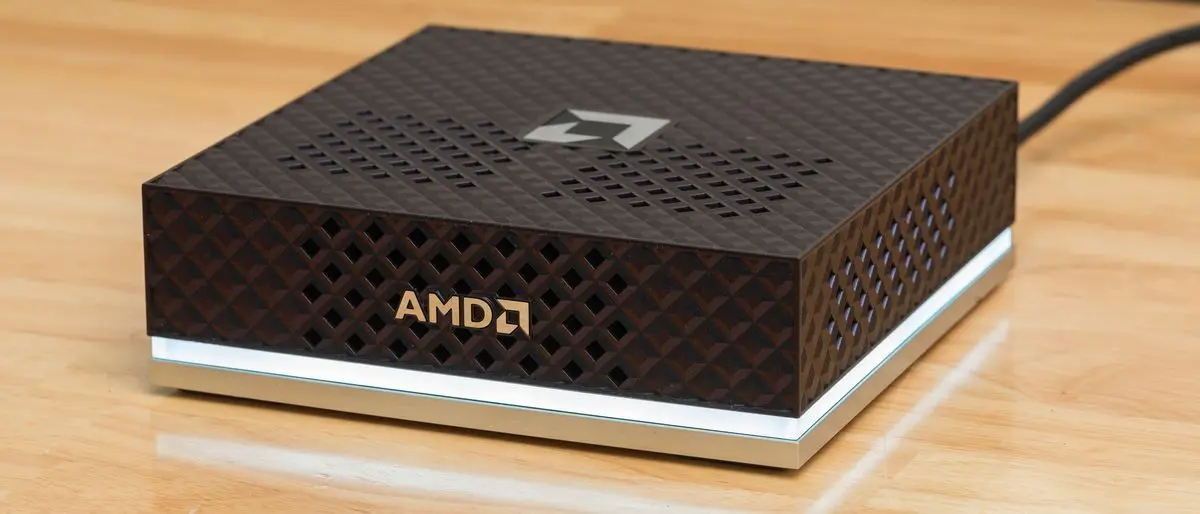
Why you can trust Tom's Hardware Our expert reviewers spend hours testing and comparing products and services so you can choose the best for you. Find out more about how we test. Nvidia's DGX Spark and its GB10 SoC have set the template for what a purpose-built local AI developer sandbox should be. The combination of a standardized hardware platform with robust first-party software support and thorough documentation lets those curious about local AI get up and running faster than buying a bare-metal box and building everything up from scratch, especially in the rapidly evolving AI space. AMD's Ryzen AI Max+ 395, aka Strix Halo, SoC, is the best x86 spoiler for GB10 so far. It has the same 128GB of unified memory, a powerful 16C/32T Zen 5 CPU, and a Radeon 8060S integrated GPU with 2560 RDNA 3.5 stream processors. It also has an AMD XDNA 2 NPU for those who want to experiment with that accelerator in addition to the general-purpose Radeon GPU. And it can run Windows and Windows apps natively, whereas GB10 boxes are Linux-only for now. AMD's partners have been building around this hardware for about a year and a half, and it's a well-known quantity at this point. But once you have that hardware in hand, setting it up for AI workloads involves digging through scattered GitHub pages, Reddit threads, and AMD official documentation to get all the software pieces lined up right for the best performance and compatibility. AMD is trying to change all that today with the launch of the Ryzen AI Halo, a first-party, turn-key Strix Halo mini-PC that puts local AI first. This system can be had with Windows or Linux, and at least in the Linux form we're testing today, it comes preloaded with the full AMD ROCm software stack and an assortment of applications you need to immediately start generating tokens with your preferred model. And on the support side, AMD has taken a page directly out of Nvidia's book and cooked up an entire set of its own playbooks that cover various local AI applications and usage scenarios with the AI Halo (and Strix Halo systems more generally) to serve as a springboard for local AI explorers. The grand tour The AI Halo comes wrapped in a plastic shell with a subtly color-shifting finish. It's got a large light bar ringing its front and sides that indicates system status. White means it's awake, while a pulsing blue indicates that it's asleep, assuming you allow it to suspend at all. Red indicates a fault. If you find the LED strip distracting, you can just turn it off using the preinstalled AI Developer Center app. The AI Halo has air intakes on its top and sides, and AMD cautions that you shouldn't block any of these intakes. If you're running by the book, that means this system is less flexible than it could be for space-constrained or multi-node home lab setups, where turning the unit on its side would allow for valuable space savings. Enterprising community members will likely design and share 3D-printed spacers and risers to get around these limitations, but for a device that is presumably meant to be used in home labs and production environments, the lack of flexibility in orientation is a small but annoying oversight. Around back, the AI Halo has the same trio of USB Type-C ports you'll find on Nvidia GB10 boxes, plus one more for power input with the included 240W brick. The port closest to the power plug runs at "USB 3.2" speeds, while ports 3 and 4 are higher-speed USB 4. These ports are all DisplayPort Alt Mode compatible, or you can use the HDMI 2.1 port for display output if you prefer. For wired networking, the AI Halo offers a 10 Gigabit Ethernet port. That's certainly fast, and AMD has written a clustering playbook for multiple AI Halos using that interface, but it's in a whole other league compared to the 200Gbps ConnectX-7 NIC on the DGX Spark and its ilk. We didn't want to strip our AI Halo all the way down to its guts, but each of the four rubber feet on the bottom of the system is secured with a pair of tiny magnets, and they conceal the four screws you presumably need to remove to get further inside. Here's a quick look at this system's specs: Amid the ongoing RAMpocalypse and NANDpocalyse, no Ryzen AI Max+ 395 system with 128GB of RAM and a large SSD is cheap, assuming you can find a 128GB config in stock anywhere. Even against that backdrop, the $3999 price tag for the AI Halo that we're testing today is a pricey proposition. That sticker puts it at the low end of Nvidia GB10 systems like the Asus Ascent GX10 (albeit in its 1TB config). Our past testing of Strix Halo versus GB10 for local AI workloads has decisively put Nvidia's platform on top, so this is a potentially awkward place for the AI Halo to land. Let's dig in and find out if anything has changed.
[4]
AMD's Ryzen AI Halo makes local AI look easy, but at $4K, easy doesn't come cheap
A year ago the Ryzen AI Halo, AMD's tiny new AI workstation, would have offered devs and machine learning enthusiasts an Nvidia DGX Spark-like experience at a fraction of the cost. Unfortunately for AMD, time and the ongoing memory shortage, which both AMD itself and Nvidia are partially responsible for, hasn't been kind to the consumer electronics industry. Launching at a hair under $4,000, the AI Halo is still cheaper than the Spark at its new MSRP of $4,699, but is now a much tougher sell than when you could get the same hardware for as little as $2,000. That's right. The 128 GB AI Halo is based on year-old technology. Its main selling point, and what AMD has spent the past several months getting right, is the packaging. Much like with the Spark, you're not just buying the machine but all the software and documentation you need to run and fine-tune enterprise-grade models and AI agents like OpenClaw and Cline, locally. Many will, understandably, balk at the price -- $4,000 is a down payment on a car -- the system is still one of the most affordable options for those who need more than the 32 GB that the highest-end graphics card can provide. Not long ago, building a workstation with 128 GB of video memory would have set you back at least $20,000, and that was before the RAMpocalypse. This puts systems like DGX Spark and AI Halo in a rather unique position. The Hardware The Ryzen AI Halo was clearly inspired by the DGX Spark. Measuring in at 5.9 x 5.9 x 1.79 inches, the black and silver system shares a nearly identical form factor to its competitor. Rather than gold aluminum siding, AMD has opted for a more subdued look with a textured top cover adorned by its logo and an LED light bar that wraps around its perimeter. The chassis itself is well ventilated with intake located along the front of the system sides and heat exhausting out the back. The back of the system is adorned with four USB-C ports, one of which is dedicated to power, while the remaining three offer connectivity (1x USB 3.2, 2x USB 4.0) for storage and peripherals. The AI Halo supports display out on all three of those ports as well as via HDMI 2.1b . A single RJ45 network port provides 10 Gbps of connectivity for those who prefer wired connectivity over the onboard WiFi 7 radio. One thing you won't find on the back of the AI Halo are QSFP ports for high-speed networking. The DGX Spark features a 200 Gbps ConnectX-7 SmartNIC for clustering multiple devices together. The AI Halo does still support clustering if you happen to pick up multiple systems, but with only one such system on hand, we can't say how big a difference the slower networking actually makes. AMD's Ryzen AI 395+, which you may recognize from its codename Strix Halo, sits at the heart of the system. This SoC isn't new, having been on the market for more than a year now. In fact, we pitted the Pro variant of the chip running in HP's Z2 Mini against the DGX Spark's GB10 SoC back in December 2025. The chip is equipped with 16 Zen 5 cores clocking up to 5.2 GHz along with an RDNA 3.5 GPU with 40 compute units putting out around 56 teraflops of dense FP16 performance under ideal conditions. While Strix Halo can be obtained with as little as 32 GB of LPDDR5X memory, the AI Halo is packing 128 GB as standard. That's enough to run models of up to 200 billion parameters in size, at 4-bit precision that is. Out of the box, our system was configured to share up to 75 percent, or about 96 GB, of that with GPU. However, at least on Linux, you can extend this to nearly the system's full capacity. That memory is connected to the SoC by a 256-bit bus good for about 256 GB/s of bandwidth -- more than you'd get on a (non-Pro) Threadripper system. Bandwidth is a major bottleneck for LLM inference, with token generation directly proportional to how fast the memory actually is, and because the AI Halo's memory hangs off the GPU, it can take full advantage of it. While 256 GB/s is a lot for DDR5, it is dwarfed when you compare to the GDDR or HBM found in consumer and datacenter GPUs. The RTX 5090 delivers 1.7 TB/s of bandwidth, making it admittedly high -- for models small enough to fit in that card's 32 GB of VRAM. We'll talk about performance in a bit, but this really gets to the hardware's core value proposition. For most local AI enthusiasts and devs, memory capacity is the biggest bottleneck. It doesn't matter how many teraflops your GPU can push or how fast your memory is, if you don't have enough of it in the first place. At 16-bit precision you need about 2 GB of memory for every billion model parameters. At 8-bits, it's a 1:1 ratio and, at 4-bits, you need just 512 MB for every billion parameters. If you've toyed around with local LLMs in Ollama or LM Studio before you're almost certainly running 4-bit weights, which is why you can cram a 20 billion parameter model onto a consumer graphics card with as little as 16 GB of VRAM. Unfortunately, there are a lot of AI workloads that aren't easily quantized or require substantial quantities of memory in addition to what's used to hold the model weights. But once you venture beyond low precision inference, memory quickly becomes a major constraint. For example, a full fine tune of a modest 7B parameter can easily consume upwards of 100 GB of memory. This is where systems like the AI Halo or DGX Spark really shine. They may not be the most powerful or the fastest systems, but there's not much that you'd want to do that you couldn't thanks to their ample memory capacity. As we've shown in the past, Strix Halo is more than capable of running larger more capable models exceeding 100 billion parameters or fine-tuning models up to 70 billion parameters, something that's well beyond the means of consumer graphics cards. What the AI Halo actually buys you If the chip isn't new, you might be wondering what exactly the Ryzen AI Halo buys you over another Strix box, like HP's Z2 Mini G1a we reviewed back in December. Back then, that system retailed for around $3,000. Its price has since surged to nearly $4,900. If you're already familiar with AMD's HIP and ROCm stacks and reasonably comfortable with Linux, the answer is not a lot. AMD even has playbooks specifically for early adopters of its Ryzen AI products. So, if you jumped on a Strix Halo system before DRAM prices hockey sticked, you're really only missing out on the conveniences that the preinstalled software brings. With that said, we're willing to bet most folks considering AI Halo are probably dipping their toes into ML and AMD's software ecosystem for the first time. ROCm is a heck of a lot easier to get running on Ryzen APUs and Radeon graphics than it used to be, but we'd be lying if we said that it's always easy. The same is true of Nvidia and CUDA to a lesser extent. Some steps are easier, while others like GPU passthrough for containers require jumping through additional hoops. That's not even to mention PyTorch compatibility, which can vary from app to app. Regardless of which platform you buy into, wrangling dependencies is still a mess. Both the AI Halo and DGX Spark's core value prop is helping customers avoid as many of these headaches as possible by combining validated hardware with pre-installed dependencies and well documented playbooks that walk you through common use cases. In other words, it's an AI lab in a box. What's it like using the AI Halo The AI Halo ships with your choice of Linux or Windows 11. The review unit AMD provided us with, came equipped with a lightly-modified version of Debian with the 6.18 Linux Kernel, Gnome desktop environment, ROCm 7.13 preinstalled, and a slew of preinstalled AI apps and frameworks, like ComfyUI and vLLM. For anyone who's used Linux before, the experience should be quite intuitive. Upon first boot, a startup wizard will guide you through the process of creating your user profile, connecting to the network, and updating the device. Once you are logged in, AMD's Ryzen AI Developer Center launches automatically and provides quick access to resources and system settings. As of this writing, AMD's developer docs include 19 playbooks covering everything from the basics of running LLMs and image models on the device to building full blown agents with OpenClaw. We walked through most of these as part of our review process and with a few exceptions we were able to run them with minimal troubleshooting. We did have to ask an LLM for help debugging AMD's PyTorch fine-tuning scripts. Thankfully, the selection of pre-downloaded models were capable enough to identify the single line fix required to get them running again. While most of AMD's playbooks were more than adequate, we found its vLLM getting started guide a little lacking. It was easy enough to get it running -- AMD has written a wrapper that abstracts the creation and deployment of the inference server in a Docker container -- but the guide doesn't discuss how to select a model, much less configure it. vLLM is an incredibly popular inference server broadly deployed in production. This makes it all the more disappointing that AMD's documentation isn't more comprehensive. One bright spot we'd like to highlight is Lemonade Server. The app comes preinstalled and provides an LM Studio or Ollama-like experience tuned specifically for AMD hardware. It's built atop a number of different model runners including vLLM, Llama.cpp, Whisper.cpp, Stable Diffusion.cpp and others. There is even support for a limited selection of models which will run on the system's NPU. Perhaps the most attractive use case for the system is as a host for AI agents. When AMD announced the system, it was keen to highlight how small local models, like Qwen 3.6-35B-A3B, were now good enough to replace larger proprietary models for many coding workflows. The company went so far as to claim that, for full-time software devs, the system could save as much as $750/month compared in API expenses they'd pay to a cloud-based LLM. We plan to put those claims to the test in a future article. Beyond AI coding, we also expect the system to be quite popular as a platform for running harnesses like OpenClaw. Given the software's significant, not to mention numerous security implications, running it locally with container isolation is probably the safest option, and its large memory capacity means that you'll have access to larger more capable models. Performance In terms of performance, the Ryzen AI Halo is a bit of a mixed bag. In memory bound applications like LLM inference, the system matches and in some cases narrowly outpaces Nvidia's more expensive DGX Spark. Hanging the memory off the GPU instead of the CPU benefits the AI Halo here. In compute bound workloads, like fine tuning, image generation, or batch processing, the gap grows considerably. We plan to dig deeper into how the AI Halo performs in a future article, but, in our initial testing, we don't see a major uplift in performance compared to our earlier testing. We're also not sharing vLLM performance figures for the AI Halo just yet as our initial testing with AMD's provided build produced results we're not confident in. Depending on the workload and precision, you can expect the Spark's GB10 APU to be anywhere from 2x to 3x quicker in compute-bound AI workloads. A big piece of this is down to the fact that Strix Halo wasn't really intended for this use case. AMD's RDNA 3.5 GPU tech lacks support for floating point precisions lower than FP/BF16. It does offer INT8 support, but only by upcasting to FP16, which means no performance uplift from dropping to lower precision. On paper, the GB10 delivers roughly twice the 16-bit performance, three times that at FP8 and twice again at FP4. This is one of the biggest critiques of AMD's current consumer hardware roadmap, and why we continue to see such a wide performance delta. While its software has improved and its datacenter kit supports FP8 and FP4, the AI Halo is stuck on an older microarchitecture. But, as we mentioned in our initial Strix Halo vs GB10 head-to-head, whether you'll even notice the performance deficit really depends on what you're doing. AI benchmarks, including ours, usually disable prefix caching. This allows us to accurately evaluate the accelerators' performance, but isn't representative of how you'd actually use the model. In a chatbot or AI agent, the prefix caching keeps the accelerator from getting bogged down by caching previously-computed information so that only new data has to be processed. With it disabled, the problem size grows with each prompt processed and each response generated. We're currently in the process of developing a series of new tests that take advantage of caching and other functionality, like multi-token-prediction to measure performance in agentic applications like code generation. We look forward to sharing the results of those tests soon. Should you buy it? Strix Halo wasn't a cheap part before RAMageddon and it certainly isn't now -- $4,000 is a lot of money. But for the right person, it's still a relative bargain. If you're interested in learning more about local AI, we recommend starting with what you've already got before considering dropping this kind of cash on an AI-first system like the AI Halo. If usage based APIs are out of the question and your existing graphics card is no longer cutting it, GB for GB the Ryzen AI Halo is still much cheaper than workstation cards from either AMD or Nvidia. For reference, a 96 GB RTX Pro 6000 is much, much faster and offers nearly as much addressable memory as the AI Halo, but has an MSRP of $13,250. Oh, and that's just for the GPU; you still need to plug it into something with at least that much DDR5 on board. And so the question becomes how badly do you need the VRAM and how valuable is AMD's documentation and support? Enthusiasts willing to blaze their own trail might be able to save a buck by picking up an OEM Strix Halo box and configuring it themselves. On the flip side, for those willing to spend a bit more money, Nvidia's DGX Spark also offers fantastic documentation and a fair bit more computational grunt, which again means faster fine tuning, image generation, and prompt processing. The number of tok/s is limited by memory bandwidth. With that said, the DGX Spark is much more of an appliance, which means, if you buy this thinking you're going to run agents on it and later decide it's not worth the trouble, it's less likely to end up collecting dust on the shelf. Because it's just an x86 PC under the hood, the AI Halo is perfectly capable of running Windows or your preferred Linux distro, if you decide local AI just isn't for you. Oh, and if 128 GB of VRAM isn't enough for you, AMD has a refreshed version of the system on the way with 192 GB of LPDDR5X memory and slightly higher clocks. ®
[5]
AMD's tiny Ryzen AI box does what Nvidia's DGX Spark does at a fraction of the power
Maker, meme-r, and unabashed geek, Joe has been writing about technology since starting his career in 2018 at KnowTechie. He's covered everything from Apple to apps and crowdfunding and loves getting to the bottom of complicated topics. In that time, he's also written for SlashGear and numerous corporate clients before finding his home at XDA in the spring of 2023. He was the kid who took apart every toy to see how it worked, even if it didn't exactly go back together afterward. That's given him a solid background for explaining how complex systems work together, and he promises he's gotten better at the putting things back together stage since then. Depending on the model you choose, you can run local inference on pretty much any device you have access to. And they're good at it now, whether that's a 9B Qwen variant or a tiny quantized version of Gemma to run on your phone. But when you want to get into the development of AI or run larger models, the price of entry skyrockets. Enter the AMD Ryzen AI Halo, which is a relatively low-cost mini PC built around the Strix Halo APU and 128GB of LPDDR5x memory. This is AMD's answer to the Nvidia DGX Spark, and it fits the same niche. Developers that want to prototype systems or build smaller models on local hardware that can then be scaled up for production use. It's not built for speed, and the Nvidia H100 or RTX 5090 will outpace it readily, but when you need to cram lots of parameters into VRAM, it has few rivals. About this review: AMD provided the Ryzen AI Halo used in this review. It had no input into the contents nor saw it before publication. AMD Ryzen AI Halo 9/10 CPU AMD Ryzen AI Max+ 395 Graphics Radeon 8060S Memory 128GB LPDDR5x 8,000 MT/s Storage 2TB NVMe M.2 SSD The AMD Ryzen AI Halo is a mini PC powered by the Strix Halo (Ryzen AI Max+ 395) APU. It has 128GB of unified memory for local AI workloads, and can be used for quantization, fine-tuning, and all things Vulkan and ROCm. Ports 3x USB-C 10 Gbps, 1x USB-C for power input, 1x 10 GbE, 1x HDMI 2.1 Expansion Slots N/A Display N/A Operating System Windows 11 or Linux Dimension 150 x 150 x 45.4 mm (5.9 x 5.9 x 1.79 inches) Weight Less than 1.2 kg (2.65 lbs) Networking Wi-Fi 7, Bluetooth 5.4 Pros & Cons * Powerful * Small * AMD brought an ecosystem as well * Built for a specific customer in mind * Might want to wait for the AI Max+ Pro 495 with 192GB of RAM $4000 at Micro Center Expand Collapse The hardware inside the Ryzen AI Halo x86 CPU instructions mean no Arm weirdness The AMD Ryzen AI Halo is built around the Strix Halo APU, which I've already been using in my home lab since the end of 2025. Still, this version of it is much sleeker and quieter than the one I've been using, and even on full testing runs it stays under 51C. We got the Linux version for review, which has a Debian core, or there's a Windows 11 variant if you prefer. The Ryzen AI Max+ 395 inside has 16 cores, 32 threads, with a base clock of 3 GHz and boosts up to 5.1 GHz. It's configurable up to 120W TDP, and it's been pushed to the limit for the Ryzen AI Halo. But most AI tasks will be GPU-accelerated, using the Radeon 8060S iGPU, which has 40 Graphics Cores running at 2,900 MHz. With 128GB of LPDDR5x running at 8,000 MT/s, that's a lot of unified memory to assign to LLMs and their associated tasks. AMD Ryzen AI Halo CPU AMD Ryzen AI Max+ 395 Graphics Radeon 8060S Memory 128GB LPDDR5x 8,000 MT/s Storage 2TB NVMe M.2 SSD Ports 3x USB-C 10 Gbps, 1x USB-C for power input, 1x 10 GbE, 1x HDMI 2.1 Expansion Slots N/A Display N/A Operating System Windows 11 or Linux Dimension 150 x 150 x 45.4 mm (5.9 x 5.9 x 1.79 inches) Weight Less than 1.2 kg (2.65 lbs) Networking Wi-Fi 7, Bluetooth 5.4 Expand Collapse The APU is plenty powerful enough for AI, because you'll find yourself bandwidth limited as the 256 GB/s of memory bandwidth is a fraction of that of an RTX 5090, to say nothing about HBM-equipped server graphics cards. Does it matter for local inference when you're not paying per token? Not really, but you do need to temper your expectations somewhat as to how quickly tasks will get finished. You also get 10 GbE networking via a sensible RJ-45 port, three USB-C ports (one with DP Alt Mode), and one USB-C for power input. AMD put in 2TB of NVMe SSD, with a single slot. You also get Wi-Fi 7, Bluetooth 5.4, and HDMI 2.1b, and a 50 TOPS NPU that sips power and is pretty useful from my testing. You don't get QSFP ports like on the DGX Spark models to cluster the Ryzen AI Halo together, but you can still cluster in two different ways over the normal 10 GbE network link. I served a 200 billion parameter LLM from a Lenovo workstation the size of a Mac Mini This mini PC is small and ridiculously powerful. Posts 4 By Adam Conway How does it compare to the DGX Spark and Apple Silicon Similar concepts but differing priorities The AMD Ryzen AI Halo is the non-CUDA alternative to the DGX Spark. The other option for unified memory is the Mac Studio, although with Apple no longer selling the 128GB, 256GB, and 512GB RAM options, the 96GB Mac Studio starts to look less appealing. It is the best of the three for memory bandwidth, due to not using LPDDR5x, with roughly 800 GB/s on the M4 Ultra compared to 256 GB/s on the Ryzen AI Halo and 273 GB/s on the Lenovo version of the DGX Spark. It's worth noting that the DGX Spark is faster at prefill (roughly 5x faster), but decode is the workload that most people will be running on these boxes. LLM inference is almost entirely bottlenecked by memory bandwidth, with model weights streamed from VRAM during each decoding step, and more bandwidth means more tokens. A Mac Studio will outperform the AMD Ryzen AI Halo, but Apple MLX and the Metal backend for llama.cpp are lacking in the surrounding tooling. And really, that's a big difference, and one that makes AMD or Nvidia better for AI development. Apple's M3 Ultra Mac Studio manages things no other PC is capable of It's expensive, but you won't find this kind of power elsewhere. Posts 5 By Adam Conway The AMD Ryzen AI Halo is a product stack disguised as a mini PC Vulkan vs ROCm isn't the blowout I expected to see AMD has been playing catch-up to Nvidia's CUDA stack, but it's getting closer. Part of that is new tooling, like Lemonade's AI server. The new releases have a built-in bench command that runs the same model through both GPU backends in one pass, reloading the model before every single run so nothing is skewed by a warm prompt cache. The community (and AMD) say to use Vulkan on Strix Halo, but it's a little more nuanced than that based on my numbers. MoE models change the math completely The single most useful number in my entire testing comes from Qwen3 Coder 30B-A3B. This is nearly four times the size of the 8B Qwen3 model I used on the NPU runs, and generates at 69 tokens per second -- two thirds faster than the smaller model. That's the fun of Mixture-of-Experts models; only around 3B parameters are active at any one time, so even though it takes up more space on disk, it's faster. A 128GB machine with unified memory is basically custom-designed for this class of models, and it's the one I'm going to stick with for most tasks. Model Backend TTFT (ms) TPS VRAM peak (GB) Llama 3.2 3B Vulkan 188 78.3 4.0 Qwen3 8B (Q4_1) ROCm 95 41.2 6.6 Qwen3 8B (Q4_1) Vulkan 141 43.9 6.8 Qwen3 Coder 30B-A3B (MoE) ROCm 173 69.5 19.0 Qwen3 Coder 30B-A3B (MoE) Vulkan 219 90.1 19.0 The part nobody benchmarks: it barely breaks a sweat My favorite measurement from the entire testing gamut wasn't even from Lemonade. It was a thermal check on the system that ran alongside the LLM bench runs, and it was illuminating. While my DGX Spark could get too warm to touch, the AMD Ryzen AI Halo peaked at 83W from the wall, and 53C for the APU. That's a mini PC running flat-out at temperatures my AIO-cooled desktop PC would be proud of, with 40-odd degrees of headroom before the silicon would even consider thinking about throttling. Running the tests for 30 minutes each was a formality. The tokens per second line never sagged because there was nothing to sag. The NPU is useful I also tested the NPU against ROCm and Vulkan on the GPU, using Qwen3-8B-FLM and Qwen3-8B-GGUF. This also dispels one of the myths around using LLMs on AMD hardware, in that Vulkan isn't always the best way to go on Strix Halo. For this model running on Lemonade's server, ROCm was better for prefill, and could be the decider when using chat workloads with big contexts, like you would on prolonged agentic coding sessions. Engine TTFT TPS Notes ROCm 95ms 41.2 best prefill Vulkan 141ms 43.9 best decode NPU (FLM) ~1,370ms 11.0 metronome consistency Now, the NPU uses about 20W on Strix Halo, but it means you can run a background model on the NPU while the iGPU is busy on something else. The DGX Spark or Mac Studio can't do that, and it means you can use the Ryzen AI Halo as a coding box with local LLM completion while your other tasks run. The iGPU is still more efficient (0.8-1.1 tokens per Joule vs 0.53 tokens per Joule on the NPU), but it's nice to have a second way to run easier tasks. I finally found a local LLM I actually want to use for coding Qwen3-Coder-Next is a great model, and it's even better with Claude Code as a harness. Posts 26 By Adam Conway Should you buy the AMD Ryzen AI Halo? This is a great prototyping box for AI developers who aren't wedded to CUDA The AMD Ryzen AI Halo is just as easy to recommend as the DGX Spark to the same audience. Except it's for everything not-CUDA, which gives you a different stack to work with for artificial intelligence. You can do the same tasks, and run up to 200 billion parameter models on a single device. There is one thing that the Ryzen AI Halo has over the Nvidia boxes. It's a fully functioning desktop computer at the same time, whether you get it with Windows 11 or Linux installed. The Strix Halo being x86 makes it easier to use, because the Arm CPU in the DGX Spark needs a bunch of workarounds to perform, and it's not always simple to do. The other thing is that with the RAM market, the Ryzen AI Halo is the good value option, especially as the Mac Studio only lets you spec up to 96GB of unified RAM right now (to say nothing about the $5000+ price tag). The DGX Spark is now $4,699, but you do get 4TB of SSD instead of the 2TB in the Ryzen AI Halo. The AMD Ryzen AI Halo expands the options available to AI developers that need to use models too large for consumer VRAM, security or budgetary concerns that make cloud compute a non-starter, and workflows that aren't wedded to Nvidia's CUDA. AMD Ryzen AI Halo CPU AMD Ryzen AI Max+ 395 Graphics Radeon 8060S Memory 128GB LPDDR5x 8,000 MT/s Storage 2TB NVMe M.2 SSD Ports 3x USB-C 10 Gbps, 1x USB-C for power input, 1x 10 GbE, 1x HDMI 2.1 Expansion Slots N/A $4000 at Micro Center Expand Collapse
Share
Copy Link
AMD launches the Ryzen AI Halo, a compact AI workstation designed for local AI development with 128GB of unified memory. Priced at $3,999, this powerful mini PC runs on the Ryzen AI Max+ 395 processor and directly challenges Nvidia's DGX Spark. The system supports models up to 200 billion parameters and ships with either Windows 11 or Linux with full ROCm software stack pre-installed.
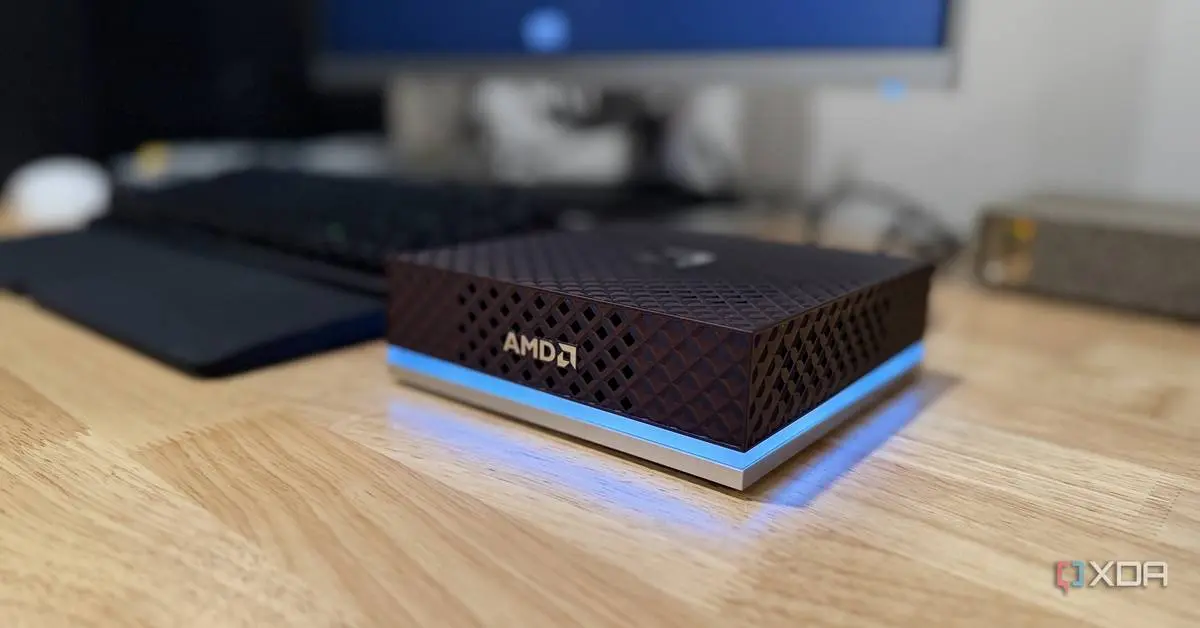
AMD has officially launched the AMD Ryzen AI Halo, a compact AI workstation that positions itself as a direct competitor to the Nvidia DGX Spark. Priced at $3,999.99 for both Windows 11 and Linux versions, this powerful mini PC targets AI developers and businesses seeking to run enterprise-grade AI models locally without relying on cloud infrastructure
1
3
. The system measures just 5.9 inches square and 1.8 inches thick, weighing 2.7 pounds, making it an accessible gateway device for on-premises AI development and private AI model prototyping1
.
Source: XDA-Developers
The Ryzen AI Halo addresses a critical need in the AI development landscape. While local AI inference has become increasingly necessary for software developers, building custom systems with adequate memory capacity traditionally required significant investment. Not long ago, assembling a workstation with 128GB of video memory would have cost at least $20,000, making systems like the Ryzen AI Halo uniquely positioned in the market
4
. One key differentiator from the Nvidia DGX Spark is that the Ryzen AI Halo runs Windows natively, though Linux remains an option at the same price point1
.At the heart of the system sits the Ryzen AI Max+ 395 processor, also known as Strix Halo, featuring 16 Zen 5 cores running at a base clock of 3GHz with boosts up to 5.1GHz
5
. The SoC integrates 40 RDNA 3.5 graphics compute units in the Radeon 8060S iGPU, delivering approximately 56 teraflops of dense FP16 performance4
. Together, the system achieves 126 trillion AI operations per second (TOPS), with an additional 50 TOPS from the XDNA 2 NPU for power-efficient AI tasks1
5
.The standout feature remains the 128GB of LPDDR5x memory running at 8,000 MT/s, which can be configured to allocate up to 96GB to the GPU out of the box, though Linux users can extend this to nearly the system's full capacity
4
5
. This unified memory architecture enables the system to support large language models of up to 200 billion parameters at 4-bit precision2
4
. The memory connects via a 256-bit bus delivering approximately 256 GB/s of bandwidth, which, while substantially less than the 1.7 TB/s of an RTX 5090, proves sufficient for inferencing and fine-tuning tasks where memory capacity represents the primary memory bottleneck4
.AMD has taken a comprehensive approach to software support, particularly for the Linux version. The system ships with the Debian-derived AMD Ryzen AI Developer Platform operating system, pre-loaded with the full ROCm software stack and applications needed to immediately start running AI models
2
3
. This represents a significant departure from typical mini PC offerings, where developers must piece together software components from scattered GitHub repositories and documentation. AMD has created dedicated playbooks covering various local AI developer sandbox scenarios and applications, mirroring Nvidia's approach with the DGX Spark3
.
Source: Tom's Hardware
Phoronix noted that the Linux implementation exceeded expectations, describing it as "fully open-source" and more comprehensive than a basic Ubuntu installation with ROCm
2
. The x86_64-based platform means AI developers can run both Windows and Linux natively, avoiding compatibility issues that might arise with Arm-based alternatives2
5
. This flexibility matters for developers working across different environments and tools.Related Stories
The rear I/O panel includes four USB Type-C ports, with one dedicated to power delivery via the included 240W brick, one functioning as a DisplayPort connection, and two serving as USB4 hub ports for high-speed data transfer
1
3
. Additional connectivity includes 10Gbps Ethernet, Wi-Fi 7, Bluetooth 5.4, and HDMI 2.1b output2
5
. Storage comes in the form of a 2TB PCIe Gen5 NVMe SSD, providing ample space for models and datasets2
.Notably absent are USB Type-A ports, requiring users to have at least one USB-C compatible peripheral to navigate the OS initially
1
. The system also lacks the dedicated QSFP ports found on the Nvidia DGX Spark for high-speed clustering, relying instead on the 10 GbE connection for multi-node setups1
4
. The chassis features a distinctive pearlescent finish with a textured diamond grid pattern and an LED status bar that glows white during operation, pulses blue in standby, and indicates various fault conditions through different color patterns1
.
Source: PC Magazine
The airflow design restricts the system to horizontal placement on hard surfaces, as vertical or side mounting would block critical ventilation paths
1
3
. While the system runs quietly during idle periods, the dual internal fans generate noticeable noise under heavy workloads, though reviewers noted it remains quieter than many gaming laptops1
. The 120W TDP keeps temperatures manageable, with one reviewer reporting the system staying under 51°C even during intensive testing5
.At $3,999, the Ryzen AI Halo positions itself below the Nvidia DGX Spark's current $4,699 MSRP, though the pricing landscape has shifted considerably
4
. The system uses year-old Strix Halo technology, which previously appeared in partner systems at lower price points before the ongoing memory shortage impacted availability and pricing4
. Despite the mature hardware, Phoronix noted that the Strix Halo platform continues to impress more than a year after launch, maintaining relevance for running enterprise-grade AI models locally2
.AMD plans to introduce a version using the Ryzen AI Max 400 series "Gorgon Halo," potentially with configurations reaching 192GB of RAM, which could address users requiring even greater memory capacity
2
5
. For developers and businesses prioritizing local AI workflows over cloud-based solutions, the Ryzen AI Halo delivers a turn-key solution that balances performance, capacity, and convenience. The system's value proposition centers on eliminating the complexity of assembling and configuring local AI infrastructure while providing enough memory headroom for meaningful experimentation with large language models and other AI workloads that would otherwise require expensive cloud computing resources.Summarized by
Navi
[2]
[3]
01 Jun 2026•Technology

13 Jun 2026•Technology
01 May 2026•Technology
1
Policy and Regulation

2
Policy and Regulation

3
Policy and Regulation