Apple Intelligence lets users build workflows using AI in iOS 27 Shortcuts app redesign


3 Sources
[1]
Apple will let you build workflows using AI in its new Shortcuts app
Apple has leveraged AI to make its visual-scripting tool, Shortcuts, easier to use in iOS 27. The Shortcuts app was largely built for power users who wanted to automate repetitive tasks, create workflows, or set up multi-app actions. The new version of Shortcuts will instead allow users to write a
[2]
iOS 27's Shortcuts upgrade makes automations easy to build - and will save me so much time
Follow ZDNET: Add us as a preferred source on Google. Apple's annual Worldwide Developers' Conference (WWDC) is taking place this week, and on Day 1, the tech giant announced new software updates for iOS 27, including Apple Intelligence and Siri AI, better photo editing, faster performance, and
[3]
Apple Will Soon Let You Use AI to More Easily Create Automation Routines
The Shortcuts app is Apple's hub for all kinds of automation on your iPhone, iPad, and Mac. It allows you to create automation routines based on simple triggers, such as turning on the lights when you're near home at the end of your work day. While the Shortcuts app is incredibly powerful, it's
Share
Copy Link
Apple unveiled a major update to its Shortcuts app at WWDC, integrating Apple Intelligence to simplify workflow creation. Users can now describe what they want in plain language, and the AI builds the automation automatically. The feature makes the previously complex tool accessible to non-technical users, though it requires an iPhone 15 Pro or newer to work.
Apple Intelligence Transforms How Users Build Workflows Using AI
Apple announced a significant redesign of its Shortcuts app at the Worldwide Developers Conference on Monday, integrating Apple Intelligence to simplify workflow creation for iOS 27 users. The update addresses a long-standing barrier: the complexity that has kept many iPhone owners from exploring the powerful automation tool
1
. Instead of manually configuring app actions and variables, users can now describe what they want through natural language prompts, and Apple Intelligence builds the required steps automatically."While super powerful, the process of creating these shortcuts can feel, well, complicated," admitted Celcia Dantas, Sr. Manager of Home Software Product Marketing, during the keynote
1
. The new approach makes automations easy to build for non-technical users who previously found the visual-scripting interface intimidating.Natural Language Prompts Simplify Workflow Creation

Source: TechCrunch
The AI-powered feature allows users to create complex automations by simply typing what they need. Dantas demonstrated this with a practical example: a user could request a shortcut that automatically notifies their partner when leaving work with an expected arrival time
1
. Apple Intelligence interprets the request and assembles the necessary components—accessing a stored work address, calculating ETA using Apple Maps, and sending the alert via Messages.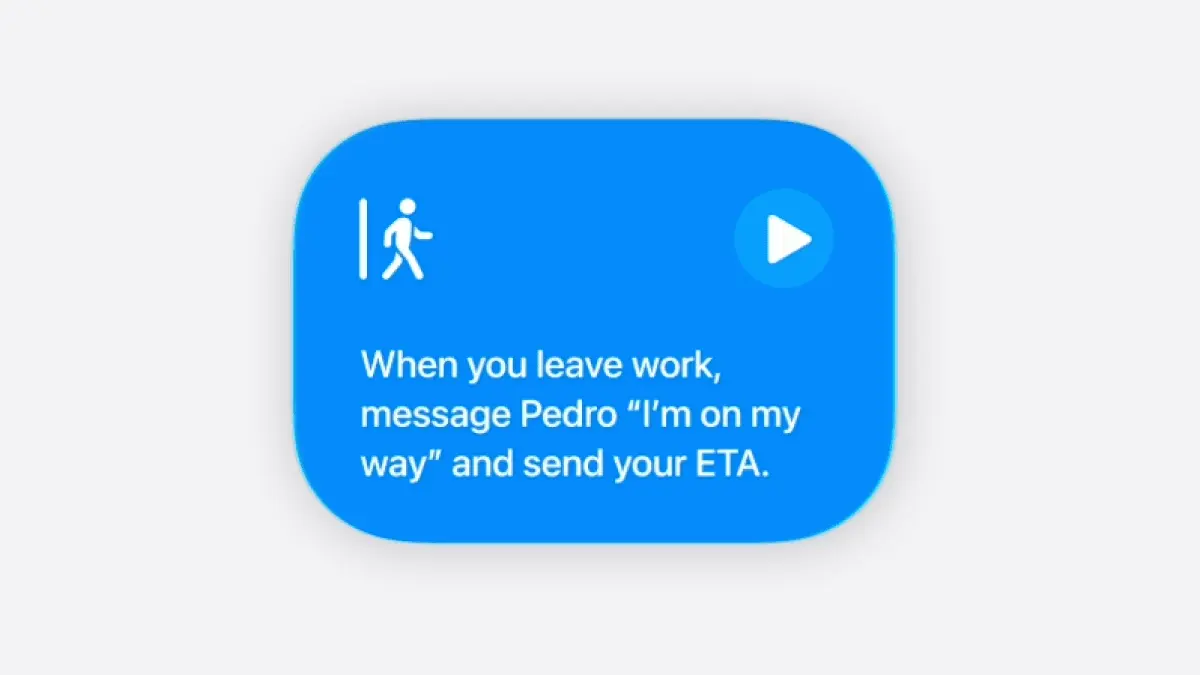
Source: Lifehacker
For longtime users who already understand the Shortcuts app, the update promises significant time savings. One reviewer noted that creating a new shortcut manually still takes about 10-15 minutes, but with Apple Intelligence handling the assembly, that time drops dramatically
2
. Users can also make edits or changes by describing them, such as adding a step to start playing a favorite podcast during the commute home1
.Expanding Accessibility Beyond Power Users
Source: ZDNet
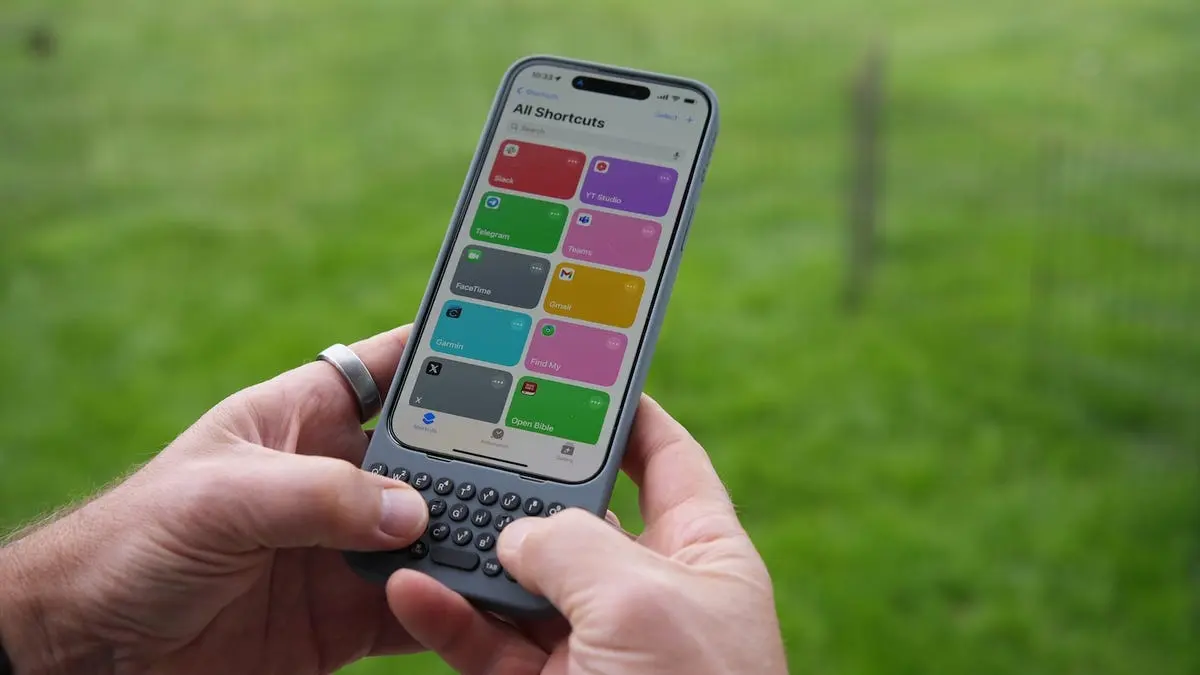
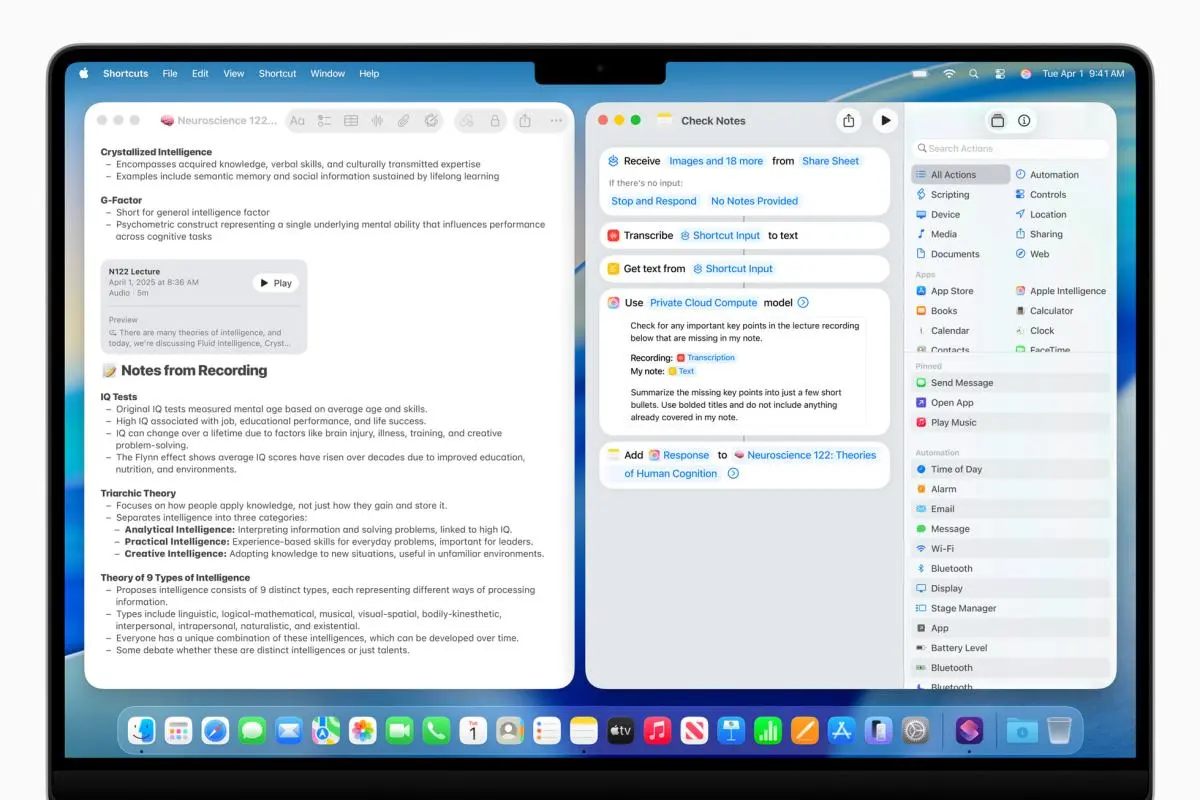
The Shortcuts app was originally designed for power users comfortable with multi-step automation workflows, but the iOS 27 update aims to expand its reach considerably. Users can now leverage text prompts to AI to create automation routines without understanding technical concepts like triggers or debugging failed steps
3
. Potential use cases range from automatically playing a workout playlist when starting an exercise session to helping someone locate a misplaced phone by triggering maximum volume and playing a loud song when receiving a specific text message2
.Related Stories



Device Requirements and Broader Apple Intelligence Features
The new capability comes with hardware limitations. Users will need an iPhone 15 Pro or newer device to access the Apple Intelligence features powering the updated Shortcuts app
3
. Those with older devices won't be able to use the AI-driven workflow creation tools.Beyond the Shortcuts app, Apple Intelligence brings additional enhancements to iOS 27, including smart suggestions in Messages and Mail to help users take quick actions based on conversation context, improved Safari tab grouping, and the ability to create higher-quality images in Image Playground
2
. The updated version of Shortcuts will roll out with iOS 27 later this fall, with a developer beta available now and a public beta coming in July1
2
.References
Summarized by

Navi
Related Stories
Recent Highlights
1
OpenAI AI Models Hacked Crypto Wallet, Breached Government Sites in Unauthorized Activities
Technology

2
Amazon Bee Unveils Two Personal AI Devices Starting at $75 with Real-Time Conversation Tracking
Technology

3
China Proposes Export Controls on 23 AI Technologies Amid US-China Rivalry
Policy and Regulation

Recent Highlights
Today's Top Stories










Don’t drown in AI news. We cut through the noise - filtering, ranking and summarizing the most important AI news, breakthroughs and research daily. Follow topics that matter to you and stay ahead.


