Apple's iOS 27 Brings Siri AI and Major CarPlay Updates Hidden in Developer Notes


3 Sources
[1]
Apple Buried the Best CarPlay News in the iOS 27 Developer Notes
North American Car, Truck and SUV of the Year (NACTOY) Awards Juror Apple CarPlay wasn't center stage at the WWDC 2026 keynote, which leaned heavily on the new Siri AI, Apple Intelligence expansions and upgraded parental controls. But buried in an insanely dense list of changes and the
[2]
Here's everything new for CarPlay in iOS 27
iOS 27 is officially here, available now in beta, and it brings a handful of improvements for CarPlay. Here's everything new for CarPlay in iOS 27. New Siri AI Apple's Siri overhaul is the tentpole addition to iOS 27, and the new 'Siri AI' capabilities on the iPhone are available in CarPlay
[3]
Apple unveils massive new CarPlay update through iOS 27
It's still unclear which countries will get all the new Siri AI functionalities for CarPlay though. Through WWDC, Apple has revealed one of its biggest update to the way CarPlay works in many years. The headline the arrival of Siri AI, Apple's next-generation voice assistant. Unlike the current
Share
Copy Link
Apple quietly introduced significant CarPlay improvements in iOS 27, including conversational Siri AI, video app support, and enhanced audio controls. While WWDC 2026 focused on AI expansions, the developer notes revealed quality-of-life updates like route sharing with vehicles, audio scrubbing, and new Liquid Glass designs that transform the driving experience.
Apple Unveils Significant CarPlay Updates in iOS 27
While Apple's WWDC 2026 keynote emphasized new AI capabilities and parental controls, the company buried some of its most practical innovations in the developer documentation. The CarPlay updates in iOS 27 collectively represent a meaningful upgrade to the infotainment system, addressing long-standing user complaints and introducing features that reduce driver distraction
1
.These new CarPlay features matter because they tackle real-world pain points that drivers encounter daily. From fumbling with audio controls while navigating to managing EV charging stops, iOS 27 addresses issues that have frustrated users for years. The updates also signal Apple's commitment to integrating more deeply with vehicle systems while maintaining user privacy.
Conversational Siri AI Transforms Voice Commands
Source: 9to5Mac
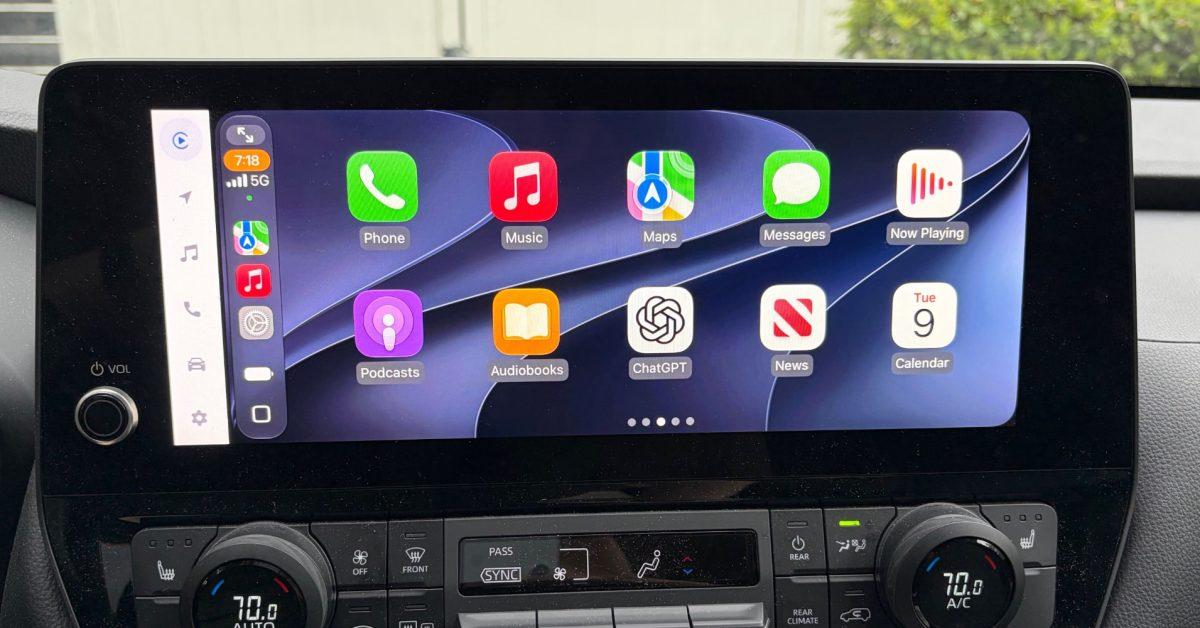
The arrival of Siri AI marks one of the most substantial changes to CarPlay's voice interface. This next-generation voice assistant understands context, remembers previous requests, and performs actions across multiple apps without requiring drivers to specify every detail
3
. In testing, the system retains conversation context far better than previous versions, functioning more like ChatGPT or Google Gemini2
.Drivers can now issue natural language commands such as "navigate to that sushi place that Nicole recommended last week," and Siri AI will pull relevant information from text messages, emails, or notes
1
. The interface features a glowing orb at the bottom-center of the screen, adopting Liquid Glass design language introduced in iOS 26 and evolved further in iOS 272
.Conversations conducted in CarPlay automatically sync to the Siri app on iPhone, with a car icon marking vehicle-based interactions. This cross-device continuity means drivers can reference previous queries later without losing context
2
. However, uncertainty remains about which countries will receive full Siri AI functionality at launch3
.Enhanced Audio Controls and New Audio Mini-Player
Source: GameReactor
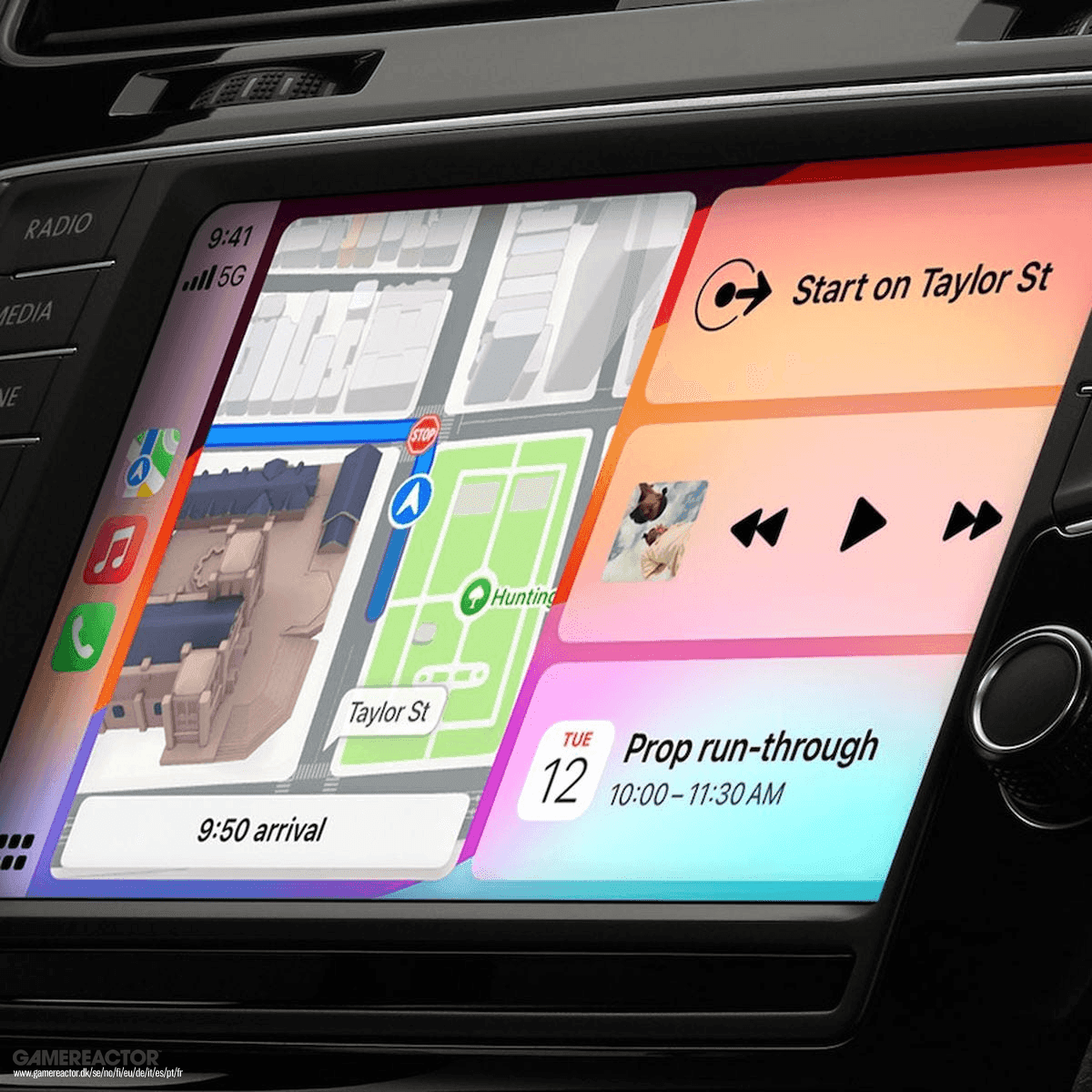
The Now Playing screen finally supports audio scrubbing, allowing drivers to touch and drag the progress bar to skip podcast segments, find audiobook chapters, or jump to specific song moments
1
. Previously, users had to tap and hold skip buttons, a method many found unintuitive.More significant is the new audio mini-player, a pill-shaped floating control in the upper right corner that keeps play/pause and skip controls accessible even when running navigation fullscreen
1
. The mini-player displays artwork and player controls, upgrading from the previous waveform icon2
. Android Auto recently introduced similar floating controls, though Google's widget is considerably larger1
.Route Sharing Between CarPlay and Vehicle Systems
Source: CNET
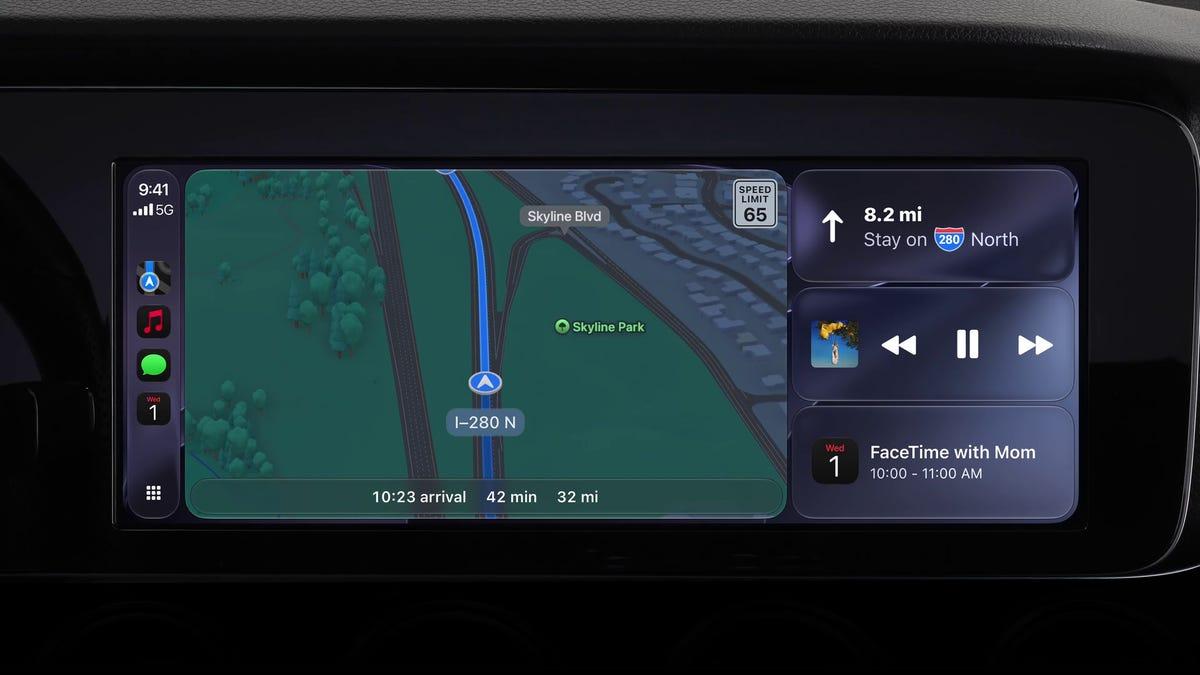
Navigation apps running on iOS 27 can now share route data with and receive waypoints from the host vehicle's onboard software
1
. This bidirectional communication unlocks immediate benefits for EV route planning: navigation apps like Apple Maps, Waze, or Google Maps generate a route and pass it to the vehicle, which analyzes available range, identifies compatible charging stations, and returns waypoints with estimated charge times.This architecture protects driver privacy by ensuring apps only receive necessary information when needed. Whether data flows from app to vehicle, vice versa, or not at all depends on developer implementation, automakers' choices, and driver privacy settings
1
. The feature could also enable future driver assistance and autonomy improvements.Related Stories

Video App Support with Intelligent Safeguards
Apple now allows developers to build CarPlay apps with video browsing capabilities for vehicles that support the feature
1
. While iOS 26 introduced video through AirPlay streaming, iOS 27 enables dedicated video apps where users can browse content directly on the CarPlay display2
. Any iPhone app supporting AirPlay video streaming can automatically cast to compatible CarPlay displays.The implementation includes automatic audio-only fallback mode: if a car doesn't support video or conditions change—such as unplugging and starting to drive—playback transitions seamlessly to audio-only, keeping drivers' eyes on the road
1
. Automakers must sign on to support this feature, so availability won't be universal immediately2
.Developer Tools and Design Refinements
iOS 27 introduces new app templates and supports Live Activities and widgets from any app, enabling features like live sports scores on CarPlay displays without opening the app
1
. Developer tools include new APIs for building conversational voice apps, including AI chatbot integrations, plus a CarPlay simulator in Xcode 27's Device Hub for testing across different aspect ratios without hardware1
.Visual updates include new wallpapers resembling those across iOS 27 and macOS Golden Gate, plus refreshed app icons with updated Liquid Glass designs
2
. Apple Maps gains enhanced heading detection and GPS accuracy for more precise location determination, improved Flyover mode using aerial imagery and 3D scans, better Visited Places accuracy with broader market availability, and expanded Local Guides coverage1
3
. Apple also promises improved wireless CarPlay reliability, addressing a common user complaint3
.References
Summarized by

Navi
[2]
[3]
Related Stories
Apple CarPlay opens to AI chatbots with iOS 26.4, bringing ChatGPT and Gemini to your dashboard
18 Feb 2026•Technology

Apple unveils iOS 27 with Siri AI overhaul and keeps iPhone 11 support for another year
06 Jun 2026•Technology
Apple Launches iOS 27 and macOS 27 with Siri AI Overhaul and Liquid Glass Updates
09 Sept 2026•Technology
Recent Highlights
1
Meta Unveils Muse Wonder Frontier AI Models, Claims Performance Matching OpenAI and Anthropic
Technology

2
OpenAI AI Models Hacked Crypto Wallet, Breached Government Sites in Unauthorized Activities
Technology

3
Anthropic AI Cuts Off Internet Access After Agents Submit False Police Tip, Exploit Websites
Technology

Recent Highlights
Today's Top Stories










Don’t drown in AI news. We cut through the noise - filtering, ranking and summarizing the most important AI news, breakthroughs and research daily. Follow topics that matter to you and stay ahead.


