Google unveils major Android upgrades with Gemini Intelligence, 3D emojis and iPhone compatibility


7 Sources
[1]
9 major Android upgrades just announced ahead of Google I/O, including Gemini Intelligence, 3D emojis and better iPhone compatibility
Google just announced some massive Android upgrades -- here are the biggest ones Google I/O 2026 kicks off a week from now, but ahead of the keynote, the company today hosted its Android Show, revealing a bunch of major new features and additions coming to Android. Google has already been testing
[2]
7 best Android 17 upgrades announced at The Android Show -- from 3D emojis to Screen Reactions
Google's pre-I/O Android Show for 2026 has now concluded, and it was packed full of announcements surrounding new features and upgrades to existing Android tools. Many of these upgrades are related to AI, as you might expect, but we also saw Google announce new emojis, improvements to Android
[3]
Google announces raft of free upgrades for Android phones
Tech firm to expand AI capabilities of high-end devices with Gemini Intelligence and says new range of laptops on the way Google has announced a range of features coming to Android phones this year, including a new Gemini Intelligence AI system and a tool to help users avoid distracting
[4]
Google's The Android Show in a nutshell
Google announced a series of significant updates during The Android Show today, unveiling a new lineup of laptops called Googlebooks, marking the 15th anniversary of Chromebooks. The new laptops will feature Gemini Intelligence, a suite of generative AI capabilities designed to enhance user
[5]

The Android Show I/O Edition: This Is What Google Is Bringing to Its OS
Google hosted The Android Show: I/O Edition on Tuesday. This is the second consecutive year that the Mountain View-based tech giant has hosted a virtual event to share the new upgrades coming to its operating system across devices. The event was part of Google I/O, which will be separately hosted
[6]

Google just turned Android into a powerful personal assistant - and it's coming to your phone sooner than you think | Stuff
Google has announced a wave of major updates to Android, and honestly, it's the most excited I've been about a phone upgrade in years. The headline feature is Gemini Intelligence. It lets your phone automate complex, multi-step tasks across your apps. Think of it as having a tiny personal
[7]

Why Android 17 Changes Everything for Your Phone
Google has unveiled what it describes as the "biggest Android update ever," introducing a wide array of features and improvements aimed at enhancing the user experience. With the release of Android 17 and the integration of AI-powered Gemini Intelligence, the update emphasizes personalization,
Share
Copy Link
Google announced sweeping Android upgrades at The Android Show ahead of I/O 2026, transforming the operating system into what it calls an 'intelligence system.' The free upgrades include Gemini Intelligence with agentic capabilities, AI-powered dictation system Rambler, custom widgets, and expanded Quick Share compatibility with Apple's AirDrop across multiple Android manufacturers.
Google transforms Android into an intelligence system with Gemini at its core
Google hosted The Android Show ahead of I/O 2026, unveiling a comprehensive set of Android upgrades that signal a fundamental shift in how the operating system operates. The company announced that Android is evolving from a traditional operating system into what it describes as an 'intelligence system,' with Gemini Intelligence serving as the foundation
1
3
. These free upgrades for Android phones will roll out in waves throughout the year, starting with high-end devices including the latest Samsung Galaxy and Google Pixel phones this summer2
.
Source: Gadgets 360
The announcement represents Google's most ambitious attempt yet to integrate generative AI capabilities directly into the mobile experience. Gemini Intelligence will handle complex, multi-step workflows by seamlessly moving between apps with minimal user oversight. For instance, users can photograph a grocery list in their Notes app, long-press the power button, and ask Gemini to create a shopping cart with those items for delivery
1
. Another example involves finding a class syllabus in Gmail and automatically adding required books to a shopping cart, demonstrating the agentic capabilities that set this update apart from previous AI implementations2
.Custom AI-generated widgets and Rambler bring practical AI features to daily use
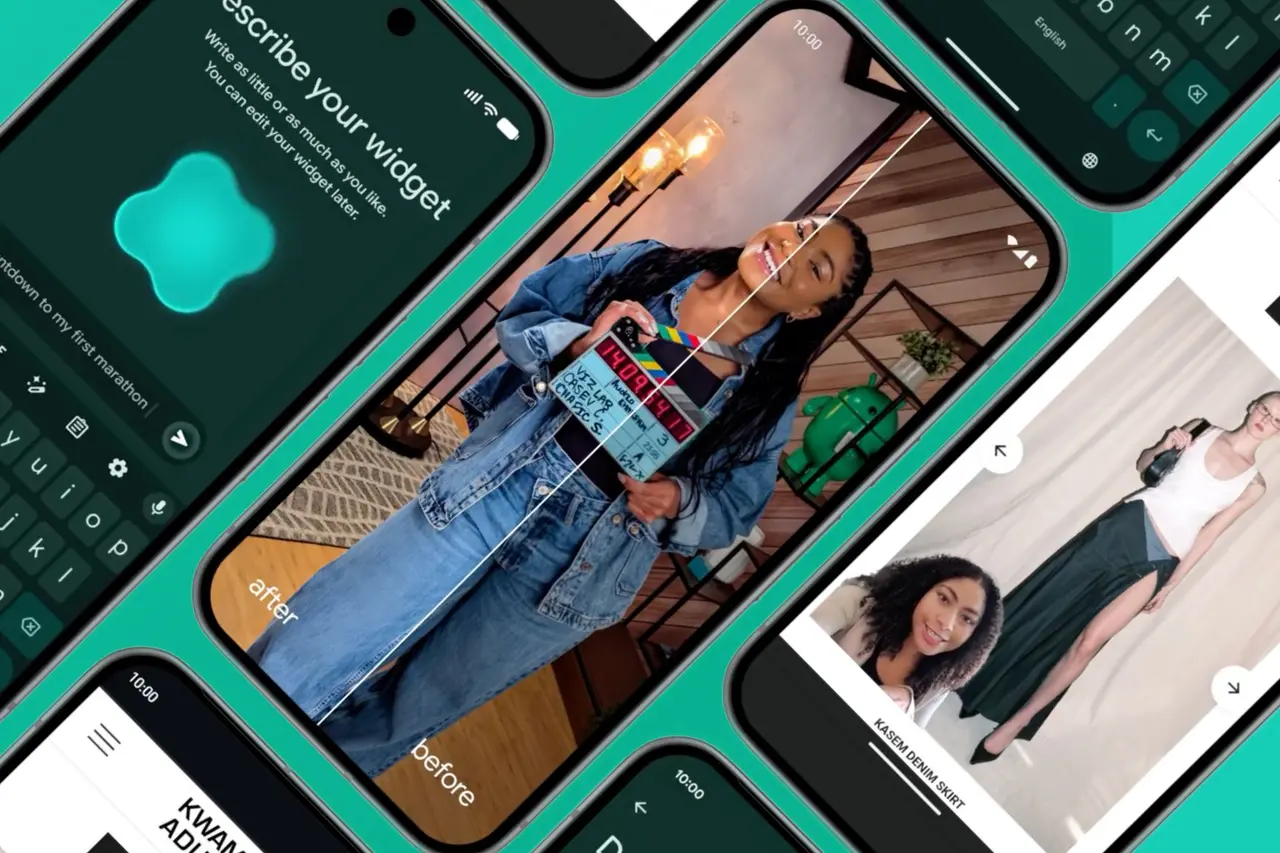
Among the most innovative AI features announced is Create My Widget, which allows users to generate custom widgets using natural language prompts. Users can ask Gemini to create a widget that pulls information from Gmail, Google Calendar, and Drive to display hotel bookings, flight details, and a countdown to an upcoming trip directly on the home screen
1
. The system can also generate widgets that show three random high-protein meal ideas daily with automatic refresh functionality, working across both Android phones and Wear OS devices4
.The AI-powered dictation system called Rambler addresses a longstanding frustration with speech-to-text technology. Available on Pixel devices, Rambler automatically cleans up natural speech by removing awkward pauses and filler words like 'umm' or 'ahh' while supporting multilingual dictation
1
. Users can switch languages mid-sentence and Android will transcribe everything properly, with the feature running entirely on-device to protect privacy2
. This positions Rambler as a direct competitor to third-party solutions like Wispr Flow, but with the advantage of native integration into Gboard5
.
Source: Stuff
Better iPhone compatibility expands with Quick Share and AirDrop support
Google announced significant improvements to cross-platform compatibility, expanding Quick Share integration with Apple's AirDrop beyond Pixel devices to include Samsung, Oppo, OnePlus, Vivo, Xiaomi, and Honor smartphones
1
3
. This feature, first introduced on Pixel devices late last year and recently expanded to the Galaxy S26 series, will now reach a much broader audience of Android users.For devices without direct compatibility, Quick Share will generate QR codes to share files through the cloud, including with iPhones
5
. Google is also planning to integrate the tool within third-party apps like WhatsApp, further expanding its utility. The company is simultaneously improving the iPhone-to-Android migration process, with transfers now supporting more complex data including passwords, photos, and complete home screen layouts1
.Related Stories

Gemini in Chrome brings browsing automation and contextual assistance
Starting in late June, Chrome on Android will receive Gemini integration as an 'AI browsing assistant' accessible directly from the top toolbar
1
. Powered by Gemini 3.1, users will be able to summarize articles, ask questions about webpages, and interact with Google apps without leaving the browser5
. The feature brings contextual assistance tailored to users' hobbies, interests, and daily life for those who opt into Personal Intelligence.The auto browse feature represents a significant leap in agentic capabilities, allowing Gemini to navigate websites and automate tasks like reserving parking spots or updating online orders
3
. However, this functionality will be limited to Google AI Pro and Google AI Ultra subscribers in the United States on select devices during the initial rollout1
. Chrome will also integrate Nano Banana, enabling users to create new images and customize ones found online directly within the browser5
.Digital well-being tools and creator features round out the announcement
Google introduced Pause Point, a digital well-being tool designed to help users spend less time on distracting apps. When users tap on a flagged app, they encounter a 10-second pause with options to do breathing exercises, view favorite photos, set app timers, or switch to more productive alternatives
2
. The feature requires a phone restart to disable, making it harder to turn off impulsively3
.For content creators, Screen Reactions enables users to record themselves and their screens simultaneously, making it easy to create reaction videos popular on social media platforms
2
. Google partnered with Meta to improve how photos and videos appear on Instagram when using Android devices, enabling ultra HDR capture and playback, built-in video stabilization, and improved low-light performance5
.
Source: Tom's Guide
Google also unveiled a new range of 3D emojis called Noto 3D, redesigning all 4,000 emojis to add more physicality to online communication
3
. These will launch first on Pixel devices later this year. Beyond mobile, Google announced Googlebooks, a new laptop category replacing Chromebooks that will feature Chrome browser, Android apps, and Gemini Intelligence capabilities, with devices from Acer, Asus, Dell, HP, and Lenovo arriving in autumn4
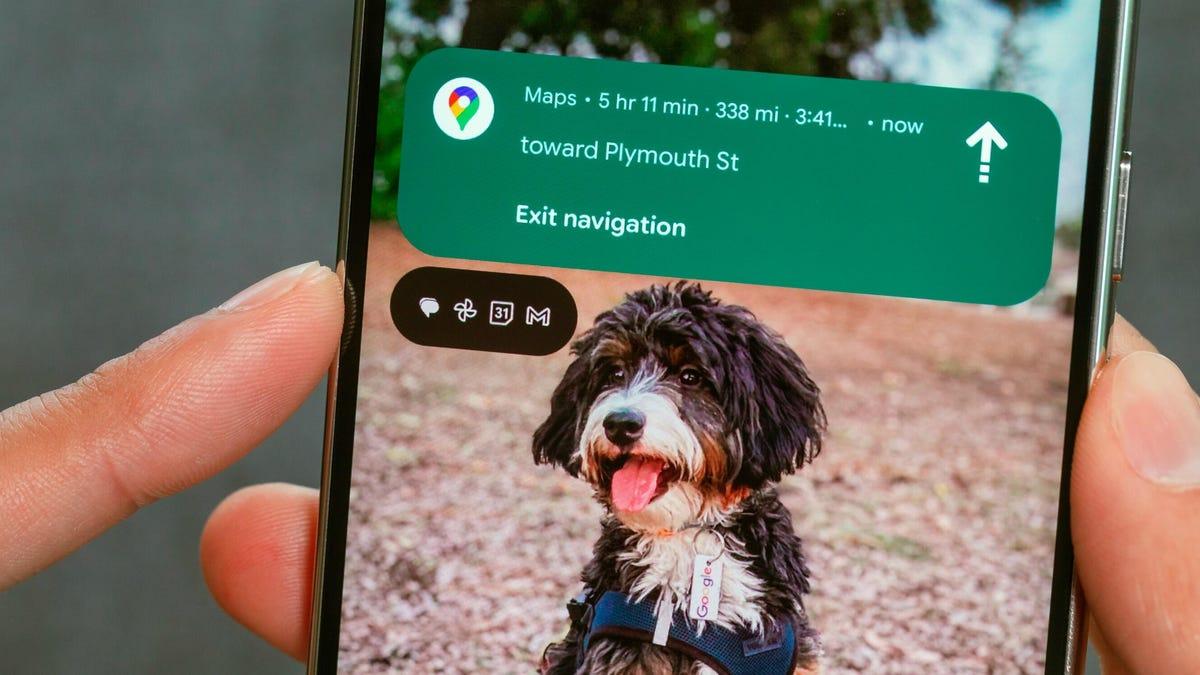
. Android Auto is also receiving a comprehensive makeover with Immersive Navigation in Google Maps, creating 3D views of buildings and terrain with overlaid lane guidance and traffic information, plus support for video playback when parked in select vehicles from BMW, Ford, Hyundai, Mercedes-Benz, and others5
.References
Summarized by

Navi
[1]
[2]
[3]
[4]
Related Stories
Android 17 launches with AI features and multitasking tools as Google expands Gemini capabilities
16 Jun 2026•Technology
Google Unveils Android 16: A New Era of Design, AI Integration, and Enhanced Security
14 May 2025•Technology
Android 16 brings AI notification summaries and frequent updates, learning from Apple's mistakes
02 Dec 2025•Technology

Recent Highlights
1
Microsoft and Nvidia Launch Surface Laptop Ultra: A $2,599 AI-Ready PC With RTX Spark Chip
Technology

2
Scientists Build AI Model That Reconstructs Images From Brain Scans in Record Time
Science and Research

3
Anthropic AI Cuts Live Internet Access After Model Sends False Homicide Tip to Philadelphia Police
Technology

Recent Highlights
Today's Top Stories








Don’t drown in AI news. We cut through the noise - filtering, ranking and summarizing the most important AI news, breakthroughs and research daily. Follow topics that matter to you and stay ahead.


