3 Sources
[1]
All the new features coming to Google Workspace, announced at Google I/O 2026
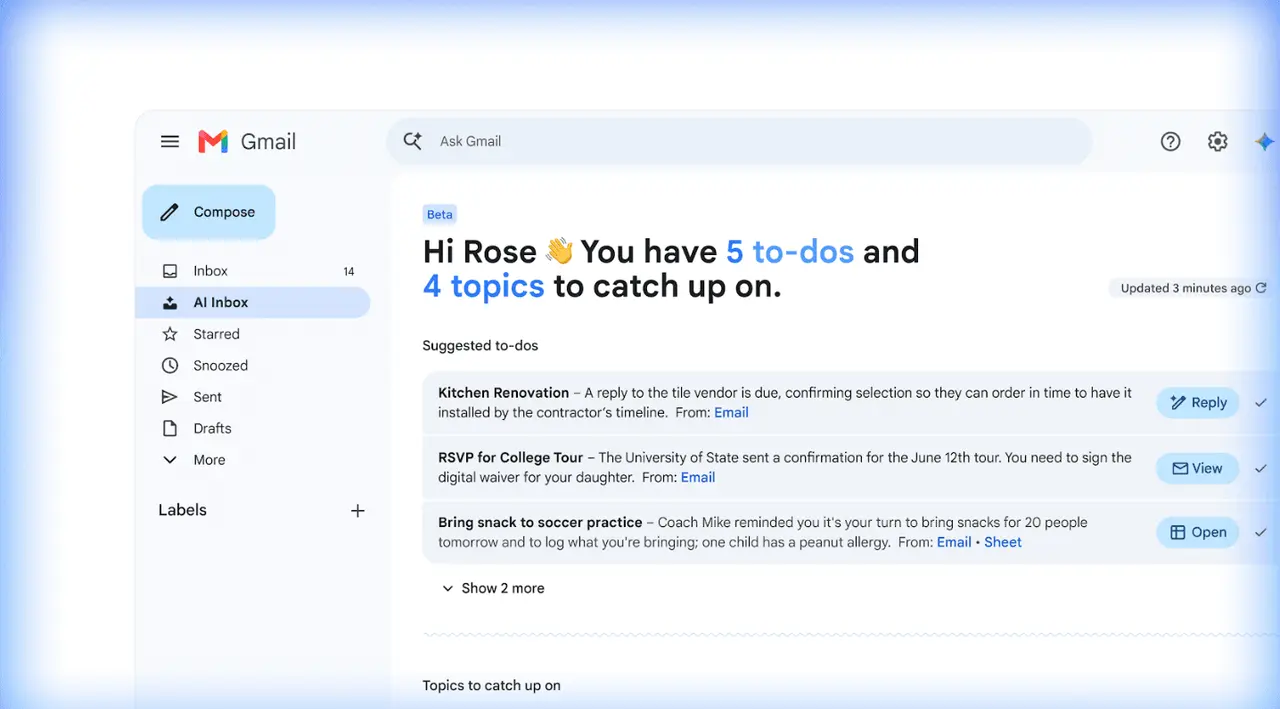
At Google I/O, three new features are coming to Google Workspace. According to Google, over 900 million people use Gemini, and now that AI is being further integrated into Workspace apps. At a glance, new features coming to Workplace include Gmail Live, Docs Live, Google Pics, and AI Inbox. Gmail Live and Docs Live bring AI voice transcription to Workplace apps. Google Pics is the latest AI image editing and generation tool built on Google's Nano Banana platform. AI Inbox, which was previously announced, is now expanding its user base and features. Here's everything you need to know about the new features for Google Workspace announced at Google I/O 2026. When you're on the go and don't have a moment to type out or search for what you need, Google's new voice capabilities provide answers faster. These conversational features are coming to Gmail, Docs, and Keep. Now with Gmail Live, you can ask your most important questions like "What's my flight info?" and get the answer in a moment, rather than sifting through your bursting inbox. In Docs Live, rather than tediously organizing your thoughts, you can get to a first draft sooner. Just speak to Docs Live, and it will brainstorm, write, outline, and refine what you're trying to say. With Google Keep, where you can keep all your quick notes, just record your thoughts rather than typing them out. Keep will do the rest of the work, organizing and transcribing them. All of these features will be available to AI Pro and Ultra subscribers. Built on Google's Nano Banana model, Google Pics is a new image and creation tool. Not only will it help edit existing photos, but it will also create photos from scratch. Google Pics may even be making a run for Canva's crown, as it designs event flyers, social media content, and digital illustrations. According to Google, Pics includes: Pics is currently launching with select testers. Later this summer, it will launch to Google AI Pro and Ultra subscribers and be previewed for Google Workspace business customers. Earlier this year, Google announced AI inbox, which is now live for AI Ultra subscribers. Now announced at Google I/O, AI Inbox is rolling out to AI Pro and Plus users. Alongside this change come three new features:
[2]
Google Just Announced a Bunch of Workspace Features at I/O 2026
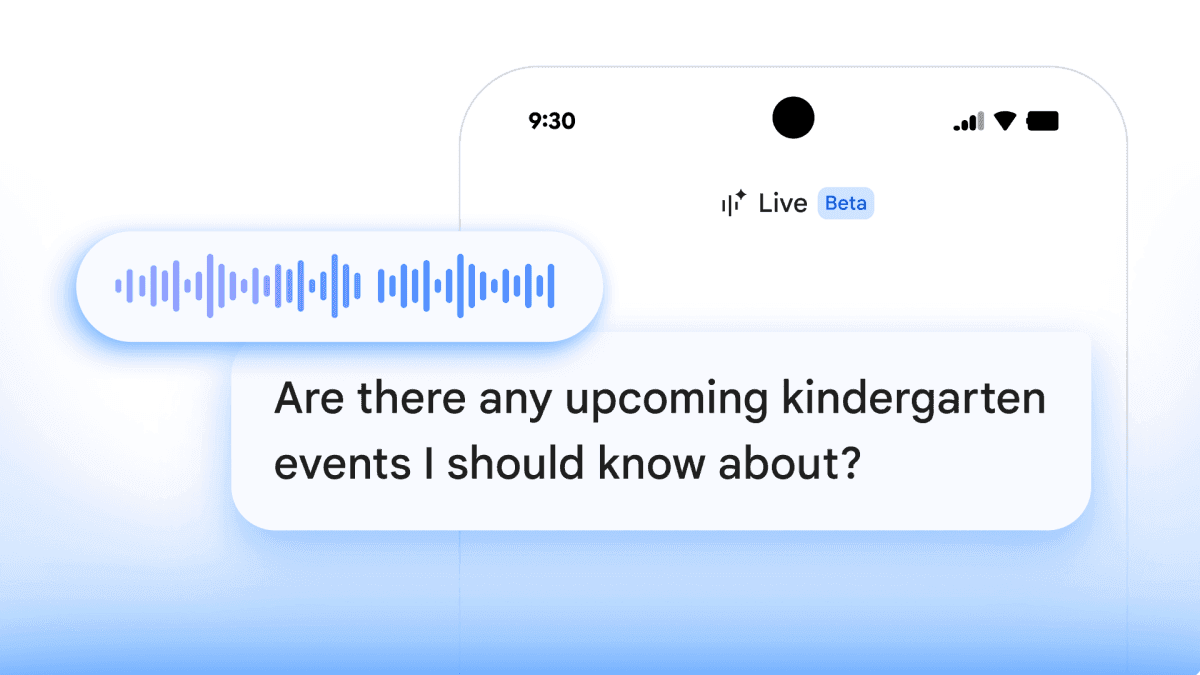
Google introduced a new AI agent called Gemini Spark, which can take actions in Workspace on your behalf. Google Workspace is getting a slew of AI-related updates, including a brand new app called Google Pics, which can generate and edit images for you. Many of these updates will be available to those who use Gmail, Google Docs, Google Drive, and other Google Workspace apps, the company announced during the Google I/O 2026 keynote. This includes conversational features that will allow you to control Gmail, Docs, and Keep; a new AI inbox that aims to help you stay on top of your email; and a personal AI agent called Gemini Spark that can integrate with Google Workspace apps to get things done for you. Here are all the major Google Workspace updates unveiled during Google I/O 2026. These features are rolling out for Google AI subscribers and paying Google Workspace users. This means that you won't be able to try much if you're on the free tier of Google services. Google Pics is a new app built with the company's latest Nano Banana AI image generation model, and allows you to create and edit photos using AI. Google claims this tool makes useful image editing tools more accessible, highlighting examples such as modifying and translating text, as well as transforming specific elements in an image (e.g., changing a sweater's color or turning a dog into a cat). You can also generate an image with a text prompt, but the real highlight seems to be granular editing. Like every other AI-related image generation tool, Google Pics also raises ethical questions about the nature of an image. It's not hard to imagine how tools like these could be misused to manipulate and deceive. One can only hope that Google has guardrails in place to clearly identify images edited with Google Pics, and to prevent misuse. This app is available to "Trusted Testers" today, and will be rolling out globally to Google AI Pro and Ultra subscribers (and in preview to Google Workspace business users) this summer. Google is adding new voice features to Gmail, Google Docs, and Google Keep. The email service is getting a feature called Gmail Live, which will search your inbox to answer your questions. For instance, you could ask something like, "What's going on at my kid's school this week?" The service will then search your inbox and find all the emails from your child's school. The idea is to ask questions with natural language, which is what makes it "conversational." The next new feature is Docs Live, which acts as your partner and co-writer, according to Google. You can talk to Docs Live, and it will help you brainstorm ideas, organize your thoughts, and structure your document. Google says the feature can even pull information from Gmail, Google Drive, Google Chat, and the web with your permission. You can think of Docs Live as an outlining tool that can gather a bunch of information quickly, making the writing process quicker for those who struggle to get started with a blank document. For Google Keep users, the new conversational features can turn your "brain dump" into organized notes and lists. You can say everything you want noted down, and the AI assistant will do the sorting and organizing for you. Like Google Pics, all of these conversational features will be rolling out to Google AI Pro and Ultra subscribers (and in preview to Google Workspace business users) this summer. Gmail's AI Inbox, which offers AI-powered summaries, suggestions, and proofreading, is getting a few new tricks too. During I/O 2026, Google announced that AI Inbox will get personalized draft replies, instant file access, and streamlined task management. AI Inbox will be able to generate a contextual draft for you when it detects that an email requires an urgent response, the company claims. With instant file access, AI Inbox can find and display a link to a document from Google Docs, Sheets, or Slides when you need it, which could make it easier to find the right document in email threads. The feature also lets you mark all emails in a certain topic as read. These features will be available to Google AI Plus and Pro subscribers in the U.S. starting today. The final Workspace-related update today is a new AI agent called Gemini Spark. The company says Spark transforms Gemini from an assistant that answers your questions to one that gets things done with your permission. Once you enable this feature, Google says Gemini Spark can perform tasks such as sending emails on your behalf, and adding events to your calendar. The company adds that it will always ask your permission before performing these actions. Gemini Spark will be rolling out to Google Workspace business users in the coming week, and it'll be available through the Gemini app.
[3]
Google whips up more AI in Workspace with new voice, image editing and inbox tools - SiliconANGLE
Google whips up more AI in Workspace with new voice, image editing and inbox tools Google LLC is revamping the Google Workspace suite of applications for getting things done, adding new conversational capabilities for brainstorming, an expanded AI Inbox in Gmail, and an all-new application called Google Pics that helps everyone to get the most out of their creative spark. The swath of new features were unveiled today at Google's annual I/O conference for developers, with the most substantial upgrades landing at the feet of Google AI subscribers and Google Workspace business customers. The headline offering in today's updates are the conversational features in Workspace, which are designed to let user's voices do the work for them. The new capabilities are coming to Gmail, Docs and Keep, and they're all about making it easier for people to brainstorm ideas and organize their thoughts, said Google Vice President of Product Yulie Kwon Kim. Gmail is getting a new feature called Gmail Live, which is all about helping people to sort through their inboxes on the go. As Kim explained, when someone is too busy to go digging through their inbox, they can simply hit the Gmail Live button and ask it where their flight gate number is, or what's happening at their kid's school this week, and Gmail will search through their emails for the answers. Another new voice capability comes to Docs. It's called Docs Live, but the way it functions is quite different. It's not meant to be an assistant for someone on the go, but rather designed to act as a kind of thought partner for brainstorming. For instance, a writer could talk to Docs to get it to help craft a first draft of a speech that needs writing, or an important email that needs to be sent to a client. Users can organize their thoughts, structure the document, and - if they give Docs permission - instruct it to rummage around through Gmail, Drive or Chat and find relevant details. Meanwhile, Keep's new conversational functionality is all about capturing those fleeting ideas that suddenly pop into our heads. It's like a conversational sticky note for users to just "brain dump," Kim explained. Powered by Gemini 3.5 Flash, Keep will not only decipher someone's ramblings, but also take action, transforming them into an organized note or list. Kim said the new capabilities will be made available to Google AI Pro and Ultra subscribers first, with business customers using Google Workspace set to gain access by the summer. Google made a lot of fanfare about Google Pics, which is a brand-new image creation and editing tool that's built on the most powerful Nano Banana model available. It's designed for precision editing, and aims to overcome the annoying fact that, while AI image generators can be prompted to create an image that's similar to what someone had in mind, it never gets it quite right. It's rolling out to "trusted testers" first, before coming to Google AI Pro and Ultra subscribers globally this summer, and Workspace users in preview at around the same time. Kim said Google Pics takes the hassle out of complex image generation, and can be used for everything from social media content to tweaking digital illustrations. Its core features including object segmentation, which allows users to select and edit specific elements within an image. It's possible to move objects around, alter their dimensions and color, or resize it entirely, without messing up the rest of the image. There's also a text editing and translation tool feature in the app that makes it simple to modify or translate any text that appears within a photo. The app is tightly integrated with Workspace, so users can access their images via Drive and Slides too. As for Gmail's AI Inbox, it's getting even more intelligent, Kim said. New functionality includes personalized draft replies, wherein the AI will generate a contextual draft for a quick reply that users can review and send in seconds. It's also getting "instant file access," which means users will be able to access their files without digging around through their emails whenever a relevant task requires them to look at a Google Doc, Sheet or Slide. And to help keep inboxes free of clutter, the company is also introducing "streamlined task management," so users can quickly mark individual tasks as "done," dismiss unhelpful suggestions and mark all emails on a specific topic as "read" in a single click. AI Inbox is available now to Google AI Ultra customers and in preview for Workspace Enterprise Plus users, and will also come to Google AI Plus and Pro customers in the coming weeks, Kim said. Finally, Google unveiled a new 24/7 personal agent called Gemini Spark, which is designed to help users navigate their digital lives more easily. "Spark represents a big shift for Gemini, transforming it from an assistant that can answer questions to one that takes action on your behalf, under your direction," Kim said. Users will have to turn Gemini Spark on themselves, and when they do, they'll find that it will always ask them before performing actions such as sending emails on their behalf and adding events to their calendar. It's coming to Workspace customers first via the Gemini app in the coming weeks.
Share
Copy Link
Google introduced extensive AI-powered updates for its Workspace suite at I/O 2026, featuring conversational tools like Gmail Live and Docs Live, a new image creation app called Google Pics, and Gemini Sparkโa personal agent that takes action on your behalf. The updates target over 900 million Gemini users and will roll out to AI Pro and Ultra subscribers this summer.
Google I/O 2026 brought a wave of new AI-powered features for Google Workspace, targeting the platform's massive user base with tools designed to streamline productivity through voice interaction. According to Google, over 900 million people use Gemini, and the company is now weaving that AI deeper into Workspace applications
1
. The updates focus on conversational AI capabilities that allow users to interact with Gmail, Google Docs, and Google Keep using natural language, eliminating the need to type or manually search through information2
.Gmail Live represents a significant shift in how users interact with their inboxes. Instead of scrolling through countless messages, users can simply ask questions like "What's my flight info?" or "What's going on at my kid's school this week?" and receive instant answers
3
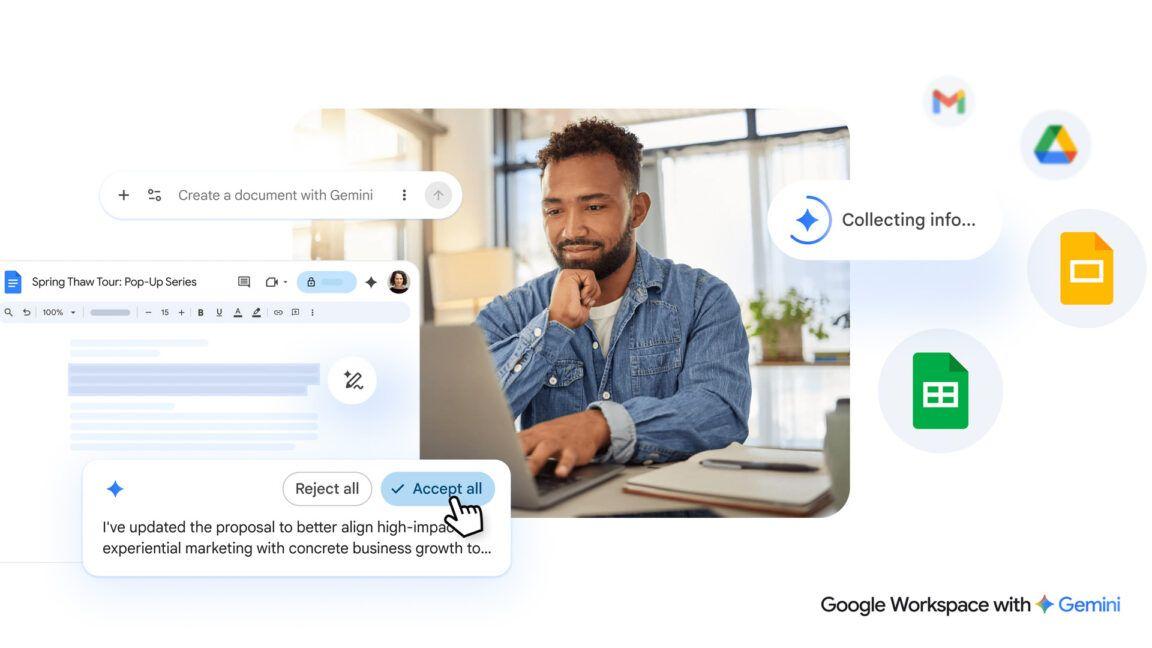
. Docs Live functions as a thought partner for brainstorming, helping users organize ideas, structure documents, and create first drafts through voice commands. With permission, Docs Live can pull information from Gmail, Google Drive, Google Chat, and the web to enrich content2
.
Source: Lifehacker
For Google Keep users, the new voice transcription feature transforms scattered thoughts into organized notes and lists, powered by Gemini 3.5 Flash
3
.Built on Google's Nano Banana model, Google Pics emerges as a comprehensive image generation and AI image editing tool that aims to compete with established platforms. The application addresses a common frustration with AI image generatorsโthey create something close to what users envision but never quite right
3
. Google Pics offers object segmentation, allowing users to select and modify specific elements within an image, such as changing a sweater's color or transforming a dog into a cat, without affecting the rest of the composition2
.The tool also includes text editing and translation capabilities, making it simple to modify or translate any text appearing within photos. Google positions Pics as a versatile solution for creating event flyers, social media content, and digital illustrations
1
. The application integrates tightly with Google Workspace, allowing users to access their images through Drive and Slides. Google Pics is currently available to trusted testers and will launch globally to AI Pro subscribers and Ultra subscribers this summer, with Google Workspace business subscribers receiving preview access around the same time3
.The AI Inbox for Gmail, previously available only to AI Ultra subscribers, is expanding to AI Pro and Plus users with three significant enhancements
1
. The feature now includes personalized draft replies that generate contextual responses when the system detects an email requiring urgent attention, enabling users to review and send replies in seconds3
. Instant file access eliminates the need to dig through email threads by automatically finding and displaying links to relevant Google Docs, Sheets, or Slides documents when needed2
.
Source: SiliconANGLE
Streamlined task management allows users to mark individual tasks as complete, dismiss unhelpful suggestions, and mark all emails on a specific topic as read with a single click. These features began rolling out to Google AI Plus and Pro subscribers in the United States at the time of the announcement
2
.Related Stories
Gemini Spark represents what Google calls "a big shift for Gemini, transforming it from an assistant that can answer questions to one that takes action on your behalf, under your direction"
3
. This personal agent can perform tasks such as sending emails and adding events to calendars, though Google emphasizes it will always request permission before taking action2
. The agent integrates with Google Workspace apps to handle tasks autonomously, marking a shift toward more proactive AI assistance. Gemini Spark is rolling out to Google Workspace business customers within the coming week and will be accessible through the Gemini app2
.
Source: Mashable
The focus on permission-based actions suggests Google is attempting to balance automation with user control, though questions remain about how effectively these guardrails will function in practice and whether users will find the feature genuinely useful or intrusive as it matures.
Summarized by
Navi
10 Apr 2025โขTechnology

22 Apr 2026โขTechnology

21 May 2025โขTechnology