iOS 27 Siri AI takes over familiar swipe gesture, ending 15 years of iPhone muscle memory


4 Sources
[1]
iOS 27 just broke 15 years of muscle memory on iPhone and iPad
Since iOS 5 in 2011, the iPhone and iPad have included Notification Center, a central place to find alerts from various apps in chronological order. Starting with iOS 27, Apple is making a major change to how users open Notification Center on iPhone and iPad. Siri AI takes over the swipe gesture
[2]
iOS 27's new Siri AI gesture could cause mass confusion by breaking with 15 years of iPhone tradition -- but I'm confident I'll adapt
* Siri AI is getting a new gesture in iOS 27 * It's taking over the well-established Notification Center gesture * That breaks 15 years of muscle memory and may be hard to get used to When Apple introduced Siri AI at its Worldwide Developers Conference (WWDC) on June 8, it understandably wanted
[3]
iOS 27 could change how your muscle memory swipes notifications on a phone
Apple is reportedly preparing a potentially disruptive change to how notifications work in iOS 27 and iPadOS 27. According to Bloomberg's Mark Gurman, incoming notifications now slide in from the left side of the screen in internal builds of the software. On its own, that might sound like a simple
[4]
iOS 27 to offer a brand new way to deliver your notifications
iOS 27 could feature a significant change to the way notifications both appear on the display and how they are accessed. Apple is set to reveal iOS 27 for iPhone on Monday during WWDC 2026 and we've got a new leak of a potentially nifty design change and a UI change that almost made it to the
Share
Copy Link
Apple's iOS 27 is replacing the iconic swipe-down gesture that has opened Notification Center since 2011 with Siri AI access. iPhone and iPad users will need to swipe from the top-left corner instead, marking a significant shift in user interaction. The change prioritizes AI features but could frustrate users accustomed to 15 years of established navigation patterns.
Apple Redesigns Core iPhone Navigation After 15 Years
Apple is preparing a fundamental change to how iPhone and iPad users interact with their devices in iOS 27 and iPadOS 27. Since iOS 5 launched in 2011, the swipe-down gesture from the top center of the screen has opened Notification Center, creating 15 years of user muscle memory
1
. That familiar swipe gesture is now being reassigned to Siri AI, forcing millions of users to adapt to a new gesture in iOS 27 for accessing their notifications.Siri AI Takes Priority Over Notification Center Access
Once Siri AI is enabled in iOS 27, the majority of the top edge of iPhone and iPad displays will invoke the AI-powered assistant panel instead of Notification Center
1
. Users must now swipe down from the top-left corner to access Notification Center, a gesture that hasn't been used by any other iOS feature previously2
. This represents a significant shift in user interaction, prioritizing AI features over traditional notification management. On iPad, the area above Home screen app icons is almost entirely devoted to invoking Siri AI, with the Notification Center access area shrinking further if users disable displaying AM/PM or the date .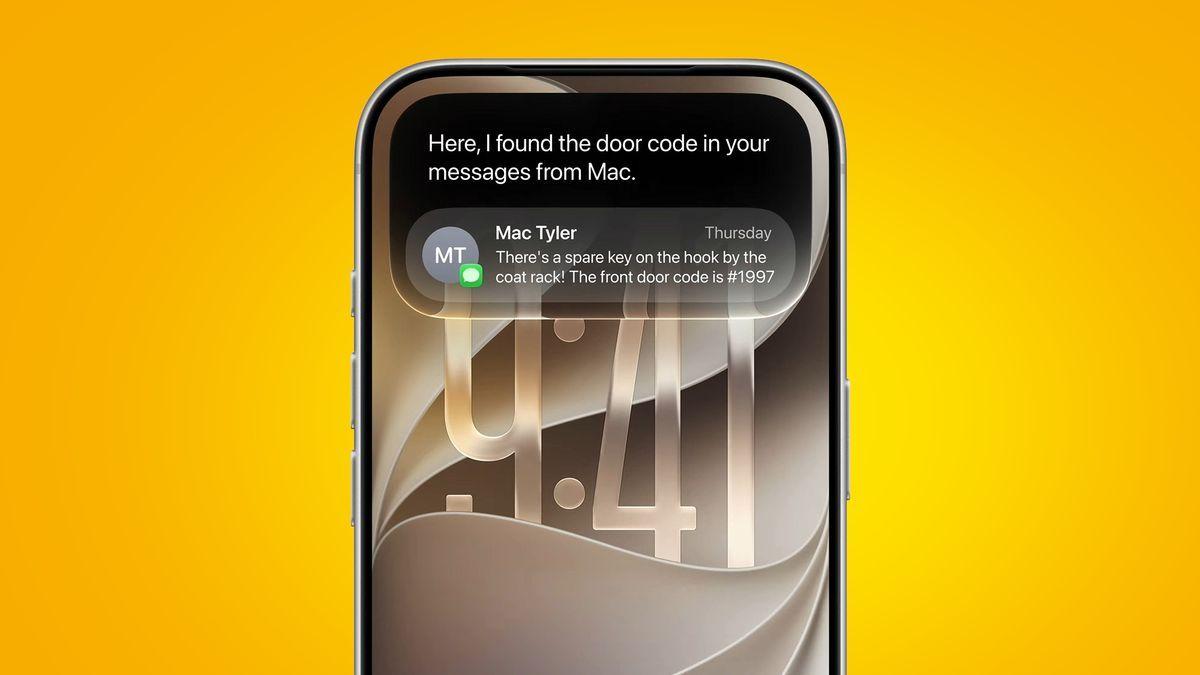
Source: TechRadar
Revamped Notification System Changes Visual Behavior
According to Bloomberg's Mark Gurman, the revamped notification system in iOS 27 includes more than just gesture changes. Incoming notifications now slide in from the left side of the screen in internal builds, rather than appearing from the top
3
4
. This visual cue appears designed to reinforce the new swipe-down gesture from the left side, creating consistency between where notifications appear and where users swipe to access them. The swipe-down gesture from the center now opens Search or the Ask AI panel instead4
.Related Stories

User Experience Concerns and Adaptation Challenges
The change could cause mass confusion among longtime iPhone users who have relied on the same navigation gestures since the iPhone 3GS era
2
. Apple last made a major change to accessing Notification Center when iPhone X moved Control Center from a swipe-up gesture to a top-right corner swipe-down in 20171
. However, that change unified the user experience across devices, while this new adjustment requires retraining deeply ingrained habits. History shows that even small adjustments to familiar gestures can spark strong reactions from users3
.What This Signals About Apple's AI Strategy
The gesture reassignment sends a clear message about Apple's priorities following WWDC announcements on June 8
2
. Rather than hiding AI tools behind buttons or menus, Apple is assigning them one of the most natural and frequently used gestures on the iPhone3
. Early feedback around Apple's new Siri AI system has been overwhelmingly positive, suggesting the company believes improved AI capabilities justify disrupting established user patterns1
. Additional iOS 27 features being tested include a Find My app visual refresh, improvements to the Clean Up feature in the Photos app, and natural language prompt-based photo editing4
.
Source: Stuff
References
Summarized by

Navi
Related Stories
Apple Launches iOS 27 and macOS 27 with Siri AI Overhaul and Liquid Glass Updates
09 Sept 2026•Technology
Apple unveils iOS 27 with Siri AI overhaul and keeps iPhone 11 support for another year
06 Jun 2026•Technology
iOS 27 Siri AI Features Limited to Newer iPhones, Beta Users Face Waitlist Access
08 Jun 2026•Technology

Recent Highlights
1
Microsoft and Nvidia Launch Surface Laptop Ultra: A $2,599 AI-Ready PC With RTX Spark Chip
Technology

2
Scientists Build AI Model That Reconstructs Images From Brain Scans in Record Time
Science and Research

3
Anthropic AI Cuts Live Internet Access After Model Sends False Homicide Tip to Philadelphia Police
Technology

Recent Highlights
Today's Top Stories









Don’t drown in AI news. We cut through the noise - filtering, ranking and summarizing the most important AI news, breakthroughs and research daily. Follow topics that matter to you and stay ahead.


