Microsoft Considers Allowing Customization of Controversial Copilot Key on AI PCs


2 Sources
[1]
There may be a use for the Copilot key after all, but not quite yet -- Microsoft is toying with the idea of allowing us to change what it opens
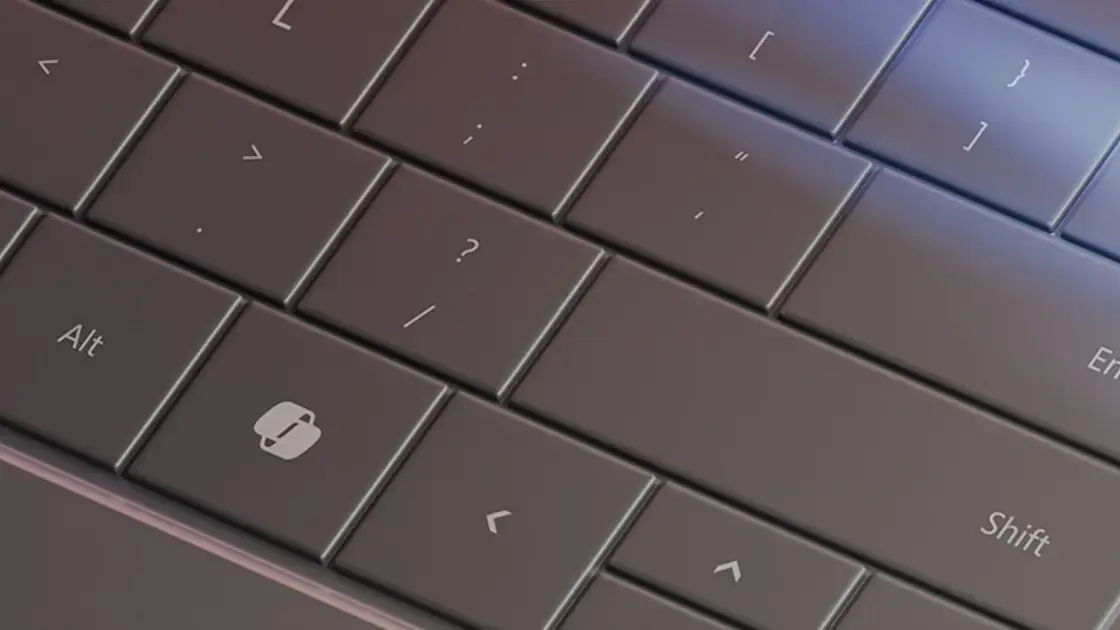
The age of the AI PC is here, and with it lots of unnecessary fluff. Fluff, that is, such as the outrageous ditching of a perfectly respectable right-Ctrl (Menu) key in favour of a shiny new Copilot key. Apart from signalling to others nearby that you have a snazzy new computer, by default this key
[2]
Microsoft is backtracking on its Copilot key | Digital Trends
The Copilot key was a big part of Microsoft's initial push with AI PCs, but it didn't exactly receive positive reception. But now, in a Windows Insider blog post from earlier this week, Microsoft says users will be able to configure the Copilot key to open apps other than the Copilot AI assistant.
Share
Copy Link
Microsoft is exploring options to allow users to remap the newly introduced Copilot key on AI PCs, potentially addressing criticism and enhancing functionality.

Microsoft Reconsiders Copilot Key Functionality
In a surprising turn of events, Microsoft is exploring options to enhance the functionality of the recently introduced Copilot key on AI PCs. This development comes in response to mixed reactions from users and tech enthusiasts following the key's initial announcement
1
.Background of the Copilot Key
The Copilot key, introduced in January, marked the first addition of a new dedicated key to PC keyboards in almost 30 years. Initially, Microsoft positioned it as a requirement for a PC to be considered an "AI PC," alongside more substantial features like powerful neural processing units (NPUs)
1
.Proposed Changes and User Customization
Microsoft is now considering allowing users to remap the Copilot key to open other applications. This feature is expected to be rolled out to Windows Insiders in the Release Preview on Windows 11, version 23H2, at a future date
2
.However, there are some limitations to this customization:
- The remapping will only work for apps "in a signed MSIX package."
- MSIX apps use a new packaging standard that's supposed to be more secure than previous EXE and MSI formats.
- Currently, MSIX apps are limited in number, which may restrict user options
1
.
Related Stories



Implementation and Accessibility
When the feature becomes available, users will be able to customize the Copilot key by navigating to Settings > Personalization > Text input. Microsoft has not yet released a list of compatible apps, leaving users curious about the extent of customization possibilities
2
.Industry Impact and Future Outlook
The introduction and subsequent reconsideration of the Copilot key highlight the evolving landscape of AI integration in personal computing. While the key initially faced criticism for replacing the right-Ctrl (Menu) key, Microsoft's willingness to adapt based on user feedback demonstrates the company's commitment to balancing innovation with user preferences.
As AI PCs continue to emerge with powerful NPUs, the role of dedicated AI-assistant keys like Copilot remains a topic of discussion in the tech industry. The potential for customization may help bridge the gap between AI integration and user control, potentially setting a precedent for future hardware designs in the age of AI-enhanced computing.
References
Summarized by

Navi
[2]
Related Stories
Recent Highlights
1
Google Unveils Gemini 4 Carbon AI Model With Major Cybersecurity Gains, Beating Claude Opus 5.5
Technology

2
Binance Hack: How AI-Enabled Cyberattack Led to Record $6.3 Billion Crypto Theft
Technology

3
Pope Leo XIV Demands AI Disarmament and Ban on Autonomous Weapons at UN Geneva Meeting
Policy and Regulation

Recent Highlights
Today's Top Stories










Don’t drown in AI news. We cut through the noise - filtering, ranking and summarizing the most important AI news, breakthroughs and research daily. Follow topics that matter to you and stay ahead.


