Samsung Galaxy Watch now controls your AC to optimize sleep temperature throughout the night


3 Sources
[1]
Samsung wants to connect your Galaxy Watch to your AC to help you get better sleep
In Good Sleep mode, the AC's cooling performance is adjusted to suit your sleep pattern. Before most people go to bed, they adjust their thermostat to maintain their ideal sleeping temperature. While this works fine, there are times at night when you may feel too cold or too hot. Wouldn't it be
[2]
Your Galaxy wearables are about to get smarter about keeping you comfy while sleeping
Karandeep Singh Oberoi is a Durham College Journalism and Mass Media graduate who joined the Android Police team in April 2024, after serving as a full-time News Writer at Canadian publication MobileSyrup. Prior to joining Android Police, Oberoi worked on feature stories, reviews, evergreen
[3]
Your Galaxy Watch can now tell your AC when you've fallen asleep - Phandroid
Getting the AC temperature right before bed is basically a guessing game. You set it for what feels right at 10pm and hope for the best by 3am. Samsung has a fix for that. The company just highlighted a new feature called WindFree Wearable Good Sleep. It links your Galaxy Watch or Galaxy Ring to a
Share
Copy Link
Samsung unveiled WindFree Wearable Good Sleep, a feature that connects Galaxy Watch and Galaxy Ring to 2026 Bespoke AI WindFree air conditioners. The wearables detect when you fall asleep and signal the AC to adjust temperature automatically based on your sleep patterns, eliminating the need for manual thermostat changes during the night.
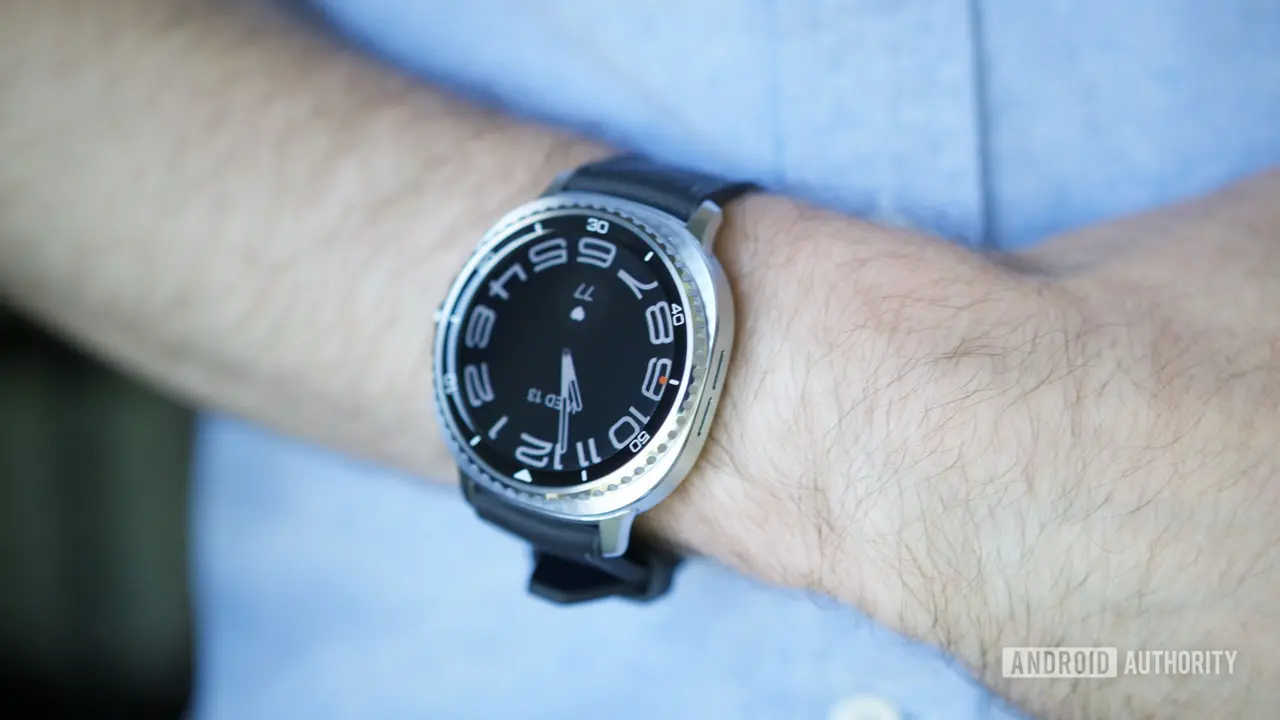
Samsung Bridges Galaxy Wearables and Air Conditioning for Sleep Optimization
Samsung has introduced WindFree Wearable Good Sleep, a feature that connects Galaxy wearables to the company's 2026 Bespoke AI WindFree air conditioners to create an optimal temperature for sleep
1
. The technology addresses a common frustration: setting your thermostat before bed only to wake up too hot or too cold hours later. By leveraging real-time data from Galaxy Watch or Galaxy Ring devices, Samsung aims to deliver better sleep through automated climate control that responds to your body's changing needs throughout the night2
.When wearing a compatible Galaxy Watch or Galaxy Ring, the device detects the moment you transition from being awake to asleep. This triggers a signal to your AC unit to activate WindFree Cooling and Good Sleep mode
3
. The system then adjusts the cooling performance throughout the night based on your individual sleep patterns, eliminating manual adjustments and the midnight hunt for the remote control.How the Temperature Adjustment Works Based on Sleep Stages
The feature operates by analyzing sleep patterns and making targeted temperature changes at different stages. During the initial falling asleep stage, the AC maintains a cooler temperature to help you drift off more easily
2
. As you enter deep sleep stages, the system transitions to a slightly warmer temperature by either increasing the temperature setting or shutting off the AC entirely. This cycling happens multiple times per night depending on your unique sleep pattern, accounting for the fact that body temperature naturally drops to its lowest point in the early morning hours.If your AC is already running but set too cold when you fall asleep, Good Sleep mode will nudge it up to a more comfortable temperature. Conversely, if the unit is off entirely when you drift off, it turns on automatically at the right target temperature
3
. This dynamic approach to climate control represents a significant step forward in personalized comfort through smart home technology.Setup Requirements and Compatible Devices
To use the feature, you'll need to download the SmartThings app on your wearable and connect your AC to your home Wi-Fi network
1
. Configuration happens through the Samsung Watch app's "Sleep well with smart devices" menu, or alternatively through Settings > Mode and routine > Sleep. You'll also need Samsung Health app version 6.30.2 or later on your phone3
.Compatible wearables include the Galaxy Watch Series 4 and later models, the Galaxy Fit3, and the Galaxy Ring
3
. However, the feature only works with Samsung's 2026 Bespoke AI WindFree AC line, meaning older air conditioning units won't support this functionality. The full ecosystem requirement is substantial: you need a Samsung wearable, a 2026 Bespoke AC, a Galaxy phone running Android 11 or higher, and the SmartThings platform.Related Stories

Building Toward Integrated Sleep Improvement Solutions
This launch represents the culmination of Samsung's multi-year effort to integrate wearable data with smart home routines. The SmartThings platform received a major sleep-focused update last year that tied wearable data to automated home functions
3
. A Galaxy Ring firmware update in 2025 also brought early versions of this same concept, setting the groundwork for the full Wearable Good Sleep feature now available.For users invested in Samsung's ecosystem, this feature offers a glimpse into how wearables can extend beyond fitness tracking to actively shape your environment. The ability to connect Galaxy Watch to AC units opens possibilities for other automated adjustments based on biometric data. As smart home technology continues to mature, expect more manufacturers to explore similar integrations that use physiological signals to control ambient conditions. The challenge remains whether consumers will adopt these solutions broadly or if the requirement for brand-specific hardware across multiple categories will limit uptake to dedicated Samsung users seeking comprehensive sleep improvement through their existing devices.
References
Summarized by

Navi
[1]
[2]
Related Stories
Samsung Partners with Stanford to Enhance Galaxy Watch's Sleep Apnea Features Using AI
10 Apr 2025•Health

Samsung Health app overhaul brings AI-powered features to turn raw data into actionable guidance
30 May 2026•Technology

Samsung Galaxy wearables will detect early signs of dementia using AI-powered brain health monitoring
05 Jan 2026•Technology
Recent Highlights



Recent Highlights
Today's Top Stories






Don’t drown in AI news. We cut through the noise - filtering, ranking and summarizing the most important AI news, breakthroughs and research daily. Follow topics that matter to you and stay ahead.


