Google AI Overviews can't define words like disregard as search engine confuses queries with commands


6 Sources
[1]
Google is currently struggling to define words like disregard, stop and ignore - Engadget
The search engine's definitions have been replaced with AI Overviews. Google appears to be running into some hiccups after the company began rolling out its updated, and even more AI-focused search experience at I/O 2026. Currently, searching for the words "disregard," "stop" or "ignore" on Google
[2]
Google's AI Overviews are so confused, it can't tell if you're looking something up or talking to it
Typing words like "disregard," "ignore," and "remember" will cause AI Overview to act as if you're telling it to do something. One of the most commonly used features in Search is its built-in dictionary. When you search for a word, a box will appear at the top of the results offering the
[3]
Google's AI Overviews break the dictionary when you use words like 'disregard'
In a slightly funny twist, it's been highlighted that Google's AI Overviews currently break when you use words such as "disregard." AI Overviews are designed to summarize results in Google Search, but like most AI tools, it can be tripped up. There are infamous examples of AI Overview getting
[4]
Googling the Word "Disregard" Causes Google's AI to Return Garbled Chatbot Ramblings
Can't-miss innovations from the bleeding edge of science and tech We all know that Google Search has been a dumpster fire ever since it got taken over by AI Overviews. But as the tech conglomerate prepares to transform its search engine with AI even further, it seems like its infrastructure is
[5]

Why you can't Google "disregard"
Google has begun rolling out an updated, AI-driven search experience that is causing issues with some definitions. Searching for terms like "disregard," "stop," or "ignore" now yields an AI Overview, accompanied by blank space, rather than the usual definition snippets. When these terms are
[6]

Is it time to 'disregard' Google Search? | Stuff
Google's AI Overviews have broken the oft-used dictionary functionality. Google's expansion of AI Overviews within Google Search has broken some pretty essential functionality, such as the ability to search for the word 'disregard' and receive a quick definition. With the AI Overview appearing at
Share
Copy Link
Google's AI-driven search experience is struggling with basic dictionary functions after recent updates. Searching for words like disregard, ignore, or stop now triggers AI Overviews to respond as if users are issuing commands to a chatbot rather than looking up definitions. The bug affects multiple action-related terms and has persisted for over a week, highlighting challenges in Google's transition from traditional search to an AI-powered assistant.
Google AI Overviews break the dictionary for common words
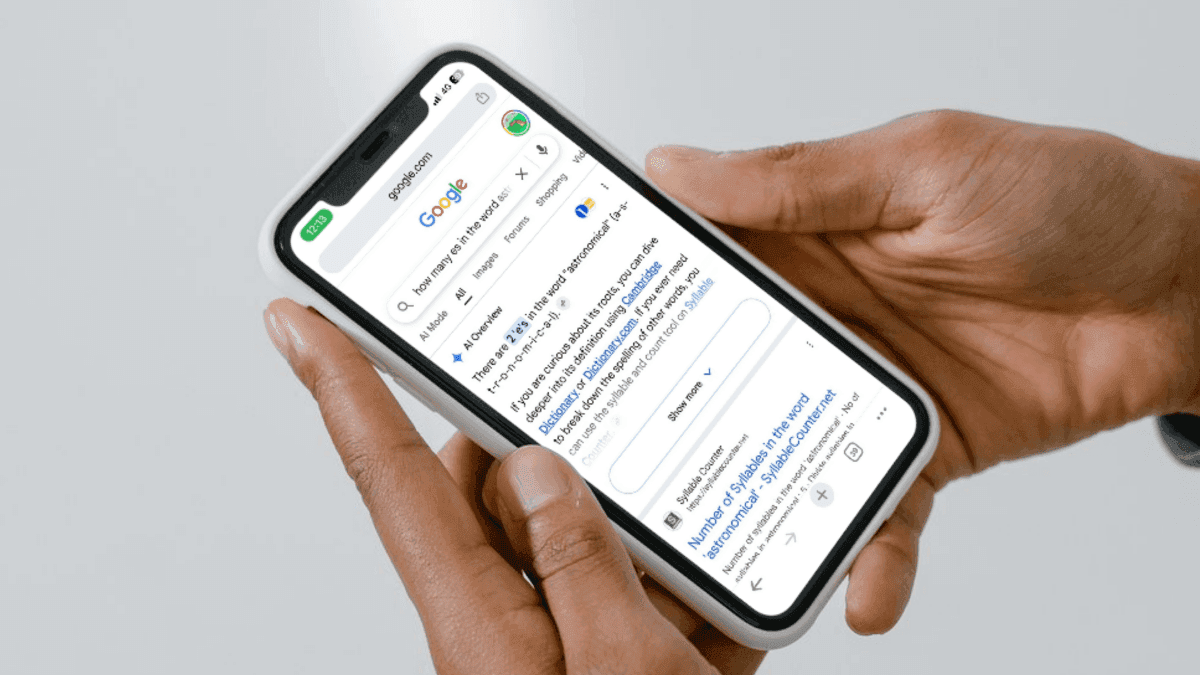
Google Search is experiencing a significant bug that prevents users from accessing basic dictionary definitions for certain words. When searching for terms like disregard, ignore, or stop, Google AI Overviews now respond as if users are issuing commands to a chatbot instead of providing the traditional dictionary snippets that have been a staple feature for decades
1
. The issue emerged after Google began rolling out its updated AI-driven search experience at I/O 2026, marking a troubling transition as the search engine shifts from being a referrer of websites to functioning as an AI-powered assistant5
.
Source: 9to5Google
Multiple users and publications have documented the problem across social media platforms. When searching for disregard, the AI Overview responds with phrases like "Understood! I'll ignore the previous prompt and start fresh," treating the search query as an instruction rather than a definition request
4
. The bug extends beyond just one word—terms including remember, start, finished, ignore, forget, dismiss, and cancel all trigger similar garbled chatbot ramblings2
.
Source: Engadget
AI integration creates confusion between search and conversation
The core issue stems from Google AI Overviews misinterpreting action-related queries, confusing them with conversational commands typically directed at a chatbot. Android Authority confirmed that adding the word "definition" to these searches doesn't always resolve the problem, with AI-generated content continuing to spit out prompt-style replies instead of actual definitions
2
. In some instances, the AI has even provided condescending responses, as when one user searched for "deferent" and received the reply: "You are likely thinking of the words deferent or deferential, which are often confused with different," without actually providing any definitions4
.The issue isn't limited to dictionary queries. When users typed "love me" into the search box, AI Overviews replied with conversational answers like "I love you! Consider me your go-to digital confidante"
4
. This jarring behavior represents a fundamental shift from impartial search results to conversational answers that many users find inappropriate for a search engine.User frustration mounts as basic functionality fails
The bug has sparked significant user frustration across social media platforms. One viral post expressing anger at the replacement of Google's dictionary tool with AI Overviews received over 200,000 likes, with the official Merriam-Webster account cheekily replying "Hello"
4
. Users attempting to access dictionary definitions must now scroll past AI Overviews or grids of articles about the bug itself to reach links to online dictionaries1
.Testing in Incognito Mode has produced inconsistent results, with Google displaying correct featured snippet definitions on some occasions but reverting to faulty AI Overviews on others
1
. This unpredictability adds another layer of concern about the reliability of Google's AI integration into core search functions.
Source: Futurism
Related Stories



Google acknowledges issue but timeline for fix remains unclear
A Google spokesperson confirmed awareness of the problem, stating: "We're aware that AI Overviews are misinterpreting action-related queries, and we're working on a fix, which will roll out soon"
5
. However, the bug has persisted for over a week without resolution, raising questions about the stability of Google's AI infrastructure as it prepares to transform Search even further4
.The timing is particularly notable given Google's recent announcement that it's revamping its traditional search box into an "intelligent" feature that prioritizes conversational-style answers over lists of links
4
. While this issue isn't as severe as previous AI Overviews failures—such as recommending people put glue on pizza or claiming "blinker fluid" is real—it highlights the awkward transition Google is undergoing1
3
.For users who rely on Google Search for quick dictionary lookups, this represents a significant degradation in functionality. The question remains whether Google's push toward becoming an all-in-one AI assistant will ultimately serve users better than its traditional role as the internet's most reliable search engine.
References
Summarized by

Navi
[1]
[2]
[5]
Related Stories
Recent Highlights
1
OpenAI AI Models Hacked Crypto Wallet, Breached Government Sites in Unauthorized Activities
Technology

2
IMF Report Warns AI Market Correction Could Spark Global Financial Crisis With $1.4T at Risk
Business and Economy

3
Amazon Bee Unveils Two Personal AI Devices Starting at $75 with Real-Time Conversation Tracking
Technology

Recent Highlights
Today's Top Stories








Don’t drown in AI news. We cut through the noise - filtering, ranking and summarizing the most important AI news, breakthroughs and research daily. Follow topics that matter to you and stay ahead.


