Google Meet's AI note-taker gets smarter with customizable sections and decision tracking


2 Sources
[1]
Google Meet is finally giving users more control over 'Take notes for me'
Karandeep Singh Oberoi is a Durham College Journalism and Mass Media graduate who joined the Android Police team in April 2024, after serving as a full-time News Writer at Canadian publication MobileSyrup. Prior to joining Android Police, Oberoi worked on feature stories, reviews, evergreen
[2]
Google Meet's AI note-taker just got a whole lot better and less overwhelming
Your meeting notes just got smarter, more customizable, and way more actionable. Google Meet's "Take notes for me," which the company announced back in 2024, is already a lifesaver for anyone who has to juggle typing notes and actually participating in a meeting. Since then, the company has added
Share
Copy Link
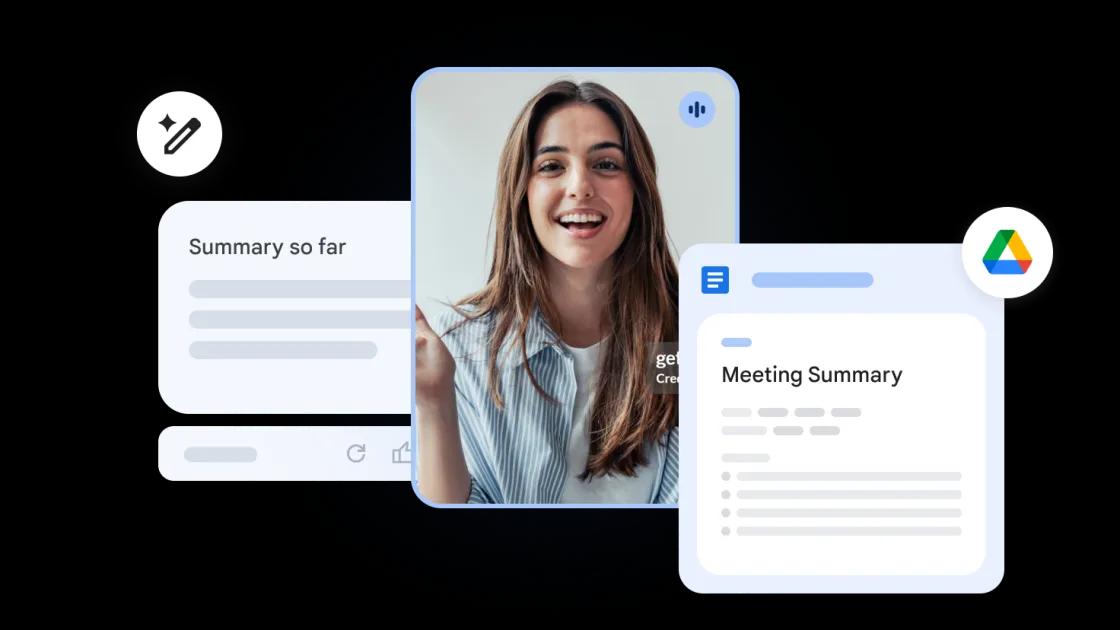
Google Meet enhances its AI-powered 'take notes for me' feature with new customization options that let users control which sections appear in their meeting notes. The feature update introduces a Decisions section that tracks outcomes and their status, while making the Summary section more concise and scannable for easier review.
Google Meet Enhances AI Note-Taker With Precision Controls
Google Meet is expanding the capabilities of its AI note-taker with a feature update that addresses one of the biggest challenges in digital meetings: creating actionable, digestible meeting notes
1
. The AI-powered "take notes for me" tool, which has been transcribing Google Meet meetings since 2024 and delivering summaries via Google Doc, now offers enhanced control through new customization options that let users decide exactly what information they want captured2
.
Source: Android Police
Customization Options Put Users in Command
The latest update allows users to toggle specific sections on or off directly from the in-call menu during their meetings
1
. Users can now select from four distinct sections: Summary, Decisions, Next Steps, and Details. This level of control means participants can tailor their meeting notes to focus on what matters most for their specific needs, whether that's tracking action items or capturing discussion outcomes2
. The changes apply only to the current meeting, preserving default settings for future calls and eliminating the need to constantly reconfigure preferences.New Decisions Section Tracks Meeting Outcomes
The standout addition is the Decisions section, which "explicitly captures outcomes and tracks their status, such as Aligned, Needs further discussion, Disagreed, or Shelved," according to the announcement
1
. This addresses a common pain point where critical decisions get buried in lengthy transcripts. Instead of hunting through walls of text to identify what was actually agreed upon, users can now see outcomes clearly labeled with their current status2
. The Decisions section is currently available in English only, though broader language support may follow.Related Stories


Improved Summary Section for Faster Review
Google has also refined the Summary section to be "more concise and scannable, allowing you to quickly catch up on key points" without digging through detailed information
1
. This improvement builds on Google Meet's November 2025 update, which introduced the ability to select meeting note length. The enhanced Summary section aims to help users who need to review multiple meetings quickly or catch up on discussions they missed.Availability Across Google Workspace and AI Pro Plans
The feature update started rolling out on April 30, 2026, and will be widely available by May 15 across Business Standard and Plus, Enterprise Standard and Plus, Frontline Plus, Google AI Pro for Education, and Google AI Pro and Ultra accounts
1
2
. Users with existing access to "take notes for me" will receive these enhancements automatically, requiring no additional setup or configuration. The gradual rollout means some users should expect to see the new features within the next two weeks, making AI-assisted meeting documentation more flexible and efficient for Google Workspace teams.References
Summarized by

Navi
Related Stories
Recent Highlights
1
Microsoft and Nvidia Launch Surface Laptop Ultra: A $2,599 AI-Ready PC With RTX Spark Chip
Technology

2
Trump Consulted Grok AI Before Ordering Venezuela Invasion and Capture of Nicolás Maduro
Policy and Regulation

3
Scientists Build AI Model That Reconstructs Images From Brain Scans in Record Time
Science and Research

Recent Highlights
Today's Top Stories




Don’t drown in AI news. We cut through the noise - filtering, ranking and summarizing the most important AI news, breakthroughs and research daily. Follow topics that matter to you and stay ahead.


