Microsoft Copilot can now analyze your Windows PC settings and diagnose hardware issues


4 Sources
[1]
Windows questions? How Copilot can analyze your PC settings now
Follow ZDNET: Add us as a preferred source on Google. ZDNET's key takeaways * Copilot's new PC Insights can analyze your Windows environment. * You can ask questions about your hardware, software, and settings. * The goal is to provide key info so you don't have to hunt for it
[2]
Copilot Could Soon Answer Questions About Your PC's Hardware, Health
An experimental features lets you talk to Copilot about your PC's CPU usage, specs, storage, connected printers, and more. Microsoft is testing a Copilot feature that will allow you to talk to the AI assistant about your Windows PC's specs and performance. The feature, called PC Insights, was
[3]
Confused about your PC specs or hardware? Windows 11's Copilot app is getting new powers to help you 'understand your device'
PC insights feature for Copilot is now rolling out in testing * Windows 11's Copilot app has a new feature in testing * 'PC insights' provides an easy way to receive clear answers to hardware-based questions about your device and its specs * While there are some fears over privacy (and bloat),
[4]
A new Copilot feature tells you what might be slowing down your PC -- while gorging itself on a fair chunk of your system RAM
If you ask Microsoft Copilot if it's a web app, it answers in the negative. Technically, as the AI points out, Copilot now interfaces with you through an Edge-based web app installed on your Windows 11 PC, but the model lives elsewhere in the cloud. And said Copilot app is getting a helpful new
Share
Copy Link
Microsoft is rolling out PC Insights, a new skill for the Copilot on Windows app that lets users ask questions about their PC's hardware, software, and settings. The AI-powered feature can check CPU usage, battery health, storage space, and more—but it uses nearly 1GB of RAM while running, raising concerns about resource consumption on slower systems.
Microsoft Copilot PC Insights brings conversational hardware diagnostics to Windows
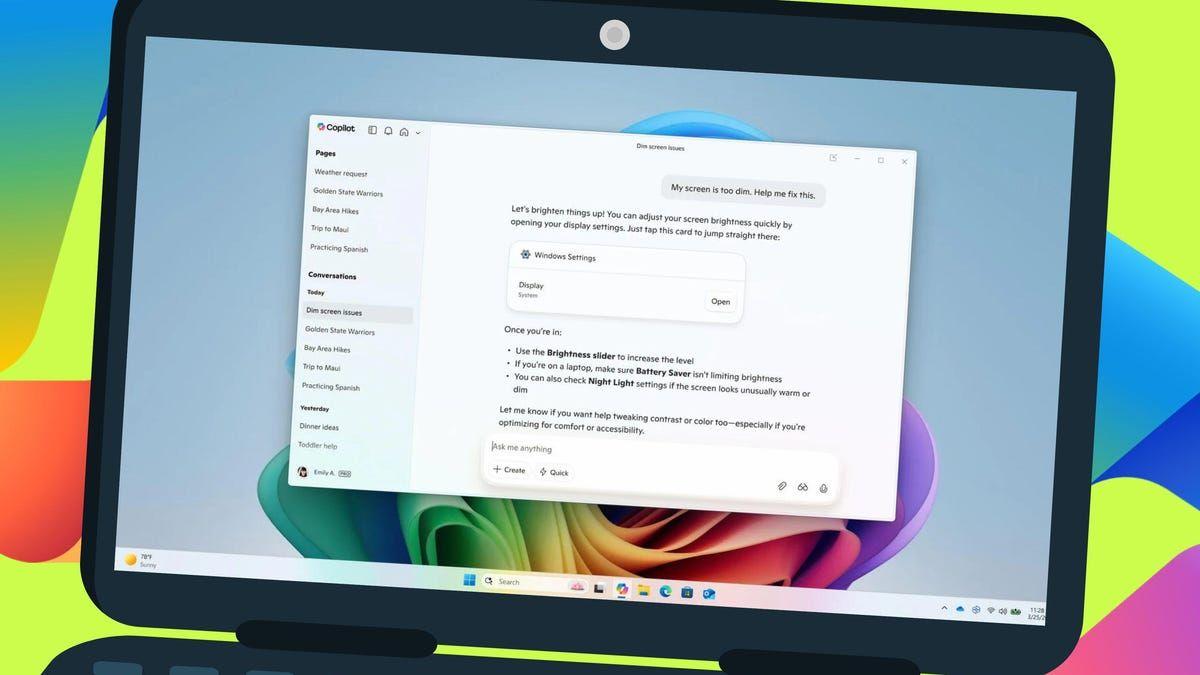
Microsoft Copilot is gaining a new capability that allows the AI assistant to analyze PC settings and answer questions about your PC's hardware directly. The Windows AI feature, called Copilot PC Insights, is currently rolling out as an experimental feature to users in the United States through the Copilot on Windows app
1
2
. According to Microsoft's support documentation, the AI-powered feature enables customers to "conversationally ask Copilot questions about their Windows PC and receive clear responses based on their device's state without having to dig through system settings"3
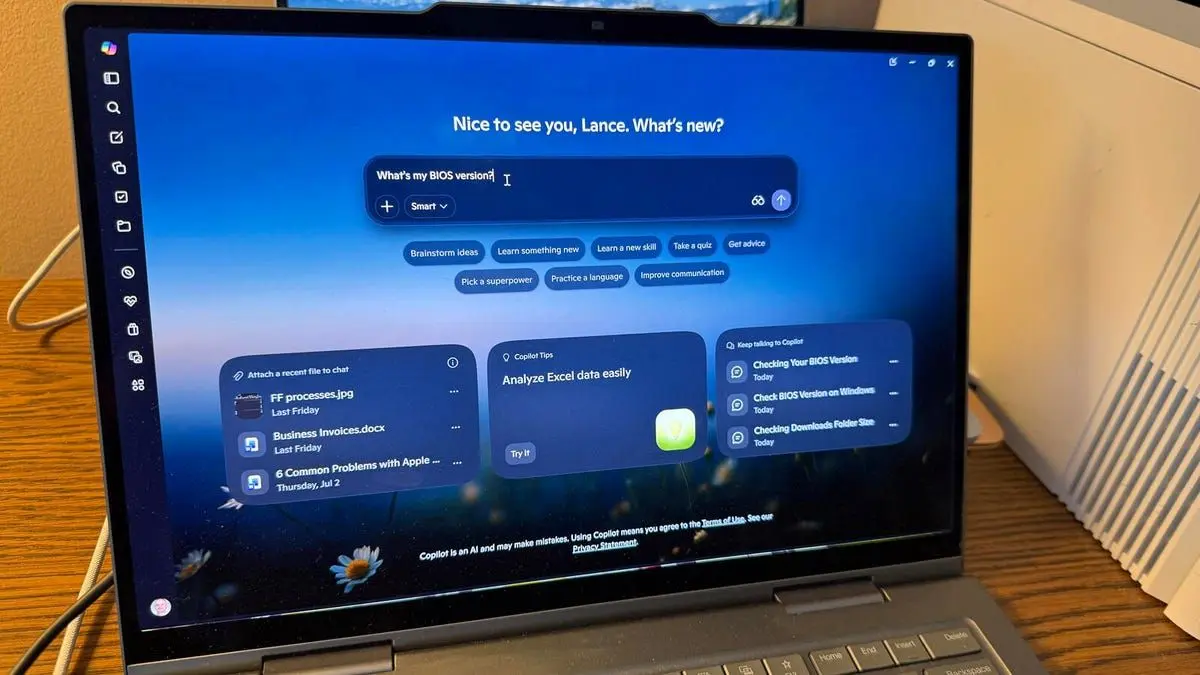
.
Source: ZDNet
Users can ask natural language prompts such as "How is my battery health?" "What's my BIOS version?" "What's my current CPU usage?" or "Do I have enough storage for a large game or app?"
1
. The feature responds to inquiries about graphics cards, storage, antivirus status, and connected peripherals like printers2
. To deliver these answers, the Copilot on Windows app connects to Windows APIs to analyze system data and PC hardware and performance details3
.Privacy controls and user permission requirements
Microsoft has implemented strict privacy safeguards for this functionality. Before accessing system resources, Copilot requests user permission each time it needs to check system information or files
2
. Users can grant permission for a single request, always allow similar requests, or deny access for the current session1
. A session continues until the app closes or the computer restarts. Microsoft promises that Copilot won't store personal files or use them to train AI models, and permissions can be revoked anytime through privacy settings1
. The feature remains strictly opt-in, and granting access doesn't allow Copilot to read actual file contents—only metadata like file sizes for storage calculations3
.
Source: PC Gamer
Limitations in troubleshooting and what might be slowing down your PC
While PC Insights can help users understand your device and identify potential issues, it cannot fix problems or make system changes independently
1
. The feature is purely informational at launch and won't automatically run specific troubleshooting steps1
. Microsoft acknowledges that Copilot "may not always provide complete or accurate information," especially during this testing phase . Once the AI identifies a problem area, users must resolve it themselves.Related Stories

RAM usage concerns and resource consumption
A significant irony accompanies this release: the Copilot app itself consumes substantial system memory. Testing revealed RAM usage of 791.7MB at idle, potentially reaching up to 1GB in total . This bloat stems from Microsoft's recent architectural change, transforming Copilot into a standalone spin-off of the Edge browser
3
. For users on RAM-limited machines investigating what might be slowing down their PC, the diagnostic tool itself may be a primary culprit4
. Critics note the contrast with Windows 11's lightweight Task Manager, which provides authoritative information without significant resource consumption3
. However, Microsoft designed this feature for less technically-informed PC owners who may find conversational queries more accessible than navigating system settings3
. The company indicates it will improve the experience over time and may add new capabilities in the future2
.
Source: TechRadar
References
Summarized by

Navi
Related Stories
Recent Highlights



Recent Highlights
Today's Top Stories






Don’t drown in AI news. We cut through the noise - filtering, ranking and summarizing the most important AI news, breakthroughs and research daily. Follow topics that matter to you and stay ahead.


