14 Sources
[1]
Google's Android-powered laptops are called Googlebooks, and they're coming this year
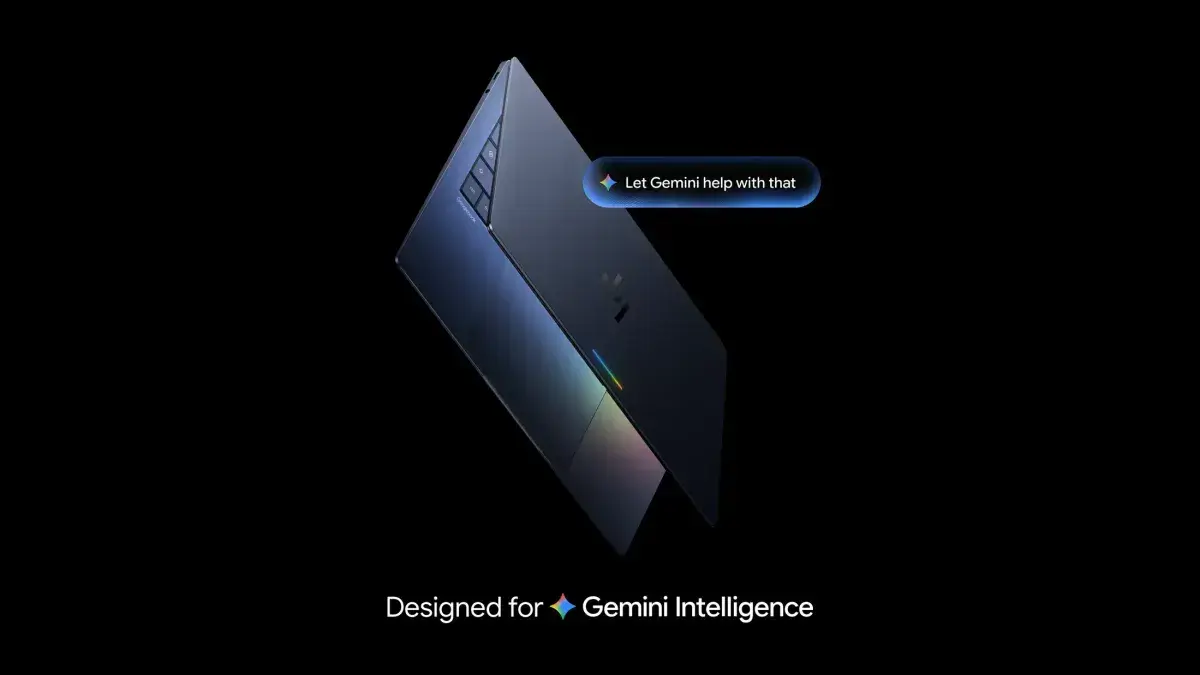
Google took its first swing at laptops with Chromebooks way back in 2011. These web-first laptops have seen success over the years, mostly in enterprise and education. Google insists Chromebooks aren't going away, but the company's focus has shifted to something new: Googlebooks. That's what Google has decided to call the new line of Android-powered laptops, which will begin shipping later this year. If you thought other Google products were steeped in Gemini, you haven't seen anything yet. Google says it designed Googlebooks from the ground up with Gemini Intelligence, and it all starts with the cursor. Google calls this the Magic Pointer. Just wiggle the cursor back and forth, and it will activate a full-screen Gemini experience. The AI will see what's on your screen so it can make contextual suggestions and pull in data from multiple apps. What can you do with that? Well, it's all a bit vague. Google's demos show how Magic Pointer can be used to select multiple images and instantly combine them with Nano Banana. Google also says you can use the cursor in AI mode to do things like suggest a calendar appointment simply by pointing it at the date in an email. Magic Cue, which has been available on Pixel phones since last year, will also be part of Googlebooks. This feature can recommend actions and surface information based on context like messages and emails. There's definitely a problem with discoverability in AI features, but it's uncertain how many useful things generative AI can do with screen context. The best Microsoft could manage was Recall, and we all know how that went. So far, Google's Magic Cue on phones hasn't been a game changer -- in fact, it rarely shows up at all. Can a laptop do any better?
[2]
Google unveils Googlebooks, a new line of AI-native laptops | TechCrunch
Google on Tuesday unveiled Googlebooks, its new line of laptops built around Gemini, Google's flagship family of AI models. The tech giant is working with partners like Acer, Asus, Dell, HP, and Lenovo to make the first Googlebooks in a variety of shapes and sizes. The company says Googlebooks, set to launch this fall, are the first laptops designed from the ground up around Gemini to offer personal and proactive help. Googlebooks will ship with "Magic Pointer," a new AI-powered cursor with Gemini built-in. Rather than just pointing and clicking, wiggling the cursor will surface quick, contextual suggestions based on what's on your screen. For example, if you point at a date in an email, you can quickly set up a meeting. Or, if you select two images, like your living room and a new couch, you can visualize them together. "We thought, we can take Gemini Intelligence and make the pointer truly smart and intelligent," said Alexander Kuscher, Google's Senior Director of Android Tablets and Laptops, in a briefing with reporters. "As you wiggle and you move over the screen, it will tell you what it can interact with, and contextually offer you the actions that you can do . . . It really exemplifies how we think about AI features throughout Googlebooks. It's built-in, but not in your face." The new laptops will also be compatible with Android phones, allowing people to use apps from their phone directly from their Googlebook. For example, if you're using your laptop and remember you need to complete your daily Duolingo lesson but don't want to reach for your phone, you can access the app directly on your laptop instead. Additionally, users will be able to easily access files from their phone directly through Googlebook's file browser, allowing them to view, search, or insert them directly on their laptop. Users will also be able to use Google's new "Create your Widget" feature on Googlebooks to build custom widgets by prompting Gemini. Gemini can also pull information from the web and connect with Google apps like Gmail and Calendar to build a single, personalized dashboard. For example, if you're planning a family reunion in Berlin, it can gather your flight and hotel details, surface restaurant reservations, and even add a countdown. The bigger story here may be what Googlebooks replaces. The unveiling of Google Books comes 15 years after Google introduced the Chromebook -- the affordable, browser-based laptops that became a fixture in schools and workplaces worldwide. The new Googlebooks will essentially succeed the Chromebook, although the company won't outright say so. A Google spokesperson told TechCrunch in an email that the company plans to continue supporting current Chromebook users, with devices receiving updates through their existing support commitments. The company added that many Chromebooks will also be eligible to transition to the new experience, but didn't share specifics on what this would look like. Google isn't just refreshing its laptop lineup -- it's beginning a long transition away from ChromeOS, the platform it built its laptop presence on, and toward a new Android-based operating system with AI built in at the foundation. And with the biggest names in PC hardware already signed on, this is a platform play as much as a hardware one -- and a direct answer to Microsoft, which has been pushing its own AI-native Copilot+ PCs since 2024.
[3]
Googlebook Is Google's New AI-Powered Laptop Platform Built on Android
They won't replace Chromebooks, but Googlebooks have an Android-centered operating system, AI-first features like the Magic Pointer, and a promise of desktop-grade apps. Almost exactly 15 years since Google introduced Chromebooks and ChromeOS -- which ushered a wave of cheap, functional, web-based laptops that would come to dominate the US education market -- the company has announced a new laptop platform called Googlebook. It's built around artificial intelligence and Android, and while it isn't replacing Chromebooks, it could give the company a more meaningful foothold in the premium computer market. Google announced the platform on The Android Show on YouTube, where it also detailed new features coming in Android 17 and Gemini Intelligence (you can read more about that here). Google is purposefully not sharing the operating system's name yet (it was codenamed Aluminium OS internally); Googlebook is the platform, and Dell, Acer, Asus, HP, and Lenovo have all signed up to produce Googlebooks coming later this fall. The company says it will share more information later this year, but I spoke with Alexander Kuscher, senior director at Google leading Android tablets and laptops, to glean more details. Kuscher says there's an immense amount of innovation in the Android ecosystem right now, and it translates really well into laptops. "You want to take advantage of the fact that this ecosystem is innovating so fast that you make sure that laptops are at the tip of that innovation wave -- building on top of Android technologies makes that so much easier for us," he says. Until now, when Google rolls out a new set of features for Android or its Gemini assistant, it often also announces some of those capabilities for other platforms, like Wear OS smartwatches, Android Auto, or Google Home. Chromebooks were rarely part of that picture because they were developed on a different tech stack and had their own development cycles. However, with Googlebooks, you can expect to see new features that pop up on Android available on a Googlebook laptop, where it makes sense. Case in point: Create a Widget. This is a new generative AI feature coming in Android 17, allowing users to generate their own widget by speaking naturally with Gemini. You can ask it to make a widget that shows the day's exchange rate if you're traveling, or a custom weather widget that also shows wind speed. This feature will also be available on Googlebooks. But the highlight feature Google is teasing at the gate is the cursor, which the company calls the "Magic Pointer" on a Googlebook. Built with Google's DeepMind team, wiggle your cursor while hovering over an app or image to get contextual suggestions. For example, you can wiggle the cursor at a date in an email, and Gemini will suggest setting up a calendar event. Or select two pictures in the Files app, wiggle, and Gemini will ask if you want to merge them. The Play Store is where you'll access all of your apps. But you might wonder how Google is getting around the classic Chromebook limitation: In ChromeOS, you can't download desktop-grade apps like on Windows or macOS -- you can only install Android apps from the Play Store or use web apps. That's a deal-breaker for people who rely on specific apps that may not have as powerful a web client or Android app. The answer is adaptive apps. Google has been encouraging app developers to make apps react to the size of the screen for a few years now, and that now translates to encouraging app makers to make desktop versions of their Android apps for Googlebooks. But Kuscher says things will be different from the "constrained" Android app experience on Chromebooks, which were originally built for a web-first era.
[4]
Googlebooks Could Be the Ultimate Laptop for Android Users
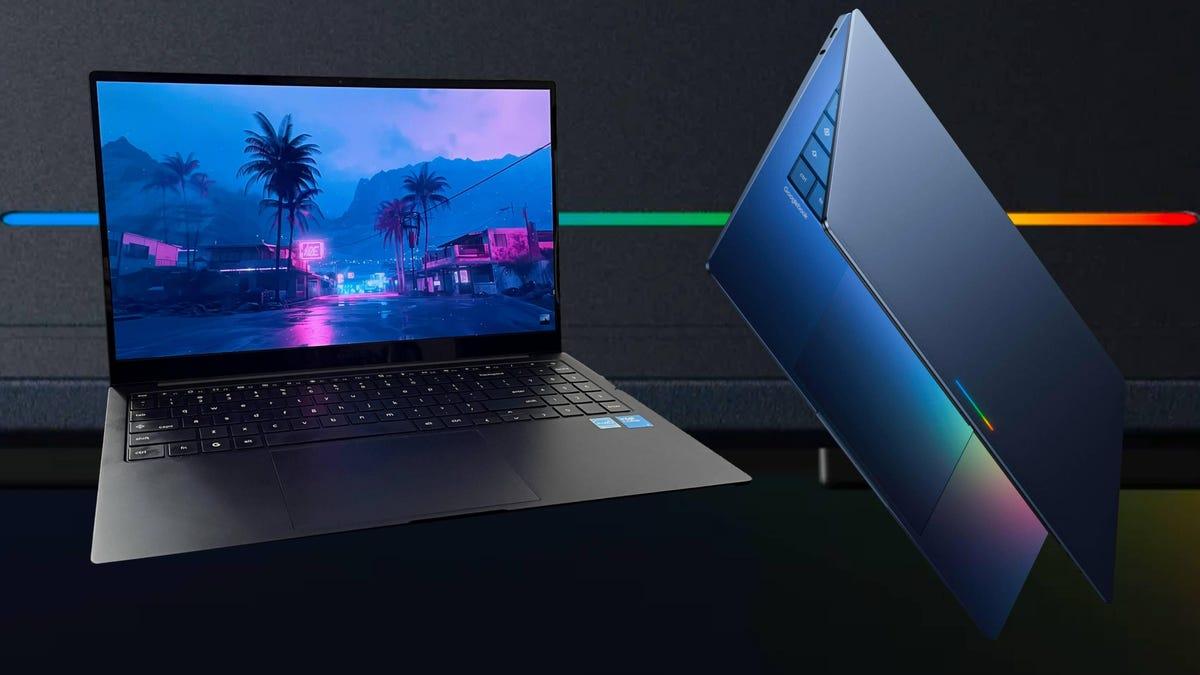
More than two decades experience writing about PCs and accessories, and 15 years writing about cameras of all kinds. Just about 15 years ago, Google introduced ChromeOS and Chromebooks, right when cloud computing was becoming mainstream. While early Chromebooks were fraught with limitations, ChromeOS's constraints dissipated over the years, becoming a low-cost, viable alternative to what Apple and Microsoft offer. Google's now looking to shake up the laptop market once again with Googlebooks -- but this time, it's all about AI. What's a Googlebook? The simple answer: It's a premium laptop powered by an Android- and Gemini-based operating system, with the desktop feel and built-in security of ChromeOS. But trying to explain what that actually means to someone who's not too tech savvy is a little trickier. The basic idea is that using a Googlebook shouldn't be all too different from using a Chromebook or any other laptop, you'll just get more Gemini AI-powered tools built in, along with access to the full universe of Android apps. While over the past couple years Google has added a healthy dose of Gemini AI to its Chromebooks, with Googlebooks it's at their core. One of the features Google has teased, for example, is Magic Pointer. Shake your cursor over an image, and the system could surface contextual AI suggestions for things you might want to do with it. Shake your cursor over an email with event details, meanwhile, and it might suggest adding the information directly to your calendar. Read more: Android 17 Is Smarter Than Ever, Thanks to Gemini Intelligence But arguably the biggest advantage is that, because it's built on Android, features originally developed for phones can be brought to Googlebooks much more quickly -- something that wasn't really possible with ChromeOS. Circle to Search is a good example: It took roughly a year for the feature to make the jump from Android phones to Chromebook Plus laptops. But now, an AI feature like Create Your Widget -- which lets you quickly generate custom widgets and was only recently announced for Android phones -- will also be available on Googlebooks. I spoke with Alexander Kuscher, Google's senior director for laptops and tablets, who described Googlebooks as "no-compromise" laptops designed for anyone with an Android phone. By building on the same Android foundation, he said, the experience between devices should feel seamless rather than bolted on. "When we started with Googlebooks, we wanted to build something that is intuitive. But when you unpack what intuitive means, it really means, often it starts with something that is familiar," Kuscher said. "And that's the approach we've taken with Googlebooks. We took something that you are used to -- in this case, your Android phone -- and you're used to how they work, how they behave, how they interact with you, and we took that, and we expanded upon it." To be clear, there aren't any Googlebook devices available yet; they're expected to launch this fall, in time for the holiday shopping season. Google confirmed launch partners including Acer, Asus, Dell, HP and Lenovo, while Kuscher said the laptops will ship with either x86 or Arm processors from Intel, Qualcomm and MediaTek. He also said the OS is meant to work with more than just laptops, so you can expect Googlebook devices in a variety of shapes and sizes. But the one thing they'll all have in common is that they're all going to be premium devices. Chromebooks have always had an image problem. No matter the materials, internal components or display quality, a lot of people still think of Chromebooks as the cheap, chunky plastic laptops kids use at school -- or simply as a browser in a box. Googlebooks seem designed to change that perception, pairing a more capable operating system with premium materials and higher-end components. In fact, unlike Chromebooks, there doesn't appear to be any overt Google branding on the lid at all -- aside from a subtle glowbar, visible in the image at the top of this story. "When we work with our hardware partners on the design and on the build of the hardware, we wanted to make sure that the hardware and the software feel like they're built with the same ethos and the same principles, and one of those principles was to provide a premium experience," Kuscher said. "It should be of a build quality that you come to expect from higher-end products, but also premium in terms of durability so that it lasts you and that it's an investment that you make and that you know is going to be making you happy for quite a while." What does the rollout of Googlebooks mean for Chromebooks? For the moment, they'll coexist. New Chromebooks currently have 10 years of support, and Kuscher said that's not going away. Plus, you've got millions and millions of students using them daily, and given that Googlebooks are premium devices, it's unlikely they'll replace Chromebooks for education anytime soon. I'd expect ChromeOS development to slow somewhat over time, with at least some higher-end Chromebook Plus models eventually transitioning to the new operating system. As for what that OS will actually be called, Google isn't saying yet. But I can tell you one thing: It won't be Aluminium. That was simply the project's internal codename, and Kuscher said it was never intended to be the public-facing brand.
[5]
First look at Googlebook: A premium Chromebook alternative for Android users
It merges Android and ChromeOS for smoother phone-to-laptop use. Google has announced an all-new laptop lineup, called Googlebook. Yes, you read that right -- the new product category is a step up from the Chromebook in terms of performance and features, merging ChromeOS and Android into a single operating system. This new, unified OS is a risk for Google that could potentially pay off big. Chromebooks already had integrations with Android smartphones, but Google says the new operating system will bridge the gap, bringing MacBook-like features to Googlebook. Details are sparse, however, as we're expecting more information to be unveiled at I/O, Google's developer conference, on May 19. Also: Windows rivals to MacBook Neo are here - but I'm more excited for Google's response Googlebook enters the laptop market at a crucial moment. When Apple's $599 MacBook Neo dropped earlier this year, it completely altered consumer expectations for budget laptops, forcing both PC makers and Chromebook makers to re-evaluate their offerings. Google's strategy seems thus: release a higher-quality laptop powered by a unified operating system across Android smartphones, and play ball with competitive features, powered by its new overarching AI engine, Gemini Intelligence. Notice a naming trend here? One of the biggest selling points for the Neo was how well it integrated with the iPhone. It forced users to justify why they were using a Windows PC at all when they could unlock features like Messaging, FaceTime, and Phone Mirroring -- all on a laptop that was potentially cheaper than their PC. Googlebooks are almost certainly a response to that. One of the focal points of the new OS is the Cast My Apps feature, which lets you seamlessly use apps on your phone directly from your Googlebook -- no downloading required. Ultimately, the idea here is to bring native support for Android apps to the laptop experience on Googlebook, including the new overarching AI engine, Google Intelligence. Notice a naming trend here? It will roll out features in waves, starting with the latest Samsung Galaxy and Google Pixel phones this summer. Also: 6 underrated Android features that are seriously useful (and how they've made my life easier) Other features, like Create My Widget, use AI to create widgets for Googlebook based on prompts made in natural language. For example, the demo showed the user creating a widget for a family vacation, which Gemini Intelligence made as a scrollable itinerary that sat on the user's desktop. There is also some smoothing of Android-to-iOS features. For one, Google says its new Quick Share feature, which lets you share photos, videos, and files to different devices, will be compatible with AirDrop. This will be available on Pixel phones to start, with support for Samsung, OPPO, OnePlus, Vivo, Xiaomi, and Honor devices later this year. It's been 15 years since Google released its first Chromebooks: affordable devices with modest hardware, built for basic tasks like surfing the web. Today, Chromebooks and Chromebook Plus devices have evolved to premium status with OLED panels, up to 16GB of RAM, and, of course, support for Gemini and complex AI tasks. Google was clear: Chromebooks are not going anywhere. "Chromebooks are not dead," Alexander Kuscher, senior director of tablets and laptops at Google, said on a virtual press briefing. If Googlebooks are an all-new product, the existing market of Chromebooks will remain unchanged... for now. Also: You can turn off Gemini in Gmail, Photos, Chrome, and more - here's how Kuscher said Google is committed to supporting software updates for Chromebooks until, at the very least, 2034, and readily admitted that the company was in no position to "just get rid of" the millions of Chromebook devices that are already deployed in schools, businesses, and the hands of consumers worldwide. I don't have to say that's a good thing, as any kind of limitations on older devices would be like Windows 11 migration PTSD all over again -- exactly the sort of thing Google is keen on being an alternative for. Although specific products and associated specs have not yet been announced, Google confirmed new premium devices from Acer, Asus, HP, Dell, and Lenovo. Physically, there's also not a lot to go off yet, but one thing Google showed off is the new "Glow bar," a rainbow-hued LED bar on the back of every Googlebook as a unified design language. The new Googlebooks won't be here until the fall, but we can expect laptop manufacturers to start announcing products as early as this summer.
[6]
Google says it's "rethinking laptops again" with its new Android-powered Googlebook
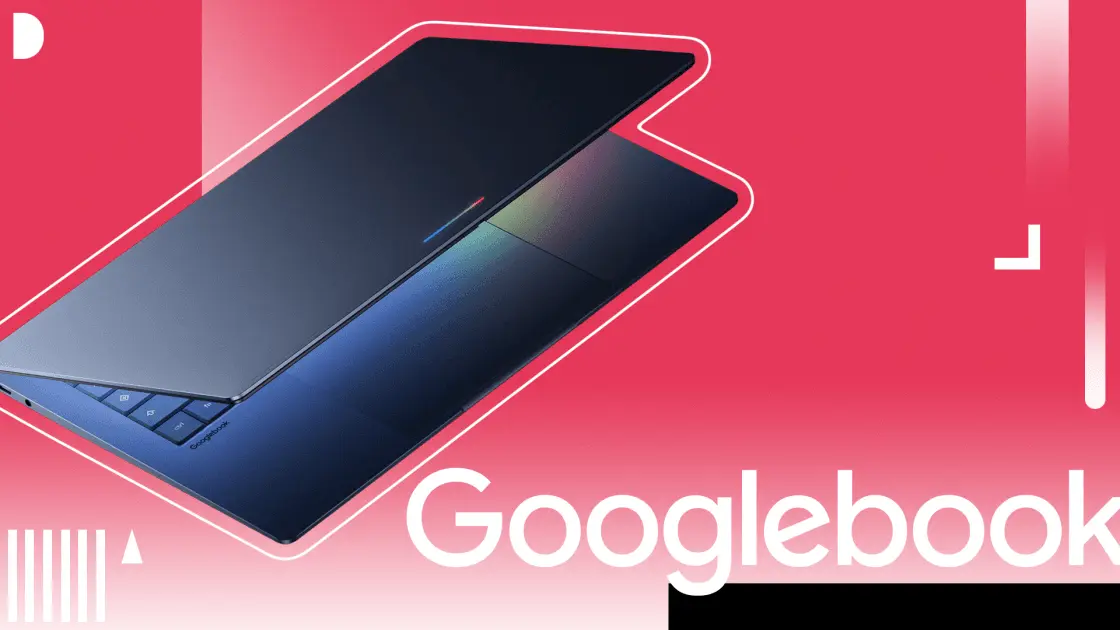
* Google has teases its new Googlebook laptop with a desktop Android-based OS that's likely ChromeOS' successor. * Wiggle the cursor to get Gemini-powered contextual suggestions when highlighting -- set meetings or compare images. * Quick Access shows phone files in the Googlebook file browser; devices promised in many sizes with a glowbar. We've known Google has been working on a new Android-based laptop and tablet operating system for quite a while now, and it's even appeared in leaks a few times over the past few months, most recently back in January as Aluminum OS. Now, just ahead of Google I/O 2026 from May 19th-20th, the tech giant is finally teasing official information, stating that it has "an opportunity to rethink laptops again" with its new Googlebook line. While Google doesn't confirm the operating system is Aluminum OS or even state that it's powered by Android, which is strange given all the other details it's offering up about the Googlebook before I/O, it's obvious the laptop features a desktop version of its phone operating system and is designed as the successor to ChromeOS and Chromebooks. In its press release about the Googlebook, Google says it "will have a lot more to share later this year." Even more strangely, a notable portion of its Googlebooks blog post focuses on the operating system's cursor and its unique Gemini AI features. Google says that whenever you "wiggle your cursor," contextual suggestions pop up every time you highlight something on your screen. For example, you can point to a date to set up a meeting, or select two images (like your living room and a new couch) to see what they'd look like together. This sounds like a pretty useful, original feature, but it's unclear how many elements of the OS it'll actually be compatible with. There's still a lot we don't know about the Googlebook It's likely we'll learn more about the desktop OS and its devices at I/O In its blog post, Google outlines how simple it is to access files from your phone directly in Google Books' file browser, using a feature called Quick Access that lets you view, search, and insert files from your Android onto your laptop. On the hardware side, Google doesn't say much about the Googlebook, other than noting that it features "premium craftsmanship and materials" and will come in several "shapes and sizes." The tech giant also adds that all Googlebooks feature a colorful Glowbar (check it out in the image below). There's still a lot we don't know about the Googlebook, including whether third-party manufacturers will release their own devices similar to Chromebooks and ChromeOS or, at least initially, if Google will handle everything on the hardware side. At least at the outset, what Google has shown so far about Google Books reminds me a lot of the classic Pixelbook, one of my favorite laptops ever. Google will likely reveal more information about its plans for its Googlebook line at I/O later this month. The Legend of Zelda: Twilight Princess gets an incredible fan-made PC port you can play today The world of retro video game decompilations is growing quickly. Posts 2 By Patrick O'Rourke
[7]
Googlebooks are the Android-based evolution of the Chromebook - Engadget
After multiple years of rumors, Google today confirmed a new laptop-focused initiative called Googlebooks. ChromeOS, which launched more than 15 years ago, was built with the thought that most people do everything online now; Google says this new category of laptops is built for a Gemini-first world. The company only gave us a very brief preview of what makes up a Googlebook, with plans to more formally announce more details including hardware later this year. Here's what we know so far. The OS running on Googlebooks has its origins in Android, something we've been hearing about for several years now. Of course, Chromebooks have supported app streaming from Android phones since 2023, but Google says that building the OS from the ground up on Android will allow for a lot closer integration between Googlebooks and Android phones. It'll also enable the company to develop and implement Android features on laptops much easier than it can currently do with ChromeOS. Since ChromeOS was basically just a browser to start with, Google has had to graft a lot of features like Quick Share and Phone Hub to make the system work better with Android -- that won't be the case with Googlebooks. As such, Google is pushing more robust Android integration with Googlebooks. There's a new Quick Access feature that'll show your compatible Android phone in the sidebar of the file browser, giving you immediate access to everything stored on it that you might want to share on your laptop. The new "Create Your Widget" feature coming to Android 17 is present here, as well. This lets you build a dashboard of related files and information from Gmail, Calendar and other Google apps to keep a project or event all in one easily accessible place. Googlebooks will also offer a streamlined way to view apps from your Android phone on your laptop. Like I said, ChromeOS has offered app streaming for a while already, but this implementation seems a lot simpler. There's a phone button in the dock at the bottom of the screen, and clicking that will just bring up a grid of apps that you can immediately launch on your Googlebook. It remains to be seen how exactly this differs from the current app streaming implementation, but it feels like these updates are meant to do something similar to the iPhone mirroring feature on the Mac that Apple introduced a few years ago. The real star of the show, to hear Google tell it, is improved Gemini integration. But aside from the Create Your Widget feature, Google has only showed off one other new Gemini feature: the Magic Pointer. This is an AI-powered upgrade to the standard cursor that every computer uses as a pointing and clicking interface. Wiggling the cursor transforms it into the Magic Pointer, which Google says will give you "quick, contextual suggestions" from whatever you point at on your screen. For example, the Magic Cursor offered to take a photo of a band and the bands logo and combine them for a makeshift poster. Another example involved taking a photo of your living room and one of a couch to have them combined so you can see how they'll look together. As with everything, we'll need to see this in person to determine if it's useful. I do like the idea of giving the cursor more powers -- but as with all AI features, this could be a boondoggle. As for the hardware, Google made it clear to me that when Googlebooks roll out this fall, it won't involve any first-party laptops. As usual, Google will be working with a variety of manufacturers including Acer, ASUS, Lenovo, Dell and HP. All of these companies have made Chromebooks in the past, so it's no big surprise to hear they're all involved. Google did say that it's starting with a focus on "premium craftsmanship and materials," so we're not looking at low-end Chromebook hardware here. Indeed, Google has added a bit of bling here -- there's a "glowbar" on the lid that is a direct nod to the Chromebook Pixel that the company released way back in 2013. On that computer, you could tap the lid and the bar would indicate how much battery life you had left, but we're not sure what trick the glowbar will perform, if any, in 2026. At this early stage, it's not terribly clear what concrete advantages Googlebooks will offer over Chromebooks. Most of the features that Google talked about are present to some degree already in ChromeOS, including pretty deep Gemini integration. However, one of the main tenets of Googlebooks is closer and easier integration with Android phones -- as such, it does make a degree of sense to start moving Google's laptop software over to Android. Google also says it'll continue supporting Chromebooks for the entirety of their life after purchase, which means years of software and security updates. My guess is that we're looking at a slow phase-out of available Chromebooks, with Googlebooks slowly taking their place as Google's laptop. But we're likely years away from that point -- first, Google and its partners need to get Googlebooks out to the market. Google says we'll hear more about that plan this fall.
[8]
The Googlebook puts Gemini in a laptop, ready to pull you away from Apple and Microsoft
The Chromebook era is over, and it has made way for the Googlebook era. Google has announced its next generation of laptops, only this time rather than being built around Chrome, they are built around Gemini Intelligence. Announced during the Android Show, details on the Googlebook range are limited for now, but here's what we know about it so far. It all starts with the cursor Google isn't leaving it down to chance that you'll use Gemini on your Googlebook, so it has thrown the good old cursor out, and replaced it with the Magic Pointer. It acts as a direct portal to Gemini, where just a wriggle immediately brings Gemini to life to assist with whatever you're doing. For example, point it at a date to quickly set up an event, or show it two photos and combine them using Gemini's photo editing skills. The concept is to provide fast, direct access to helpful tools. Google's idea behind Gemini Intelligence is to shift the AI away from questions and answers, and more towards a seamless way of working together. Android toolkit on a laptop Google will also bring the Gemini Intelligence features coming to Android to the Googlebook. This includes the ability to create custom widgets, have Gemini plan trips and reservations, and work across apps like Gmail and Calendar. In addition to Googlebook apps, you'll be able to utilize the apps on your phone on the desktop, and interact with them without the need to pick up your phone. Google says there's no need to download apps, or deal with emulated controls. This also applies to sharing files. Using Quick Access, files on your phone can be viewed, searched, and transferred over to your laptop without any additional tools or steps. It's everything on your phone, just on your laptop. The Glowbar is coming Rumored to also be part of the Pixel 11 series of smartphones, Google has announced the Glowbar, and it'll be a signature design element of the Googlebook. It's not exactly clear what the Glowbar will do, but Google says it will be, "both functional and beautiful." The only image it has shown is of a thin bar with a glowing, multicolored light. Rumors point to the Pixel 11 using a similar feature called Pixel Glow, indicating Google's very excited by glowing lights in 2026. When will a Googlebook be released? Google has only teased the Googlebook for now, and it has not given any release details at all. It's possible we may learn more about the laptops during the Google I/O developer conference slated for the end of May. Newsletter subscription unlocks Googlebook insights Subscribe to our newsletter for expert breakdowns and focused coverage of Googlebook: Gemini features, the Magic Pointer, Glowbar design, OEM partnerships, and what this shift means for laptops -- clear analysis to help you understand the change. Get Updates By subscribing, you agree to receive newsletter and marketing emails, and accept our Terms of Use and Privacy Policy. You can unsubscribe anytime. What we do know is, Google is working with Acer, Asus, HP, Lenovo, and Dell on the first range of Googlebook laptops. We also know they'll come in different shapes and sizes, and Google is promising "premium craftsmanship and materials." It's also unclear what's going to happen to Chromebooks, and whether they'll continue on as low-cost options, leaving Googlebooks to occupy the higher end of the market. While Google will want to capture the attention of prospective Windows laptop buyers, it will also be looking over its shoulder at the Apple MacBook Neo.
[9]
Google announces Googlebooks with Gemini Intelligence focus, coming this fall
At The Android Show today, Google previewed Googlebooks as a new category of laptops that takes the best of Android and ChromeOS. Google shared three tentpoles behind Googlebooks, starting with how it's built with Gemini Intelligence at the core. These AI features are meant to provide "personal and proactive help when and where you need it." Magic Pointer lets you "Select anything to ask Gemini." After wiggling the cursor, pointing at something will show "quick, contextual suggestions." It also lets you add anything on your screen to a Gemini prompt. Point at a date in an email to set up a meeting, or select two images -- like your living room and a new couch -- to instantly visualize them together. It lets you go from idea to I'm done in just a few clicks. Another Gemini Intelligence feature is Create My Widget. Also coming to phones, this generative UI capability lets you place custom pieces of information on your desktop. It draws from the web and your Gmail, Calendar, and other Google apps. There's a guided creation process or the ability to enter a prompt. Planning a family reunion in Berlin? Gemini can organize your flight and hotel information, restaurant reservations, and even a countdown in a single, helpful spot on your desktop, making your desktop your truly personalized home. The second tentpole is how Googlebooks fit with your Android phone. Cast my apps lets you access any application on your phone on the laptop's bigger screen. Quick Access enables you to retrieve files no matter where they are stored. The file browser on Googlebooks lets you browse the files on your phone and insert from your laptop. Finally, Google is working with Acer, Asus, Dell, HP, and Lenovo on Googlebooks. Coming in a variety of shapes and sizes, every device is said to be "built with premium craftsmanship and materials." All Googlebooks will feature a distinctive "Glowbar" -- in a throwback -- that is "both functional and beautiful." That said, Google hasn't specified the capabilities of this light bar. In terms of the user interface, Google didn't really go into detail today, but there are several shots. The time, day, and date appear in the top-left, with app notification icons appearing next. Battery, Wi-Fi, notifications, and a Gemini button are located at the top-right corner. There's a bar for apps at the bottom of the screen, while the Files app is straight from ChromeOS. The first Googlebooks will be available this fall, with more information coming before then. In terms of what's happening to ChromeOS, Google says Chromebooks "will continue to receive support through their device's existing date commitment, and many Chromebooks will be eligible to transition to the new experience." More details will be available before the Googlebook launch.
[10]
Google announces the Googlebook, a new breed of Gemini PCs
"Over 15 years ago, we introduced the Chromebook, a laptop built for a cloud-first world," Google Senior Director Alex Kuscher said in a blog post. "Now, as computing shifts from an operating system to an intelligence system, we see an opportunity to rethink laptops again." When the first models are released in the fall, Googlebooks will run Android apps like Chromebooks, but they'll place a heavier emphasis on features powered by Gemini, Google's AI assistant. Kuscher said Googlebooks are "the first laptops designed from the ground up for Gemini Intelligence." It also sounds like Googlebooks will have a different operating system, one that's not ChromeOS. Google hasn't specified which one, just that it'll be "a modern OS that's designed for Intelligence," wrote Kuscher. He's almost certainly talking about Project Aluminum, Google's rumored ChromeOS x Android mashup. Chromebooks have been gaining more integrated AI tools in recent years, so it makes sense that Google is finally going full-send on proper AI PCs. Whether consumers actually want them is another story. Mashable 101 Fan Fave: Vote for your favorite creator today! Googlebooks will support a "Magic Pointer" cursor feature that uses Gemini to understand and act upon onscreen content. You can activate it just by wiggling your cursor. "Point at a date in an email to set up a meeting, or select two images -- like your living room and a new couch -- to instantly visualize them together," said Kuscher, describing two hypothetical use cases. Googlebooks will also have a "Create your Widget" tool that lets the user make custom widgets with Gemini prompts. Google said the new laptops will integrate seamlessly with Android phones. While they can run Android apps themselves, you can also cast apps onto them from mobile devices without needing to download anything. Additionally, a "Quick Access" feature lets you view and search files on your phone right from a Googlebook. Google is just teasing Googlebooks for now, so we don't have any concrete spec details or launch dates. But we do know they'll have a characteristic "glowbar" lightstrip on their lids, and that the first models will be made by Acer, Asus, Dell, HP, and Lenovo, per the announcement blog post. Kuscher goes on to note that "Every Googlebook will be built with premium craftsmanship and materials, coming in a variety of shapes and sizes." Google's press materials also describe Googlebooks as having a "Featherweight Design" with "Heavyweight Power," so I'm thinking they'll be mid- to upper-range ultraportables. Googlebooks will almost certainly be more expensive than most Chromebooks, which themselves have evolved from budget devices to more premium machines in recent years. The highest-end Chromebooks now sit between $750 and $1,000.
[11]
Google just announced a new kind of laptop, and it puts Gemini everywhere
Google's new Googlebook platform puts Gemini at the center of every laptop interaction, from the cursor to the desktop, with devices from major PC makers arriving this fall. Google wants Gemini to be the brain of your next laptop, and the company has announced a whole new category to make that happen. Dubbed Googlebook, the new laptop platform puts Gemini at the center of the experience, with devices from Acer, Asus, Dell, HP, and Lenovo expected this fall. What makes it different At the core of the Googlebook experience will be Magic Pointer, a feature built with Google DeepMind that brings Gemini directly to your cursor. Wiggle it over anything on screen, and Gemini will surface contextual suggestions. Recommended Videos Point at a date in an email, and it will offer to schedule a meeting. Select two images, and it will be able to composite them together. And the best part: you won't need to install a separate app or type in a prompt. The idea behind this feature is to make AI assistance available at every point of interaction on the laptop, not just when you go looking for it. Googlebooks will also include Create your Widget, which will let you build custom desktop widgets by describing what you want in natural language. The tool will pull information from your Gmail, Google Calendar, and the web to assemble a personalized dashboard. Google says you will be able to organize flight details, hotel reservations, and a trip countdown into a single widget on your desktop. Seamless Android integration Google says Googlebooks will work seamlessly with your Android phone. A feature called Quick Access will let you browse, search, and insert files from your phone directly into the laptop's file browser, with no transfers required. You will also be able to run Android phone apps directly on the laptop, without downloading them or dealing with emulated touch controls. Every Googlebook will include a glowbar, a light strip on the device body that will serve as both a visual identifier and a functional element. Google says that the devices will come in a variety of shapes and sizes and run "a modern OS that's designed for Intelligence," most likely a reference to Aluminium OS, the company's Android-based platform that merges ChromeOS and Android into a single desktop OS. Exact specs and pricing have not yet been announced. Google has shared few details beyond the software features announced today, so the platform's real-world appeal will come down to what its manufacturing partners deliver this fall.
[12]
Google Just Announced a New Laptop Platform Called 'Googlebooks'
Google partnered with Acer, ASUS, Dell, and HP to manufacturer its laptops. Chromebooks have been a major success for Google, but they have their limits. While they're great for school and light work (especially if you're all-in on Google), they aren't necessarily the best choice for more intense or professional computer work. For that, people often turn to two main platforms: Mac or PC. It seems Google sees an opportunity to add another to the mix: The company looks like it wants to capture Android users who might be choosing from one of the other two platforms for their computing needs. iPhone users often choose Mac, after all, so maybe Android users would choose the right Google computer, too. Enter Googlebooks, a new laptop platform spearheaded by Google. The company announced the new product line during Tuesday's presentation of The Android Show: I/O Edition. Because it's 2026, these laptops are designed with AI in mind. And, because this is Google, the AI of choice here is Gemini -- specifically, Gemini Intelligence, which Google also announced during its keynote. Based on what I've seen, the OS is quite similar in appearance to Chrome OS. There's a dock at the bottom of the screen with various apps, a menu bar at the top of the display, and apps work in floating windows. Standard stuff. What Google is particularly excited about, however, is the Googlebook's new cursor, which it calls the "Magic Pointer." Like a typical cursor, you move the Magic Pointer across the screen to interact with different elements. But if you give the Magic Pointer a little shake, it'll activate Gemini, which will then let you know what actions it can take on your behalf. For example, you could shake the Magic Pointer over a date in an email and receive an option to set up a meeting. You could select two pictures in your photo library, shake the pointer, and see the option to combine those two images into one. Because this is meant to be a seamless cross-platform experience (à la Apple), you can run your mobile Android apps on your Googlebook. That doesn't just mean installing the Android version on your Googlebook; rather, you can run the apps from your phone on your laptop. Google has some ideas for how you should use it: You could fire up the DoorDash app on your Googlebook if you want to order lunch while working on a Google Doc, or open Duolingo to run through your daily language lesson without leaving your laptop. (These are things you could do already with these companies' web apps, but I get the direction.) On a similar note, you can use Quick Access to retrieve files from your phone on your Googlebook, without having to send the files to yourself. Google says it's bringing Gemini Intelligence's new "Create your Widget" feature to Googlebooks as well. The feature lets you use Gemini to generate your own custom widgets. You could create a widget that shows you the wind speed and rain forecast of any city you wish, or a widget that lists all upcoming concerts at the venue closest to you. It's a neat use of generative AI, and it makes sense that the company would include the feature on Googlebooks, not just Android proper. Unlike other major manufacturers, Google isn't slapping a large "G" on the cover to let you know this is a Googlebook. While the company has a small "Googlebook" logo underneath the keyboard, these machines will come with a "glowbar" on the lid. This is a functioning light bar, too, not just decoration, so it will actually glow as you use the laptop. According to Google, the company has partnered with Acer, ASUS, Dell, and HP to manufacture its first batch of Googlebooks. Google says that each will be built with "premium craftsmanship and materials," and will come in many different shapes and sizes. That said, the company is light on specific details at this time, and it's not clear which company made the device we see in the renders.
[13]
After 15 years, Google is finally fixing the one laptop feature nobody thought needed fixing
Summary Google debuts its new premium laptop range: Googlebook. Googlebooks will also launch Magic Pointer, which, with Gemini AI, gives contextual, instant actions when you hover. Googlebook pairs Gemini with Google apps to create a personalized desktop dashboard and reminders. Seamless Android integration: run phone apps, access files via Quick Access, and switch devices effortlessly. Over 15 years ago, Google introduced the world to the Chromebook. Now, Google has announced a new range of premium laptops called Googlebook, which is set to redefine a key feature we all use every day. What you need to know about Google's Magic Pointer Your cursor just got a huge upgrade First invented in 1963, the humble cursor has seen very few changes over the years. Don't fix what isn't broken, right? Well, Google disagrees, with a new cursor called Magic Pointer that has Gemini AI integration built in. Gemini will offer quick, contextual suggestions every time you point at something on your screen. For example, hover over a date in your email to instantly schedule a meeting, or select two images -- like your living room and a new couch -- to visualize them together. It lets you go from idea to I'm done in just a few clicks. What else does a Googlebook do? Calling time on Chrome OS? Googlebook's main USP is its integration with Gemini Intelligence, which claims to deliver personal and proactive help when and where you need it. Gemini can search the internet or connect your Google apps like Gmail and Calendar, to create a personalized dashboard. Add reservations and even a countdown in a single, helpful spot on your desktop, making it your truly personalized home. Much like how an iPhone integrates seamlessly with a MacBook, Googlebook's use an Android operating system, and are designed to be compatible with Android phones, so you can switch between your laptop and your phone. You can use any of your phone's apps straight from your laptop without having to download anything or deal with awkward touchscreen controls, all without leaving your laptop screen. Perhaps best of all, you'll be able to access files from your phone directly through your Googlebook's file browser. With Quick Access, you can easily view, search, or insert your phone's files on your laptop -- no transfers needed. The Googlebook will also come in a variety of shapes and sizes, with industry-leading partners including Acer, ASUS, Dell, HP, and Lenovo working on hardware. Stay tuned for more detailed specs as we get closer to launch! Subscribe for Practical Guides on Googlebook and Gemini Explore practical tips by subscribing to our newsletter for step-by-step how-tos, feature breakdowns, and real use examples of Googlebook's Magic Pointer, Gemini AI features, and phone-to-laptop integration so you can make the most of these features. Get Updates By subscribing, you agree to receive newsletter and marketing emails, and accept our Terms of Use and Privacy Policy. You can unsubscribe anytime. You can learn more at googlebook.com -- stay tuned for updates as devices become available this fall.
[14]
Google introduces the Googlebook - an AI-powered laptop with a 'Magic Pointer' | Stuff
Google has announced the Googlebook, a brand new category of laptop built around its Gemini AI. It's the biggest rethink of the laptop since the Chromebook launched 15 years ago. The headline feature is something called 'Magic Pointer'. Wiggle your cursor over anything on screen and Gemini springs into action with contextual suggestions. Point at a date in an email and it offers to book a meeting. Select a photo of your sofa alongside one of a new rug and it visualises them together. It could be a gimmick, or it could be really useful... time will tell. There's also a feature called Create your Widget. You can prompt Gemini to build a personalised desktop dashboard pulling in data from Gmail, Google Calendar and the web. Planning a trip? It'll pull your flights, hotels and restaurant bookings into one tidy spot. That does sound genuinely useful. The Googlebook is also built to work hand-in-hand with your Android phone. You can run phone apps directly on your laptop without downloading anything. Ordering food, finishing a Duolingo lesson, or grabbing a file from your phone - it all happens without breaking the flow. A feature called Quick Access lets you browse your phone's files right from the laptop's file browser. No cable and no syncing necessary. Hardware is being handled by Acer, ASUS, Dell, HP and Lenovo. Every Googlebook will have a distinctive "glowbar" - a coloured light strip that serves as the device's signature look. Think of it as Google's version of the Apple logo glow. The OS itself combines Chrome, Google Play apps and what Google is calling an "intelligence system" - a step beyond a traditional operating system. Whether that distinction holds up remains to be seen. But the ambition here is clear: Google wants the Googlebook to feel less like a computer some intelligent AI-powered sidekick. Pricing hasn't been confirmed yet. Devices are expected to arrive this autumn, with more details coming later in the year.
Share
Copy Link
Google has announced Googlebooks, a new line of Android-powered laptops built around Gemini AI. The devices feature Magic Pointer, an AI cursor that offers contextual suggestions, and will ship this fall from partners including Dell, HP, Acer, Asus, and Lenovo. The launch marks a shift from ChromeOS toward a premium laptop experience designed for Android users.
Google has unveiled Googlebooks, a new line of AI-powered laptop devices that mark a significant departure from the company's 15-year Chromebook legacy
1
2
. Set to launch this fall, these Android-powered laptops represent Google's answer to Microsoft's Copilot+ PCs and a direct response to shifting market dynamics in the premium laptop space2
. The company has partnered with major manufacturers including Dell, HP, Acer, Asus, and Lenovo to produce the first wave of devices in various shapes and sizes2
3
.
Source: CNET
Built from the ground up around Gemini Intelligence, Googlebooks are positioned as AI-native laptops that offer a premium laptop experience far beyond what traditional Chromebooks provided
2
4
. Alexander Kuscher, Google's Senior Director of Android Tablets and Laptops, emphasized that these are "no-compromise" laptops designed specifically for Android users, built with premium materials and higher-end components4
.The standout feature of Googlebooks is the Magic Pointer, an AI-powered cursor developed with Google's DeepMind team
3
. Unlike traditional cursors, wiggling the Magic Pointer activates a full-screen Gemini experience that analyzes what's on your screen to deliver contextual suggestions1
. Point at a date in an email, and the system can suggest setting up a calendar appointment. Select two images—such as a living room photo and a new couch—and Gemini AI can visualize them together2
.
Source: TechCrunch
Kuscher described the feature as exemplifying Google's approach to AI integration: "It's built-in, but not in your face"
2
. The Magic Pointer can interact with multiple apps simultaneously, pulling data and making suggestions based on screen context1
. However, questions remain about the practical utility of generative AI features with screen context, particularly given the lukewarm reception of similar features like Magic Cue on Pixel phones1
.Googlebooks address a key pain point for Android users by enabling seamless phone-to-laptop integration
4
. Through the Cast My Apps feature, users can access Android apps from their phone directly on their Googlebook without downloading them5
. Need to complete your daily Duolingo lesson but don't want to reach for your phone? Simply access the app directly on your laptop2
.Users can also access files from their phone directly through the Googlebook file browser, allowing them to view, search, or insert files without manual transfers
2
. This level of integration mirrors the MacBook-iPhone ecosystem that has long been a competitive advantage for Apple5
.The Create My Widget feature, announced alongside Android 17, will be available on Googlebooks at launch
3
5
. Users can prompt Gemini Intelligence to build custom widgets using natural language. Planning a family reunion in Berlin? Gemini can gather flight and hotel details, surface restaurant reservations, and add a countdown—all in a single, personalized dashboard2
.This capability highlights a crucial advantage of building on Android: features developed for phones can now reach Googlebooks much faster than they ever could with ChromeOS
3
4
. Circle to Search, for example, took roughly a year to jump from Android phones to Chromebook Plus laptops, but such delays should become a thing of the past4
.Related Stories
While Google insists that Chromebooks aren't going away, Googlebooks represent a long transition away from ChromeOS toward an Android-based operating system with AI built into the foundation
2
. The company has committed to supporting current Chromebook users through their existing support commitments, with devices receiving updates through at least 20345
. Many Chromebooks will be eligible to transition to the new experience, though specifics remain unclear2
.Kuscher explained that the Android ecosystem is innovating at an immense pace, and building on Android technologies makes it easier to keep laptops at the tip of that innovation wave
3
. Until now, when Google rolled out new features for Android or Gemini, Chromebooks were rarely part of the announcement because they were developed on a different tech stack with separate development cycles3
.Unlike Chromebooks, which have long struggled with an image problem as "cheap, chunky plastic laptops kids use at school," Googlebooks are designed as premium devices from the start
4
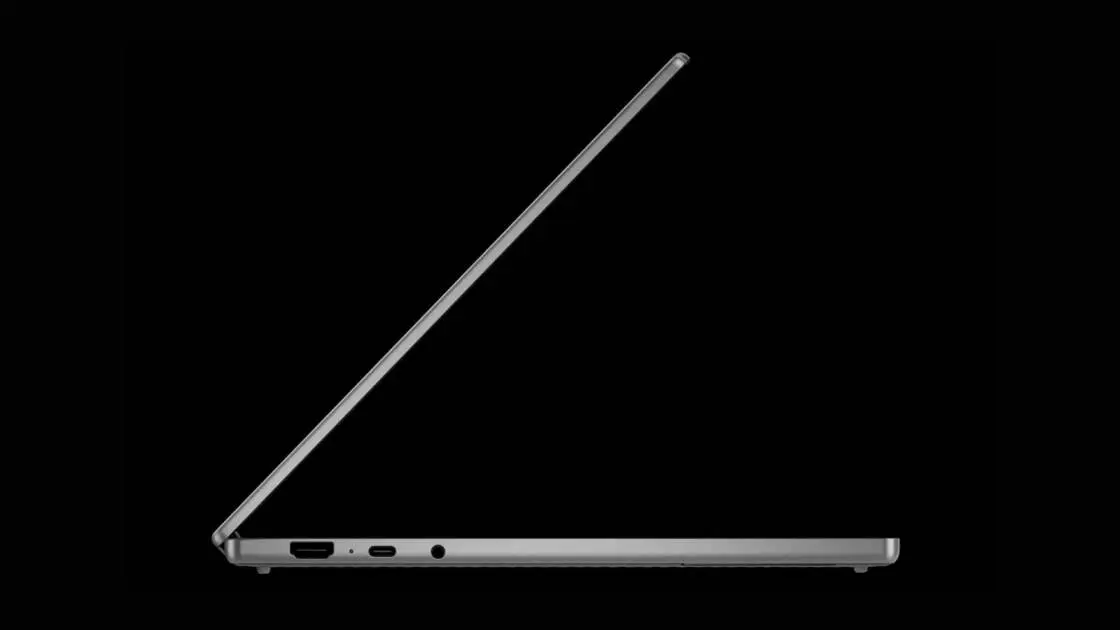
. The laptops will ship with either x86 or Arm processors from Intel, Qualcomm, and MediaTek, and will feature premium materials and higher-end components4
. A subtle "Glow bar"—a rainbow-hued LED bar on the back of every device—serves as the unified design language, with no overt Google branding on the lid5
4
.
Source: ZDNet
This is a platform play as much as a hardware one, positioning Googlebooks as a Chromebook alternative that can compete in the premium market
2
. The timing is strategic: Apple's $599 MacBook Neo earlier this year altered consumer expectations for budget laptops, forcing both PC makers and Chromebook makers to re-evaluate their offerings5
. With major PC manufacturers already committed, Google is positioning itself to capture users seeking tight integration between their Android phones and laptops—a market Apple has dominated with its ecosystem approach.Summarized by
Navi
[1]
1
Technology

2
Policy and Regulation

3
Policy and Regulation