2 Sources
[1]
The Googlebook Reveal Has Me Bullish on Google Reinventing the Laptop (Again)
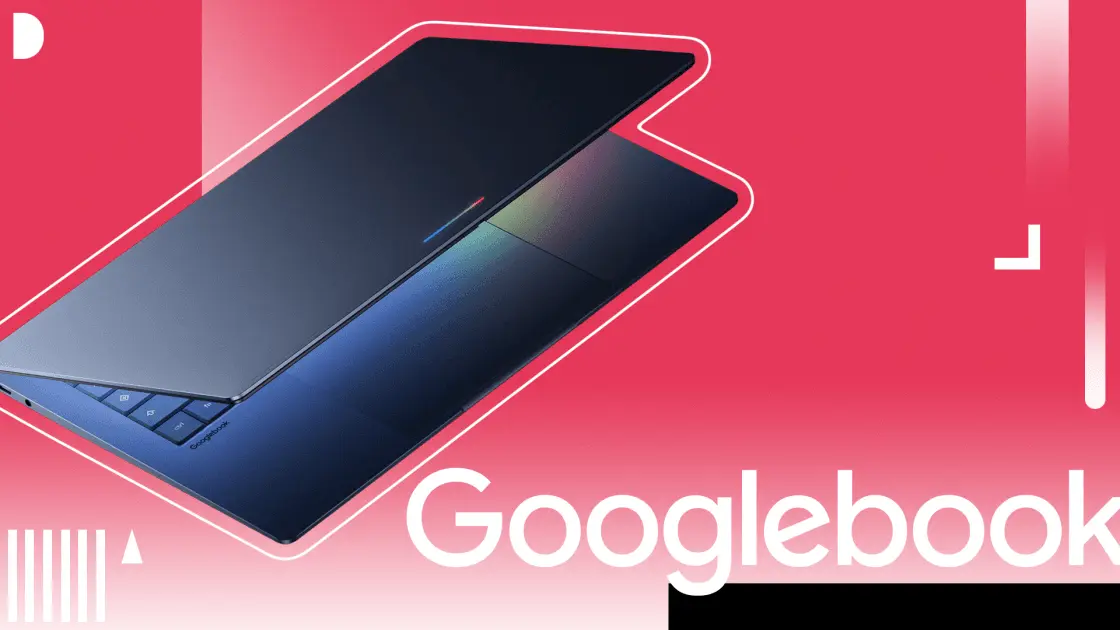
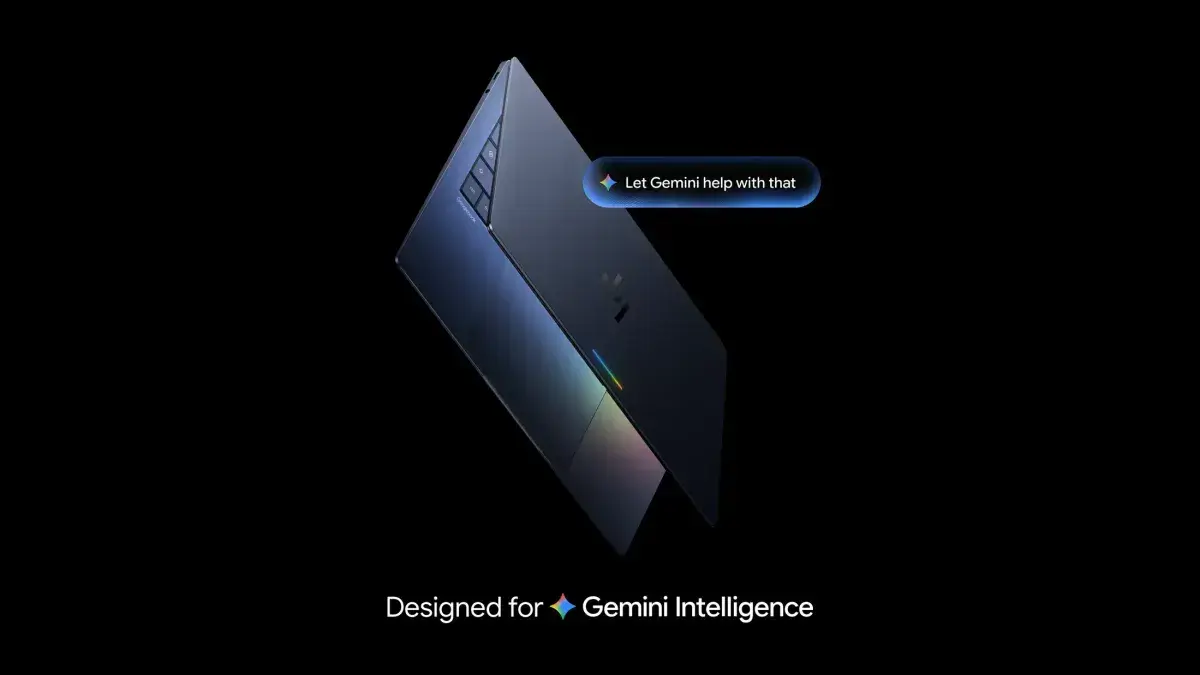
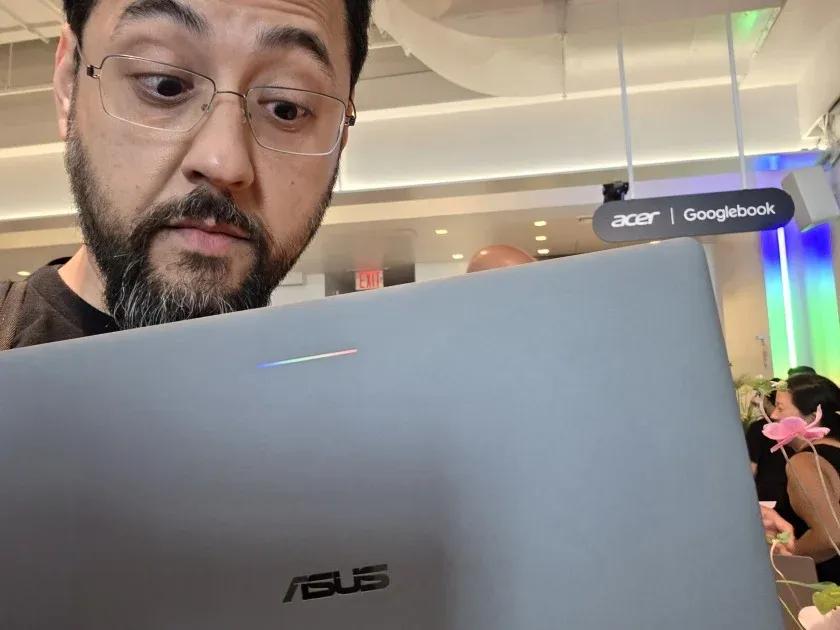
For well more than a decade now, Google's Chromebooks have enabled a particular flavor of computing. Chromebooks are deeply online, leveraging a cloud-first, lightweight operating system, with just enough silicon strength to power the company's Chrome browser and basic Android apps. With Google's enormous collection of web apps, extensions, and Android apps surrounding the platform, that has sufficed. With AI absolutely popping off now, however, devices working in that paradigm won't pass muster for much longer. If anyone knows the score now, it's Google. With its trove of data, services, apps, and market share -- not to mention its highly competitive Gemini models, Android operating system, and loyal hardware partners, via Chromebooks -- Google is well prepared to launch into a new form of compute that better merges cloud computing with local processing. With Googlebooks landing later this year, Google's next OS will move from the feathery, cloud-first ChromeOS to what Google is dubbing an "Intelligence System." Hard details on Googlebooks have been slim, to put it lightly. Still, having reviewed Chromebooks since the original CR-48, and as a daily Android and Google Gemini user, I can fill in some of the gaps. This is what I see coming as Google moves (at last!) to combine Chrome, Android, and Gemini into a singular AI-first experience. Merging all this hardware, software, and AI into white-label laptops of sorts is a big, complex bet. But it's a gamble Google is especially well-positioned to win. What's a Googlebook? (Hopefully, More Than Just Bolted-On AI) In a nutshell, a Googlebook, based on Google's initial tease during a May 12 episode of The Android Show, is a laptop platform built on what appears to be a fusion of Android and ChromeOS, with a deeper focus on Gemini AI than either operating system currently offers. This is just conjecture, but Googlebooks will likely require more punchier internal components than their Chromebook kin, and therefore probably won't be budget-priced like most Chromebooks are. What makes Googlebooks different from Chromebooks with Gemini features is the depth of integration. It appears this isn't just a collection of bolted-on tools; it's a modern OS designed from the ground up for AI -- what Google is calling Gemini Intelligence, suggesting it applies its AI sauce in ways beyond simple chatbot functionality. While we've seen Gemini work across phones and wearables, the more convenient UI and better local processing capabilities of a laptop should give Googlebooks a leg up. On a larger laptop screen, Gemini might not feel as scattered and piecemeal as the current collection of disjointed apps and semi-connected services. In a laptop setting, Gemini can cohere access to Google Docs, Sheets, Gmail, and the broader internet in a way no little device ever could. Plus, right now, on any platform, using Gemini feels like a process. You have to copy and paste, or hope the chatbot has the right access and permissions. Apps like Docs and Gmail have some Gemini functionality built in for summarization and rephrasing, but pulling a document or email into a full Gemini collaborative discussion requires a different file-sharing system on the Gemini side, or a bunch of back-and-forth copying and pasting. Googlebooks aim to fix that by putting the intelligence directly into the OS. The dream is for Gemini to be so deeply integrated, and so broadly available, that I can have an experience in Docs or Sheets similar to being in the actual Gemini app. Fingers crossed that the new Gemini integration accomplishes this. Are Googlebooks the Android-Chrome Hybrid We've Been Waiting For? The biggest functional change from Chromebooks to Googlebooks is the seamless combination of the laptop experience with the Android ecosystem. It looks like we are finally moving past simple Android app emulation inside ChromeOS. For example, you can run phone apps on your laptop without downloading them, and the file browser no longer just searches your local drive or Google Drive; it sees your phone, too. If you have a PDF or a screenshot on your connected phone, it's just there on your laptop. No emailing files to yourself, no clunky transfers, and no janky "mobile on PC" solutions. We've seen many attempts at bridging the gap between phones and laptops: Apple's Continuity seems the best for linking iPhone and Mac, but Windows has struggled with a more fragmented ecosystem of manufacturers and phone types, despite consolidation efforts like Intel Unison. Solutions like Samsung Galaxy Connect, Dell Mobile Connect, and even Microsoft's Phone Link have all tried to solve it. Google has a genuine ecosystem with Android and Chrome, so Googlebooks could be a big improvement for folks who swim in Google's pool of services and devices. Even more exciting, the new Android-infused OS will receive Android's best new features, including custom widgets, which were announced alongside Googlebooks. Gemini Intelligence widgets let you describe what you want with a natural language prompt, and Gemini will whip up a custom widget just for you, pulling together the information you want. A Googlebook with Gemini will use Google's deeper access to gather data from Google Search, personal apps, and files, and then summarize or recombine the info as needed. That turns widgets from generic packages for general information to custom tools that surface the information you want, when and how you want it. Examples from the announcement include a widget that tracks just the wind speed and rain information that you might need for biking. Another example? Organizing a family reunion overseas. A single widget can pull data from the Gmail and Calendar apps, combining that into a dashboard that can track information about upcoming flights and count down to planned events. It can also organize flights, hotel reservations, and restaurant options in one place. What has me most excited here isn't that Googlebooks' intelligent OS can use the same cross-platform widgets coming to Android, but that this functionality may finally be fleshed out for the desktop experience. I can think of a dozen uses for this in my day-to-day work where I want to access the heavy data that normally requires a PC. For example, I'd love to monitor industry rumors from Google News, cross-reference that against my email (which often includes pre-announcement invitations and pre-release product data), and then see if any of those matches line up with current and upcoming work tasks. It's exactly the kind of information workflow that I haven't yet automated because it has too many moving parts. (And, hey, I would love some relief from keeping track of all that in my head.) The 'Magic Pointer' and the Wiggle: A Uniquely Google Advantage The most interesting UI innovation I saw in the Googlebooks information Google shared with us is the Magic Pointer. Developed with Google DeepMind, it turns the cursor into a contextual agent. By using a simple "wiggle" gesture, you bring up actions based on what's on your screen. The combination of screen awareness and intuitive gesture controls could be huge. Working with Magic Pointer, Gemini can recognize dates in emails or take a picture of your living room and insert a couch to see how new furniture might look. While Google hasn't told us everything about the level of awareness Gemini has for on-screen information, it looks like you'll be able to use the hover and gesture controls for both text and images, with different suggested options depending on the content and context of whatever you highlight. Plus, by name-checking DeepMind, Google has signaled that this isn't just a clever software trick. The company put its most advanced AI research directly into the cursor. This system-level awareness is a direct challenge to the capabilities we're seeing from Microsoft's Copilot+ PCs and ChatGPT, and combining it with something like Apple's Force Touch contextual menus. Gemini Intelligence is Google's big AI play across all sorts of devices. But I think that if Google wants to stay competitive, it has to consolidate these capabilities, and the laptop is the best platform to do so. It's not the only device on which you'll want to grab information from an email or a spreadsheet or a web search, but it's the place where you're most likely to try all of those things at once. The Return of the Glowbar: A Bright Branding Play Perhaps the most nostalgic part of this announcement is the return of the rainbow light bar on Googlebook laptop lids. I first saw this on the original premium Chromebook Pixel in 2013 as a bit of signature flair. Now, it seems Google will mandate the inclusion of this so-called "Glowbar" across all manufacturers as a visual identifier for Googlebooks. It's not the first time Google has dictated specific hardware features to other manufacturers that make Google products. Chromebooks have used a different keyboard layout from Windows machines for pretty much as long as Chromebooks have existed. And since 2023, Google has set specific hardware standards for its Chromebook Plus models to support higher performance and a consistently satisfactory user experience. Unlike the Windows ecosystem, where manufacturers have a lot of freedom to select components, Google doesn't allow anyone to use the Chromebook or Chromebook Plus names unless they meet certain standards. Google's announcement livestream called the Glowbar "both functional and beautiful," suggesting that it might deploy some of the interesting uses of it I've seen in the past, such as serving as a battery-percentage indicator. Whether it's serving a purpose or just looking pretty, it gives Googlebooks a clear identity. And they will need it. The Bigger Branding Gamble: Googlebook vs. Chromebook While the tech is impressive, I suspect Google's biggest hurdle will be branding and messaging to differentiate Googlebooks from Chromebooks. "Googlebook" sounds a bit generic compared with "Chromebook." (Also, ahem: The unrelated Google Books exists.) Even reading and watching the official announcements, I was a little confused about how the coming Googlebooks will differ from the existing Chromebooks. I fully expect that shoppers will confuse and conflate the two. The first Chromebooks leveraged the global name recognition of the world's most popular browser to explain a cloud-first paradigm. "Google," meanwhile, means too many things to too many people. (Is it search? Is it a suite of tools? Is it Gemini?) I can't help but wonder if "Gemini Book" would have been a clearer banner to rally behind. It will be fascinating to see how partners like Acer, Asus, Dell, HP, and Lenovo handle the marketing. Will they lean into the "Googlebook" name, or focus on the "Gemini-powered" features? We also have the giant question mark over price. Google has described the Googlebook as "built with premium craftsmanship and materials," suggesting a higher price point than ordinary Chromebooks and maybe even Chromebook Plus models. Google's vague statement could mean anything from metal construction and higher-resolution displays to hardware that's more like a Windows ultraportable, or something entirely different -- Google's Tensor SoCs could be in the mix. Until Google shares more specific details, we'll just have to speculate. If Google wants this new Gemini-powered era to shift away from the image of cheap, lightweight Chromebooks to something more substantial with AI smarts, then high-standard hardware that combines Chrome, Android, and Gemini will be key. Googlebooks need to make a splash in a way that consumers and businesses can see and understand. The Good News? This Will Probably Be the Worst Version of the Googlebook Google has always taken an iterative approach. The mantra when the first ChromeOS-powered laptops launched was that "this is the worst version of the Chromebook you will ever see." The logic that constant cloud updates and refinements would only make them better over time has been borne out over the years. That same thinking has applied, in spades, to AI tools over the last three years, as language-model technology exploded, evolving from simple chatbot toys to valuable work tools. I've watched ChromeOS and Gemini evolve consistently enough to feel confident in Google's ability to pull this off. We still have plenty of unknowns -- especially around the hardware, and how Googlebooks will balance on-device functionality versus the cloud. Regardless, a platform like Googlebooks is clearly the hardware anchor Google needs to turn its piecemeal AI tools into a cohesive, intelligent system. Don't bet against the Google beast -- even if its new kid could use a better name.
[2]
Google's Googlebook is Microsoft's Copilot+ problem all over again, and Magic Pointer won't save it
Google I/O 2026 has come and gone, and a huge focus was on AI this year. Part of that included a revision of the humble Chromebook, which is being succeeded by the newer and shinier Googlebook. The Googlebook earns its new name due to some key changes to Chromebook's DNA, the most important of which is an NPU that can hit an impressive 40 TOPS for a low-end device. But as I was looking at the Googlebook, I had a nasty sense of deja vu. We've definitely seen a company axe its previous line of laptops to focus on an AI-centric model before, and it wasn't pretty. So, here's why I think the Googlebook is potentially sleepwalking into another Windows 11 Copilot+ problem. The main draw for the Googlebook is the AI There's not much else to celebrate with the upgrade The main draw of the Googlebook is that it's kind of like a Chromebook, except it has mightier hardware under the hood. That includes a Neural Processing Unit (NPU) that's dedicated to running AI models locally. The idea is that you can use AI tools like Gemini without the need for the laptop to 'phone home' with Google's servers; it can do everything on the hardware itself. This goes hand in hand with what we saw with Google I/O 2026. The company spent a lot of the keynote discussing AI. We saw it on Search, we saw it on Android, we saw its new Gemini agentic system; it was everywhere. And it seems that the Chromebook was not spared when it came to "Ai-ifying" Google's portfolio. The search giant seems very excited and very confident that we'll fall in love with AI soon. Google says it's "rethinking laptops again" with its new Android-powered Googlebook The successor to the Chromebook and Chrome OS has finally been officially revealed Posts 1 By Patrick O'Rourke The main drawback for the consumer is the AI Google may like it, but we might not The problem is, we haven't fallen in love with AI. Sure, AI is there, in our daily lives; we use it to talk things through, perform research, and do menial tasks at our jobs. But I really haven't seen many people begging for a laptop that allows them to, say, run Gemini-powered translation locally. Or perhaps churn over some data. Nothing proves this more than Microsoft's Copilot+ initiative. If you're not up to speed, Microsoft basically unleashed a wave of AI-driven laptops two years ago. These had to come with 40 TOPS of processing power and allowed Copilot to run AI tasks locally, much like the Googlebook. Unfortunately, the general public didn't really respond well to it, mainly because the Copilot+ angle didn't really offer anything that convinced people that it was the feature. In fact, the best reason to recommend a Copilot+ laptop was for the Snapdragon chip, which reduced battery usage by a notable amount. The laptop, designed to be a software powerhouse, was far more appealing for its hardware alone. The Copilot stuff was just bloatware, as far as some were concerned. I paid for Gemini, Claude, and Copilot for a month, but only one of them is worth the subscription The AI subscription winner is not who you think. Posts 12 By Parth Shah The Googlebook's killer feature doesn't compel me to buy one, just like Copilot+ There are some worrying parallels The Googlebook could succeed if it did something genuinely different and worthwhile. AI laptops really need that "head-turner" feature that elevates them from a gimmick to a must-have. The problem is, I'm not really seeing that "wow factor" with the Googlebook; in fact, when I take a look at what it can do, I basically see the same things that Microsoft promised would revolutionise how we'd use PCs. Take, for instance, how deeply the AI is embedded within the operating system itself. For Microsoft's Copilot+, the spotlight feature was Recall. The idea was that your laptop would take periodic screenshots of your screen and use them to create a history of how you used your computer. Recall then got hit with privacy issues (not once, but twice), which really took the wind out of Copilot+'s sails. Now, we have the Googlebook's "Magic Pointer." The idea is that, if you want to invoke Gemini to analyze something on your screen, you can wiggle your cursor at it. Gemini will then pop up and analyze whatever it is you're shaking your mouse at. You can wiggle over a date and time, and Gemini will put it in your calendar. Cast your cursor over a data field, and Gemini will analyze it. Now, Google's Magic Pointer feature is a great deal more respectful of the user's privacy than Recall. Not only does it not take screenshots of your entire desktop, but you can turn it off if you don't like it, something that you couldn't do with Recall when it was first released. But this is Google's big flagship feature, the one thing that it hopes will shift Googlebooks, and I'm just not impressed by it. And I don't think many other people are, either. Subscribe to the newsletter for Googlebook and AI laptop analysis Get the newsletter to unpack whether the Googlebook's AI-first pitch truly matters. Expect focused coverage and practical analysis of AI laptops, hardware tradeoffs, privacy concerns like Magic Pointer, and what buyers should actually consider. Get Updates By subscribing, you agree to receive newsletter and marketing emails, and accept our Terms of Use and Privacy Policy. You can unsubscribe anytime. The idea behind the Magic Pointer is that it's meant to cut down the number of clicks you make to invoke Gemini. Instead of, say, grabbing an image, pasting it into a Gemini chat window, and asking about it, you wiggle your cursor at the image like you're waving a magic wand, and Gemini will appear to aid you. Is it cool? Sure. Does it make me want to toss my laptop in the trash and purchase a Googlebook on launch? Absolutely not. There's nothing about this feature that tells me that AI laptops are the future. In fact, I'm concerned that I'd find it more of an annoyance than a tool, especially if it keeps seeing false positives with my cursor movement, or if it totally misses what I wanted to share with it. And any flagship feature that causes users to go "Wow, that seems like it'd be a pain to use" is probably not a great flagship feature. I built my own Googlebook with a Raspberry Pi, local LLMs, and old hardware I turned out much better than I expected Posts By Ayush Pande Google has made a stellar product for an audience that doesn't exist Honestly, with how fast AI is going and all the hype it generates, I don't blame Google for going all-in on AI. However, I really don't think the Googlebook is what people are looking for. People are looking for the tipping point where AI laptops stop being a novelty and start changing how people use their PCs, and Magic Cursor is not that killer feature.
Share
Copy Link
Google announced Googlebook, positioning it as the successor to the Chromebook with an AI-first operating system powered by Gemini AI. The new platform merges Android and Chrome with a 40 TOPS Neural Processing Unit for local AI model execution. However, critics draw parallels to Microsoft's Copilot+ problem, questioning whether features like Magic Pointer offer compelling reasons to upgrade beyond what feels like bolted-on AI functionality.
Google has officially revealed Googlebook, marking a significant shift from its decade-long Chromebook era. Teased during a May 12 episode of The Android Show, the Googlebook represents what Google calls an "Intelligence System" rather than a traditional operating system
1
. Set to launch later this year, this successor to the Chromebook moves away from the lightweight, cloud-first ChromeOS model that has defined Google's laptop strategy since the original CR-481
.
Source: XDA-Developers
The platform is built on what appears to be a fusion of Android and Chrome, with Gemini AI deeply integrated throughout the experience. Unlike current Chromebooks with Gemini features bolted on, Googlebook aims to embed intelligence directly into the AI-first operating system itself
1
. This shift reflects Google's recognition that devices working in the old paradigm won't suffice as AI continues to advance.A defining feature of Googlebook is its hardware requirements. The platform includes a Neural Processing Unit capable of hitting 40 TOPS, enabling local AI model execution without needing to connect to Google's servers
2
. This marks a departure from Chromebook's minimalist silicon approach, suggesting Googlebooks will require more powerful internal components and likely won't carry the budget-friendly price tags most Chromebooks do1
.The NPU allows Gemini AI to run tasks locally, from translation to data analysis, without the latency of cloud processing. Google positions this as "Gemini Intelligence," suggesting the AI sauce extends beyond simple chatbot functionality
1
. The larger laptop screen should provide a more coherent experience than phones or wearables, allowing Gemini to access Google Docs, Gmail, and the broader internet more effectively.The biggest functional change involves moving past simple Android app emulation inside ChromeOS. Googlebook enables users to run phone apps on laptops without downloading them, while the file browser now sees connected phones directly
1
. If you have a PDF or screenshot on your phone, it appears on your laptop without emailing files or using clunky transfer solutions.This seamless merging of Android and laptop experiences could position Google ahead of competitors. While Apple's Continuity links iPhone and Mac effectively, Windows has struggled with fragmentation despite efforts like Intel Unison. Solutions like Samsung Galaxy Connect and Microsoft's Phone Link have attempted similar bridges, but Google's genuine ecosystem spanning Android and Chrome gives Googlebook a potential advantage
1
. The platform will also receive Android's best features, including custom widgets announced alongside Googlebook.Related Stories

Source: PC Magazine
Google's flagship feature for Googlebook is Magic Pointer, which allows users to invoke Gemini AI by wiggling their cursor over screen elements. Wiggle over a date and Gemini adds it to your calendar; cast your cursor over data fields and Gemini analyzes them
2
. While more privacy-respectful than Microsoft's controversial Recall feature—which took periodic screenshots and faced privacy issues twice—critics question whether Magic Pointer offers the compelling "wow factor" needed to drive adoption2
.The concern centers on whether Googlebook is repeating Microsoft's Copilot+ problem. When Microsoft launched Copilot+ laptops two years ago with 40 TOPS processing power for local AI tasks, the general public didn't respond enthusiastically
2
. The best reason to recommend those laptops became the Snapdragon chip's battery efficiency rather than the AI capabilities themselves, with Copilot features often viewed as bloatware.Googlebook arrives at a moment when AI saturation is high but consumer enthusiasm remains uncertain. Google I/O 2026 featured AI everywhere—in Search, Android, and the new Gemini agentic system
2
. While people use AI for research and menial tasks, the appetite for AI-centric laptops hasn't materialized as tech companies hoped.Yet Google brings unique advantages. With its trove of data, services, market share, competitive Gemini models, and loyal hardware partners via Chromebooks, Google is well-positioned to merge cloud computing with local processing
1
. The challenge lies in demonstrating value beyond what currently feels like disjointed apps and semi-connected services. The dream is for Gemini to be so deeply integrated that working in Google Docs or Sheets feels like being in the actual Gemini app, eliminating the copy-pasting and permission requests that characterize current AI workflows1
.Whether Googlebook succeeds depends on delivering that head-turner feature that elevates AI laptops from gimmick to must-have—something the industry hasn't yet achieved.
Summarized by
Navi
12 May 2026•Technology

20 Nov 2024•Technology

11 Sept 2025•Technology
1
Science and Research

2
Technology

3
Policy and Regulation